

Elementor Hello Five
/Year
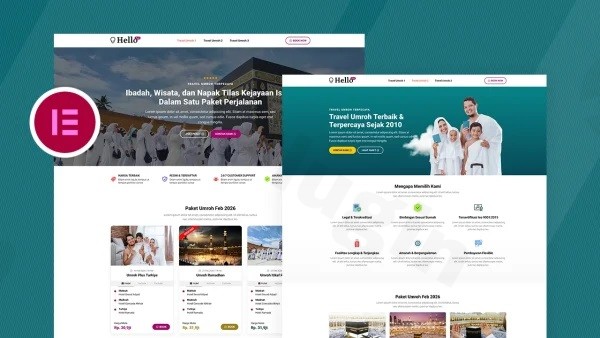
When it comes to building high-performance websites with total creative freedom, the Elementor Hello theme has become the gold standard for professionals. Unlike traditional themes that come packed with pre-set styles and heavy CSS files, the Hello Elementor WordPress theme is built as a “plain-vanilla” framework. It provides a clean, ultra-lightweight foundation designed specifically to let the Elementor page builder do the heavy lifting, ensuring your site remains fast, SEO-friendly, and completely unique.
This theme is ideal for designers, developers, and performance-conscious site owners who want a “blank canvas” rather than a pre-configured template. In this guide, we will explore why it is considered a top-tier lightweight WordPress theme and how you can set it up to build a professional site on WPPick.com.
Key Features: Design, Layout & Performance
The design philosophy of the Hello theme is “less is more.” It strips away everything—sidebars, headers, and footers—to give you a distraction-free environment.
1. Minimalist Design & Layout Flexibility
Because the theme itself provides almost no default styling, you aren’t fighting against a developer’s design choices.
- Blank Canvas: There are no pre-defined sidebars or content constraints. You decide the visual hierarchy entirely within Elementor.
- Elementor-Driven Layouts: Whether you need a boxed business layout, a full-width landing page, or a complex grid-based portfolio, you manage these structures through Elementor’s Theme Builder (available in the Pro version).
2. Unrivaled Performance & Speed
One of the primary reasons to choose a fast WordPress theme like Hello is its lack of bloat.
- Micro-Weight: The theme only loads the bare minimum (approx. 6KB of code).
- Minimal Server Requests: By eliminating unnecessary scripts and stylesheets found in multipurpose themes, it achieves near-perfect scores on Google PageSpeed Insights and GTmetrix.
- SEO Readiness: Clean, standard-compliant markup ensures that search engine crawlers can easily index your content without getting lost in “code spaghetti.”
3. Deep Integration with the Elementor Ecosystem
The Hello theme is developed by the same team behind the Elementor plugin. This ensures 100% compatibility and zero conflicts. While it works with the free version of Elementor, it truly shines when paired with Elementor Pro, allowing you to use the Global Design System to control typography and colors site-wide.
Installation & Setup Guide
Since the Hello theme is a minimalist foundation, the setup process differs slightly from “all-in-one” themes.
Step 1: Install and Activate
- Log in to your WordPress Dashboard.
- Navigate to Appearance > Themes > Add New.
- Search for “Hello Elementor” and click Install, then Activate.
Step 2: Install Required Plugins
Upon activation, you will see a prompt to install the Elementor Website Builder plugin. This is required because, without it, your site will appear as a plain text-based page.
Step 3: Importing a “Starter Site” (Elementor Kits)
The Hello theme does not have its own “One-Click Demo Import” tool. Instead, it utilizes Elementor Kits.
- Go to Elementor > Tools > Import/Export Kit.
- Click Start Import to choose from a library of professionally designed templates.
3. Once the kit is imported, your site will have a fully functional design, including menus, pages, and global styles.
Customization Guide: Branding & Layout
Customizing the Hello theme happens primarily within the Elementor interface rather than the traditional WordPress Customizer.
Managing Global Styles
To ensure consistent branding, you should set up your Global Colors and Fonts:
- Open any page in Elementor and click the Hamburger Menu (≡) in the top left corner.
- Select Site Settings. Here, you can define your brand’s color palette and typography. Because Hello is a “vanilla” theme, these settings will apply globally without any theme-level overrides.
How to Customize the Header in Hello Elementor Theme?
Since the theme provides no default header, you must create one:
- (Requires Elementor Pro) Go to Templates > Theme Builder.
- Select Header and click Add New.
- Design your header using the drag-and-drop editor.
- Set the Display Conditions to “Entire Site.”
Responsive Design
The theme is mobile-responsive by default. When building, use Elementor’s responsive mode to tweak layouts specifically for tablets and mobile devices. Because the theme code is so lean, your mobile site will load significantly faster than those using heavier themes.
FAQ & Troubleshooting
Is the Elementor Hello theme good for WooCommerce?
Yes, the Hello theme is fully compatible with WooCommerce. However, because it is a minimalist theme, it does not provide custom styles for shop pages. To create a beautiful store, it is highly recommended to use Elementor Pro’s WooCommerce Builder, which allows you to design custom product pages, archives, and checkout screens from scratch.
Does it support child themes?
Yes. It is best practice to use a child theme if you plan on adding custom PHP functions or advanced CSS. A official Hello Elementor child theme is available on GitHub for developers.
Why does my site look “broken” after activating the theme?
The Hello theme provides no visual styling on its own. If your site looks like a plain white page with basic text, it means you haven’t designed a layout in Elementor yet. You must either build your pages manually or import an Elementor Template Kit to see a finished design.
How do I update the theme without losing customizations?
Since most of your design is stored within the Elementor plugin (as “Templates” or “Global Styles”), updating the Hello theme is safe and won’t overwrite your design. Always keep both the theme and the Elementor plugin updated to the latest versions for security and performance.
Conclusion: Is the Hello Theme Right for You?
The Elementor Hello theme is a masterclass in performance-driven web design. It removes the “middleman” of theme settings, giving you a direct line to build exactly what you imagine using Elementor.Choose Hello if:
- You are a designer or agency using Elementor Pro for every project.
- You prioritize page speed and SEO above all else.
- You want a clean slate without having to “undo” a theme’s default styles.Avoid Hello if:
- You do not want to use a page builder.
- You are looking for a “ready-to-go” theme with dozens of built-in Customizer options.For those looking to build a professional, high-converting website on WPPick.com, the combination of the Hello theme and Elementor Pro offers the most flexible and future-proof foundation available today.
I. Download Limits & Account Benefits
- Free Downloads: Each email address receives 3 downloads per day for free products
- Upgrade Benefits: Purchase any paid product to increase your daily download limit by 3 for each paid product
- No Account Required: You can download immediately by receiving the download link via email
- Account Recommended: Create an account for easier access to your order history and direct update downloads
II. Understanding GPL vs Official Versions
Important: The products available on WPPick are GPL-licensed versions, which differ from official developer versions. Before purchasing, please read our comprehensive guide: Understanding GPL & Official Differences at WPPick
Key Points:
- GPL versions may not include premium support from original developers
- Updates may be delayed compared to official releases
- Some premium features might have limitations
- Always consider your specific needs and support requirements
III. Support & Assistance
We’re here to help through multiple channels:
- Email Support: Direct email assistance for all inquiries
- Live Chat: Real-time support during business hours
- Comprehensive Documentation: Detailed guides and tutorials
IV. Order Tracking
Access your complete purchase history and download links anytime: Order History
V. Account Access
New to WPPick? Login or Create Account to manage your downloads and orders efficiently.
VI. Refund Protection
We stand behind our products with a clear refund policy. Review our terms: Refund Policy
VII. Privacy & Security
Your data security is our priority. Learn how we protect your information: Privacy Policy
VII. Terms of Service
Understanding our service terms ensures a smooth experience: Terms of Use
Quick Tips for Best Experience
- Verify Compatibility: Check plugin/theme compatibility with your WordPress version
- Backup First: Always backup your site before installing new plugins or themes
- Test Environment: Consider testing on a staging site first
- Stay Updated: Regularly check for updates in your account dashboard
- Read Documentation: Review any included documentation for optimal setup
Need Help?
If you have questions about downloads, licensing, or need technical assistance, don’t hesitate to contact our support team. We’re committed to ensuring you have the best possible experience with WPPick products.
Ready to get started? Your download adventure begins with just one click!
No changelog available.