

Elements Hive Pro For Breakdance
/Year
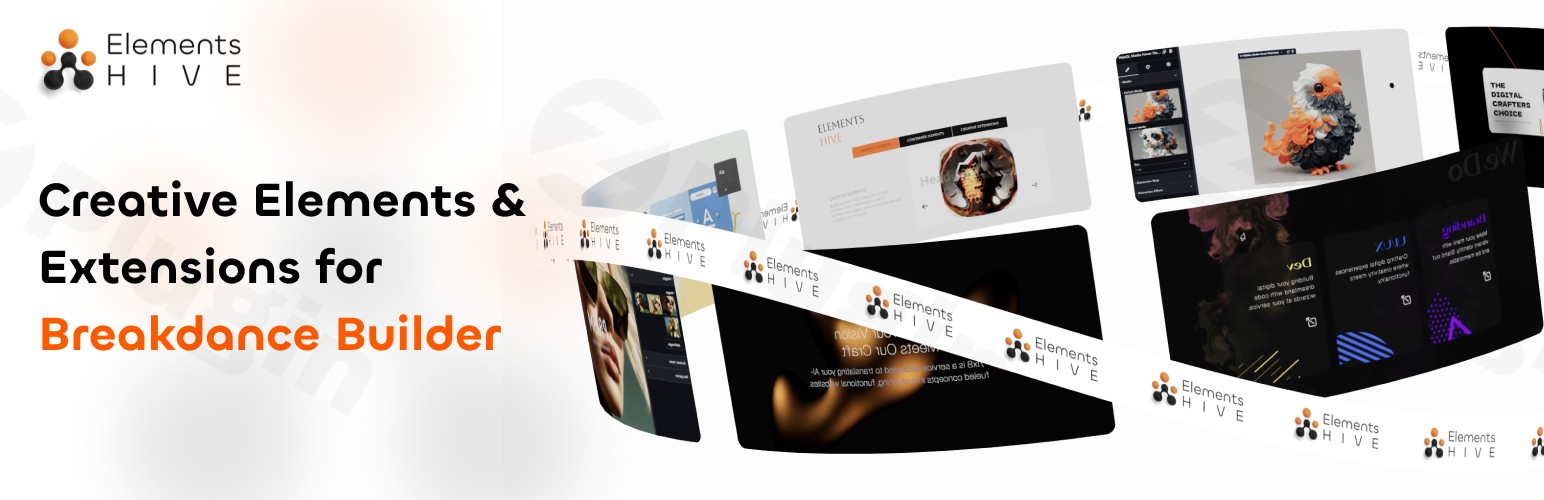
Are you looking to transform your static WordPress website into a dynamic, engaging experience that captures visitor attention and drives results? The Breakdance Motion Effects plugin is your professional-grade solution. This powerful WordPress animation plugin for Breakdance brings sophisticated motion design capabilities directly into the Breakdance Builder, allowing you to create stunning visual effects and subtle micro-interactions without writing a single line of code. It solves the common challenge of making websites truly stand out in a crowded digital landscape, offering an intuitive visual editor that makes advanced animations accessible to everyone from beginners to seasoned developers.
Key Features That Set Your Website Apart
Breakdance Motion Effects integrates seamlessly with your existing Breakdance workflow, providing a comprehensive toolkit for crafting captivating user experiences. Here’s a deeper look at its core functionalities:
Seamless Breakdance Integration for Native Workflow
Experience true native functionality with Breakdance Motion Effects, as all its motion elements are fully embedded within the Breakdance Editor. This means you won’t encounter clunky interfaces or conflicting settings. You can create complex advanced Breakdance animations using simple point-and-click controls, ensuring complete design consistency and a fluid workflow. It’s designed to feel like an extension of Breakdance itself, not a separate add-on.
Advanced Micro-Interactions Library to Enhance Engagement
The plugin offers a rich collection of subtle yet powerful Breakdance micro-interactions that respond intelligently to user behavior. From dynamic hover states on buttons and images to scroll-triggered animations that reveal content as users navigate, these meticulously crafted interactions significantly improve user engagement. They guide visitors through your site, highlight key information, and create a more memorable browsing experience, ultimately boosting conversion rates.
Professional Animation Systems for Dynamic Storytelling
Unlock the ability to implement sophisticated animation sequences with precise timing controls, easing functions, and multi-step transitions. Whether you want to create elegant page transitions that smoothly guide users between sections or attention-grabbing element reveals that bring your content to life, Breakdance Motion Effects provides the tools. These professional systems help you tell your story more dynamically and keep visitors engrossed in your content.
Why Professional Designers Choose Breakdance Motion Effects
Beyond its feature set, this plugin is engineered with professional web design principles at its core, ensuring both aesthetic appeal and robust performance.
Performance-Optimized Animations
In the world of web design, speed is paramount. All animations within Breakdance Motion Effects are meticulously engineered for maximum performance, having minimal impact on page load times. You can enjoy smooth, fluid 60 frames-per-second (fps) animations that work flawlessly across all modern browsers and devices, ensuring your site remains fast and responsive. This focus on performance-optimized WordPress animations means your engaging visuals won’t come at the cost of user experience or SEO.
Conversion-Focused Design Elements
Every motion effect is strategically designed to serve a purpose: guiding user attention towards important content, calls-to-action (CTAs), and conversion points. By transforming passive browsing into active engagement with intelligent visual cues, the plugin helps you create websites that don’t just look good, but also drive measurable results. This is crucial for conversion-focused motion design in today’s competitive online landscape.
Responsive Animation Controls
Your website needs to look and perform perfectly on any device. Breakdance Motion Effects provides granular controls to fine-tune how your animations behave across different screen sizes. You can create mobile-specific motion effects and tablet-optimized interactions, ensuring that the quality and impact of your visuals are maintained across all viewing environments. This commitment to responsive web animations is a hallmark of professional-grade tools.
Installation & Setup: Adding Motion Effects to Your Breakdance Site
Installing Breakdance Motion Effects is a straightforward process, similar to any other premium WordPress plugin.
- Purchase and Download: First, purchase Breakdance Motion Effects from a trusted source like ZeroPlugin.com. You will receive a
.zipfile containing the plugin. - Upload to WordPress: Log in to your WordPress admin dashboard. Navigate to Plugins > Add New and click the “Upload Plugin” button at the top of the page.
- Choose File & Install: Click “Choose File”, select the
.zipfile you downloaded, and then click “Install Now”. - Activate Plugin: Once the plugin is uploaded and installed, click “Activate Plugin”.
- Start Designing: With the plugin activated, all Breakdance Motion Effects features will be available directly within your Breakdance Builder interface. Open any page or template with Breakdance to begin adding advanced Breakdance animations and micro-interactions to your elements.
Practical Usage & Best Practices for Elevating Website Design
Breakdance Motion Effects empowers a wide range of web professionals to create truly distinctive online presences. Here are some practical use cases and best practices for leveraging its power:
- For Digital Agencies: Differentiate client work by adding custom, high-impact Breakdance visual effects to hero sections, service showcases, and testimonials. Use scroll-triggered animations to tell a client’s brand story dynamically, enhancing perceived value and user engagement.
- For Freelance Designers: Build premium portfolios with engaging website animations on project galleries and case studies. Utilize subtle micro-interactions on call-to-action buttons to draw attention without being intrusive, encouraging potential clients to reach out.
- For E-commerce Stores: Enhance product presentations with dynamic hover effects on product images or add elegant entrance animations to “Add to Cart” buttons. This can make the shopping experience more interactive and help improve user engagement with Breakdance animations, potentially leading to higher conversion rates.
- For Content Creators & Bloggers: Elevate your storytelling by animating key paragraphs, images, or infographic elements as users scroll. This creates a more immersive reading experience and helps highlight important information, making your content more memorable.Best Practice Tip: While motion effects are powerful, use them judiciously. Overuse can be distracting and impact performance. Focus on purposeful animations that enhance user experience, guide attention, and align with your brand’s aesthetic.
FAQ & Troubleshooting
Here are answers to common questions about Breakdance Motion Effects:
Does Breakdance Motion Effects work with all WordPress themes?
Breakdance Motion Effects is designed to integrate exclusively with the Breakdance Builder. It relies on Breakdance’s infrastructure for its functionality, so while it works with any theme that Breakdance itself is compatible with, its features are accessed and applied within the Breakdance Builder, not directly through your theme’s settings.
How do I add motion effects to elements in Breakdance Builder?
Once Breakdance Motion Effects is installed and activated, open any page or template with Breakdance. Select the element you wish to animate (e.g., a heading, image, or section). Within the Breakdance editor’s element settings, you will find new options related to motion, animation, or interaction effects. Simply click through the intuitive controls to choose your desired effect, timing, and triggers.
Will Breakdance Motion Effects slow down my website?
No, Breakdance Motion Effects is engineered for optimal performance. All animations are built to be lightweight and run smoothly at 60fps across modern browsers and devices, with minimal impact on page load times. The developers prioritize clean, efficient code to ensure your Breakdance animation performance remains high, contributing positively to Core Web Vitals.
Is Breakdance Motion Effects compatible with other Breakdance add-ons?
The plugin is built following WordPress development best practices, which generally ensures broad compatibility. While specific conflicts are rare, if you encounter an issue with another Breakdance add-on, it’s recommended to test for conflicts by temporarily deactivating other plugins and contacting support if the problem persists. Regular updates also help maintain compatibility with the latest versions of Breakdance and WordPress.
Where can I find tutorials or documentation for specific animation types?
While the plugin is highly intuitive, detailed guidance and examples often enhance the learning experience. While specific documentation sources might vary, reputable providers (like ZeroPlugin.com) often offer extensive tutorials or knowledge bases. For complex effects or specific use cases, exploring the plugin’s interface directly within Breakdance and experimenting with its options is often the most effective approach.
Conclusion: Transform Your Web Design with Breakdance Motion Effects
Breakdance Motion Effects is the definitive professional solution for creating engaging, animated websites that truly capture attention and drive results. By seamlessly integrating advanced animation and micro-interaction capabilities directly into the Breakdance Builder, it democratizes sophisticated motion design. This plugin empowers digital agencies, freelance designers, e-commerce stores, and content creators to craft memorable user experiences that visitors associate with quality and professionalism, all while maintaining excellent performance. If you’re looking to elevate your website design with Breakdance motion effects and make your online presence truly dynamic, this plugin offers an unparalleled blend of creative freedom, technical excellence, and intuitive control.
I. Download Limits & Account Benefits
- Free Downloads: Each email address receives 3 downloads per day for free products
- Upgrade Benefits: Purchase any paid product to increase your daily download limit by 3 for each paid product
- No Account Required: You can download immediately by receiving the download link via email
- Account Recommended: Create an account for easier access to your order history and direct update downloads
II. Understanding GPL vs Official Versions
Important: The products available on WPPick are GPL-licensed versions, which differ from official developer versions. Before purchasing, please read our comprehensive guide: Understanding GPL & Official Differences at WPPick
Key Points:
- GPL versions may not include premium support from original developers
- Updates may be delayed compared to official releases
- Some premium features might have limitations
- Always consider your specific needs and support requirements
III. Support & Assistance
We’re here to help through multiple channels:
- Email Support: Direct email assistance for all inquiries
- Live Chat: Real-time support during business hours
- Comprehensive Documentation: Detailed guides and tutorials
IV. Order Tracking
Access your complete purchase history and download links anytime: Order History
V. Account Access
New to WPPick? Login or Create Account to manage your downloads and orders efficiently.
VI. Refund Protection
We stand behind our products with a clear refund policy. Review our terms: Refund Policy
VII. Privacy & Security
Your data security is our priority. Learn how we protect your information: Privacy Policy
VII. Terms of Service
Understanding our service terms ensures a smooth experience: Terms of Use
Quick Tips for Best Experience
- Verify Compatibility: Check plugin/theme compatibility with your WordPress version
- Backup First: Always backup your site before installing new plugins or themes
- Test Environment: Consider testing on a staging site first
- Stay Updated: Regularly check for updates in your account dashboard
- Read Documentation: Review any included documentation for optimal setup
Need Help?
If you have questions about downloads, licensing, or need technical assistance, don’t hesitate to contact our support team. We’re committed to ensuring you have the best possible experience with WPPick products.
Ready to get started? Your download adventure begins with just one click!
- FX Layers > Wavy Lines Layer
- FX Layers > Grid and Beams Layer
- FX Layers > Edge Mask feature
- FX Layers > Glassmorphism Layer, Add Glass Color option
- FX Layers > Glassmorphism Layer, Add Transparency Level option
- FX Layers > Glassmorphism Layer, Add Inset Shadow option
- 3D Globe > Add support for Per-Marker Color
- 3D Globe > Add Disable Glow option
- Interactions > New Trigger for 3D Globe, On Marker Click
- Interactions > New Trigger for 3D Globe, On Marker Pointer Enter
- Interactions > New Trigger for 3D Globe, On Marker Pointer Leave
- Pulse Paths > Add placement for choosing the SVG Paths placement in the dom. With nested elements where a parent has a background, the paths were invisible since we used to place the svg under the section.
- FX Layers > Noise Layer filter gets reused to subsequent noise layers in a group
- Fx Layers > Video Layer, video source order
- FX Layers > Animations on group not loading if not also enabled at the layer level
- Text Effects > Sometimes text control is replaced with HTML Code. This is due to the fact that the vnode uses innerHTML when it reconciles the vdom, online editing will now be disabled when Text Effects are enabled on an element.
- PHP 8.3> get_class() compatibilty notice