

Etch – Your Unified Development Environment For WordPress
/Year
Advanced Visual Site Building for Professionals
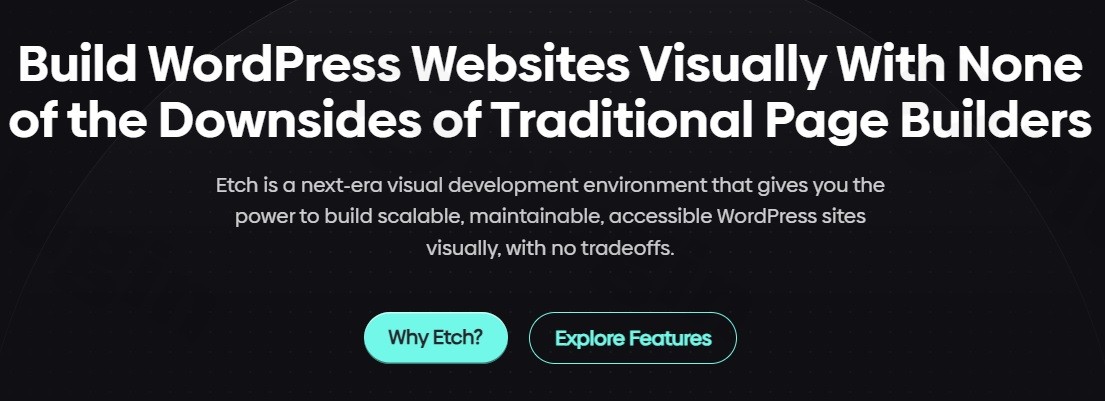
Etch bridges the gap between manual code composition and modern layout design tools, offering a unified development workspace integrated directly into WordPress. Unlike standard, proprietary software layers that output complex, bloated scripts, this plugin centers on clean structural output and full engineering transparency. It provides a real-time, canvas-driven workflow that maps accurately to standard code structures, ensuring that performance optimizations and design choices operate seamlessly together.
Core Structural Mechanics and Engineering Focus
The platform provides precise control over layout generation, structural frameworks, and component logic. Instead of nesting hidden configurations, it leverages intuitive design tools alongside standard technical configurations:
- Visual Canvas Control: Manipulate layouts smoothly while maintaining clean output that complies with precise structural patterns.
- Integrated Style Management: Centralize style declarations, variables, and properties within a cohesive UI context to maintain clean styling standards.
- Extensible Content Framework: Handle custom metadata, taxonomy systems, and dynamic database fields directly inside the structural workflow.
- AI-Assisted Operations: Utilize built-in contextual automation to write text, update structural elements, or inject precise HTML syntax safely.
Optimizing Modern Production Workflows
The software targets specific operational requirements for creators, digital production teams, and independent developers who prioritize speed, performance metrics, and clean engineering standards:
- Web Agencies: Standardize design frameworks and reuse modular components across client configurations without bloating server responses.
- Front-End Engineers: Accelerate boilerplate setup, edit layout systems, and manage style guides visually while keeping direct control over final site structures.
- Freelance Professionals: Deliver fast, easily maintainable platforms to clients with accessible administration interfaces and low ongoing technical overhead.
Real-World Implementation and Scenarios
Understanding how the plugin behaves under production conditions helps clarify its role in the modern development landscape:
- Dynamic Component Architecture: Connect layout attributes to deep metadata configurations, making it easy to create complex catalog displays, custom post indexes, or dynamic archive listings.
- High-Performance Corporate Portals: Build landing zones and marketing interfaces completely clear of overlapping wrapper containers, maximizing server-side rendering speed.
- Block Editor Integration: Extend capabilities natively alongside the WordPress Block Editor, allowing operators to design block assets and map custom properties across systems easily.
Configuration Context and Architectural Standards
The platform is designed to maintain compatibility with modern WordPress standards and server environments. It functions cleanly alongside modern hosting stacks, standard object caching mechanisms, and security configurations. By rendering valid structural components natively, it reduces conflicts with optimization utilities and analytics scripts. When deploying custom setups, third-party block hooks or advanced layout attributes remain editable, ensuring developers can target elements through external scripts or style rules without breaking workspace layouts.
Strategic Performance Advantages
Opting for a visual setup layer on WPPick lets developers move beyond the rigid architecture found in legacy tools. The tool eliminates heavy stylesheet processing and database-driven layout parsing routines that typically slow down traditional site-building frameworks. This clean structural footprint directly benefits web optimization efforts by delivering lighter server packages, better script execution metrics, and a predictable DOM structure that helps pages load efficiently for visitors.
Version 1.6.1 Maintenance Details
Detailed release notes are not available from the provided sources. No official changelog details for version 1.6.1 could be verified through the checked vendor endpoints or external repositories, meaning specific structural alterations or internal component optimizations cannot be detailed for this iteration.
Frequently Asked Questions
How does this system differ from traditional page builders?
Traditional site builders introduce abstraction frameworks that generate heavy markup, deep nesting, and custom script runtimes. This development environment outputs clean structural markup and follows precise development workflows, allowing visual canvas operations to translate directly into clean, optimized code structures.
Does the platform work natively with Gutenberg blocks?
Yes, it integrates smoothly with the native block environment. It allows creators to map custom layout attributes, style configurations, and data properties to blocks, making it highly flexible for projects that rely on both a visual workspace and standard block interfaces.
Can I utilize custom metadata and taxonomies?
Yes, the workspace includes robust tools for managing structural content hubs. It allows developers to configure custom taxonomies, structure deep dynamic fields, and loop over metadata directly within the layout architecture for complex, content-driven setups.
Is this software suitable for large-scale enterprise deployments?
The system is purpose-built to support large projects. Because it emphasizes clean rendering, manageable code standards, and standard asset organization, large digital platforms can scale cleanly without accumulating structural tech debt or slowing down server performance.
I. Download Limits & Account Benefits
- Free Downloads: Each email address receives 3 downloads per day for free products
- Upgrade Benefits: Purchase any paid product to increase your daily download limit by 3 for each paid product
- No Account Required: You can download immediately by receiving the download link via email
- Account Recommended: Create an account for easier access to your order history and direct update downloads
II. Understanding GPL vs Official Versions
Important: The products available on WPPick are GPL-licensed versions, which differ from official developer versions. Before purchasing, please read our comprehensive guide: Understanding GPL & Official Differences at WPPick
Key Points:
- GPL versions may not include premium support from original developers
- Updates may be delayed compared to official releases
- Some premium features might have limitations
- Always consider your specific needs and support requirements
III. Support & Assistance
We’re here to help through multiple channels:
- Email Support: Direct email assistance for all inquiries
- Live Chat: Real-time support during business hours
- Comprehensive Documentation: Detailed guides and tutorials
IV. Order Tracking
Access your complete purchase history and download links anytime: Order History
V. Account Access
New to WPPick? Login or Create Account to manage your downloads and orders efficiently.
VI. Refund Protection
We stand behind our products with a clear refund policy. Review our terms: Refund Policy
VII. Privacy & Security
Your data security is our priority. Learn how we protect your information: Privacy Policy
VII. Terms of Service
Understanding our service terms ensures a smooth experience: Terms of Use
Quick Tips for Best Experience
- Verify Compatibility: Check plugin/theme compatibility with your WordPress version
- Backup First: Always backup your site before installing new plugins or themes
- Test Environment: Consider testing on a staging site first
- Stay Updated: Regularly check for updates in your account dashboard
- Read Documentation: Review any included documentation for optimal setup
Need Help?
If you have questions about downloads, licensing, or need technical assistance, don’t hesitate to contact our support team. We’re committed to ensuring you have the best possible experience with WPPick products.
Ready to get started? Your download adventure begins with just one click!
- AI Assistant permissions now let you allow or block actions by domain, with clearer labels in the toggles UI.
- AI Assistant can now update existing posts in Build mode, including title-only or content-only changes.
- Content Hub now lets you delete taxonomies from both the list view and the right-click menu.
- Uncategorized section for assets that aren’t assigned to a collection.
- Proper upload feedback while collections upload in the asset manager.
- Delete confirmation dialogs now appear before destructive actions, so you can cancel accidental deletions.
- Assets now upload to the currently selected collection.
- HTML snippets from the AI chat can now be inserted directly into the builder canvas via a dedicated insert button
- Property data attributes are now exposed on Gutenberg blocks and in the Etch builder, making it easier for third-party developers to target specific property inputs
- The legacy custom block conversion logic has been removed. Users migrating from a pre-v1 release must now follow the manual migration steps documented at https://docs.etchwp.com/migration-guides/v1-migration
- Plain text inputs no longer auto-wrap values in var() syntax — this now only applies in the CSS editor and style manager
- Dynamic images now always render the alt attribute, even when no value is set in the media library
- Settings no longer revert when clicking outside the settings dialog
- The media property picker in Gutenberg blocks now accepts all media types, not just images
- Bunch of fixes
- Improvements
- New color scheme toggle for the etch canvas
- Updated recipes
- This release introduces the first iteration of the CSS toolbar — a new way to quickly insert commonly used CSS properties into your code. Over time, it will replace the existing CSS style inputs.