

Eventozilla – Event Calendar WordPress Plugin
/Year
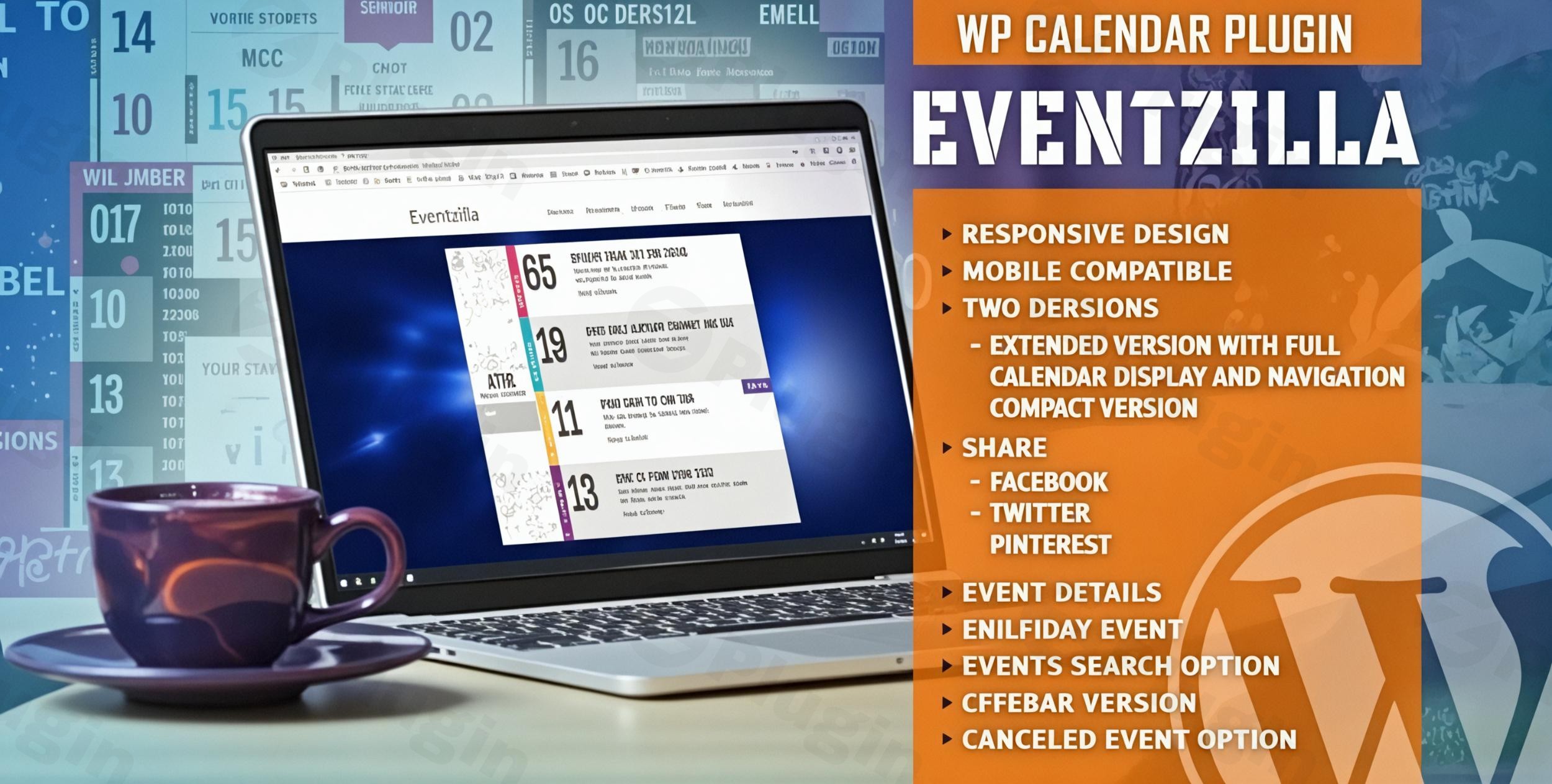
Managing schedules, ticket sales, and venue details can be a logistical nightmare for any website owner. The Eventozilla WordPress plugin is a robust and elegantly designed solution built to streamline event management. Whether you are hosting a local workshop or a large-scale international conference, having a high-performing WordPress event calendar plugin ensures your audience stays informed and engaged.
At wppick.com, we understand that site performance and user experience are paramount. Eventozilla addresses these needs by offering a highly customizable, SEO-friendly, and mobile-responsive interface that fits any brand aesthetic.
Key Features of the Eventozilla Event Calendar
The Eventozilla event calendar isn’t just a simple listing tool; it is a full-featured management suite. Here is a breakdown of the features that provide real-world value to your site:
1. Multiple Display Options
Eventozilla offers three distinct views to fit different areas of your website:
- Extended Version: A full-tile calendar navigation system ideal for dedicated “Events” pages.
- Compact Version: A streamlined month-by-month navigation view for smaller sections.
- Sidebar Version: Specifically designed to display upcoming events in narrow widget areas or sidebars.
2. Detailed Event Management & Multi-Day Support
Unlike basic plugins, Eventozilla allows you to input comprehensive data including titles, start/end dates, venue addresses, and organizer info. It also supports multi-day events, allowing you to configure specific time intervals for duration, ensuring your schedule is accurate.
3. Integrated “Book Now” & Ticket Functionality
To drive conversions, the plugin includes a customizable “BOOK NOW” button. If you provide a registration URL—whether it’s an internal link or an external platform like Eventbrite—the button appears automatically, simplifying the path to purchase for your users.
4. Advanced User Engagement Tools
- Event Countdown Timer: Create urgency for upcoming registrations with a live countdown.
- Social Sharing: Built-in buttons for Facebook, Twitter, and Pinterest allow users to promote your events for you.
- Google Maps Integration: Provide interactive directions directly on the event page.
* Search and Filtering: Users can quickly find specific events using the integrated search option within the list.
How to Set Up Eventozilla Event Calendar (Step-by-Step)
If you are wondering how to add events to WordPress with Eventozilla, follow this simple guide to get up and running in minutes.
- Install the Plugin: Navigate to your WordPress Dashboard, go to Plugins > Add New, and upload the Eventozilla .zip file you purchased. Click Activate.
- Initial Configuration: Go to the new “Eventozilla” menu item in your sidebar. Here, you can define your global settings, such as default time zones and currency for ticket prices.
- Customize Your Design: Use the extensive color configuration options to match the calendar to your website’s branding. You can change everything from header backgrounds to button colors.
- Create Your First Event: Click on Add New Event. Fill in the event title, description, and “Dress Code” if applicable. Ensure you set the start and end dates correctly.
- Add Location & Booking: Enter the venue address for Google Maps integration and paste your registration link into the “Booking URL” field to enable the “Book Now” button.
6. Publish and Display: Use the provided shortcode to place the calendar on any page or post. Eventozilla is a responsive event calendar WordPress users can view perfectly on mobile, tablet, or desktop.
Practical Usage & Best Practices
To get the most out of your event management plugin WordPress setup, consider these real-world workflows:
- For Marketers (Webinars & Launches): Use the Event Countdown Timer on your landing page to build anticipation for a product launch or a live webinar.
- For Local Communities: Organize recurring events (like weekly meetups) and use Event Categories and Tags to help residents filter between “Sports,” “Education,” and “Social” gatherings.
- For Agencies: If you manage multiple clients, leverage the Multiple Instances feature. You can host several different calendars on the same website, each pulling from different event categories.
* SEO Optimization: Eventozilla is built with SEO in mind. Always fill out the event description and use relevant keywords to ensure your events appear in search engine results and AI-driven answer engines.
Eventozilla vs. The Events Calendar
When choosing an event calendar for WordPress, many users compare Eventozilla vs. The Events Calendar. While The Events Calendar is a popular choice with many add-ons, Eventozilla distinguishes itself by including premium features like the countdown timer, extensive color customization, and multiple layout versions out of the box without requiring expensive extensions. It is an ideal “all-in-one” choice for users who want a professional look immediately after installation.
FAQ & Troubleshooting
Is Eventozilla responsive?
Yes, Eventozilla is a responsive event calendar designed to work seamlessly across all devices, including iOS and Android mobile operating systems. It automatically adjusts its layout to fit the user’s screen size and orientation.
What is the Eventozilla WordPress plugin’s compatibility with page builders?
Eventozilla compatibility with Elementor and Elementor Pro is fully verified. You can easily drop the event shortcodes into Elementor widgets to design custom event layouts without writing any code.
Can I display multiple calendars on one site?
Yes. Eventozilla supports multiple instances, meaning you can display different calendars (each with its own unique set of events) on different pages or even on the same page using different shortcodes.
How does Eventozilla handle canceled events?
The plugin allows for Event Cancellation Display. Instead of deleting an event and losing the SEO value of that page, you can mark it as “Canceled,” and the plugin will clearly display this status to your visitors.
Does it support Google Maps?
Yes, Eventozilla includes built-in Google Maps integration. Simply enter the event address in the backend, and an interactive map with directions will be generated for your attendees.
Final Verdict: Is Eventozilla Right for You?
The Eventozilla WordPress plugin offers a perfect balance between aesthetic elegance and technical power. It provides a significant ROI for site owners who need a professional event listing plugin that is easy to configure but deep enough to handle complex scheduling and ticketing.If you are looking for a best WordPress event calendar that handles multi-day events, integrates with Elementor, and looks great on mobile without extra tweaking, Eventozilla is a top-tier contender. It is particularly well-suited for businesses, community organizers, and marketers who want their events to stand out with minimal effort.
I. Download Limits & Account Benefits
- Free Downloads: Each email address receives 3 downloads per day for free products
- Upgrade Benefits: Purchase any paid product to increase your daily download limit by 3 for each paid product
- No Account Required: You can download immediately by receiving the download link via email
- Account Recommended: Create an account for easier access to your order history and direct update downloads
II. Understanding GPL vs Official Versions
Important: The products available on WPPick are GPL-licensed versions, which differ from official developer versions. Before purchasing, please read our comprehensive guide: Understanding GPL & Official Differences at WPPick
Key Points:
- GPL versions may not include premium support from original developers
- Updates may be delayed compared to official releases
- Some premium features might have limitations
- Always consider your specific needs and support requirements
III. Support & Assistance
We’re here to help through multiple channels:
- Email Support: Direct email assistance for all inquiries
- Live Chat: Real-time support during business hours
- Comprehensive Documentation: Detailed guides and tutorials
IV. Order Tracking
Access your complete purchase history and download links anytime: Order History
V. Account Access
New to WPPick? Login or Create Account to manage your downloads and orders efficiently.
VI. Refund Protection
We stand behind our products with a clear refund policy. Review our terms: Refund Policy
VII. Privacy & Security
Your data security is our priority. Learn how we protect your information: Privacy Policy
VII. Terms of Service
Understanding our service terms ensures a smooth experience: Terms of Use
Quick Tips for Best Experience
- Verify Compatibility: Check plugin/theme compatibility with your WordPress version
- Backup First: Always backup your site before installing new plugins or themes
- Test Environment: Consider testing on a staging site first
- Stay Updated: Regularly check for updates in your account dashboard
- Read Documentation: Review any included documentation for optimal setup
Need Help?
If you have questions about downloads, licensing, or need technical assistance, don’t hesitate to contact our support team. We’re committed to ensuring you have the best possible experience with WPPick products.
Ready to get started? Your download adventure begins with just one click!
- order display improvements