
Events Schedule
/Year
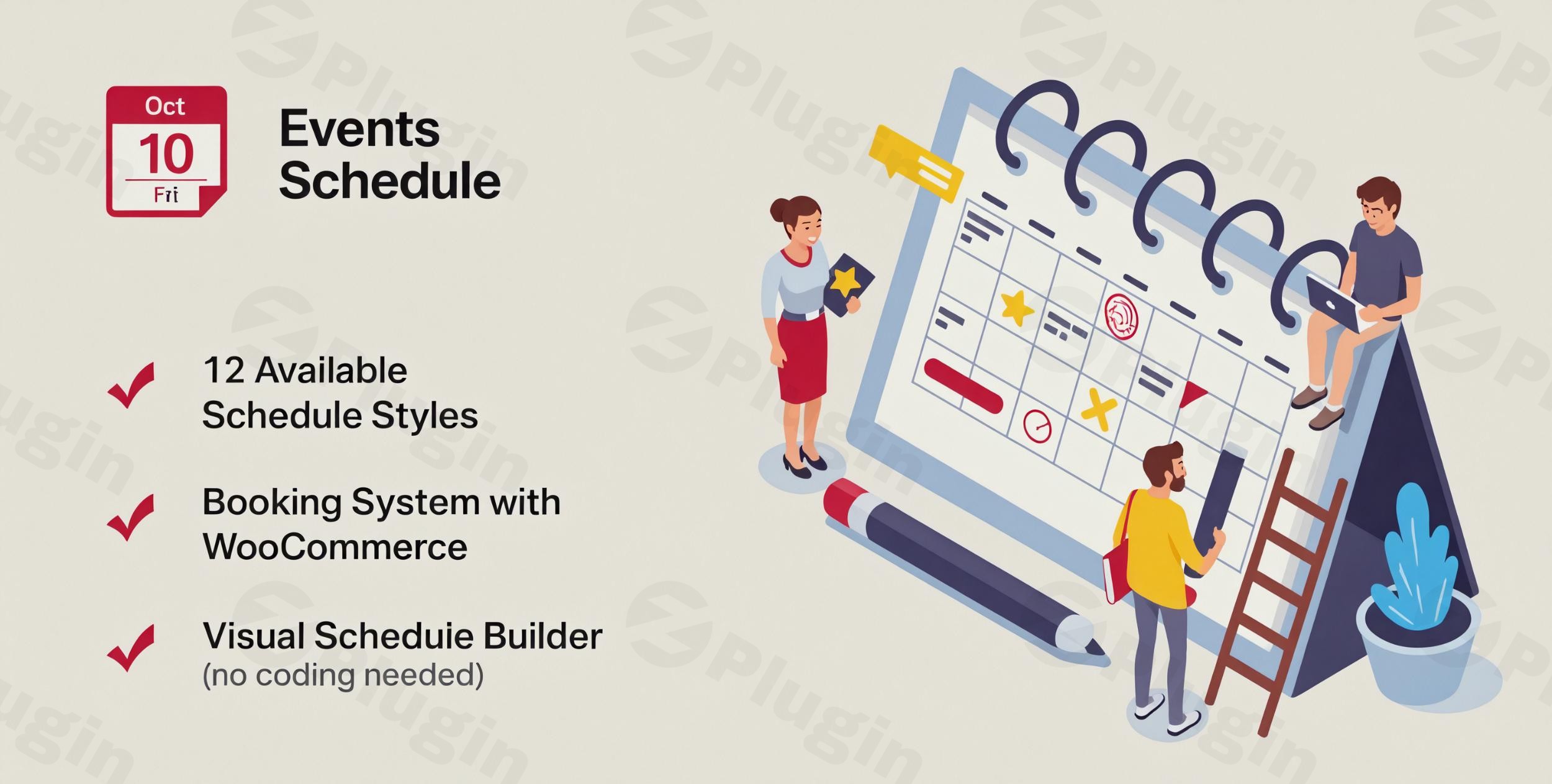
In today’s dynamic digital landscape, effectively showcasing and managing events, classes, or appointments on your WordPress website is paramount. The Events Schedule WordPress Plugin (ThemeForest Item ID: 14907462), developed by the acclaimed Power Elite author CurlyThemes and available on CodeCanyon, emerges as a comprehensive and highly versatile solution designed to meet this exact need. This premium plugin offers an unparalleled blend of sophisticated design, robust functionality, and user-friendly management, making it an indispensable tool for a diverse range of businesses and organizations.
Elevating Your Event Presentation with Events Schedule
The core value proposition of the Events Schedule plugin lies in its ability to transform how you display your classes, workshops, seminars, or recurring events. It moves beyond basic calendar displays to offer elegant, interactive, and fully customizable schedule layouts that seamlessly integrate with your website’s aesthetic. Designed with both technical and non-technical users in mind, it simplifies the complex task of event management into an intuitive process, ensuring that your audience has clear, concise access to your offerings.
Key Features & Unmatched Functionality
Events Schedule is packed with a suite of features meticulously crafted to provide a superior event management experience. Each capability is engineered to enhance user experience, streamline administrative tasks, and provide significant return on investment for businesses.
Versatile Timetable Styles
One of the plugin’s most distinguishing features is its extensive collection of 12 distinct timetable styles, which can be switched with a single click. This versatility ensures that you can find the perfect visual representation for any event type:
- Weekly Tabs & Large List: Ideal for dynamic environments such as dance studios, fitness centers, or sports facilities, allowing for clear presentation of weekly classes.
- Compact List: Best suited for professional gatherings like conferences, speaker events, workshops, or seminars, where concise information is key.
- Weekly Schedule: Perfect for institutions with consistent weekly schedules, such as schools, colleges, kindergartens, universities, medical centers, or beauty parlours, to display working hours or recurring classes.
- Plain List: A visually rich option designed for promoting important one-off events like music festivals, sports arenas, exhibitions, or stadium events.
Effortless Event Creation and Management
Events Schedule streamlines the process of adding and managing events. Similar to creating standard WordPress posts, the interface is intuitive, requiring only basic WordPress knowledge to build comprehensive schedules in minutes.
Seamless Integration and Display
Adding your meticulously crafted schedules to any page is straightforward. The plugin provides a custom element for users of the popular WPBakery Page Builder (formerly Visual Composer) and generates a simple shortcode for integration into any standard WordPress editor.
Responsive Design and Retina Ready Displays
In an era dominated by diverse devices, the Events Schedule plugin guarantees optimal viewing regardless of screen size. It is fully responsive, ensuring your schedules look impeccable and function flawlessly on desktops, tablets, and smartphones. Furthermore, it is retina ready, delivering crisp, high-resolution visuals on compatible displays.
Advanced Customization
Maintain your brand’s consistency with extensive customization options. Easily customize colors for text and special elements to perfectly match your website’s design and branding guidelines.
Powerful Filtering Capabilities
Enhance user experience with robust filtering options. Website visitors can quickly and efficiently search for specific events, classes, instructors, or locations, making it easier for them to find exactly what they’re looking for.
Integrated Booking and WooCommerce Support
A cornerstone feature for premium events, the plugin offers robust booking functionality. Directly sell tickets for your events from your website, with seamless and reliable integration with WooCommerce for secure payment processing and comprehensive e-commerce capabilities.
Support for Repetitive Events
For schedules with recurring classes or meetings, the plugin provides robust support for repetitive events, allowing you to set up daily, weekly, monthly, or custom recurring patterns with ease.
Enhanced User Interaction
Further enrich the user experience with additional functionalities, including:
- An elegant pop-up modal window to display detailed event information.
- The ability to add call-to-action buttons to encourage registrations or purchases.
- An option to clearly mark events as canceled when necessary.
Practical Setup and Usage Guide
Getting started with the Events Schedule plugin is a straightforward process, aligning with standard WordPress best practices for plugin installation and configuration.
Installation Steps:
- Purchase and Download: After purchasing the “Events Schedule – WordPress Plugin” from CodeCanyon, download the plugin zip file.
- Upload to WordPress: Navigate to your WordPress dashboard, go to
Plugins > Add New > Upload Plugin. Choose the downloaded zip file and click “Install Now.” - Activate Plugin: Once installed, click “Activate Plugin.”
- Initial Configuration: Upon activation, you will typically find a new menu item in your WordPress dashboard related to “Events Schedule.” This is where you will begin configuring the plugin settings and creating your first events.
Building and Displaying Your Schedule:
- Create Events: Within the Events Schedule interface, you can add new events, specifying details such as date, time, duration, location, description, and any associated instructors or categories.
- Select Style: Choose one of the 12 available timetable styles that best suits your event type and website design.
- Customize Appearance: Use the customization options to fine-tune colors and other visual elements to align with your brand.
- Publish with Shortcode or Visual Composer:
- Shortcode: The plugin automatically generates a simple shortcode for each schedule. Copy this shortcode and paste it into any WordPress page, post, or widget where you want your schedule to appear.
- Visual Composer (WPBakery Page Builder): If you use WPBakery Page Builder, utilize the dedicated “Events Schedule” element to effortlessly add and configure your schedule directly within the page builder interface.
Technical Specifications & Compatibility
The Events Schedule plugin is engineered to operate seamlessly within the modern WordPress ecosystem, adhering to high development standards.
- WordPress Compatibility: Designed to work efficiently with a wide range of WordPress themes and versions, ensuring broad compatibility.
- PHP Version: It is recommended to run WordPress on PHP 7.4 or higher for optimal performance and security.
- Browser Compatibility: Supports all modern mobile and desktop browsers that are compliant with HTML5, CSS3, and JavaScript standards.
- Theme and Page Builder Compatibility: Built with compatibility in mind, it integrates smoothly with popular themes and page builders, particularly with its dedicated WPBakery Page Builder element.
Why Choose Events Schedule: Expertise, Authority, and Trust
Choosing the right plugin is critical for the success of your website. The Events Schedule plugin stands out as a premium choice backed by a reputable developer (CurlyThemes, a Power Elite author on CodeCanyon), ensuring a high level of expertise and trustworthiness.
- Comprehensive Feature Set: It provides all essential tools for effective event management, from quick event creation and diverse display options to critical features like booking and WooCommerce integration.
- Scalability: The robust architecture and premium add-ons (if applicable) ensure that the plugin can scale with your growing event needs, accommodating increased traffic and more complex scheduling requirements.
- User Experience: Both event organizers and website visitors benefit from an intuitive interface, powerful filtering, and elegant displays, contributing to a superior user experience.
- Reliable Support and Updates: Investing in a premium plugin from an established developer typically guarantees consistent updates, ensuring compatibility with the latest WordPress versions and security patches, along with dedicated customer support.The “Events Schedule – WordPress Plugin” is not merely an event display tool; it is a strategic asset for any business or organization looking to professionally manage and promote its schedule-based offerings. Its blend of aesthetic appeal, powerful features, and robust technical foundation makes it a trusted solution for delivering exceptional event experiences.
Conclusion
The Events Schedule WordPress Plugin (ThemeForest Item ID: 14907462) offers a sophisticated and reliable solution for presenting classes and events on your WordPress site. With its comprehensive range of customizable timetable styles, intuitive management interface, seamless integration capabilities (including WooCommerce for ticketing), and mobile responsiveness, it empowers users to create engaging and functional schedules with ease. For those seeking an advanced, dependable, and highly versatile premium plugin to elevate their event management, Events Schedule is an exemplary choice that delivers on its promise of elegance and efficiency.
I. Download Limits & Account Benefits
- Free Downloads: Each email address receives 3 downloads per day for free products
- Upgrade Benefits: Purchase any paid product to increase your daily download limit by 3 for each paid product
- No Account Required: You can download immediately by receiving the download link via email
- Account Recommended: Create an account for easier access to your order history and direct update downloads
II. Understanding GPL vs Official Versions
Important: The products available on WPPick are GPL-licensed versions, which differ from official developer versions. Before purchasing, please read our comprehensive guide: Understanding GPL & Official Differences at WPPick
Key Points:
- GPL versions may not include premium support from original developers
- Updates may be delayed compared to official releases
- Some premium features might have limitations
- Always consider your specific needs and support requirements
III. Support & Assistance
We’re here to help through multiple channels:
- Email Support: Direct email assistance for all inquiries
- Live Chat: Real-time support during business hours
- Comprehensive Documentation: Detailed guides and tutorials
IV. Order Tracking
Access your complete purchase history and download links anytime: Order History
V. Account Access
New to WPPick? Login or Create Account to manage your downloads and orders efficiently.
VI. Refund Protection
We stand behind our products with a clear refund policy. Review our terms: Refund Policy
VII. Privacy & Security
Your data security is our priority. Learn how we protect your information: Privacy Policy
VII. Terms of Service
Understanding our service terms ensures a smooth experience: Terms of Use
Quick Tips for Best Experience
- Verify Compatibility: Check plugin/theme compatibility with your WordPress version
- Backup First: Always backup your site before installing new plugins or themes
- Test Environment: Consider testing on a staging site first
- Stay Updated: Regularly check for updates in your account dashboard
- Read Documentation: Review any included documentation for optimal setup
Need Help?
If you have questions about downloads, licensing, or need technical assistance, don’t hesitate to contact our support team. We’re committed to ensuring you have the best possible experience with WPPick products.
Ready to get started? Your download adventure begins with just one click!
- Download available 7 June 2025