

Everest Forms Pro
/Year
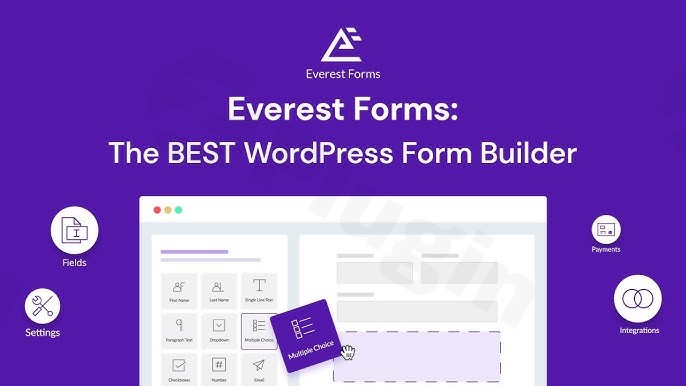
Empower Your WordPress Website With Advanced Form Creation
Everest Forms Pro is a comprehensive form builder plugin for WordPress designed to streamline data collection, user registration, and survey management. Built for flexibility and ease of use, it allows site owners, developers, and marketers to design everything from simple contact forms to complex, multi-page applications without writing a single line of code.
By leveraging a modern interface and robust architectural foundation, the plugin ensures high responsiveness across all devices. Whether you are managing customer support inquiries, gathering market research, or processing payments, Everest Forms Pro provides the structural depth needed to handle diverse data workflows efficiently.
Core Capabilities and Feature Set
The plugin offers an extensive array of built-in tools designed to optimize form performance and user experience:
- Visual drag-and-drop builder interface for rapid layout customization.
- Advanced conditional logic rules to show or hide fields based on user input.
- Multi-step form layouts that reduce cognitive load and improve completion rates.
- Comprehensive entry management dashboard with export and filtering capabilities.
- File upload fields supporting robust document and media submissions.
Practical WordPress Use Cases
Everest Forms Pro adapts to numerous operational scenarios across various website types:
- Customer Support Portals: Build detailed helpdesk ticket submission forms equipped with file attachments and smart routing fields.
- Collect technical logs or screenshots using secure file upload elements.
- Route queries dynamically using conditional logic based on department selection.
- Lead Generation and Marketing: Capture qualified leads through interactive multi-step quizzes and integrated newsletter sign-ups.
- Connect directly to popular marketing platforms like Mailchimp.
- Minimize form abandonment by breaking lengthy questionnaires into manageable steps.
- Events and Memberships: Handle user registration, profile creation, and secure payment processing in a unified workflow.
- Process transactions smoothly using integrated payment gateways.
- Collect custom profile data for community and membership portals.
Target Audience and Suitability
This plugin is ideal for small business owners, web agencies, freelancers, and enterprise site administrators who require dependable data collection tools. Because it requires zero technical configuration expertise for basic setups, beginners can launch functional forms within minutes. Simultaneously, developers appreciate its extensible hook system and deep integration capabilities for advanced custom implementations.
Integration Ecosystem and Extensibility
Connecting your website forms to external tools is crucial for automated workflows. Everest Forms Pro supports native connections with major payment gateways, CRM platforms, and cloud storage providers. These integrations allow automated lead syncing, instant payment verification, and streamlined database management without requiring third-party bridge plugins.
Latest Version Context and Reliability
The release of version 1.9.21 brings crucial technical refinements and stability improvements to the platform. Recent updates address specific edge cases, such as resolving country code retention issues within smart phone fields and eliminating false unsaved changes prompts on entry edit screens. Additionally, this version fixes Square live payment status handling to prevent transactions from getting stuck in pending states, resolves Google Drive OAuth authorization display glitches, and eliminates potential fatal errors during CSV entry exports from the sidebar. These continuous enhancements ensure a dependable environment for handling critical user data.
Frequently Asked Questions
Can I create multi-page forms with Everest Forms Pro?Yes, the plugin includes a built-in multi-step feature that allows you to divide long forms into intuitive, paginated sections with progress indicators.
Does Everest Forms Pro support conditional logic?Yes, advanced conditional logic enables you to dynamically show or hide specific fields, sections, or email notifications based on how the user responds to previous inputs.
What payment gateways are supported for online transactions?The plugin integrates seamlessly with major payment processors like Stripe and Square, allowing you to collect orders, donations, or booking fees directly through your forms.
Can users upload files through the forms?Yes, you can add secure file upload fields to any form, enabling users to submit documents, images, or media files directly to your WordPress media library or server.
How are form entries managed within WordPress?All submitted entries are stored safely in your WordPress database, where you can view, edit, search, export to CSV, or manage them using custom table columns.
I. Download Limits & Account Benefits
- Free Downloads: Each email address receives 3 downloads per day for free products
- Upgrade Benefits: Purchase any paid product to increase your daily download limit by 3 for each paid product
- No Account Required: You can download immediately by receiving the download link via email
- Account Recommended: Create an account for easier access to your order history and direct update downloads
II. Understanding GPL vs Official Versions
Important: The products available on WPPick are GPL-licensed versions, which differ from official developer versions. Before purchasing, please read our comprehensive guide: Understanding GPL & Official Differences at WPPick
Key Points:
- GPL versions may not include premium support from original developers
- Updates may be delayed compared to official releases
- Some premium features might have limitations
- Always consider your specific needs and support requirements
III. Support & Assistance
We’re here to help through multiple channels:
- Email Support: Direct email assistance for all inquiries
- Live Chat: Real-time support during business hours
- Comprehensive Documentation: Detailed guides and tutorials
IV. Order Tracking
Access your complete purchase history and download links anytime: Order History
V. Account Access
New to WPPick? Login or Create Account to manage your downloads and orders efficiently.
VI. Refund Protection
We stand behind our products with a clear refund policy. Review our terms: Refund Policy
VII. Privacy & Security
Your data security is our priority. Learn how we protect your information: Privacy Policy
VII. Terms of Service
Understanding our service terms ensures a smooth experience: Terms of Use
Quick Tips for Best Experience
- Verify Compatibility: Check plugin/theme compatibility with your WordPress version
- Backup First: Always backup your site before installing new plugins or themes
- Test Environment: Consider testing on a staging site first
- Stay Updated: Regularly check for updates in your account dashboard
- Read Documentation: Review any included documentation for optimal setup
Need Help?
If you have questions about downloads, licensing, or need technical assistance, don’t hesitate to contact our support team. We’re committed to ensuring you have the best possible experience with WPPick products.
Ready to get started? Your download adventure begins with just one click!
- Fix - Smart Phone field losing its country code, and a false "unsaved changes" prompt, when saving an entry from the entry edit screen.
- Fix - Manage Columns dropped or hid a field from the Entries table when another field shared its label.
- Fix - Square Live Payments intermittently stuck in Pending after a successful charge.
- Fix - Google Drive OAuth authorization page not displaying when Google granted additional scopes, and the "Remove Authentication" link rendering as broken text.
- Fix - Fatal error exporting an entry's CSV from the entry detail sidebar.
- Fixed license deactivation issue when deactivating an add-on.
- Fixed issue with coupon creation when using fixed amount for Euro currency.
- Improved file validation in admin edit page.
- Removed Premium sidebar from Global Settings.
- Submenu rearranged and added common header for some pages.
- Email not sent while using conditional logic according square payment.
- Added filters for form save and continue error messages.
- Prevent duplicate Stripe customers for multiple form submissions.
- Customer creation process handled in one time payment.
- Added option to create leads in Pipedrive without requiring an organization.
- Amount display issue in entry table when currency is in pound.
- Deserialization issue on Signature field.
- Dequeued unnecessary JS when related fields are absent.
- Improved validation by treating the Payment field as a string in conditional logic.
- Hidden required field validation on conditional logic
- Hidden required field validation on conditional logic
- Improved backend handling of file deletion processes.