

Export Order Items Pro For Woocommerce
/Year
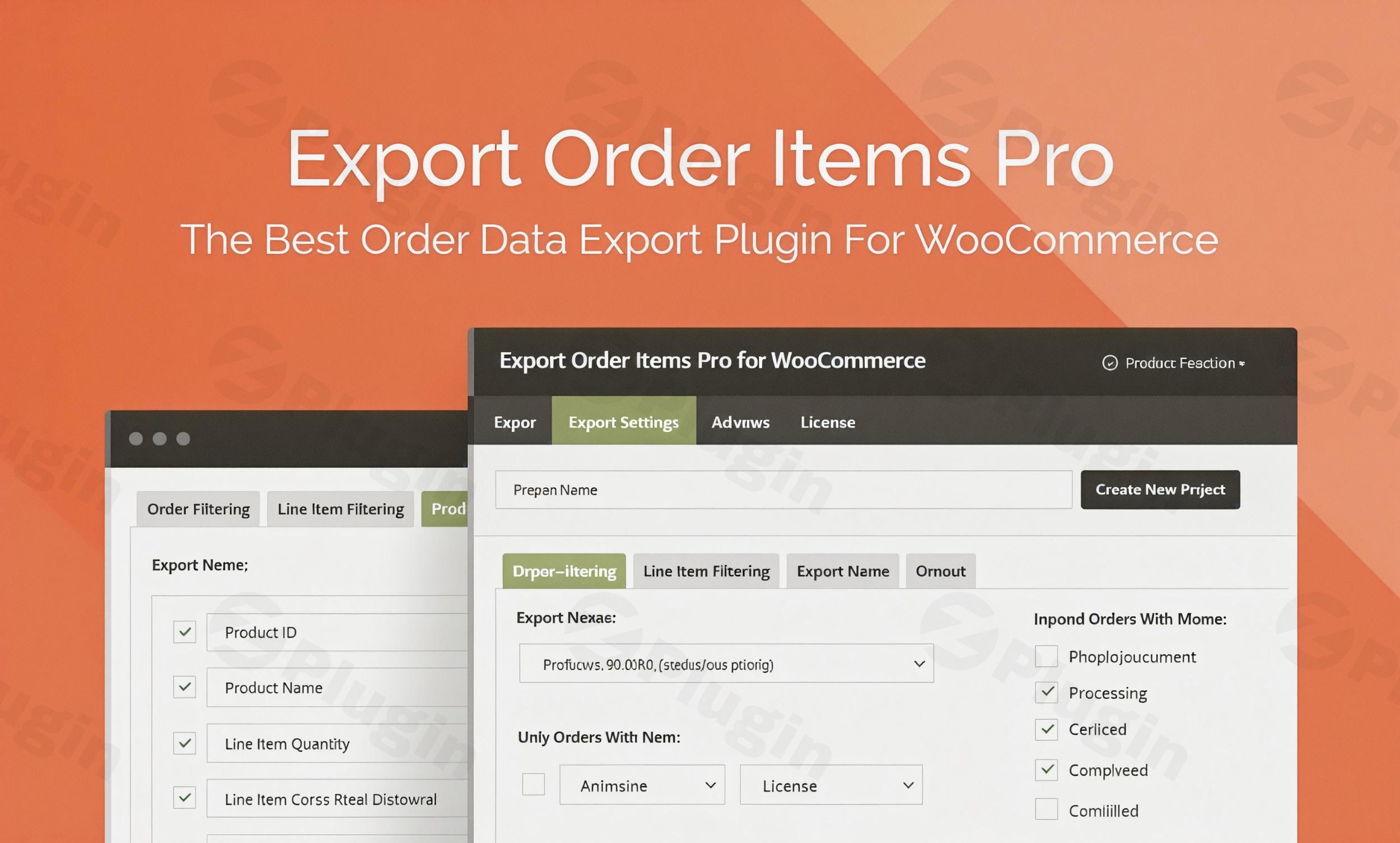
In today’s fast-paced e-commerce environment, efficient management of order data is paramount for any WooCommerce store. The Export Order Items Pro For WooCommerce plugin stands out as a premium, robust solution designed to streamline your data export processes. This plugin empowers store owners, accountants, and data analysts to effortlessly extract comprehensive order details, simplify order fulfillment, generate critical accounting reports, and perform in-depth data analysis with unparalleled precision and flexibility.Whether you’re looking to import data into external accounting software, optimize your shipping operations, or gain valuable insights into your sales performance, Export Order Items Pro offers the advanced capabilities you need. It’s built as a professional-grade tool, ensuring reliability and accuracy for your most critical business operations.
Key Features & Functionality
Export Order Items Pro For WooCommerce is packed with features designed to give you complete control over your order data. Each function is meticulously crafted to save you time and provide actionable insights.
Comprehensive Data Exporting & Multiple Formats
The core of this plugin lies in its powerful data exporting capabilities. It facilitates the seamless export of intricate order details, which is crucial for various operational needs such as order fulfillment and comprehensive data analysis. This bridges the gap between your WooCommerce store and other essential business software like accounting platforms or dedicated fulfillment systems that may not offer direct integration.You can export your valuable data in a variety of widely recognized formats, ensuring compatibility with virtually any external system:
- CSV
- CSV-ASCII
- XLS
- XLSX
- HTML
- HTML Enhanced
Advanced Report Customization for Tailored Insights
Beyond simple data dumps, Export Order Items Pro provides extensive customization options, allowing you to create reports that precisely meet your specific requirements. This level of detail and control is a hallmark of a premium solution.
- Select and Reorder Fields: Easily choose which data fields to include in your export. Intuitive drag-and-drop functionality allows you to reorder fields, and you can rename them directly within the plugin for clarity.
- Include Custom Fields: Extend your reports by incorporating custom fields defined on orders, individual product order line items, products themselves, or even product variations. This ensures all relevant information is captured.
- Customize Report Layout: Design your report’s appearance with dynamic titles and additional rows. You can also control how decimals are displayed and apply conditional sorting for advanced data organization.
Granular Filtering & Sorting for Precise Data Retrieval
Finding specific information within vast amounts of order data can be challenging. This plugin offers advanced filtering and sorting mechanisms to help you quickly isolate the exact data you need.
- Flexible Order Sorting: Effortlessly sort orders by date range (with common presets or custom start/end dates and times), specific order IDs, or product IDs.
- Filter by Order Status: Target orders based on their current status, such as Pending Payment, Processing, Completed, Cancelled, and more.
- Targeted Filtering: Drill down further by filtering sales data based on category, tag, product ID, or any included field.
- User Role Filtering: Export order reports specifically by user role, providing segmented insights into customer behavior.
- Conditional Logic: Implement advanced conditional logic with dynamic fields to create sophisticated, rule-based reports.
Export Presets for Enhanced Efficiency
For reports you generate regularly, the plugin introduces a powerful “Presets” feature. You can save your meticulously configured export settings as presets, allowing you to instantly recall and reuse them. This eliminates repetitive setup, saving valuable time and ensuring consistent reporting standards. Create multiple presets for different reporting needs (e.g., weekly fulfillment, monthly accounting, product-specific analysis).
Inclusion/Exclusion Options
Gain greater control over your exported data by specifying what to include or exclude. You have the option to:
- Exclude or include free items.
- Exclude or include refunds.
- Exclude or include shipping information.
Seamless Integration Capabilities
Export Order Items Pro is designed to work harmoniously within your WooCommerce ecosystem. It integrates with the Extra Product Options Addon, allowing you to export fields generated by the WooCommerce Extra Product Options plugin, ensuring all your customized product data is accessible.
Robust Compatibility & Debug Controls
Understanding the diverse nature of WordPress environments, the plugin includes built-in tools to ensure broad compatibility across various plugins, themes, and services. It offers advanced compatibility and debug controls, providing stability and peace of mind. The plugin is designed to integrate seamlessly with the native WordPress aesthetic and is compatible with other plugins from Potent Plugins.
Why Choose Export Order Items Pro For WooCommerce?
Choosing Export Order Items Pro For WooCommerce means investing in a high-quality, reliable solution that offers significant advantages for your business:
- Time-Saving: Automate and simplify data extraction, reducing manual effort in order fulfillment and report generation.
- Enhanced Accuracy: Generate precise reports for accounting and data analysis, minimizing errors.
- Unparalleled Flexibility: Customize every aspect of your reports to get exactly the data you need, in the format you prefer.
- Streamlined Workflows: Simplify complex tasks for both technical and non-technical users, improving overall operational efficiency.
- Premium Reliability: Benefit from a robust, well-supported plugin built for stability and performance.
Setup & Usage Guide
Getting started with Export Order Items Pro For WooCommerce is a straightforward process, designed to integrate smoothly with your existing WordPress and WooCommerce setup.
- Installation:
- Ensure you have the WooCommerce plugin installed and activated on your WordPress site.
- Upload and install Export Order Items Pro For WooCommerce like any other premium WordPress plugin.
- Activate the plugin through your WordPress dashboard.
- Accessing Plugin Settings:
- Once activated, navigate to the dedicated settings area for Export Order Items Pro within your WordPress admin panel.
- Creating an Export Report:
- Within the plugin interface, you will find options to configure your export.
- Select Data Fields: Choose the specific order, product, and custom fields you wish to include in your report. Use the drag-and-drop feature to arrange them as needed.
- Apply Filters: Define your criteria using the comprehensive filtering options (date range, order status, category, tag, product ID, user role, conditional logic).
- Choose Format: Select your preferred export format (CSV, XLS, HTML, etc.).
- Customize Layout: Adjust report titles, add extra rows, and configure decimal display.
- Saving Presets:
- After configuring a report, save your settings as a preset for future reuse. This allows you to generate recurring reports with just a few clicks.
- Generating and Downloading:
- Once your settings are finalized, initiate the export process. The plugin will generate your report, which you can then download directly.
Technical Specifications & Compatibility
- Requirement: Requires the WooCommerce plugin to be installed and activated for full functionality.
- Integration: Offers seamless integration with the native WordPress aesthetic, ensuring a consistent user experience.
- Plugin Ecosystem: Compatible with other plugins from Potent Plugins, facilitating a cohesive solution stack.
- Advanced Controls: Features advanced compatibility and debug controls to maintain optimal performance across diverse WordPress environments.
Expert Insights & Trustworthiness
Export Order Items Pro For WooCommerce is widely regarded as a powerful addition to any developer’s or store owner’s toolkit. Its intuitive and simple interface ensures that WooCommerce users can quickly and easily export vital sales-related data without needing extensive technical knowledge. The seamless integration with the WordPress aesthetic provides a familiar and comfortable user experience.We are confident in the value and functionality of this premium plugin. To provide complete peace of mind, Export Order Items Pro For WooCommerce is backed by a 14-day money-back guarantee, allowing you to experience its benefits risk-free.
Conclusion
Export Order Items Pro For WooCommerce is more than just an export tool; it’s a comprehensive data management solution designed to empower your e-commerce business. By offering advanced customization, granular filtering, and diverse export formats, it addresses critical needs in order fulfillment, accounting, and data analysis. Elevate your WooCommerce store’s data capabilities and streamline your operations with this indispensable premium plugin.
I. Download Limits & Account Benefits
- Free Downloads: Each email address receives 3 downloads per day for free products
- Upgrade Benefits: Purchase any paid product to increase your daily download limit by 3 for each paid product
- No Account Required: You can download immediately by receiving the download link via email
- Account Recommended: Create an account for easier access to your order history and direct update downloads
II. Understanding GPL vs Official Versions
Important: The products available on WPPick are GPL-licensed versions, which differ from official developer versions. Before purchasing, please read our comprehensive guide: Understanding GPL & Official Differences at WPPick
Key Points:
- GPL versions may not include premium support from original developers
- Updates may be delayed compared to official releases
- Some premium features might have limitations
- Always consider your specific needs and support requirements
III. Support & Assistance
We’re here to help through multiple channels:
- Email Support: Direct email assistance for all inquiries
- Live Chat: Real-time support during business hours
- Comprehensive Documentation: Detailed guides and tutorials
IV. Order Tracking
Access your complete purchase history and download links anytime: Order History
V. Account Access
New to WPPick? Login or Create Account to manage your downloads and orders efficiently.
VI. Refund Protection
We stand behind our products with a clear refund policy. Review our terms: Refund Policy
VII. Privacy & Security
Your data security is our priority. Learn how we protect your information: Privacy Policy
VII. Terms of Service
Understanding our service terms ensures a smooth experience: Terms of Use
Quick Tips for Best Experience
- Verify Compatibility: Check plugin/theme compatibility with your WordPress version
- Backup First: Always backup your site before installing new plugins or themes
- Test Environment: Consider testing on a staging site first
- Stay Updated: Regularly check for updates in your account dashboard
- Read Documentation: Review any included documentation for optimal setup
Need Help?
If you have questions about downloads, licensing, or need technical assistance, don’t hesitate to contact our support team. We’re committed to ensuring you have the best possible experience with WPPick products.
Ready to get started? Your download adventure begins with just one click!
- Fix: allow empty selection in order shipping method filter
- New option: Filter by shipping method