

Extra Product Options Addon For Export Order Items Pro
/Year
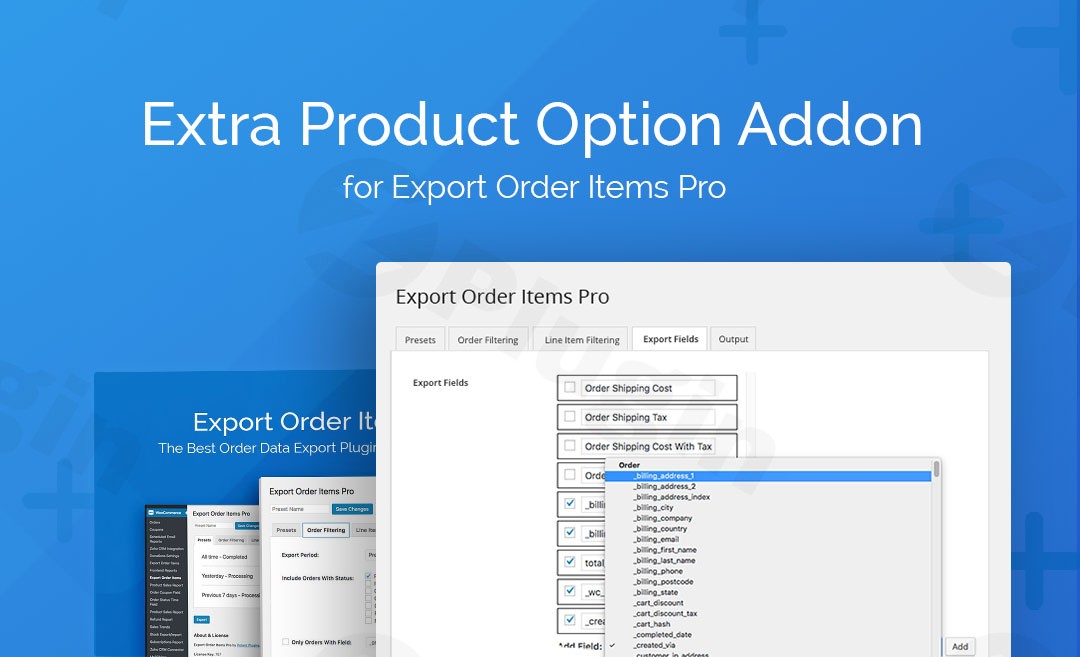
Managing a high-volume WooCommerce store often requires more than just basic order data. If you use custom product fields to capture specific customer requirements—such as gift messages, custom engravings, or technical specifications—you likely know the frustration of messy, unorganized export files. The Extra Product Options Addon For Export Order Items Pro is the definitive solution for store owners who need a clean, structured WooCommerce Extra Product Options export. By transforming complex metadata into individual reportable columns, this addon ensures your fulfillment and accounting teams have exactly the data they need without manual spreadsheet editing.
Why Use the Extra Product Options Addon?
The core problem with custom product options is how they are typically stored in the database. Without a specialized tool, custom options often export as a single, cluttered string of text. The Extra Product Options Addon For Export Order Items Pro functions as a bridge between the popular “TM Extra Product Options” plugin and your reporting engine. It parses that “lumped” data and separates every individual choice into its own dedicated field. This level of custom product options WooCommerce export granularity is essential for businesses that rely on precise data for manufacturing, packing, or inventory management.
Key Features and Benefits
1. Granular Data Parsing
The standout feature of this Export Order Items Pro addon is its ability to “explode” custom product data. Instead of seeing all options in one cell, you can export “Size,” “Color,” and “Custom Inscription” as three distinct columns in your CSV or Excel file.
2. Seamless Interface Integration
There is no new menu to learn. Once activated, the addon automatically injects new fields into the existing “Export Order Items Pro” interface. You simply navigate to your export settings and select the custom fields you wish to include.
3. Zero-Configuration Workflow
Designed for busy store managers, this addon requires no complex API keys or coding. As long as your fields are defined within the WooCommerce Extra Product Options plugin, this addon will detect and list them as exportable options immediately.
4. Improved Operational Efficiency
By automating the separation of custom data, you eliminate the need for VLOOKUPs or manual data cleaning in Excel. This reduces human error in fulfillment and speeds up the transition from “Order Received” to “Product Shipped.”
Technical Specifications & Requirements
To ensure optimal performance, verify that your environment meets the following requirements:
| Requirement | Specification |
|---|---|
| Platform | Self-hosted WordPress |
| Base Plugin | Export Order Items Pro |
| Integration Plugin | WooCommerce Extra Product Options (TM Extra Product Options) |
| Compatibility | Fully compatible with modern WooCommerce and PHP versions |
| Developer | WP Zone |
How to Install and Use the Addon
Follow these steps to set up your TM Extra Product Options integration and start generating better reports:
- Install the Addon: Upload the plugin zip file via Plugins > Add New > Upload in your WordPress dashboard.
- Activate: Click “Activate Plugin.” Ensure that both Export Order Items Pro and WooCommerce Extra Product Options are already active.
- Access Export Settings: Navigate to WooCommerce > Export Order Items.
- Add Custom Fields: Go to the Export Fields tab. Click the “Add Field” dropdown menu.
- Select Options: You will now see your custom product options listed as individual fields. Select the ones you want to include in your report.
6. Run Export: Save your settings and run your export as usual. Your custom data will now appear in its own dedicated columns.
Practical Use Cases & Best Practices
The Personalized Gift Shop (Engraving & Inscriptions)
If you sell jewelry or gifts with custom engravings, you can use this addon to create a “Production Sheet.” By exporting only the “Order ID” and the “Custom Inscription” field into a separate CSV, your engraving team gets a clean list of work without unnecessary billing information.
Apparel & Fashion (Size & Material Variations)
When using custom product options WooCommerce export for apparel, you can break down orders by specific material choices or secondary size charts. This is ideal for niche brands that offer more variables than standard WooCommerce variations allow.
B2B and Wholesale (Technical Specs)
For stores selling industrial parts or custom-configured hardware, use the addon to export technical requirements (like voltage, material grade, or tolerance) directly into a format that can be imported into your ERP or manufacturing software.
FAQ & Troubleshooting
What is the Extra Product Options Addon For Export Order Items Pro?
It is a specialized WordPress extension that allows the “Export Order Items Pro” plugin to recognize and separate data created by the “WooCommerce Extra Product Options” plugin. It ensures custom product data is exported into individual, readable columns rather than a single messy field.
Can Export Order Items Pro export custom product options?
Yes, but only when this specific addon is installed. While the base plugin handles standard WooCommerce data, this addon is required to parse and display the granular data generated by the TM Extra Product Options plugin.
Does this addon support WooCommerce for online stores?
Absolutely. This addon is built specifically for WooCommerce environments that use custom product options to enhance the shopping experience and need those options reflected in their sales reports.
What should I do if my custom fields don’t appear in the dropdown?
First, ensure that the WooCommerce Extra Product Options plugin is active and that you have created fields within it. If they still don’t appear, try clearing your site cache and refreshing the “Export Fields” page in Export Order Items Pro.
Final Verdict
The Extra Product Options Addon For Export Order Items Pro is an essential utility for any store owner using the TM Extra Product Options framework. It effectively bridges the gap between customer customization and backend reporting. By providing a structured WooCommerce Extra Product Options export, it saves hours of manual data entry and provides the “clean data” required for professional-scale operations. If you are already using Export Order Items Pro, this addon is the most logical step to achieving a fully automated reporting workflow.
I. Download Limits & Account Benefits
- Free Downloads: Each email address receives 3 downloads per day for free products
- Upgrade Benefits: Purchase any paid product to increase your daily download limit by 3 for each paid product
- No Account Required: You can download immediately by receiving the download link via email
- Account Recommended: Create an account for easier access to your order history and direct update downloads
II. Understanding GPL vs Official Versions
Important: The products available on WPPick are GPL-licensed versions, which differ from official developer versions. Before purchasing, please read our comprehensive guide: Understanding GPL & Official Differences at WPPick
Key Points:
- GPL versions may not include premium support from original developers
- Updates may be delayed compared to official releases
- Some premium features might have limitations
- Always consider your specific needs and support requirements
III. Support & Assistance
We’re here to help through multiple channels:
- Email Support: Direct email assistance for all inquiries
- Live Chat: Real-time support during business hours
- Comprehensive Documentation: Detailed guides and tutorials
IV. Order Tracking
Access your complete purchase history and download links anytime: Order History
V. Account Access
New to WPPick? Login or Create Account to manage your downloads and orders efficiently.
VI. Refund Protection
We stand behind our products with a clear refund policy. Review our terms: Refund Policy
VII. Privacy & Security
Your data security is our priority. Learn how we protect your information: Privacy Policy
VII. Terms of Service
Understanding our service terms ensures a smooth experience: Terms of Use
Quick Tips for Best Experience
- Verify Compatibility: Check plugin/theme compatibility with your WordPress version
- Backup First: Always backup your site before installing new plugins or themes
- Test Environment: Consider testing on a staging site first
- Stay Updated: Regularly check for updates in your account dashboard
- Read Documentation: Review any included documentation for optimal setup
Need Help?
If you have questions about downloads, licensing, or need technical assistance, don’t hesitate to contact our support team. We’re committed to ensuring you have the best possible experience with WPPick products.
Ready to get started? Your download adventure begins with just one click!
No changelog available.