
Fancy Product Designer For WooCommerce By radykal
/Year
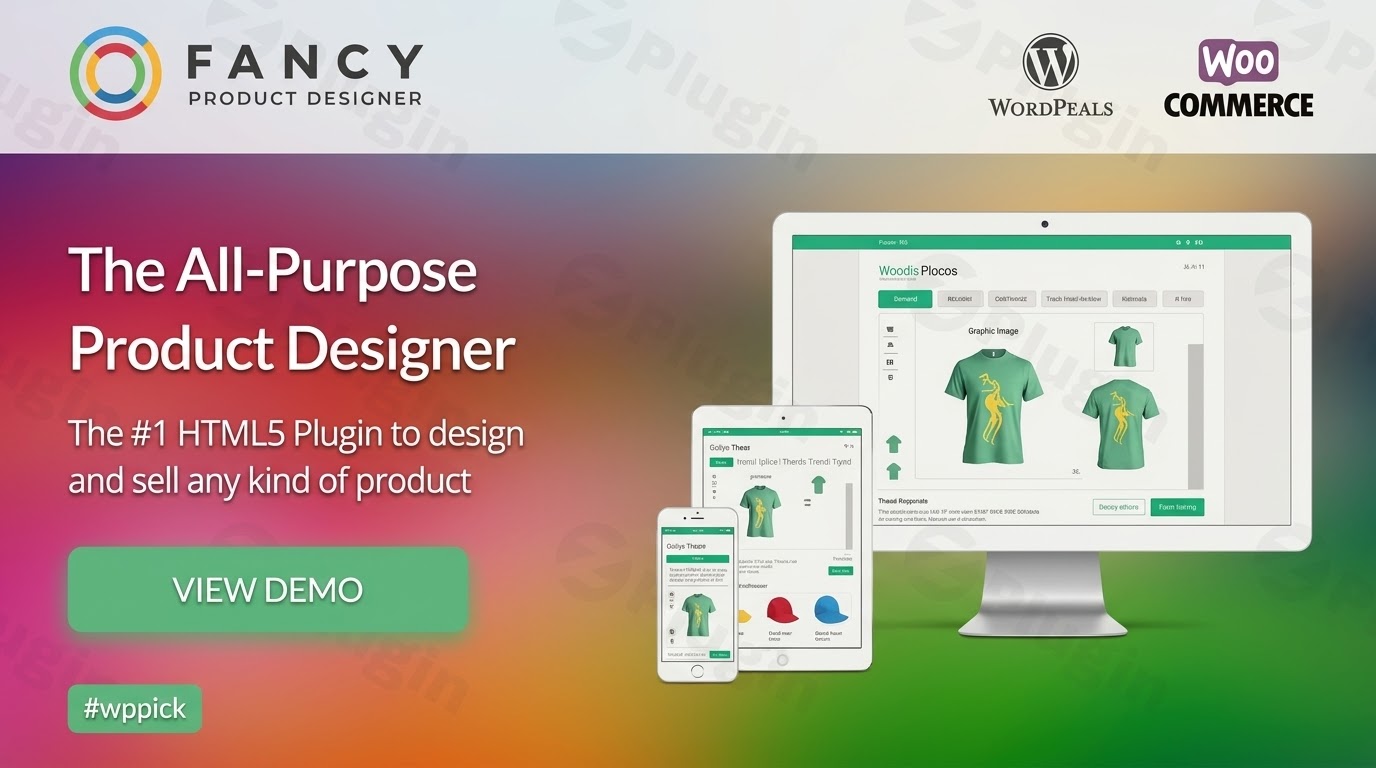
Empower Customers with Interactive Product Customization
Fancy Product Designer transforms standard online stores into interactive customization hubs. This plugin allows shoppers to visually design their own products directly from your WordPress site. By providing a visual canvas, online stores can eliminate design guesswork, reduce return rates, and increase order values for personalized products. Customers see exactly how their adjustments look before committing to a purchase.
What Fancy Product Designer Does
The plugin acts as a flexible visual canvas embedded into your online shop. It lets users upload personal images, add custom text with varied typography, and select from predefined design graphics or templates. Store owners can define specific bounding boxes, color options, and pricing structures for individual components. The tool translates a customer’s design into a manageable order format, making print-on-demand and custom manufacturing straightforward.
Who Is This Product For?
This customization software serves several specific business models operating on WordPress:
- Print-on-demand businesses selling custom t-shirts, hoodies, and apparel.
- Merchandise vendors handling personalized mugs, phone cases, posters, and canvas prints.
- B2B corporate gifting suppliers allowing customers to add company logos to promotional goods.
- Stationery makers offering custom business cards, event invitations, and personalized flyers.
Key Capabilities and Features
- Visual Layer Management: Users can move, scale, rotate, and reorder text or media elements like a standard design program.
- Flexible Component Pricing: Assign varying costs to extra text layers, premium graphics, or uploaded images.
- Multi-View Design Layouts: Allow users to switch between the front, back, and side views of an item.
- Image Manipulation Tools: Customers can adjust colors, crop images, remove backgrounds, or apply filters natively on the canvas.
- Smart Guidelines and Snapping: Keeps elements aligned within safe printing areas using automated grids.
Practical WordPress Use Cases
- Custom Apparel Builder: A clothing brand provides a base t-shirt template where buyers position vector art or custom text on the front or back.
- Corporate Logo Application: A supplier allows corporate accounts to upload high-resolution vectors onto promotional pens, notebooks, or bags.
- Personalized Photo Gifts: A photography storefront lets users create custom canvas prints by dragging familial images into specific frames.
Setup and Compatibility Context
Fancy Product Designer integrates directly with standard WooCommerce product layouts. It functions alongside primary WordPress themes and works reliably with standard caching plugins. Because rendering occurs in the browser, adequate server resources are needed primarily for processing large customer image uploads and exporting high-resolution print files in the dashboard interface.
Why Choose This Plugin on WPPick?
Acquiring this customizer via WPPick provides an accessible path to advanced design functionality. Store owners gain access to a fully capable customization environment without locking themselves into expensive monthly subscription software. This ensures long-term operational cost control for growing print shops and boutique businesses alike.
Latest Version Context
The product is updated regularly to maintain compatibility with modern eCommerce environments. Detailed release notes are not available from the provided sources. However, internal documentation shows ongoing development focus on reinforcing upload workflows, securing handling of customer assets, and maintaining compatibility across core product architectures.
Frequently Asked Questions
How do store owners access the final customer designs for printing?
Store administrators view completed designs directly through the WordPress admin panel inside the specific order detail screen. The layout can be reviewed as the customer constructed it, allowing administrators to export data for production workflows.
Can I restrict the specific areas where a customer can place text or images?
Yes. Store owners can define strict bounding boxes and containment rules for every template. This ensures that text or images remain within safe printing zones and do not overlap edges or seams.
Does the customization interface work reliably on mobile devices?
Yes. The user interface adapts natively to responsive mobile layouts. Customers can upload images directly from mobile device galleries and adjust text sizing using standard touch gestures.
Is it possible to charge different prices based on user additions?
Yes. The pricing structure supports incremental adjustments. You can charge specific fees for adding text layers, uploading custom graphics, or opting for premium pre-made design elements.
I. Download Limits & Account Benefits
- Free Downloads: Each email address receives 3 downloads per day for free products
- Upgrade Benefits: Purchase any paid product to increase your daily download limit by 3 for each paid product
- No Account Required: You can download immediately by receiving the download link via email
- Account Recommended: Create an account for easier access to your order history and direct update downloads
II. Understanding GPL vs Official Versions
Important: The products available on WPPick are GPL-licensed versions, which differ from official developer versions. Before purchasing, please read our comprehensive guide: Understanding GPL & Official Differences at WPPick
Key Points:
- GPL versions may not include premium support from original developers
- Updates may be delayed compared to official releases
- Some premium features might have limitations
- Always consider your specific needs and support requirements
III. Support & Assistance
We’re here to help through multiple channels:
- Email Support: Direct email assistance for all inquiries
- Live Chat: Real-time support during business hours
- Comprehensive Documentation: Detailed guides and tutorials
IV. Order Tracking
Access your complete purchase history and download links anytime: Order History
V. Account Access
New to WPPick? Login or Create Account to manage your downloads and orders efficiently.
VI. Refund Protection
We stand behind our products with a clear refund policy. Review our terms: Refund Policy
VII. Privacy & Security
Your data security is our priority. Learn how we protect your information: Privacy Policy
VII. Terms of Service
Understanding our service terms ensures a smooth experience: Terms of Use
Quick Tips for Best Experience
- Verify Compatibility: Check plugin/theme compatibility with your WordPress version
- Backup First: Always backup your site before installing new plugins or themes
- Test Environment: Consider testing on a staging site first
- Stay Updated: Regularly check for updates in your account dashboard
- Read Documentation: Review any included documentation for optimal setup
Need Help?
If you have questions about downloads, licensing, or need technical assistance, don’t hesitate to contact our support team. We’re committed to ensuring you have the best possible experience with WPPick products.
Ready to get started? Your download adventure begins with just one click!
- Security for uploads improved
- Pro Export: SVG2PDF was not working in order viewer