

Fat Event – WordPress Event And Calendar Booking
/Year
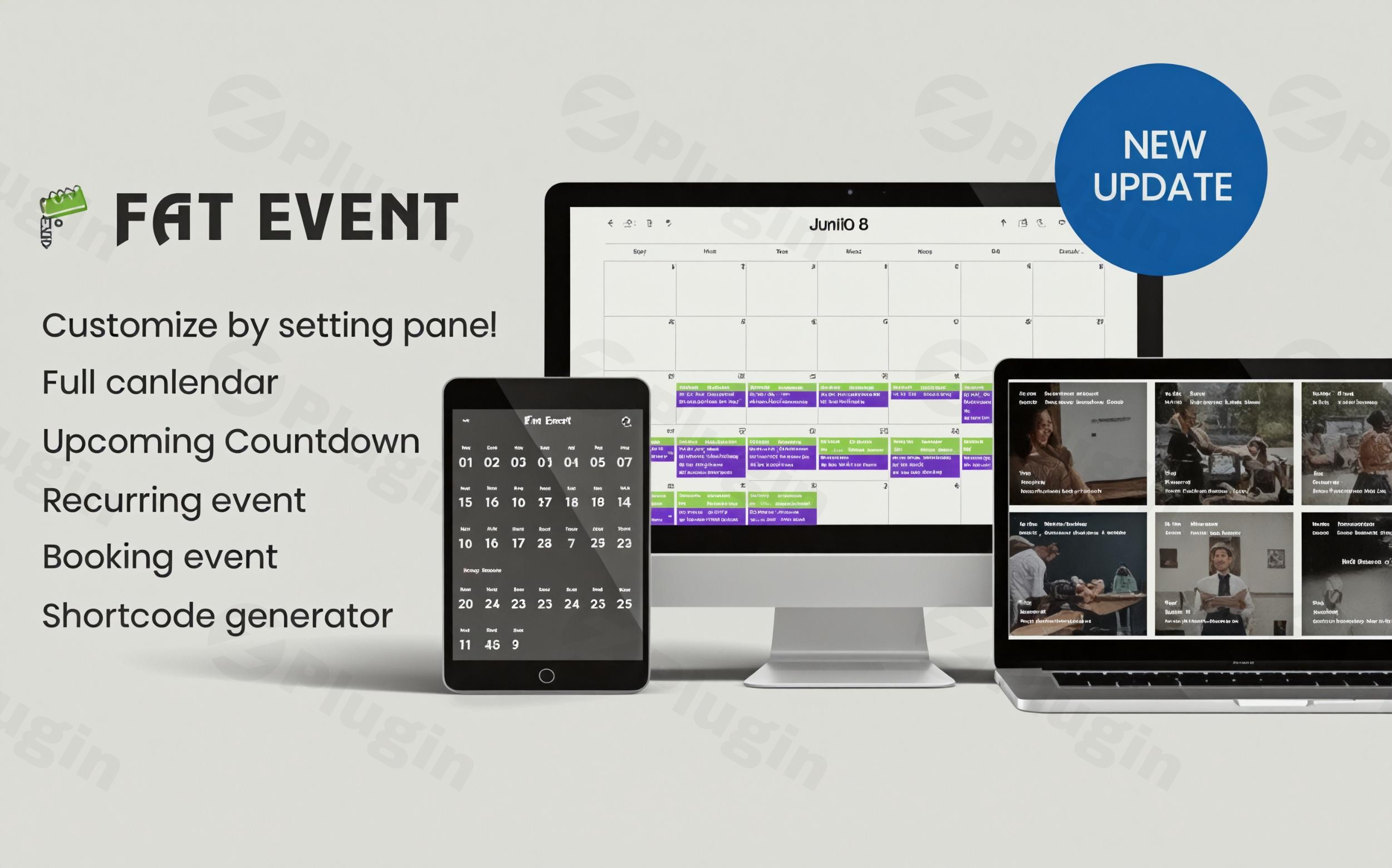
Managing events, workshops, or conferences on a website often requires a delicate balance between design and functionality. FAT Event is a comprehensive WordPress event plugin designed to bridge this gap, offering a robust suite of tools for event organization, display, and automated ticketing. Whether you are running a local yoga studio or a multi-day international conference, this WordPress event calendar booking solution provides the professional edge needed to convert visitors into attendees.
At WPPick.com, we understand that the right plugin can save hours of manual administrative work. FAT Event stands out by combining aesthetic versatility with powerful backend integrations like WooCommerce and Stripe.
Why Choose FAT Event as Your WordPress Event Management Plugin?
FAT Event isn’t just a simple list of dates; it is a full-scale WordPress event management plugin that handles the entire lifecycle of an event. Here is a breakdown of the core benefits:
1. Flexible Recurring Events
One of the most sought-after features in any event calendar plugin for WordPress is the ability to handle complex schedules. FAT Event allows you to create recurring events on daily, weekly, monthly, yearly, or even custom intervals. This is ideal for weekly classes or monthly networking meetups.
2. Stunning Visual Displays
First impressions matter. FAT Event offers more than five unique item skins and multiple layout modes, including:
- Calendar View: A fully responsive, traditional monthly view.
- Timetable Layout: Perfect for conferences with multiple tracks.
- Grid, Masonry, and Metro: Modern styles for lifestyle or community blogs.
- Countdown Timers: Build urgency for upcoming ticket sales.
3. Advanced WordPress Event Ticketing Plugin Features
The plugin functions as a sophisticated WordPress event ticketing plugin. You can classify tickets into different tiers—such as Economy, Premium, or VIP—and set different pricing or quantity limits for each.
4. Seamless Payment Integrations
To ensure you get paid on time, FAT Event supports:
- Direct Payments: Integrated PayPal and Stripe gateways for immediate checkout.
* WooCommerce Support: You can route bookings through your existing WooCommerce cart, allowing users to buy event tickets alongside other products.
How to Install and Setup the FAT Event WordPress Plugin
Setting up your WordPress event booking system is straightforward. Follow these steps to get your first event live:
- Installation: Download the plugin file from your provider. In your WordPress dashboard, navigate to Plugins > Add New > Upload Plugin, select the file, and click Install Now.
- General Configuration: Go to the FAT Event settings menu. Here, you can set your preferred currency, time zone, and customize the permalink structure for your event pages.
- Create an Event: Navigate to FAT Event > Add New Event. Fill in the title, description, and event image.
- Set the Schedule: Use the “Event Date” section to set a single date or configure recurring events.
- Configure Booking & Tickets: Enable the booking feature, set your ticket types (e.g., VIP vs. General Admission), and choose your payment gateway (Stripe, PayPal, or WooCommerce).
6. Display the Event: Use the built-in Shortcode Generator to choose your layout (e.g., Carousel or Grid) and paste the generated code into any page or post.
Practical Usage: Best Ways to Use FAT Event
To get the most out of your FAT Event WordPress plugin, consider these real-world workflows:
- For Conference Organizers: Use the Timetable view to show different speaker sessions. Enable the frontend event creation feature if you want guest organizers to submit their own sessions for approval.
- For Local Workshops: Use recurring events to schedule weekly sessions. Attach QR codes to the automated email notifications, allowing you to scan attendees’ phones at the door for quick check-in.
- For Non-Profits: Use coupon codes to offer discounts for early-bird registrations or volunteer members.
* For Global Communities: Leverage the plugin’s WPML compatibility to offer event details in multiple languages, ensuring your international audience can book with ease.
FAQ & Troubleshooting
Does FAT Event support WooCommerce?
Yes, FAT Event features full WooCommerce integration. You can choose to process all bookings through the WooCommerce checkout page, allowing you to use any payment gateway supported by WooCommerce and manage orders within your standard store workflow.
Can I sell tickets with a WordPress event plugin like FAT Event?
Absolutely. FAT Event is designed specifically for WordPress event calendar booking and ticketing. You can create multiple ticket classes (VIP, Standard, etc.), set inventory limits, and send automated email confirmations with booking details to your customers.
Is the plugin compatible with Gutenberg and Elementor?
Yes. FAT Event is Gutenberg optimized and compatible with popular page builders like Visual Composer. You can easily embed event calendars or specific event grids into any layout using the provided shortcodes.
Does it support QR codes for attendee check-ins?
Yes. One of the standout features of FAT Event is its ability to automatically generate and attach a QR code to the booking notification email. This allows event organizers to verify tickets quickly on-site.
What should I do if I encounter PHP errors?
FAT Event is tested with recent versions of WordPress (up to 6.7.2) and PHP 8.1. If you see warnings, ensure you are using the latest version of the plugin. Always perform a backup of your site before updating.
Conclusion: The Final Verdict on FAT Event
If you are looking for a high-performance WordPress event plugin that balances aesthetic variety with technical depth, FAT Event is a top-tier choice. It excels by providing features that usually require multiple extensions—such as recurring events, tiered ticketing, and QR code support—into one package.While it offers a “Lite” version for beginners, the Pro version is where the real ROI lies for businesses. Its ability to integrate with WooCommerce and provide automated email reminders makes it an invaluable tool for reducing administrative overhead. For more plugin reviews and WordPress tips, stay tuned to WPPick.com.
I. Download Limits & Account Benefits
- Free Downloads: Each email address receives 3 downloads per day for free products
- Upgrade Benefits: Purchase any paid product to increase your daily download limit by 3 for each paid product
- No Account Required: You can download immediately by receiving the download link via email
- Account Recommended: Create an account for easier access to your order history and direct update downloads
II. Understanding GPL vs Official Versions
Important: The products available on WPPick are GPL-licensed versions, which differ from official developer versions. Before purchasing, please read our comprehensive guide: Understanding GPL & Official Differences at WPPick
Key Points:
- GPL versions may not include premium support from original developers
- Updates may be delayed compared to official releases
- Some premium features might have limitations
- Always consider your specific needs and support requirements
III. Support & Assistance
We’re here to help through multiple channels:
- Email Support: Direct email assistance for all inquiries
- Live Chat: Real-time support during business hours
- Comprehensive Documentation: Detailed guides and tutorials
IV. Order Tracking
Access your complete purchase history and download links anytime: Order History
V. Account Access
New to WPPick? Login or Create Account to manage your downloads and orders efficiently.
VI. Refund Protection
We stand behind our products with a clear refund policy. Review our terms: Refund Policy
VII. Privacy & Security
Your data security is our priority. Learn how we protect your information: Privacy Policy
VII. Terms of Service
Understanding our service terms ensures a smooth experience: Terms of Use
Quick Tips for Best Experience
- Verify Compatibility: Check plugin/theme compatibility with your WordPress version
- Backup First: Always backup your site before installing new plugins or themes
- Test Environment: Consider testing on a staging site first
- Stay Updated: Regularly check for updates in your account dashboard
- Read Documentation: Review any included documentation for optimal setup
Need Help?
If you have questions about downloads, licensing, or need technical assistance, don’t hesitate to contact our support team. We’re committed to ensuring you have the best possible experience with WPPick products.
Ready to get started? Your download adventure begins with just one click!
- Fix ‘Repeat number display’ for Custom day repeat
- Fix seat available for single event page
- Fix recurring event for custom day