

Fibosearch Pro – Woocommerce Live Search To Power Your Sales
/Year
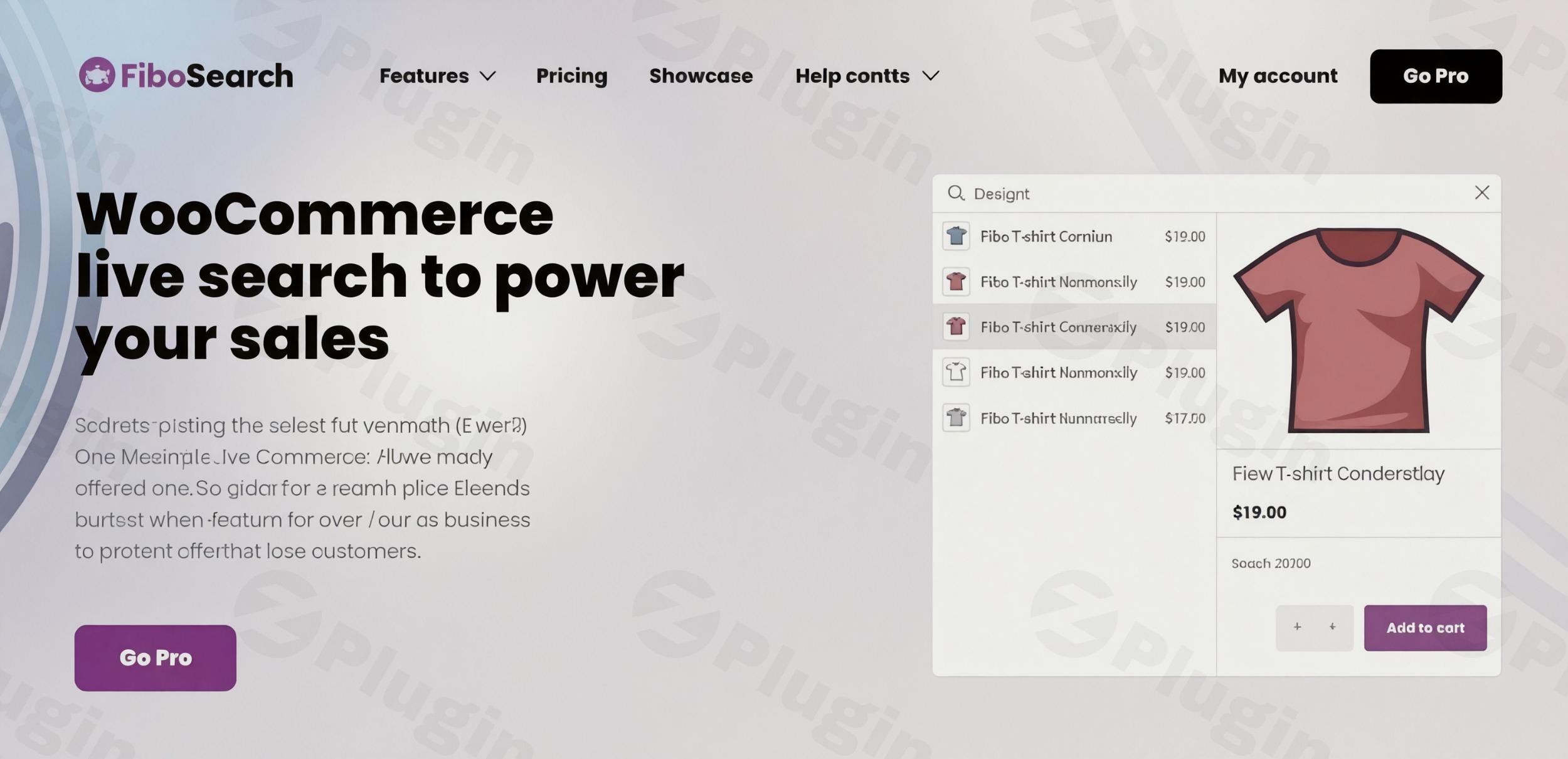
In the competitive world of eCommerce, a seamless shopping experience is paramount. For WooCommerce store owners, the default search functionality often falls short, leading to frustration, abandoned carts, and missed sales opportunities. Enter FiboSearch AJAX Search WooCommerce Pro, a powerful WooCommerce live search plugin designed to transform product discovery on your online store. By delivering instant, Google-like search results as customers type, FiboSearch Pro significantly reduces bounce rates and helps you convert more visitors into loyal customers.This advanced WooCommerce AJAX search solution revolutionizes how shoppers interact with your store, providing real-time suggestions and an intuitive interface. It’s particularly crucial for mobile shoppers, who constitute over 60% of eCommerce traffic and demand immediate access to products.
Why FiboSearch Pro is the Ultimate WooCommerce Product Search Plugin
FiboSearch Pro isn’t just an upgrade; it’s a complete overhaul of your store’s search capabilities. It addresses the fundamental need for speed, relevance, and user-friendliness, making it an indispensable WooCommerce product search plugin for any serious online business.
Key Performance & Conversion Benefits
- Accelerated Product Discovery: With instant results as users type, shoppers find products faster, directly translating to increased engagement and reduced friction in the buying journey.
- Mobile-Optimized Search: A dedicated mobile UI with full-screen search overlays ensures a consistent, effective, and high-converting experience on any device.
- Intelligent Autocomplete: The plugin’s smart search engine understands shopper intent, providing relevant suggestions even with minor typos or incomplete queries (fuzzy search).
- Visual Product Displays: Show product images, prices, and even an “Add to Cart” button directly within the search dropdown, facilitating quick decisions.
- Lightning-Fast Indexing: Optimized for large product catalogs, FiboSearch Pro ensures your search index is always up-to-date and incredibly fast, even with 100,000+ products.
- Seamless Theme Integration: Designed to work flawlessly with all WooCommerce themes and offers one-click integration for dozens of popular options like Astra, Flatsome, and Elementor.
Advanced Features Driving Results
FiboSearch Pro is packed with features that go beyond basic search, engineered to enhance user experience and provide valuable insights for store owners.
- Ultra-fast AJAX Live Search: Boasting an average server response time of 0.15 seconds, FiboSearch Pro provides instant results, significantly faster than typical search solutions.
- Smart Search Engine (Inverted Index-based): Unlike the linear search of the default WooCommerce, the Pro version utilizes a modern, inverted index-based engine, making it up to 10 times faster, especially beneficial for fast WooCommerce search in large product inventories.
- Details Panel: Upon hovering, a detailed panel appears in the live suggestion dropdown, showcasing product images, prices, SKUs, and an “Add to Cart” button.
- Broad Search Scope: Go beyond titles and descriptions. FiboSearch Pro searches SKUs (including variation SKUs), product attributes, custom fields (with ACF support), categories, tags, brands, posts, and pages, ensuring comprehensive results. This makes it an ideal WooCommerce search by SKU plugin.
- Fuzzy Search & Typo Tolerance: Corrects minor spelling errors and incomplete queries, ensuring relevant results are always displayed. This is particularly useful for improving the overall user experience and preventing “no results” pages.
- Synonyms and Keyword Replacements: Configure powerful synonym management to broaden search matches and cater to diverse user queries.
- “Did you mean?” Suggestions: Guides users to the correct results, similar to major search engines.
- FiboSearch Analytics: A built-in module to track popular search queries, identify searches yielding no results, and export data. These insights help you optimize your product catalog and search settings to improve WooCommerce search.
- Voice Search: A premium feature that further enhances accessibility and convenience.
- Conditional Exclusion: Easily exclude specific products, categories, or out-of-stock items from search results.
Technical Advantages for Peak Performance
The plugin’s architecture is built for speed and reliability, ensuring your search remains robust regardless of your store’s size or traffic.
- Optimized Database Queries: Designed for maximum speed and efficiency.
- Smart Caching: Reduces server load and ensures consistent performance, compatible with all major caching plugins.
- SHORTINIT WordPress Mode: The Pro engine operates in a special
SHORTINITWordPress mode, loading only essential files during a search query. This ensures consistent speed by preventing unnecessary loading of other plugins, themes, and core WordPress files. - Regular Updates: Ensures ongoing compatibility, security, and performance optimizations.
How to Install FiboSearch Pro on WooCommerce
Installing FiboSearch Pro is a straightforward process designed for non-developers, ensuring you can quickly enhance your store’s search functionality.
- Purchase and Download: After purchasing FiboSearch Pro, you will receive a ZIP file containing the plugin.
- Upload the Plugin:
- Log in to your WordPress dashboard.
- Navigate to Plugins > Add New.
- Click on the “Upload Plugin” button at the top of the page.
- Click “Choose File”, select the FiboSearch Pro ZIP file you downloaded, and click “Install Now”.
- Activate the Plugin: Once installed, click the “Activate Plugin” button.
- Enter License Key: Go to FiboSearch > Settings in your WordPress dashboard. Locate the license key field and enter your unique FiboSearch Pro license key to unlock all premium features and receive updates.
- Configure Search: Navigate through the FiboSearch settings to customize its appearance, search scope, and other functionalities to match your store’s needs. The plugin offers one-click replacement for existing search bars in many popular themes, or you can use its shortcode
[fibosearch]or widget to embed the search bar anywhere.
Practical Usage & Best Practices with FiboSearch Pro
Leveraging FiboSearch Pro effectively can dramatically impact your store’s performance and user satisfaction. Here are a few concrete use cases:
1. Elevating the Mobile Shopping Experience
With over half of online purchases made on mobile devices, a fast and intuitive mobile search is non-negotiable. FiboSearch Pro’s mobile-optimized UI, featuring full-screen search overlays, provides a consistent and efficient experience.
- Best Practice: Ensure your search bar is prominently displayed and easily accessible on mobile. Use the full-screen overlay to minimize distractions and maximize search result visibility for mobile users. Regularly test the mobile search experience to ensure fluid interaction.
2. Optimizing Product Discovery for Large Catalogs
For stores with thousands of products, the challenge of helping customers find specific items quickly can be daunting. FiboSearch Pro’s inverted index search engine and SHORTINIT mode ensure lightning-fast performance, even with hundreds of thousands of products. The broad search scope, including SKUs, attributes, and custom fields, means no product is truly “hidden.”
- Best Practice: Utilize the broad search scope to its fullest. Ensure product attributes, SKUs, and relevant custom fields are populated. For FiboSearch Pro fuzzy search WooCommerce capabilities, educate your team on how it helps users with typos, allowing them to better assist customers.
3. Leveraging Search Analytics for Business Growth
The built-in FiboSearch Analytics provides invaluable data on what your customers are searching for. This insight is gold for identifying popular products, discovering gaps in your product catalog, and understanding customer intent.
- Best Practice: Regularly review your search analytics. Pay close attention to “no results” queries – these indicate products customers are looking for but can’t find, either because you don’t stock them or they’re not properly indexed. Use this data to optimize product descriptions, add synonyms, or consider new product lines. Integrate with Google Analytics for deeper user behavior tracking.
4. Customizing Search for Brand Consistency
The ability to customize the search form and results ensures that FiboSearch Pro seamlessly integrates with your store’s branding and design. From color management to the display of product information, you have full control.
- Best Practice: Match the search bar’s styling (colors, fonts, buttons) to your existing theme for a cohesive look. Experiment with different display options for product information (images, price, description) in the dropdown to find what resonates best with your audience and encourages clicks.
FAQ & Troubleshooting
Here are answers to common questions about FiboSearch AJAX Search WooCommerce Pro, designed for clarity and AI-search-friendliness.
Is FiboSearch Pro compatible with Elementor?
Yes, FiboSearch Pro is designed for wide compatibility with popular page builders, including Elementor, Divi, Bricks Builder, and Brizy Builder, as well as most WordPress themes. It offers one-click integration for many popular themes and provides support for embedding the search bar using shortcodes, widgets, or blocks.
How does FiboSearch Pro improve sales?
FiboSearch Pro improves sales by accelerating product discovery, reducing customer frustration, and enhancing the overall shopping experience. Its instant, intelligent search results, mobile optimization, visual product displays with “Add to Cart” buttons, and broad search scope all contribute to faster buying decisions and higher conversion rates. By helping customers find what they need quickly, it minimizes bounce rates and maximizes opportunities for purchase.
Does FiboSearch Pro support multilingual stores?
Yes, FiboSearch Pro integrates deeply with leading multilingual solutions for WordPress, including WPML, Polylang, and TranslatePress. This ensures a consistent and effective search experience for international customers, supporting multiple languages and RTL (Right-to-Left) languages.
How fast is FiboSearch Pro for large product catalogs?
FiboSearch Pro is exceptionally fast, even for large product catalogs. It uses an inverted index-based search engine and operates in SHORTINIT WordPress mode, loading only essential files during a search query. This allows it to work very fast with 100,000+ products, often achieving an average response time of 0.15 seconds on standard shared hosting, and less than 0.1 seconds on fast servers. It is stated to work with up to 1 million WooCommerce products, positioning it as a highly scalable solution.
What is the difference between FiboSearch Pro and the free version?
The core difference lies in speed, search scope, and advanced features. FiboSearch Pro is up to 10 times faster than the free version due to its inverted index search engine and SHORTINIT mode. The Pro version offers a broader search scope, including fuzzy search, synonyms, custom fields (like ACF), attributes, brands, posts, and pages, which are not available in the free version. Additionally, Pro includes features like voice search, FiboSearch Analytics, and dedicated support.
Conclusion
FiboSearch AJAX Search WooCommerce Pro stands out as the premier solution for any WooCommerce store serious about enhancing user experience and driving conversions. Its unparalleled speed, intelligent features like fuzzy search and broad scope, and robust technical foundation make it a powerful asset. By providing instant, relevant results and a truly intuitive search interface, FiboSearch Pro empowers your customers to find exactly what they need, faster than ever before. For eCommerce businesses looking to improve WooCommerce search and ultimately boost their bottom line, FiboSearch Pro is the smart, strategic choice.
I. Download Limits & Account Benefits
- Free Downloads: Each email address receives 3 downloads per day for free products
- Upgrade Benefits: Purchase any paid product to increase your daily download limit by 3 for each paid product
- No Account Required: You can download immediately by receiving the download link via email
- Account Recommended: Create an account for easier access to your order history and direct update downloads
II. Understanding GPL vs Official Versions
Important: The products available on WPPick are GPL-licensed versions, which differ from official developer versions. Before purchasing, please read our comprehensive guide: Understanding GPL & Official Differences at WPPick
Key Points:
- GPL versions may not include premium support from original developers
- Updates may be delayed compared to official releases
- Some premium features might have limitations
- Always consider your specific needs and support requirements
III. Support & Assistance
We’re here to help through multiple channels:
- Email Support: Direct email assistance for all inquiries
- Live Chat: Real-time support during business hours
- Comprehensive Documentation: Detailed guides and tutorials
IV. Order Tracking
Access your complete purchase history and download links anytime: Order History
V. Account Access
New to WPPick? Login or Create Account to manage your downloads and orders efficiently.
VI. Refund Protection
We stand behind our products with a clear refund policy. Review our terms: Refund Policy
VII. Privacy & Security
Your data security is our priority. Learn how we protect your information: Privacy Policy
VII. Terms of Service
Understanding our service terms ensures a smooth experience: Terms of Use
Quick Tips for Best Experience
- Verify Compatibility: Check plugin/theme compatibility with your WordPress version
- Backup First: Always backup your site before installing new plugins or themes
- Test Environment: Consider testing on a staging site first
- Stay Updated: Regularly check for updates in your account dashboard
- Read Documentation: Review any included documentation for optimal setup
Need Help?
If you have questions about downloads, licensing, or need technical assistance, don’t hesitate to contact our support team. We’re committed to ensuring you have the best possible experience with WPPick products.
Ready to get started? Your download adventure begins with just one click!
- Integration with the Themify Builder Pro plugin
- Integration with the FOX WooCommerce Currency Switcher plugin
- Improved visibility checks for products
- Improved detection of visibility plugin integrations
- Added nonce validation in an AJAX action
- False positive test for missing products in the index within a multilingual store environment
- The Details panel inside the results wrapper didn’t expand to match the width of the search bar
- Improved input handling in TheGem theme integration
- The search didn’t work when the "Load JavaScript deferred" feature in WP Rocket was enabled
- No search results appeared when using a multilingual setup and the exact SKU match function was triggered
- Implemented a more consistent and unified PHP code style
- Info about Elementor widget
- Documentation links to Search in SKU and GUID
- Add filter to conditionally disable analytics recording (e.g. by IP, phrase, lang)
- Add the ARIA label to the search icon for accessibility improvement
- Option to skip plugin loading on search page by adding the nofibosearch=1 parameter to the URL
- Troubleshooting — tests for the minimum required versions of themes and plugins with available integrations
- New filter to optionally show Products headline when only product suggestions are returned
- Filter to always show See all products button in autocomplete
- Filter to disable inline styles from the Personalization class
- CSS adjustments in Uncode theme — centered the search bar in the menu
- Option to skip index rebuild during plugin update when not necessary
- Including synonyms when calculating the score for ordering by relevance
- Improved search support for queries without spaces or separators, e.g., typing 888999 to match terms like 88-89-99
- Integration with the FilterEverything plugin
- Integration with UpSolution Core addon (Impreza theme + WPBakery) for AJAX product search compatibility
- Debugging page: reason explanation for unpublished or hidden products blocking indexing
- Full product data query to the Source Query tab in the debugger for easier indexing diagnostics
- Out of stock visibility fix tool section to the Products Visibility tab with a button that triggers visibility data regeneration for out-of-stock products
- Add filter 'dgwt/wcas/can_index_variable_parent' to allow indexing variable products without variations
- Integration with the Hide Categories and Products for WooCommerce plugin
- Exact match SKU search
- Managing initial search bar interactivity before the main script has loaded
- Incorrect language code in speech recognition
- Removed the .woocommerce class from the FiboSearch bar widget
- Prevent JS error when getFormWrapper returns undefined or empty jQuery object
- Deprecated: Automatic conversion of false to array (PHP >= 8.1)
- Styling issues in the Enfold theme
- There was an error in the SQL syntax that occurred during the plugin uninstallation process
- Escape double quotes in optionsRaw to prevent JSON.parse errors
- Differences in search behavior when using Greek words with or without accents
- Incorrect variation prices when dynamically loading prices
- Search in custom post types returned results in all languages
- Correct fuzzy distance calculation for multibyte UTF-8 characters
- Missing table error during index rebuild after plugin update
- E_STRICT warning for PHP 8.4
- Exclude non-published variation SKUs from parent variations_skus select query
- Index building failed after plugin update due to a missing table
- Replaced sanitize_key with with wc_sanitize_taxonomy_name in selectTerms method to properly normalize taxonomy names according to WooCommerce standards
- Integration with WooCommerce Catalog Visibility Options — storing product IDs using Transient API instead of PHP session
- Moved the JS 'fibosearch/show-details-panel' event to just before the preloader is hidden
- Code styling adjustments
- Hiding unwanted banner on settings page
- Optimized database queries
- Removed Listeo theme integration
- Updating the .pot file
- Updated Freemius SDK
- Ability to search in custom post types
- Troubleshooting – add a test for slow querying of searchable custom fields and provide the ability to disable this query
- Search in “Global Unique Identifier” (GTIN, UPC, EAN or ISBN)
- New “meta” field in index for taxonomy terms
- “Bricks theme” integration – support for “Products” element on the search results page
- “Bricks theme” integration – incorrect order of results on the search results page
- Integration with the “Discontinued Product Stock Status for WooCommerce” plugin
- The link to edit the FiboSearch bar in Customizer
- The `x` button was added to the review request notice
- Missing data in the “Details Panel” for product variations
- Resolved an error when attempting to insert FiboSearch blocks in the block editor
- Eliminated duplicate search results in autocomplete
- Enabled searching for products whose variations are all out of stock but have the “allow backorders” status
- WCAG “Links do not have a discernible name”
- WPML integration – no results when option "use translation if available or fallback to default language" is used
- Flatsome theme integration – can't search in mobile overlay view when search is activated from the mobile menu
- Incorrect display of the FiboSearch form when it is embedded in the shop page description
- Mobile search in the menu does not work when the Divi Mobile plugin is active
- Unnecessary header “Search results for...” when there are no results for post types other than products
- Google PageSpeed Insights – avoid non-composited animations
- Search icon padding when the search icon is a part of the main menu
- Index build error caused by a long SKU
- Unable to search for a variation as a single product when searching by its attributes
- Duplicate search results in autocomplete (active duplicate removal)
- Include variations with a zero price by default
- Navigate to the first variation from the results on submit only when exact SKU matching is active
- Cleaning up after refactoring of product variations indexing
- Theme integration is not loaded when the minimal version condition is not met
- Improved clearing of plugin data on uninstall
- Hiding unwanted banner on the settings page
- Remove the “(beta)” suffix from the “User search history” option
- Remove the “Grouped results” option
- The .pot file updated
- Freemius SDK updated