

FileBird – WordPress Media Library Folders
/Year
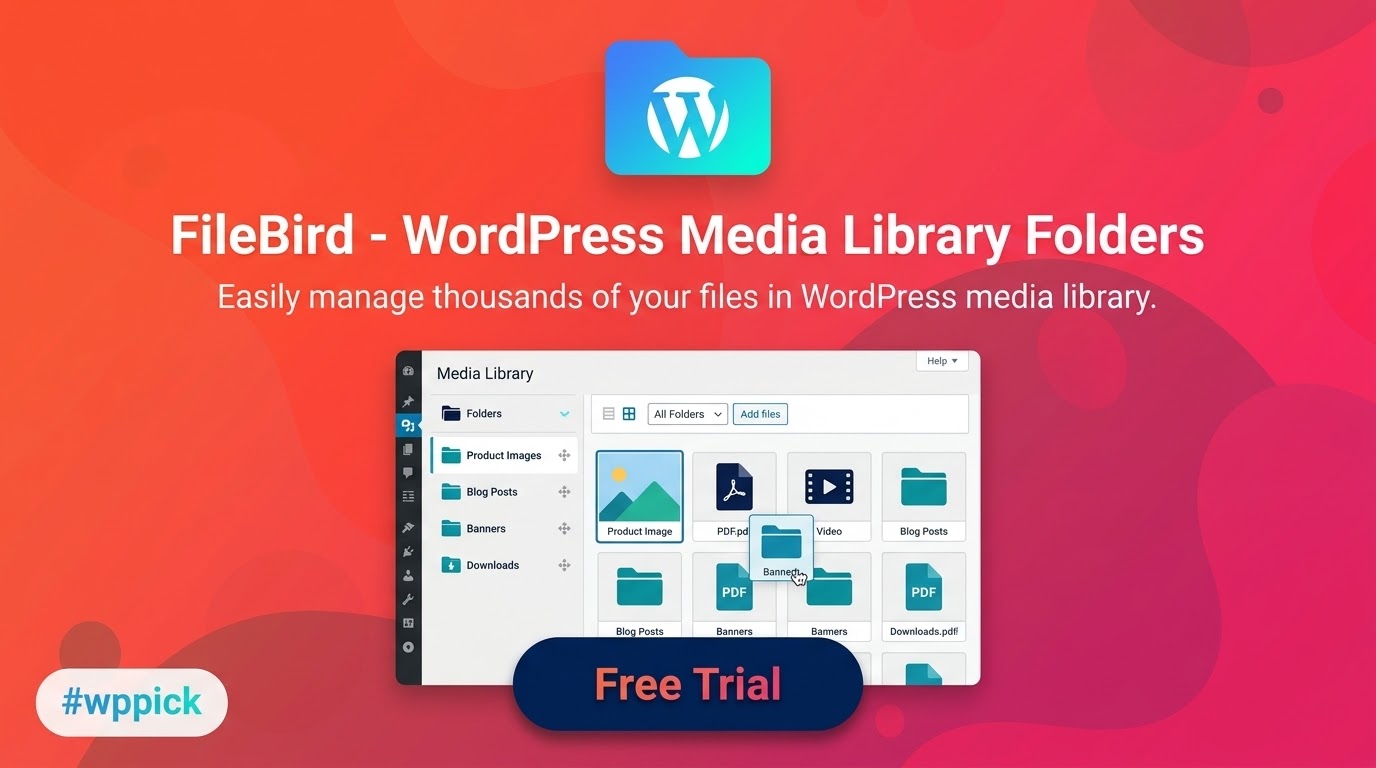
Streamline Asset Management with FileBird
Managing an expanding WordPress media library often leads to lost time and cluttered storage screens. FileBird addresses this foundational administrative hurdle by implementing a clean, desktop-style virtual folder framework inside the default WordPress environment. Instead of scrolling endlessly through thousands of unorganized images, documents, and videos, administrators can establish clear visual hierarchies without altering actual server file paths.
Latest Version 6.5.2 Changes
FileBird version 6.5.2 was released on December 5, 2025 by NinjaTeam. This update introduces an automatic renaming feature when a new folder is added with an existing name, resolves an issue with creating new folders on post-type pages, and applies security enhancements.
- 6.5.2 December 5, 2025 Added: Auto rename when add new folder and it’s name exists. Fixed: Create new folder at post-type pages. Improved: Security.
What FileBird Does
FileBird overrides the native flat structure of the WordPress media workspace, injecting a fast, JavaScript-driven side panel. This panel permits the creation, renaming, and removal of custom media directories. Assets are assigned to folders via native drag-and-drop controls. Because these folders function as virtual taxonomies, moving an item into a designated directory preserves its original database reference and canonical URL, eliminating the risk of broken images across live pages and posts.
Who It Is For
This organizational tool provides significant utility for content-heavy sites and professional environments, specifically:
- Website designers and agencies handling complex client media packages.
- E-commerce store operators managing substantial WooCommerce product galleries.
- Multi-author publication hubs tracking diverse editorial graphics and pdf reports.
- Photographers and digital creators needing to isolate specific project proofs.
Key Capabilities
- Dynamic side panel interface featuring adjustable widths for comfortable navigation.
- Advanced right-click context menus allowing quick folder generation, renaming, and deletion.
- High-speed search functionality built into the directory management toolbar.
- Broad compatibility with prominent page builders including Elementor, WPBakery, and Gutenberg blocks.
- Bulk asset processing to categorize hundreds of unassigned items concurrently.
Practical WordPress Use Cases
When executing a seasonal marketing push, marketing teams can establish an exclusive asset folder containing specific localized advertising banners. Content creators editing individual post-type screens can seamlessly reference deep nested directories to find matching downloadable manuals or targeted feature image sets. Furthermore, online merchants can split galleries into structured product lines, making inventory updates straightforward.
Setup and Compatibility Context
FileBird deploys natively through the standard WordPress plugin installer. It is built to seamlessly respect server resources by avoiding actual physical database directory changes on your host. It features built-in import utilities that recognize historical structures from older media management plugins, facilitating a straightforward transition path without losing previous organization work.
Reasons to Choose It on WPPick
Obtaining FileBird through WPPick ensures your development team gains access to an isolated, securely evaluated software build tailored for production deployment. This setup removes licensing overhead constraints across internal staging or testing environments, allowing agencies to refine their administrative media pipelines affordably before moving client infrastructure live.
Latest Version Context
FileBird version 6.5.2 provides important system corrections. It introduces a smart automated renaming feature that triggers when a user attempts to generate a new folder that shares an identical name with an existing asset category. Additionally, it addresses an operational bug concerning folder creation directly within individual post-type editing pages and applies essential security patches to safeguard authenticated media routes.
Frequently Asked Questions
Will moving an image into a FileBird folder break its display on my website?
No. FileBird utilizes a virtual taxonomy system to handle organization. The physical path of the attachment and its associated URL remain completely unchanged in the WordPress database, meaning all embedded assets stay intact.
Can I build nested multi-level subfolders with this tool?
Yes. The folder interface supports deep nesting, allowing users to build complex branch structures and secondary directories to keep highly specific project files separated cleanly.
What happens to my media files if the plugin is deactivated?
Your media items will remain entirely safe. Because the files reside inside the default WordPress uploads path, deactivating the plugin simply reverts the view to the standard unorganized media layout screen.
Does FileBird integrate with third-party page builders?
Yes. The directory architecture loads seamlessly inside the media select interfaces of popular editing tools including Elementor, Divi, WPBakery, and the native block editor.
I. Download Limits & Account Benefits
- Free Downloads: Each email address receives 3 downloads per day for free products
- Upgrade Benefits: Purchase any paid product to increase your daily download limit by 3 for each paid product
- No Account Required: You can download immediately by receiving the download link via email
- Account Recommended: Create an account for easier access to your order history and direct update downloads
II. Understanding GPL vs Official Versions
Important: The products available on WPPick are GPL-licensed versions, which differ from official developer versions. Before purchasing, please read our comprehensive guide: Understanding GPL & Official Differences at WPPick
Key Points:
- GPL versions may not include premium support from original developers
- Updates may be delayed compared to official releases
- Some premium features might have limitations
- Always consider your specific needs and support requirements
III. Support & Assistance
We’re here to help through multiple channels:
- Email Support: Direct email assistance for all inquiries
- Live Chat: Real-time support during business hours
- Comprehensive Documentation: Detailed guides and tutorials
IV. Order Tracking
Access your complete purchase history and download links anytime: Order History
V. Account Access
New to WPPick? Login or Create Account to manage your downloads and orders efficiently.
VI. Refund Protection
We stand behind our products with a clear refund policy. Review our terms: Refund Policy
VII. Privacy & Security
Your data security is our priority. Learn how we protect your information: Privacy Policy
VII. Terms of Service
Understanding our service terms ensures a smooth experience: Terms of Use
Quick Tips for Best Experience
- Verify Compatibility: Check plugin/theme compatibility with your WordPress version
- Backup First: Always backup your site before installing new plugins or themes
- Test Environment: Consider testing on a staging site first
- Stay Updated: Regularly check for updates in your account dashboard
- Read Documentation: Review any included documentation for optimal setup
Need Help?
If you have questions about downloads, licensing, or need technical assistance, don’t hesitate to contact our support team. We’re committed to ensuring you have the best possible experience with WPPick products.
Ready to get started? Your download adventure begins with just one click!
- Auto rename when add new folder and it's name exists
- Create new folder at post-type pages
- Security improvements
- Improved: Security (Access Control Authenticated (Subscriber+))
- Fixed: Inputs were not working properly
- Double click folder to rename
- Hover effects
- Security for Clear All Data function
- Warning when delete users
- Accessibility improvements based on WCAG guidelines
- Security fixes
- FileBird Gallery Element for WPBakery Page Builder
- Support Import/Export Custom Post Types
- Improved: UI
- Fixed: Block FileBirdGallery not show