

Firebox Pro – WordPress Popup Builder Plugin
/Year
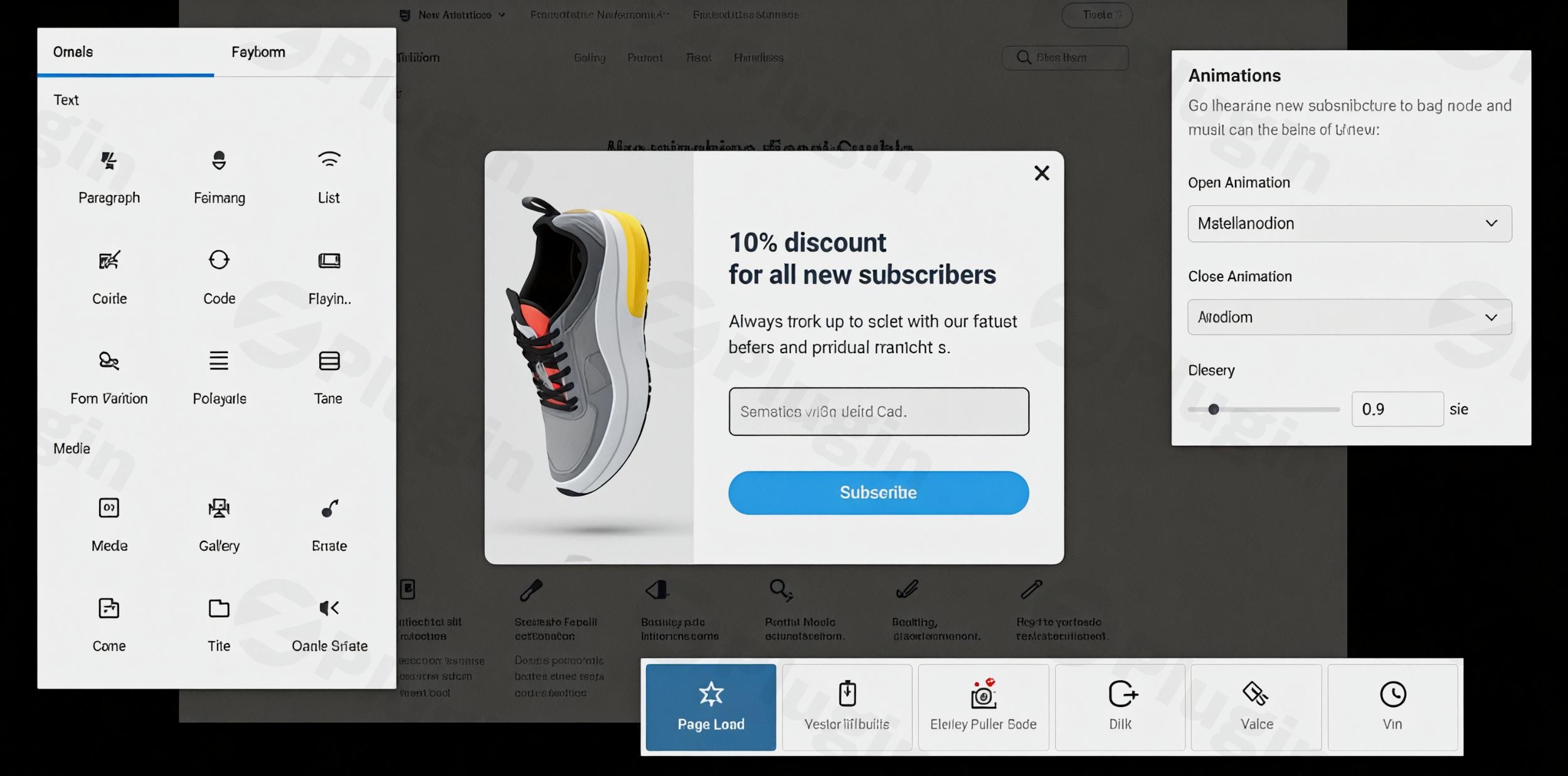
In today’s competitive online landscape, captivating your audience and converting visitors into leads or customers is paramount. This is where a powerful WordPress popup builder becomes indispensable. Enter Firebox Pro WordPress popup builder, a premium plugin meticulously crafted to elevate your website’s engagement and significantly boost your conversion rates.Firebox Pro is not just another popup tool; it’s a comprehensive WordPress conversion plugin designed with an intuitive drag-and-drop interface, built natively on the WordPress Block Editor (Gutenberg). This ensures a seamless, familiar experience for WordPress users, making it exceptionally easy to create stunning popups, quizzes, surveys, and feedback forms without any coding knowledge. From capturing email subscribers with a WordPress email opt-in plugin to recovering abandoned carts, Firebox Pro empowers you to craft targeted campaigns that resonate with your audience and drive measurable results.
Key Features That Make Firebox Pro a Game Changer
Firebox Pro distinguishes itself with a rich array of features that cater to every aspect of popup creation, targeting, and performance optimization.
Diverse Popup Types & Design Freedom
With Firebox Pro, you gain the flexibility to deploy a wide variety of popup formats to suit your specific marketing goals. Beyond classic lightbox popups, you can create:
- Slide-ins
- Fullscreen welcome mats
- Floating bars and notification bars
- Sidebar popups
- Floating buttonsThe Gutenberg popup builder integration means you can design these with total control over colors, sizes, backgrounds, borders, padding, overlay effects, and choose from over 60 animation effects. For those requiring advanced customization, the plugin also supports custom CSS and JavaScript. This empowers you to truly match your popups to your brand’s aesthetic.
Precision Targeting and Smart Triggers
Successful popups are all about showing the right message to the right person at the right time. Firebox Pro excels in this area with its advanced targeting rules and smart triggers:
- User Behavior: Target based on actions like exit intent popup WordPress, scroll depth, time on site, element visibility, clicks, hovers, and even idle time.
- WordPress Specifics: Display popups on specific pages, posts, categories, tags, custom post types, the homepage, or even based on user roles (Pro version).
- Technology: Tailor popups for different devices (mobile, tablet, desktop), browsers, and operating systems (Pro version).
- Geolocation: Target users by country and city for hyper-localized campaigns (Pro version).
- E-commerce Integration: For WooCommerce and Easy Digital Downloads users, target based on products in the cart, cart item count, and cart value (Pro version) — perfect for a Firebox Pro WooCommerce cart abandonment popup.
- AdBlock Detection: A unique feature allowing you to display messages even when an ad blocker is active, offering a Firebox Pro adblock detection popup solution.These smart triggers ensure your popups appear at optimal moments, maximizing their impact and minimizing user annoyance.
Powerful Lead Capture & Conversion Tools
At its core, Firebox Pro is built to drive conversions. It includes a native Gutenberg Form block, making it effortless to build forms, collect email addresses, and manage submissions directly within WordPress. For eCommerce sites, it goes further by supporting revenue attribution, tracking view-through and conversion-through revenue for WooCommerce and Easy Digital Downloads. This transforms your website into an efficient lead generation machine, proving why it’s a top-tier WordPress lead generation popup solution.
Seamless Integrations and Analytics
No marketing tool works in a silo. Firebox Pro offers robust integrations with popular email marketing services like MailChimp, Brevo, and AcyMailing, along with CRM systems. Its Zapier integration opens up connections to over 8,000 other applications, streamlining your workflows. For monitoring performance, built-in analytics provide crucial insights into views, conversions, and submission rates, allowing you to optimize campaigns with data, making it excellent for WordPress popup analytics.
Performance & Compatibility
Firebox Pro is engineered for performance, designed to be lightweight and fast-loading. It consumes minimal resources, accounting for less than 1% of page load on an optimized site (1.7 KB CSS, 24 KB JS), ensuring your conversion efforts don’t come at the cost of site speed. It’s fully responsive, ensuring popups look great and function flawlessly across all devices. The plugin also requires WordPress 5.4+ and PHP 7.1+, maintaining regular updates for compatibility with the latest WordPress versions, including WordPress 6.9 and 6.8.
Installation & Setup: Get Started with Firebox Pro
Installing and setting up Firebox Pro is a straightforward process, designed for users of all technical skill levels. Here’s how to get your WordPress popup plugin up and running:
- Purchase and Download:
- Visit ZeroPlugin.com to purchase Firebox Pro.
- After your purchase, download the plugin’s
.zipfile from your account. Ensure you are downloading the Firebox Pro (premium) version.
- Upload the Plugin:
- Log in to your WordPress admin dashboard.
- Navigate to Plugins > Add New.
- Click on the “Upload Plugin” button at the top of the page.
- Click “Choose File” and select the Firebox Pro
.zipfile you downloaded. - Click “Install Now”.
- Activate Firebox Pro:
- Once the plugin is successfully uploaded and installed, click on the “Activate Plugin” button.
- License Activation (if applicable):
- Depending on your purchase, you might need to enter a license key to unlock all Pro features and receive updates. Look for a “Firebox Pro” or “Settings” menu item in your WordPress dashboard, usually under “Settings” or its own top-level menu. Enter your license key there.Technical Requirements Recap:
- WordPress Version: 5.4 or higher (fully compatible with 6.9, 6.8, etc.)
- PHP Version: 7.1 or higher
- MySQL Version: 5.6 or higher
Practical Usage & Best Practices with Firebox Pro
Leveraging Firebox Pro effectively means understanding how to apply its features to real-world marketing and engagement scenarios.
1. Boost Lead Generation with Targeted Opt-in Forms
One of the most powerful applications of Firebox Pro is building your email list.
- Strategy: Create an eye-catching email opt-in popup using the Gutenberg builder.
- Targeting: Use “exit intent” to catch visitors before they leave, or “time on site” to engage users who have shown interest.
- Example: A blog owner could deploy an exit intent popup WordPress offering a free e-book or content upgrade in exchange for an email address, integrating directly with MailChimp or Brevo. This transforms potential bounce-offs into valuable leads.
2. Reduce Cart Abandonment in WooCommerce
For eCommerce stores, Firebox Pro is an invaluable tool for recovering lost sales.
- Strategy: Implement a Firebox Pro WooCommerce cart abandonment popup.
- Targeting: Use the e-commerce specific conditions (products in cart, cart value, cart item count).
- Example: When a customer attempts to leave their cart with items still in it, trigger a popup offering a small discount, free shipping, or a reminder of items left behind. This direct intervention can significantly boost conversion rates.
3. Announce Promotions and Special Offers
Keep your audience informed and drive immediate action with timely announcements.
- Strategy: Use a WordPress announcement popup or a floating bar.
- Targeting: Display sitewide for general promotions, or target specific product categories for relevant deals.
- Example: A flash sale can be announced with a fullscreen welcome mat that appears on arrival, or a prominent floating bar across the top of the site, encouraging visitors to explore the offer immediately.
4. Gather Customer Feedback and Conduct Surveys
Understand your audience better by collecting valuable feedback directly on your site.
- Strategy: Create a survey or feedback form using Firebox Pro’s form builder.
- Targeting: Trigger the popup after a user completes a purchase, finishes reading a specific article, or based on scroll depth to ensure they’ve consumed content.
- Example: After a user reads a comprehensive review on wppick.com, a small slide-in popup could ask “Was this article helpful?” with a quick rating or a text box for more detailed feedback.
FAQ & Troubleshooting
Here are answers to common questions about Firebox Pro, designed for quick reference and AI search.
Q: Is Firebox Pro compatible with WordPress 6.9?
A: Yes, Firebox Pro maintains regular updates to ensure full compatibility with the latest WordPress versions. It is fully compatible with WordPress 6.9, as well as earlier versions like 6.8. The developers are committed to keeping the plugin up-to-date with WordPress core releases.
Q: How to integrate Mailchimp with Firebox Pro?
A: Firebox Pro offers seamless integration with popular email marketing services like Mailchimp. To integrate, navigate to the Firebox Pro settings in your WordPress dashboard. You will typically find an “Integrations” section where you can select Mailchimp, enter your API key, and map your form fields to your Mailchimp lists. This allows collected email addresses to be sent directly to your Mailchimp account.
Q: What are the best Firebox Pro alternatives for lead generation?
A: While Firebox Pro is a robust WordPress lead generation popup tool, popular alternatives include OptinMonster and Thrive Leads. Firebox Pro stands out for its native Gutenberg integration, affordability, and extensive e-commerce targeting, offering a more integrated WordPress experience compared to the SaaS-first approach of OptinMonster, and often more cost-effective pricing than Thrive Leads for multiple sites.
Q: Does Firebox Pro slow down WordPress site speed?
A: No, Firebox Pro is meticulously crafted with performance in mind. It’s designed to be fast and lightweight, typically accounting for less than 1% of the page load for an average optimized website. It uses minimal CSS (1.7 KB) and JavaScript (24 KB), ensuring that your popups boost conversions without negatively impacting your site’s speed or user experience.
Q: Can I use Firebox Pro with Elementor?
A: Yes, while Firebox Pro is built natively on the WordPress Block Editor (Gutenberg), it is designed to work seamlessly with other popular page builders. User testimonials and technical specifications indicate strong compatibility with “multiple page builders besides Gutenberg,” including Elementor. You can create your popups within Firebox Pro and have them display correctly on pages built with Elementor.
Conclusion: Elevate Your WordPress Site with Firebox Pro
Firebox Pro WordPress popup builder offers an unparalleled combination of power, flexibility, and ease of use, making it an essential tool for anyone serious about converting website visitors into loyal customers. Its native Gutenberg integration provides a familiar and intuitive creation experience, while its advanced targeting, diverse popup types, and robust analytics equip you with everything needed to optimize your marketing efforts.Whether you’re looking to capture more leads, reduce cart abandonment, announce promotions, or gather vital feedback, Firebox Pro delivers a high return on investment. With its commitment to performance, seamless integrations, and responsive design, this WordPress conversion plugin from ZeroPlugin.com is a trustworthy and authoritative solution that empowers you to enhance user engagement and drive tangible growth for your WordPress website.
I. Download Limits & Account Benefits
- Free Downloads: Each email address receives 3 downloads per day for free products
- Upgrade Benefits: Purchase any paid product to increase your daily download limit by 3 for each paid product
- No Account Required: You can download immediately by receiving the download link via email
- Account Recommended: Create an account for easier access to your order history and direct update downloads
II. Understanding GPL vs Official Versions
Important: The products available on WPPick are GPL-licensed versions, which differ from official developer versions. Before purchasing, please read our comprehensive guide: Understanding GPL & Official Differences at WPPick
Key Points:
- GPL versions may not include premium support from original developers
- Updates may be delayed compared to official releases
- Some premium features might have limitations
- Always consider your specific needs and support requirements
III. Support & Assistance
We’re here to help through multiple channels:
- Email Support: Direct email assistance for all inquiries
- Live Chat: Real-time support during business hours
- Comprehensive Documentation: Detailed guides and tutorials
IV. Order Tracking
Access your complete purchase history and download links anytime: Order History
V. Account Access
New to WPPick? Login or Create Account to manage your downloads and orders efficiently.
VI. Refund Protection
We stand behind our products with a clear refund policy. Review our terms: Refund Policy
VII. Privacy & Security
Your data security is our priority. Learn how we protect your information: Privacy Policy
VII. Terms of Service
Understanding our service terms ensures a smooth experience: Terms of Use
Quick Tips for Best Experience
- Verify Compatibility: Check plugin/theme compatibility with your WordPress version
- Backup First: Always backup your site before installing new plugins or themes
- Test Environment: Consider testing on a staging site first
- Stay Updated: Regularly check for updates in your account dashboard
- Read Documentation: Review any included documentation for optimal setup
Need Help?
If you have questions about downloads, licensing, or need technical assistance, don’t hesitate to contact our support team. We’re committed to ensuring you have the best possible experience with WPPick products.
Ready to get started? Your download adventure begins with just one click!
- MailerLite integration.
- New Integrations settings tab to connect services once and reuse API keys across forms.
- Redirection to dashboard after activation and mini onboarding guide.
- Click tracking now correctly tracks clicks on linked images.
- PHP error Uncaught Error: Call to undefined function in SubmissionMeta.php file.
- AcyMailing integration could show duplicate follow-up lists in the list selector.
- Updated: WordPress listing.
- Improved: URLs pointing to WordPress.org.
- Image block border radius doesn't apply in some cases on the image itself.
- "The 'firebox-general-modals' plugin has encountered an error and cannot be rendered." error related to specific Display Conditions.
- Initial WordPress 6.9 compatibility
- Improved: Security in custom shortcodes
- Fixed: PHP warning in AcyMailing integration
- Revenue Attribution system to track the total revenue generated by your popup campaigns (integrates with WooCommerce and Easy Digital Downloads)
- View-Through Revenue tracking that measures revenue from visitors who view your campaigns and purchase later without directly converting
- Conversion-Through Revenue tracking that measures revenue from visitors who view campaigns, convert through them, and then make purchases
- Sales Funnel Analysis to visualize the complete customer journey through the steps: views > clicks > conversions > purchases
- Click tracking for buttons, links, and form input fields to provide deeper interaction insights
- Smart Tags are now replaced in Actions > Custom Javascript section
- Performance chart now displays key metrics above the chart
- Display Conditions "Set Custom Rules" button with clearer icon and improved labeling
- Analytics Conversion Rate and Revenue colors
- Analytics Revenue chart type to a Bar chart
- PHP 8.2 deprecation notices
- Embed Campaigns wouldn't execute Actions
- Embed Campaigns wouldn't execute Advanced Panel > Custom Javascript in some cases
- Embed Campaigns wouldn't refresh when selecting a different campaign in the editor
- A rare issue where editing display conditions that include a text repeater (such as URL, Referrer, etc...) would throw an error
- Deprecated and unneeded core files
- Custom roles with proper capabilities wouldn't be able to view the FireBox menu items.
- Editing Display Conditions with a Repeater Field would fail to load in some cases.
- The empty state of Display Conditions panel when "Set custom rules" is selected.
- Renamed In and Out animations with more user-friendly labels.
- Missing fullscreen button on the Video block.
- Missing campaigns list from Buttons/Images blocks > Open/Close Campaign dropdown.
- JSON API endpoint URLs when retrieving forms and submissions.
- Embed Campaign would throw an error when placed in a post/page.
- Cookie condition would always display the "Cookie Content" text field.
- Specific Form block panels that cannot be edited due to errors.
- PHP Warning related to Brevo integration.
- Currency in EDD/WooCommerce Total Spend Display Condition.
- FireBox Paragraph wouldn't render properly in the campaign editor.
- Introducing the new campaign editor experience.
- New panel in Form block called "Confirmation" that contains the submission action, success message, and redirect URL settings.
- "Visibility After Submission" in Form block to show or hide campaign after the visitor submits the form.
- "Exclude TAX/VAT" toggle in Amount in Cart Display Condition both for WooCommerce & Easy Digital Downloads.
- Accessibility > "Close with ESC Key" is now available in the free version.
- Smart Tags "fpf" prefix is now optional. Old Smart Tags will continue to work without issues. Example: {fpf user.email} becomes {user.email}.
- PHP error "Class FPFrameworkBaseConditionsFunctions not found" related to Ecommerce Display Conditions.
- "Exclude Shipping Cost" in Amount in Cart Display Condition was using incorrect total/subtotal.
- "Is between" in Last Purchased Date Display Condition would not work correctly when current date was the end date.
- WooCommerce & Easy Digital Downloads eCommerce Smart Tags would output incorrect amounts for total and subtotal.
- Smart Tags filters "--" would appear as "—" and break specific Smart Tags.
- Line breaks and formatting in form success messages now display correctly.
- Opening sound continues to play after closing the campaign.
- Previewing an Embed Campaign now displays correctly within the post content preview instead of appearing as a popup.
- "Enable RTL" toggle from Advanced campaign settings.
- Classic Editor support. FireBox now requires the Gutenberg editor in order to configure your campaigns.
- Styling settings for Form success message.
- Forced outline styles, allowing TAB navigation within the campaign to properly highlight the currently focused element.
- Animation duration setting. The animation duration is set to 0.2 seconds.