

Fleekdash – The Ultimate WordPress Admin Experience
/Year
Upgrade Your WordPress Backend with Fleekdash
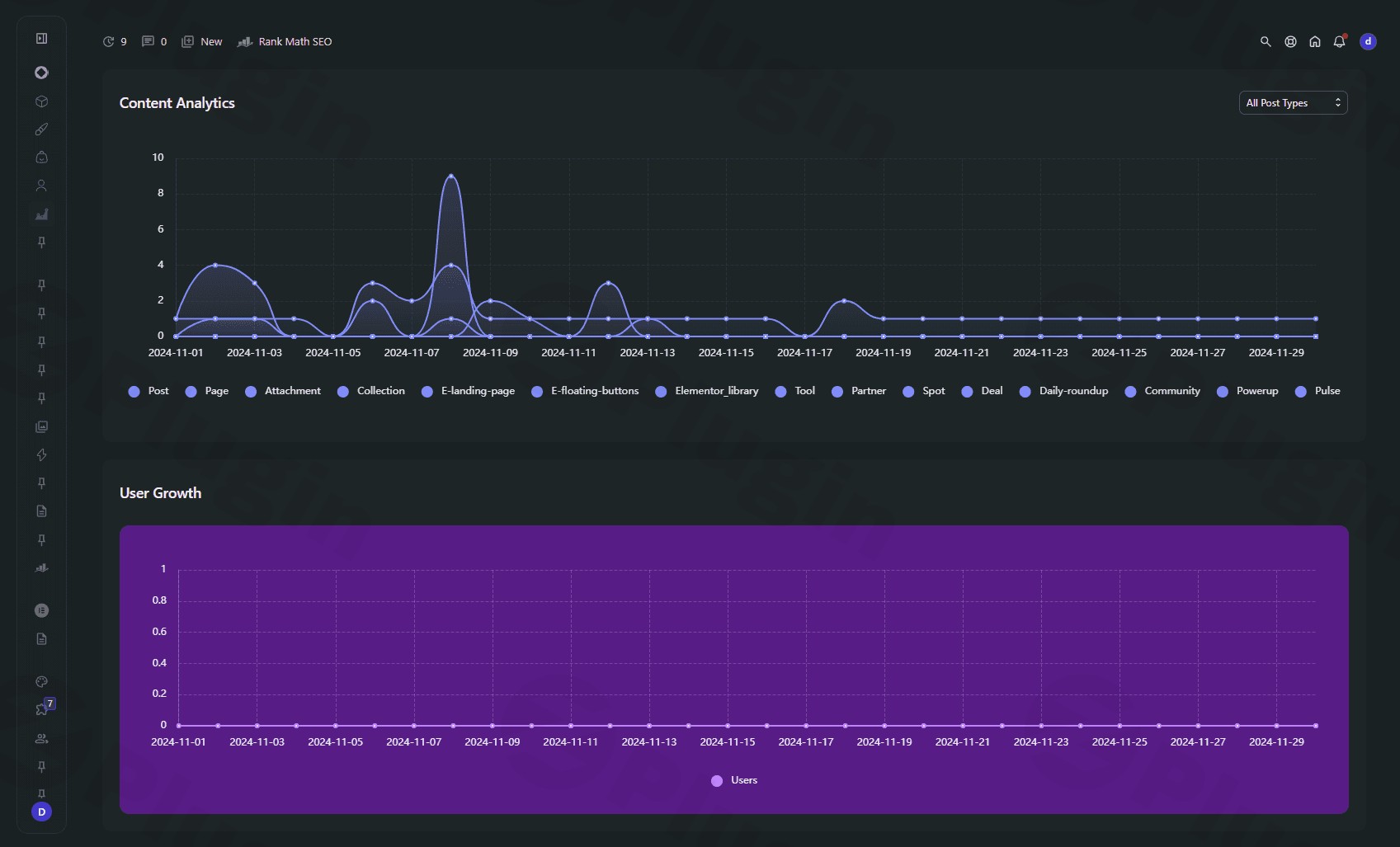
Managing multiple WordPress sites or handling extensive content production frequently exposes the visual clutter and operational friction of the default WordPress admin interface. Fleekdash addresses this structural limitation by replacing standard, scattered menu hierarchies with a modern, high-performance workspace interface. Built with an emphasis on speed and clear data presentation, this plugin restructures how you interact with site options, plugins, and custom configurations daily.
What Fleekdash Does
Fleekdash dynamically declutters the native administrative interface to boost navigation speeds and interface responsiveness. It modifies structural elements like the primary navigation bar, admin menus, and utility dashboards to make everyday administrative tasks smoother. Instead of forcing users to scroll through dense layouts or hunt for nested options, it groups active workflows into a clean visual format. The main objective is minimizing system friction, keeping site controls visible without overcrowding your screen space.
Who This Workspace Tool Is For
This admin transformation framework directly accommodates creators and service providers managing websites regularly:
- WordPress Agencies: Provide clients a polished, premium-looking backend that hides unnecessary menu options and cuts support tickets.
- Freelance Developers: Navigate rapidly between theme customizers, settings panels, and plugin menus while accelerating core deployment speeds.
- Content Specialists: Utilize streamlined post management screens and data grids designed for quick editing and publishing workflows.
- Store Operators: Organize standard data flows to isolate order metrics or product variables without wading through unrelated core menus.
Key Operational Capabilities
The system operates via lightweight frontend scripts and specialized layout overrides to redefine backend utility:
- Advanced Admin Search: Features an optimized data indexing model that delivers lightning-fast information retrieval across configurations and pages.
- Refined Top Admin Bar: Redesigns layout alignment and structural padding to provide balanced, readable notice links and drop-down submenus.
- Modernized Content Grids: Enhances category visibility and filtering mechanisms inside post tables for intuitive database management.
- Flexible Metadata Inputs: Eliminates strict field limits on item descriptions and biological text regions, supporting adaptive data entries.
Practical WordPress Use Cases
Deploying this configuration helps webmasters refine real-world operations across several scenarios:
- Client Handoff Preparation: Clean up default dashboard noise so non-technical users only see necessary tools, preventing configuration mistakes.
- Fast Post Classification: Browse large-scale content databases smoothly via optimized post lists that speed up bulk adjustments.
- Universal Theme Coordination: Ensure administrative styling components render harmoniously across various front-end layout engines and block layouts.
Setup and System Compatibility Context
Fleekdash is designed as an independent visual overlay layer, avoiding intrusive core alterations or permanent database structural modifications. It activates smoothly upon installation on modern WordPress environments. Because it optimizes default styling definitions, it keeps a low processor footprint, preventing conflicts with critical caching mechanisms, structural builders, or complex database plugins. For safety, verify layout displays when utilizing heavy custom admin menu customizers simultaneously.
Reasons to Choose Fleekdash on WPPick
Downloading your workspace tools via WPPick provides an accessible path toward long-term operational efficiency. WPPick verifies package integrity, ensuring safe deployment across production environments without hidden installation blocks. Users gain access to necessary software deployments minus the ongoing subscription stress or billing overhead that crowds modern business margins. This makes it straightforward to scale refined admin experiences over multiple client projects or experimental test instances seamlessly.
Latest Version Context
The current release profile for Fleekdash settles on version 2.6.2.3. While general public release note documentation is not available from third-party monitoring sources, internal package data confirms focused updates targeting backend UI flow and interaction consistency. This update resolves alignment bugs affecting administrative top bar notifications, improves submenu rendering across varied active theme elements, and optimizes background indexing to elevate active search queries. Description block validations were also freed from arbitrary word counts to improve editing freedom.
Frequently Asked Questions About Fleekdash
Does installing Fleekdash modify my underlying database?
No, it acts exclusively as an interface styling and utility wrapper. It reconfigures how default administrative assets render inside your web browser without re-architecting your core WordPress tables or post storage schemas.
Can I return to the default WordPress dashboard style?
Yes, your standard layout remains preserved. If you deactivate or remove the plugin from your extensions management screen, your administrative panel instantly reverts back to the stock WordPress layout without losing any data.
Is this administration layout responsive on mobile devices?
Yes, the framework uses responsive style parameters to adapt to varying display scales. The restructured top bar layouts, navigation panels, and asset grids scale appropriately to assist administrators checking site statuses via tablets or smartphones.
Does it conflict with active frontend page builders?
No, it isolates its behavioral modifications strictly to the back-end administrative interface. Your choice of frontend builders, such as Elementor, Bricks, or Gutenberg blocks, will operate as intended without layout disruptions.
I. Download Limits & Account Benefits
- Free Downloads: Each email address receives 3 downloads per day for free products
- Upgrade Benefits: Purchase any paid product to increase your daily download limit by 3 for each paid product
- No Account Required: You can download immediately by receiving the download link via email
- Account Recommended: Create an account for easier access to your order history and direct update downloads
II. Understanding GPL vs Official Versions
Important: The products available on WPPick are GPL-licensed versions, which differ from official developer versions. Before purchasing, please read our comprehensive guide: Understanding GPL & Official Differences at WPPick
Key Points:
- GPL versions may not include premium support from original developers
- Updates may be delayed compared to official releases
- Some premium features might have limitations
- Always consider your specific needs and support requirements
III. Support & Assistance
We’re here to help through multiple channels:
- Email Support: Direct email assistance for all inquiries
- Live Chat: Real-time support during business hours
- Comprehensive Documentation: Detailed guides and tutorials
IV. Order Tracking
Access your complete purchase history and download links anytime: Order History
V. Account Access
New to WPPick? Login or Create Account to manage your downloads and orders efficiently.
VI. Refund Protection
We stand behind our products with a clear refund policy. Review our terms: Refund Policy
VII. Privacy & Security
Your data security is our priority. Learn how we protect your information: Privacy Policy
VII. Terms of Service
Understanding our service terms ensures a smooth experience: Terms of Use
Quick Tips for Best Experience
- Verify Compatibility: Check plugin/theme compatibility with your WordPress version
- Backup First: Always backup your site before installing new plugins or themes
- Test Environment: Consider testing on a staging site first
- Stay Updated: Regularly check for updates in your account dashboard
- Read Documentation: Review any included documentation for optimal setup
Need Help?
If you have questions about downloads, licensing, or need technical assistance, don’t hesitate to contact our support team. We’re committed to ensuring you have the best possible experience with WPPick products.
Ready to get started? Your download adventure begins with just one click!
- Fixed Safari browser freezing issue in embedded WordPress windows for a smoother, uninterrupted experience
- Resolved an issue where embedded WordPress screens would cause Safari tabs to freeze, leaving the loading bar stuck and the menu unresponsive.
- Enhanced reliability of embedded WordPress screens in Safari, preventing browser tab freezes.
- Custom post types now receive appropriate actions, thumbnails, and keyboard shortcuts in the search UI.
- Improved error messages for plugin conflicts during updates, providing clearer guidance for users.
- Improved category management within the posts grid for a more intuitive user experience.
- Introduced a new search functionality that improves how search data is indexed and retrieved, enhancing user interaction with search features.
- Enhanced the appearance and layout of admin bar items for better visual consistency and usability.
- Removed the minimum length requirement for description and bio fields, allowing for more flexible input.
- Fixed layout issues in the admin bar, ensuring proper alignment and spacing for items and notifications.
- Improved admin bar appearance and functionality for a more consistent user experience.
- Enhanced layout and icon handling in the admin bar for better usability.
- Improved admin bar submenu visibility and icon display, enhancing overall aesthetics.
- Fixed issues with admin bar styles not displaying correctly across various frontend themes, ensuring visual consistency.