

Fooevents For Woocommerce By Fooevents
/Year
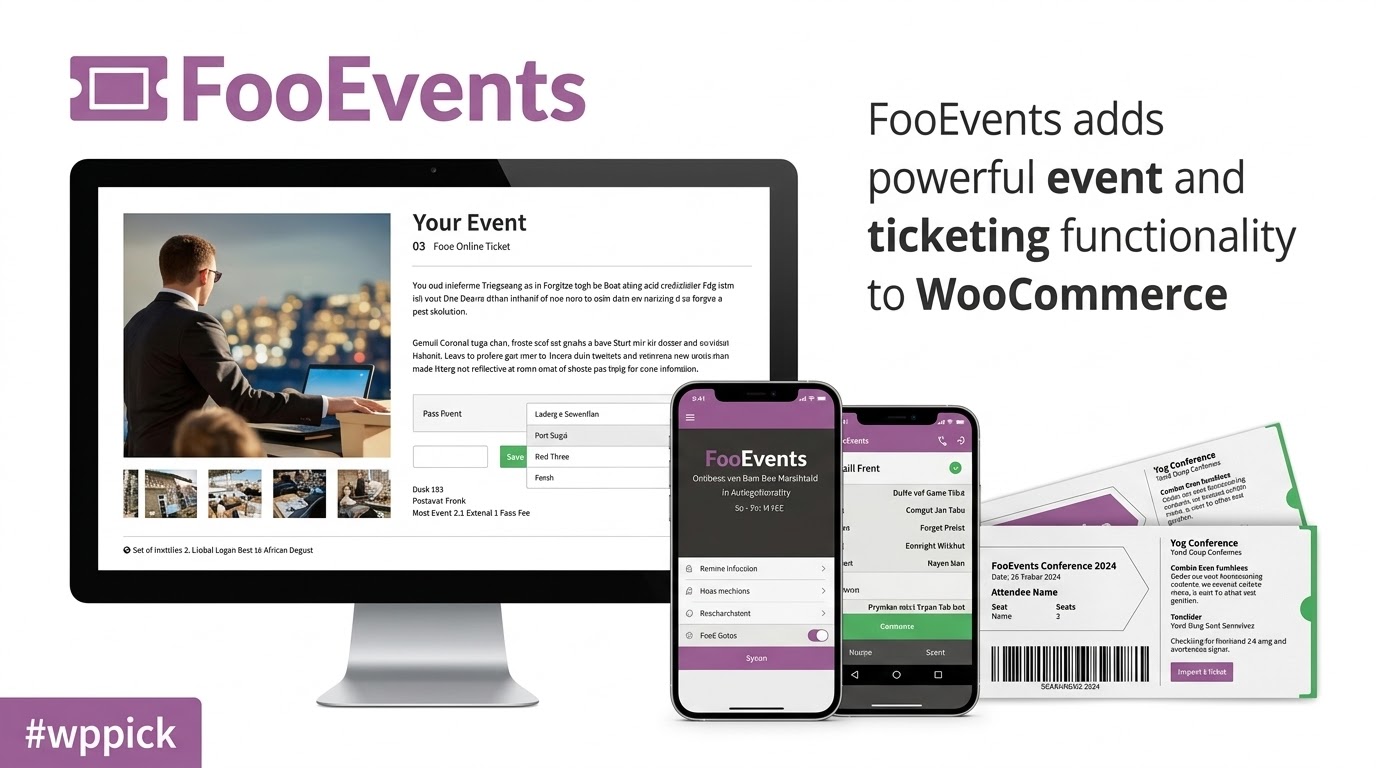
Transform WooCommerce into an Event Management Platform
FooEvents for WooCommerce extends standard WooCommerce functionality by turning products into scannable digital or physical tickets. It eliminates third-party ticketing platform fees by giving store managers direct ownership over ticket inventory, attendee lists, and checkout experiences. Whether hosting virtual webinars, local workshops, large multi-day conferences, or venue performances, this plugin simplifies event creation inside WordPress.
What FooEvents Does and Who It Is For
FooEvents acts as an event management bridge for WooCommerce stores. It provides tools to issue customizable electronic tickets with barcodes or QR codes, collect individual attendee information during checkout, and manage guest check-ins using mobile apps or web tools. Event organizers, sports clubs, venue operators, educators, non-profits, and corporate trainers can leverage FooEvents to sell access without transferring customers off-site.
Key Capabilities and Event Management Features
- Seamless WooCommerce integration that converts standard product pages into event registration listings.
- Customizable ticket creation with custom branding, themes, and personalized fields.
- Individual attendee data capture for capturing guest details during checkout.
- Barcoded and QR-coded ticket generation compatible with barcode scanners or mobile check-in apps.
- Support for free registrations, paid tickets, and automated stock control per ticket type.
- Automatic event expiration options to disable sales or hide expired events on set dates.
Practical WooCommerce Use Cases
Organizations utilize FooEvents across various physical and virtual setups:
- Conferences and Workshops: Capture individual attendee information, print name badges, and scan tickets at entrance doors.
- Concerts and Live Shows: Issue digital tickets that attendees store on mobile devices or print at home.
- Virtual Events and Webinars: Sell access to private online sessions with automated calendar integration links.
- Tours and Recurrent Classes: Combine with booking or variation features to offer flexible time slots and recurring schedules.
Setup, Compatibility, and Ecosystem Notes
Setting up FooEvents involves installing the core plugin alongside WooCommerce. Because events are defined as native WooCommerce products, it works seamlessly with standard payment gateways, taxation rules, and email notifications. It is tested against current versions of WordPress and WooCommerce while supporting popular page builders and block checkout layouts. Extensibility is available through official FooEvents add-ons such as PDF Tickets, Calendar integration, Multi-day options, and Custom Attendee Fields.
Reasons to Choose FooEvents on WPPick
Obtaining FooEvents through WPPick gives site developers and shop managers direct access to clean, original plugin packages for testing, staging, or client site deployment. It allows you to evaluate full ticketing functionality, customize event workflows, and verify integration with your theme and plugins before deploying live ticketing systems.
Latest Version Context and Release Updates
The latest version 2.0.15 of FooEvents for WooCommerce includes a targeted bug fix for booking expiration options output, alongside general performance improvements and minor bug resolutions. It has been updated and tested for compatibility with WordPress 7.0.2 and WooCommerce 10.9.4 to maintain reliable checkout operations and stable event scheduling.
Frequently Asked Questions
Does FooEvents charge per-ticket transaction fees?
No, FooEvents operates directly on your WooCommerce store. You pay standard payment processor fees, but no per-ticket commission is levied by the ticketing software.
Can I manage check-ins at the entrance gate?
Yes, FooEvents provides official iOS and Android check-in applications as well as web-based administrative tools to scan QR codes or manually manage attendee access.
Is FooEvents compatible with WooCommerce Checkout Blocks?
Yes, FooEvents supports the WooCommerce Checkout Block alongside the new Attendee Details Page feature introduced in major releases.
Can attendees purchase tickets for multiple people at once?
Yes, FooEvents allows purchasers to buy multiple tickets and individually enter guest details for each ticket during checkout.
What format are tickets delivered in?
Tickets are sent via HTML email notifications directly to attendees and can also be downloaded or issued as PDF attachments when paired with the FooEvents PDF Tickets add-on.
I. Download Limits & Account Benefits
- Free Downloads: Each email address receives 3 downloads per day for free products
- Upgrade Benefits: Purchase any paid product to increase your daily download limit by 3 for each paid product
- No Account Required: You can download immediately by receiving the download link via email
- Account Recommended: Create an account for easier access to your order history and direct update downloads
II. Understanding GPL vs Official Versions
Important: The products available on WPPick are GPL-licensed versions, which differ from official developer versions. Before purchasing, please read our comprehensive guide: Understanding GPL & Official Differences at WPPick
Key Points:
- GPL versions may not include premium support from original developers
- Updates may be delayed compared to official releases
- Some premium features might have limitations
- Always consider your specific needs and support requirements
III. Support & Assistance
We’re here to help through multiple channels:
- Email Support: Direct email assistance for all inquiries
- Live Chat: Real-time support during business hours
- Comprehensive Documentation: Detailed guides and tutorials
IV. Order Tracking
Access your complete purchase history and download links anytime: Order History
V. Account Access
New to WPPick? Login or Create Account to manage your downloads and orders efficiently.
VI. Refund Protection
We stand behind our products with a clear refund policy. Review our terms: Refund Policy
VII. Privacy & Security
Your data security is our priority. Learn how we protect your information: Privacy Policy
VII. Terms of Service
Understanding our service terms ensures a smooth experience: Terms of Use
Quick Tips for Best Experience
- Verify Compatibility: Check plugin/theme compatibility with your WordPress version
- Backup First: Always backup your site before installing new plugins or themes
- Test Environment: Consider testing on a staging site first
- Stay Updated: Regularly check for updates in your account dashboard
- Read Documentation: Review any included documentation for optimal setup
Need Help?
If you have questions about downloads, licensing, or need technical assistance, don’t hesitate to contact our support team. We’re committed to ensuring you have the best possible experience with WPPick products.
Ready to get started? Your download adventure begins with just one click!
- Booking expiration options output bug.
- Various small bugs and performance updates.
- Tested on WordPress 7.0.2 and WooCommerce 10.9.4.
- Variation table layout improvements.
- Various template improvements.
- Terminology not being used on Attendee Page.
- .ics file daylight savings bug.
- Various various PHP depreciation warnings.
- Fix blank seating rows in ticket email.
- Various small bugs and performance updates.
- Various small bugs and performance updates.
- Tested on WordPress 6.9.4 and WooCommerce 10.6.0.
- New Attendee Page beta.
- Ticket Themes admin page enhancements.
- Various security updates.
- Various small bugs and performance updates.
- WordPress 6.9.1 and WooCommerce 10.5.3.
- Expiration bug with tickets created in admin.
- Various small bugs and performance updates.
- Various security updates.
- Tested on: WordPress 6.9.1 and WooCommerce 10.5.0.
- Support Google maps iframe and JavaScript embed.
- Various security updates.
- Various stationary builder fixes and updates.
- Updated attendee names on WooCommerce order email bug.
- Various small bugs and performance updates.
- TESTED ON: WordPress 6.9 and WooCommerce 10.4.3.