

Formgent Pro – Next Generation Ai Form Builder
/Year
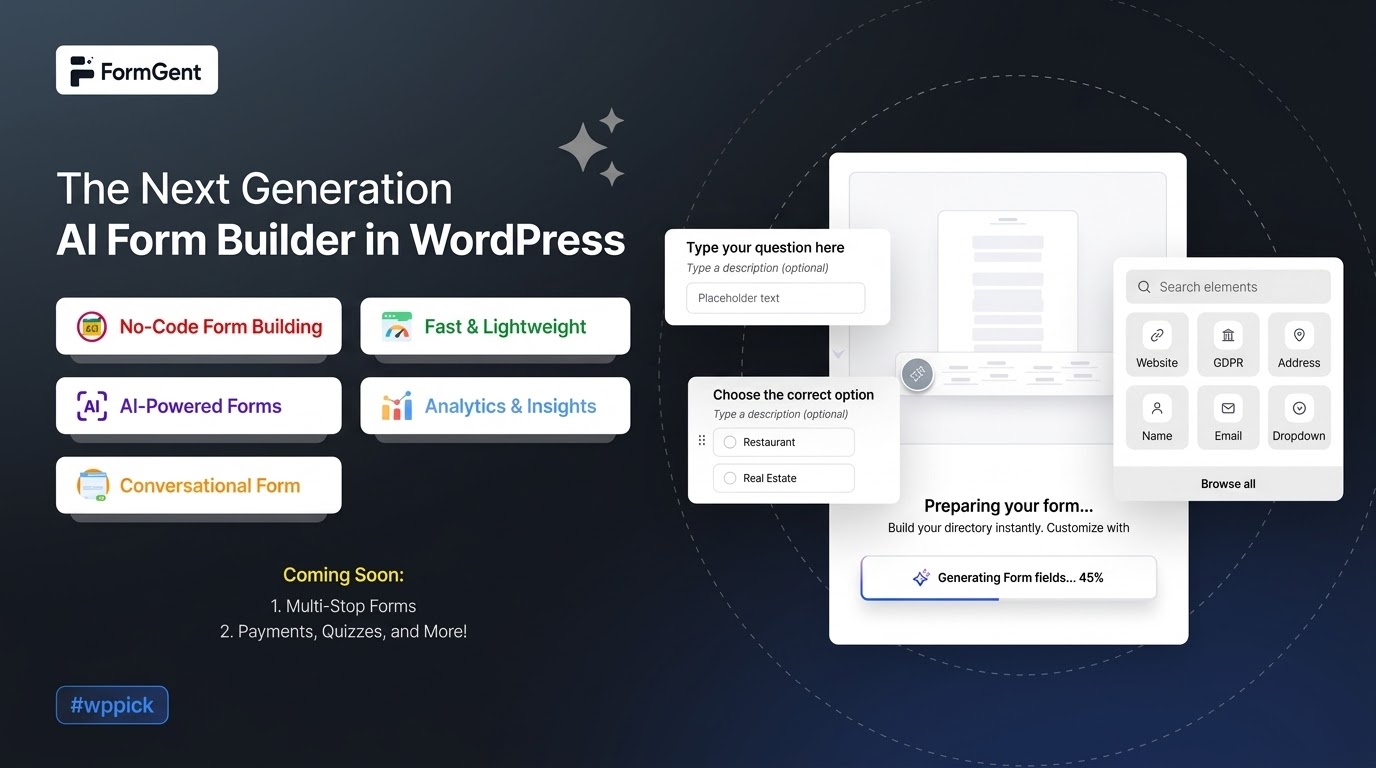
Automate Your Data Collection with Formgent Pro
Formgent Pro introduces an advanced approach to creating web forms on WordPress by utilizing artificial intelligence to streamline data collection. Instead of manually constructing complex fields, users can leverage guided generation tools to establish robust setups quickly. This extension is built specifically to bridge the gap between simple content forms and highly customized lead acquisition systems, ensuring clean submission delivery while tracking interactions natively.
Latest Version 1.2.1 Changes
An official, standalone developer changelog page exclusively isolating the premium ‘Formgent Pro version 1.2.1’ features was not found. However, official release notes for the FormGent suite show that version 1.2.0 added a Range Slider block and a Custom HTML block, and version 1.5.4 (released March 11, 2026, which aligns with third-party tracking of Pro 1.2.1) resolved Google Sheet and Zoho CRM integration pagination issues.
- FormGent is a WordPress AI Form Builder plugin that has both free and Pro versions.
- The core/free repository log covers versions such as 1.2.0, 1.5.4, up to 1.9.1 (as of mid-2026).
- Version 1.2.0 was released on December 31, 2025, introducing a Range Slider block and a Custom HTML block.
- FormGent Pro version 1.2.1 is identified in third-party distributions as being updated on March 11, 2026, coinciding with the timeline of core version 1.5.4.
- No standalone developer-hosted changelog dedicated explicitly to ‘Pro version 1.2.1’ could be separated from the main product release timelines (such as version 1.2.0 or 1.5.4).
What It Does and Who It Is For
Formgent Pro acts as an intelligent form management ecosystem within the WordPress dashboard. It translates natural user inputs and simple parameters into highly styled, deeply functional form layouts. The solution is engineered for freelance web developers, digital marketing agencies, and modern e-commerce operators who require dynamic interfaces but want to minimize development hours. Whether configuring simple inquiry screens or onboarding channels, it structures input parameters systematically without introducing database bloat.
Key Capabilities and Field Options
- Intelligent structural mapping for lightning-fast deployment.
- Advanced conditional logic workflows based on live user input.
- Pre-built modular layouts including modern Range Sliders and Custom HTML components.
- Native analytics dashboards detailing view-to-submission conversion metrics.
- Direct third-party integration pipelines supporting Google Sheets and CRM utilities.
Practical WordPress Use Cases
Website administrators can deploy Formgent Pro across multiple environments to resolve distinct operational needs. In customer service scenarios, it drives conditional support forms that automatically route issues to specific departments depending on user selection. For lead generation funnels, it configures conversational questionnaires that capture information incrementally, minimizing drop-off rates. Additionally, digital event organizers can implement detailed registration sheets equipped with input boundaries to capture clean attendee profiles efficiently.
Setup, Compatibility, and Ecosystem Context
This premium utility installs seamlessly via standard WordPress plugin directories and works concurrently with major page builders. It functions natively alongside block editor setups and traditional layout themes. The platform enforces security benchmarks through strict submission validation protocols and anti-spam measures, operating efficiently without requiring specialized hosting environments or external tracking frameworks.
Why Choose Formgent Pro on WPPick
Acquiring Formgent Pro via WPPick provides developers with verified, secure installation archives free from modifications. WPPick serves as an organized alternative for growing agencies looking to trial specialized form automation tools under standard development terms. This allows professionals to assess the premium capabilities, intuitive logic triggers, and advanced integration features inside local staging or customer testing environments before executing full production infrastructure scaling.
Latest Version Context
While an isolated developer changelog exclusively focused on premium version 1.2.1 is not standalone available, official suite indicators demonstrate comprehensive backend optimization. Core updates nearby introduce critical workflow additions like a custom Range Slider block and dedicated HTML field rendering options. Furthermore, related framework releases specifically resolve pagination discrepancies within third-party extensions, particularly stabilizing connections to Google Sheets and Zoho CRM architectures to guarantee uninterrupted external logging.
Frequently Asked Questions
Does Formgent Pro require an external API key to build forms?
No, the core structural utilities and layout parameters operate completely within your local WordPress environment. External API configurations are reserved exclusively for advanced third-party service synchronizations or specialized automated features.
Can I design multi-step forms with this extension?
Yes, Formgent Pro fully supports multi-page configurations and conversational layouts, enabling administrators to break long question sets into digestible sections to optimize completion rates.
How does the conditional logic framework behave on complex forms?
The conditional engine processes rules client-side instantly. It dynamically hides or displays specific layout segments, validation rules, or submission landing pathways based on real-time selections made by the visitor.
Are submission archives stored inside the local WordPress database?
Yes, all collected data points are logged securely inside dedicated database architecture, allowing administrators to review entries, view traffic analytics, and export CSV files directly from the dashboard panel.
I. Download Limits & Account Benefits
- Free Downloads: Each email address receives 3 downloads per day for free products
- Upgrade Benefits: Purchase any paid product to increase your daily download limit by 3 for each paid product
- No Account Required: You can download immediately by receiving the download link via email
- Account Recommended: Create an account for easier access to your order history and direct update downloads
II. Understanding GPL vs Official Versions
Important: The products available on WPPick are GPL-licensed versions, which differ from official developer versions. Before purchasing, please read our comprehensive guide: Understanding GPL & Official Differences at WPPick
Key Points:
- GPL versions may not include premium support from original developers
- Updates may be delayed compared to official releases
- Some premium features might have limitations
- Always consider your specific needs and support requirements
III. Support & Assistance
We’re here to help through multiple channels:
- Email Support: Direct email assistance for all inquiries
- Live Chat: Real-time support during business hours
- Comprehensive Documentation: Detailed guides and tutorials
IV. Order Tracking
Access your complete purchase history and download links anytime: Order History
V. Account Access
New to WPPick? Login or Create Account to manage your downloads and orders efficiently.
VI. Refund Protection
We stand behind our products with a clear refund policy. Review our terms: Refund Policy
VII. Privacy & Security
Your data security is our priority. Learn how we protect your information: Privacy Policy
VII. Terms of Service
Understanding our service terms ensures a smooth experience: Terms of Use
Quick Tips for Best Experience
- Verify Compatibility: Check plugin/theme compatibility with your WordPress version
- Backup First: Always backup your site before installing new plugins or themes
- Test Environment: Consider testing on a staging site first
- Stay Updated: Regularly check for updates in your account dashboard
- Read Documentation: Review any included documentation for optimal setup
Need Help?
If you have questions about downloads, licensing, or need technical assistance, don’t hesitate to contact our support team. We’re committed to ensuring you have the best possible experience with WPPick products.
Ready to get started? Your download adventure begins with just one click!
- Download available at https://formgent.com/
- Download available from https://formgent.com/
- Download available at: https://formgent.com/
- Download available at: https://formgent.com/
- Download available at https://formgent.com/
- Version 0.8.3 release