

FOX – Currency Switcher Professional for WooCommerce
/Year
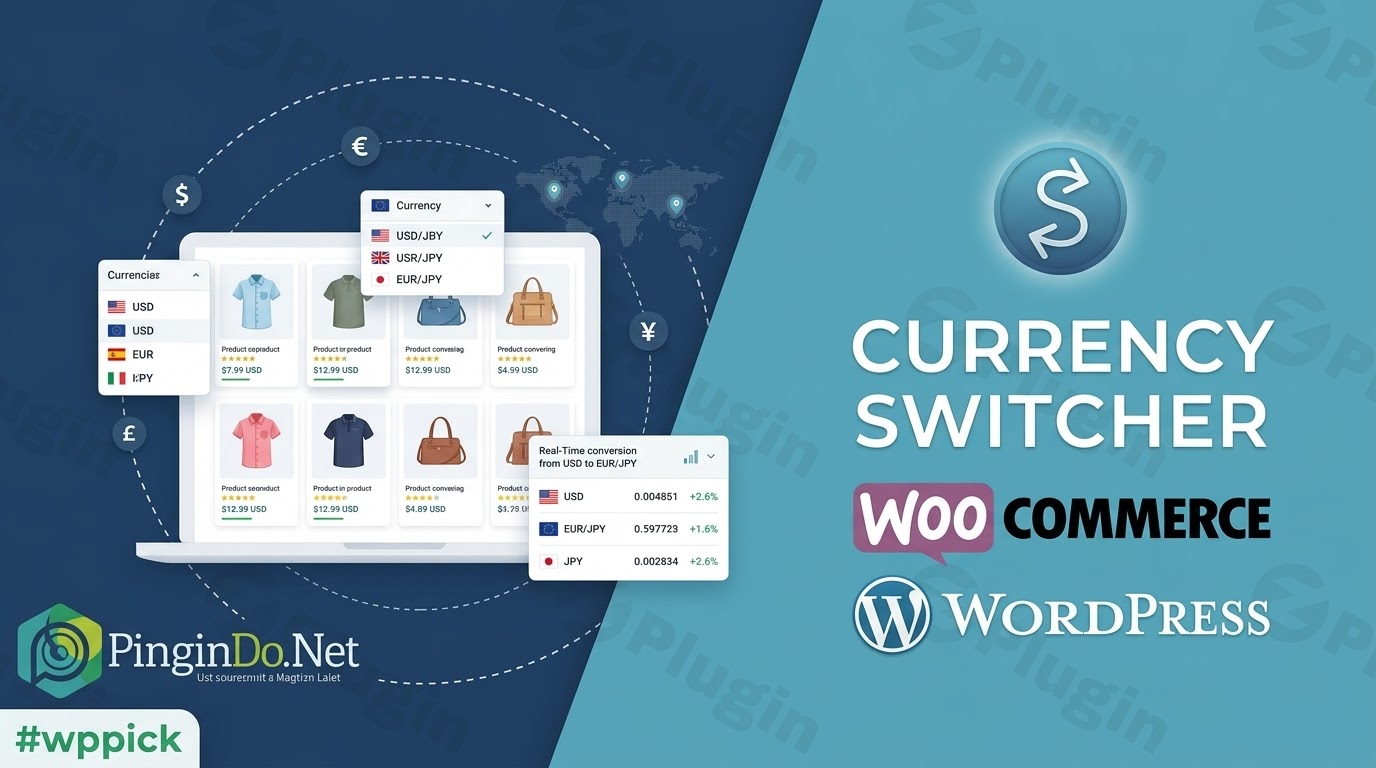
In today’s interconnected world, an online store with a single currency can limit its global reach and deter international customers. The WOOCS – WooCommerce Currency Switcher (FOX – Currency Switcher Professional for WooCommerce) plugin offers a robust and flexible solution, transforming your WooCommerce store into a global marketplace. By enabling real-time currency conversion and price display in multiple currencies, this essential tool ensures a seamless and localized shopping experience, boosting your international sales and customer satisfaction.
Enhance Your WooCommerce Store with Multi-Currency Support
WOOCS addresses the critical need for currency flexibility in e-commerce. It allows customers to view product prices and, crucially, provides the option to pay in their preferred currency (contingent on payment gateway support). This level of localization not only enhances the user experience but also builds trust and encourages purchasing by presenting familiar pricing. With a strong track record since 2014, over 60,000 active installations, and a 4.4/5 star rating, WOOCS stands as a proven and authoritative solution for global e-commerce.
Key Features of WooCommerce Currency Switcher
The FOX – Currency Switcher Professional for WooCommerce plugin offers a rich set of functionalities designed to create a dynamic multi-currency shopping experience:
Real-time Currency Switching & Payments
The core of WOOCS allows your customers to switch product prices instantly at real-time exchange rates. When combined with compatible payment gateways, this also enables them to complete their purchase in their chosen currency.
- Unlimited Currencies: While a free version might limit choices, the premium WOOCS allows you to integrate an unlimited number of global currencies, cryptocurrencies, and even custom non-existent currencies to suit any unique business model.
Flexible Display Options
Present currency options to your customers in a way that best fits your store’s design and user experience.
- Variety of Formats: Choose from a classic dropdown menu, visually intuitive flag icons, a prominent side switcher, or a simple button.
- Placement Flexibility: Easily integrate the switcher using a widget in any widgetized area or embed it directly into pages, posts, or even theme files with the
[woocs]shortcode. - Smart Designer: For those who desire more control, an in-built “Smart Designer” allows for highly customized drop-down designs, ensuring perfect brand alignment.
Comprehensive Currency Support & Automatic Updates
Stay ahead with accurate pricing, no matter how volatile exchange rates become.
- Global Coverage: Support virtually any global currency.
- Automatic Rate Updates: Integrate with over seven different currency rate aggregators for automated exchange rate updates. You can customize update intervals (e.g., hourly, daily, weekly, or specific minute intervals) to maintain precision.
- Rate Change Notifications: Receive optional email notifications to stay informed about significant rate changes.
- Manual Rate Setting: For specific needs, administrators can also manually set exchange rates, overriding automatic updates.
Smart Currency Detection (GeoIP Rules)
Provide a personalized shopping experience by automatically displaying prices in your visitors’ local currency.
- GeoIP Integration: Utilizes GEO IP rules to automatically detect a visitor’s location based on their IP address.
- Welcome Currency: Set a “welcome currency” different from your store’s base currency, ensuring new visitors immediately see familiar prices.
- Local Checkout: When GeoIP detection is active (and fixed price rules are not overriding), approximate amounts can be displayed in the user’s local currency on cart and checkout pages, streamlining the purchasing decision.
Advanced Pricing Rules
WOOCS goes beyond simple conversion, offering sophisticated pricing strategies to tailor your offerings.
- Fixed Pricing: Override automatic exchange rate conversions by setting specific, fixed prices for individual products in each currency. This also applies to fixed amounts for coupons and shipping, giving you precise control over profit margins in different markets.
- Prices Based on User Role: Implement different product pricing based on the customer’s user role, perfect for wholesale customers, members, or loyalty programs.
- Country-Specific Prices: Tailor pricing to different markets by setting prices according to the user’s country, allowing for localized pricing strategies.
- Payment Rules: Dynamically hide or show specific payment gateways on the checkout page depending on the currency currently selected, optimizing the payment experience for local preferences.
Customization & User Experience
Refine every detail to fit your brand and customer expectations.
- Money Sign & Format: Define custom money signs, price formats, decimal separators, and choose to hide cents for currencies like JPY or TWD where they are not typically used.
- Approximate Price Display: Enhance transparency by showing approximate amounts on the shop, single product, cart, and checkout pages based on the user’s GeoIP-defined currency.
Administrative Control & Developer Features
- New Order Currency: Manually set the currency for new orders directly from the WordPress admin panel, offering flexibility for specific order processing needs.
- API for Developers: An advanced API allows developers to manipulate prices and rates dynamically using conditional logic, providing extensive control over currency-related operations and integration with other systems.
- Statistics: Collects currency switching statistics for business analysis, all while respecting privacy by not gathering private customer data.
Installation & Setup Guide
Getting WOOCS – WooCommerce Currency Switcher up and running is straightforward, even for non-developers.
- Obtain the Plugin: Ensure you acquire the genuine GPL-licensed version from a reputable source like ZeroPlugin.com. This guarantees regular updates, security checks, and files thoroughly scanned through VirusTotal for your peace of mind.
- Upload the Plugin:
- Navigate to your WordPress dashboard.
- Go to Plugins > Add New.
- Click on “Upload Plugin” at the top of the page.
- Click “Choose File”, select the downloaded
.zipfile of the plugin, and click “Install Now”.
- Activate the Plugin:
- Once installed, click “Activate Plugin”.
- The plugin will now appear in your list of installed plugins.
- Configure Settings:
- After activation, a new menu item for “Currency Switcher” (or similar) will appear in your WordPress dashboard.
- Click on it to access the plugin’s settings panel.
- Here, you can:
- Add and manage your desired currencies.
- Select currency aggregators for automatic rate updates.
- Configure display options (dropdown, flags, side switcher) and customize their appearance.
- Set up GeoIP detection rules and welcome currencies.
- Define advanced pricing rules (fixed prices, user role, country-specific).
- Remember to save your changes after configuring each section.
Practical Usage & Best Practices
To maximize the benefits of WOOCS and ensure a smooth experience for your international customers, consider these practical tips and best practices:
Use Cases for Advanced Features
- Targeting Specific Regions: Combine GeoIP detection with Fixed Pricing to offer unique, localized deals or consistent pricing in regions where exchange rate fluctuations might complicate conversions.
- Wholesale or Membership Tiers: Utilize Prices Based on User Role to present different pricing structures to wholesale partners or premium members, all within their preferred currency.
- Optimizing Payment Gateways: Employ Payment Rules to hide payment methods that are not common or supported in a customer’s GeoIP-detected currency, streamlining the checkout process and preventing frustration.
Performance and Caching
- Caching Plugin Compatibility: If you use a caching plugin on your site (which is highly recommended for performance), navigate to the WOOCS settings and enable the specific option: “I am using cache plugin on my site.”
- Clear Cache: Always clear your site’s cache after making any changes to currency settings or activating the caching compatibility option to ensure new settings are applied correctly. WOOCS is designed to work efficiently with fewer database queries, but proper cache configuration is crucial.
Compatibility Considerations
- Payment Gateways: WOOCS boasts approximately 95% compatibility with various payment gateways in multi-currency mode. Always test your primary payment gateways with the plugin enabled.
- WooCommerce Native Features: Be aware that the plugin may conflict with WooCommerce’s native multi-currency feature within WooPayments. It is recommended to disable one of these solutions for stable operation.
- Potential Conflicts: While highly compatible, some users have reported occasional conflicts with specific plugins like Dokan multi-vendor plugin or issues with price display for variable products when combined with certain third-party extensions (e.g., PPOM). Thorough testing in a staging environment is always advised.
- WooCommerce Subscriptions: A significant advantage of WOOCS is its robust compatibility with WooCommerce Subscriptions (including specific fixes for version 7.5), a feature many other multi-currency plugins have struggled with.
Maintaining Accuracy
- Regular Checks: Despite automatic updates, periodically review exchange rates for less common currency pairs.
- Email Notifications: Leverage the optional email notifications for rate changes to stay informed and address any discrepancies promptly.
Leveraging the API
- For developers or stores with complex requirements, the advanced API offers extensive control to manipulate prices and rates dynamically using conditional logic, allowing for highly customized currency-related operations.
Conclusion
The WOOCS – WooCommerce Currency Switcher (FOX – Currency Switcher Professional for WooCommerce) is an indispensable tool for any WooCommerce store with global aspirations. It masterfully solves the challenge of international pricing, empowering store owners to offer a localized, intuitive, and trustworthy shopping experience.With its comprehensive feature set – from real-time conversions and flexible display options to advanced GeoIP detection and sophisticated pricing rules – WOOCS stands out as a robust and expertly developed solution. Its long-standing presence in the market, high user ratings, and commitment to regular updates and security checks underscore its authoritativeness and trustworthiness. While demanding proper configuration for optimal performance, particularly with caching plugins, its extensive experience in the multi-currency domain ensures a powerful solution.By investing in WOOCS, you’re not just adding a plugin; you’re expanding your market reach, improving customer satisfaction, and ultimately, boosting your conversion rates. It is an essential asset for transforming your online store into a truly global enterprise.
I. Download Limits & Account Benefits
- Free Downloads: Each email address receives 3 downloads per day for free products
- Upgrade Benefits: Purchase any paid product to increase your daily download limit by 3 for each paid product
- No Account Required: You can download immediately by receiving the download link via email
- Account Recommended: Create an account for easier access to your order history and direct update downloads
II. Understanding GPL vs Official Versions
Important: The products available on WPPick are GPL-licensed versions, which differ from official developer versions. Before purchasing, please read our comprehensive guide: Understanding GPL & Official Differences at WPPick
Key Points:
- GPL versions may not include premium support from original developers
- Updates may be delayed compared to official releases
- Some premium features might have limitations
- Always consider your specific needs and support requirements
III. Support & Assistance
We’re here to help through multiple channels:
- Email Support: Direct email assistance for all inquiries
- Live Chat: Real-time support during business hours
- Comprehensive Documentation: Detailed guides and tutorials
IV. Order Tracking
Access your complete purchase history and download links anytime: Order History
V. Account Access
New to WPPick? Login or Create Account to manage your downloads and orders efficiently.
VI. Refund Protection
We stand behind our products with a clear refund policy. Review our terms: Refund Policy
VII. Privacy & Security
Your data security is our priority. Learn how we protect your information: Privacy Policy
VII. Terms of Service
Understanding our service terms ensures a smooth experience: Terms of Use
Quick Tips for Best Experience
- Verify Compatibility: Check plugin/theme compatibility with your WordPress version
- Backup First: Always backup your site before installing new plugins or themes
- Test Environment: Consider testing on a staging site first
- Stay Updated: Regularly check for updates in your account dashboard
- Read Documentation: Review any included documentation for optimal setup
Need Help?
If you have questions about downloads, licensing, or need technical assistance, don’t hesitate to contact our support team. We’re committed to ensuring you have the best possible experience with WPPick products.
Ready to get started? Your download adventure begins with just one click!
- Added hook woocs_sheduler_rates_updated.
- Some small fixes
- The fix related to new coupons creation
- small fixes
- new option: Rate floor/ceil which allows to set max and minum rate for currencies to avoid losses due to sharp fluctuations in currencies

- new hook woocs_init_compatibility_woo_subscriptions: for switch on of compatibility with WooCommerce Subscriptions, thanks to superdav42 - https://pluginus.net/support/topic/compatibility-fix-for-woocommerce-subscriptions-7-5/