

Frontend Post Submission Manager
/Year
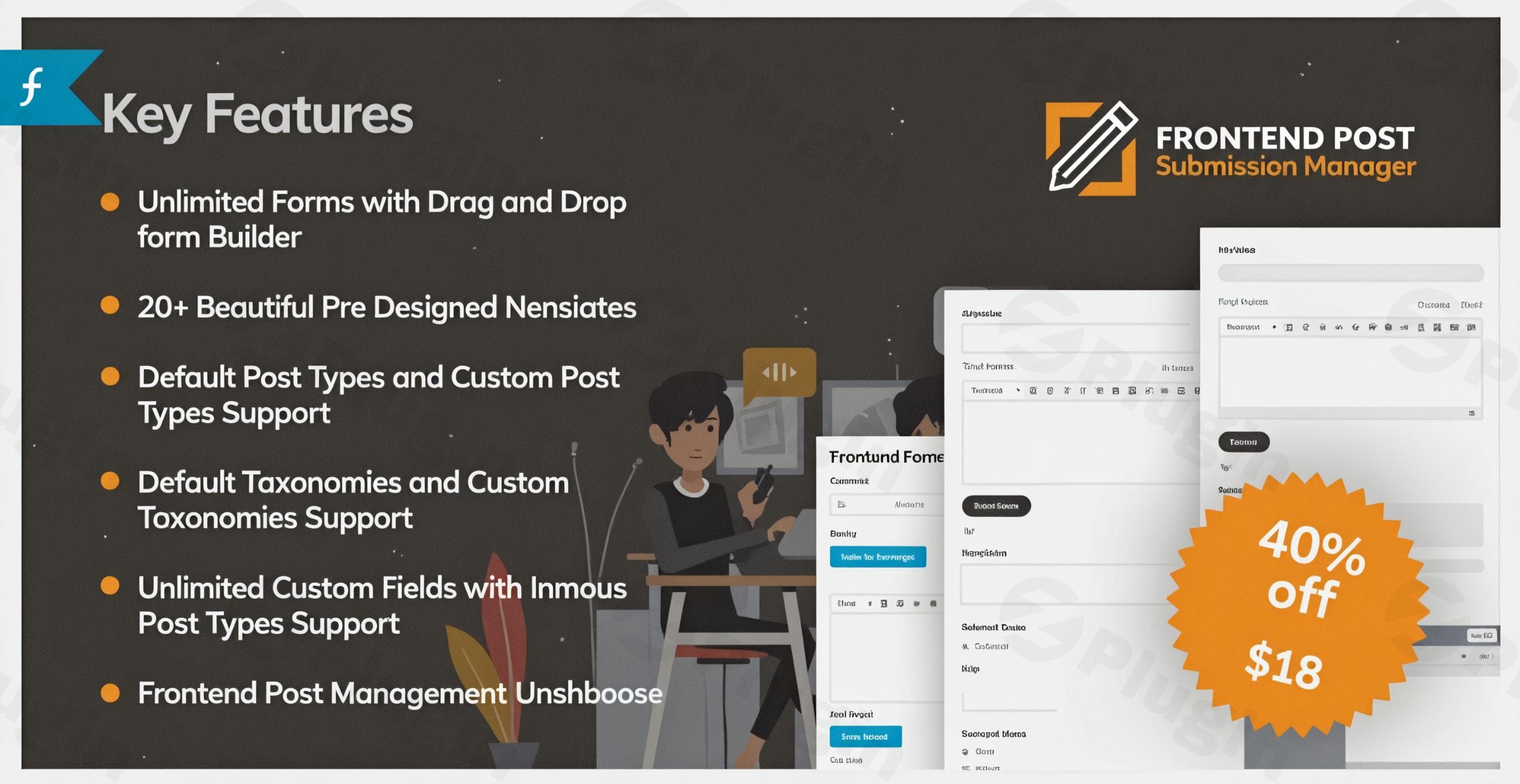
In the dynamic world of WordPress, empowering your users to contribute content directly can transform a static website into a vibrant, interactive community hub. The Frontend Post Submission Manager is a premium WordPress Frontend Post Submission Plugin meticulously designed to streamline this process, allowing both logged-in users and guests to submit content effortlessly from your website’s frontend. This robust solution eliminates the need for users to ever access the WordPress admin dashboard, creating a seamless and secure WordPress guest post submission experience.Whether you’re running a multi-author blog, a bustling news portal, a classified ad platform, or a community site fueled by user generated content WordPress plugin solutions, the Frontend Post Submission Manager provides the tools you need to collect diverse content types – from articles and listings to images and videos – directly through intuitive, customizable forms.
Key Features That Empower Your Content Ecosystem
The Frontend Post Submission Manager plugin is packed with capabilities that simplify content submission and management, making it an indispensable tool for site owners and content managers.
Intuitive Drag & Drop Form Builder
Gone are the days of complex coding for submission forms. This plugin features a user-friendly drag-and-drop form builder that allows you to create an unlimited number of custom submission forms with ease. Design forms tailored to your specific content needs without writing a single line of code.
Comprehensive Field Support & Unlimited Custom Fields
To capture diverse information, the plugin offers extensive field support, making it a versatile WordPress custom post type submission solution. You can include:
- Text fields and text areas for written content.
- Radio buttons and checkboxes for multiple-choice selections.
- Date pickers for scheduling or event submissions.
- File upload capabilities, allowing users to submit images, videos, and other attachments directly. This makes it an ideal WordPress plugin for user submitted images and videos.
- Select dropdowns, numbers, emails, URLs, and even YouTube embeds.These custom fields are seamlessly integrated and viewable on both the frontend and backend, ensuring complete data visibility.
Frontend Post Management Dashboard
Empower your registered users with a dedicated frontend interface where they can take complete control over their submissions. This frontend post management dashboard allows them to edit, update, and even delete their submitted posts, bypassing the traditional WordPress backend entirely. This feature significantly enhances the user experience and reduces administrative load.
Support for All Post Types & Taxonomies
Beyond standard posts and pages, the Frontend Post Submission Manager fully supports custom post types (e.g., products, listings, events) and custom taxonomies. This flexibility ensures that you can collect virtually any type of content, making it perfect for niche directories, eCommerce sites, or specialized content platforms.
Media Uploader for Rich Content
Users can enrich their submissions with a built-in media uploader. This allows them to include featured images, videos, and other relevant attachments directly into their post content, creating richer and more engaging user-generated content.
Customizable Post Status, Author, and Format
As an administrator, you have fine-grained control over submitted content. Configure the default status of new posts (draft, pending review, or auto-publish), assign a custom author, and select a post format, all before the content even hits your moderation queue.
Pre-Designed Form Templates
To speed up your workflow, the plugin includes a selection of pre-designed form templates. While the Lite version offers 5, the premium version boasts over 20, providing excellent starting points for various submission needs and enhancing form aesthetics effortlessly.
Admin and User Notifications
Stay informed and keep your contributors in the loop. The plugin features configurable notification settings to alert administrators of new submissions and update users on the status of their content.
Robust Security Features
Protect your forms from spam and bot submissions with integrated security features, including support for Google reCAPTCHA (v2/v3). This ensures that your collected content is genuine and high-quality.
Seamless Integration and Performance
The plugin ensures a smooth user experience with Ajax form submission for real-time processing without page reloads. It’s lightweight and performance-optimized, and also offers extensive customization for styling, ensuring forms match your theme. Plus, it integrates seamlessly with popular page builders like Elementor and Gutenberg and offers compatibility with Advanced Custom Fields (ACF).
Installation & Setup: Get Your Frontend Submission System Running
Installing and setting up the Frontend Post Submission Manager is straightforward, even for non-developers.
- Purchase and Download: Visit ZeroPlugin.com to purchase the Frontend Post Submission Manager. Once purchased, download the plugin .zip file to your computer. Remember, you benefit from a 100% genuine GPL license, regular updates, and VirusTotal verified safe downloads when buying from ZeroPlugin.com.
- Upload the Plugin:
- Log in to your WordPress admin dashboard.
- Navigate to Plugins > Add New.
- Click on the “Upload Plugin” button at the top of the page.
- Click “Choose File”, select the downloaded .zip file, and then click “Install Now”.
- Activate the Plugin: Once the plugin is successfully installed, click the “Activate Plugin” button.
- Configure Forms: A new menu item for “Frontend Post Submission Manager” will appear in your WordPress admin sidebar. Click on it to access the plugin settings.
- Use the Drag & Drop Form Builder to create your first submission form. Add the necessary fields (text, textarea, file upload, etc.) that correspond to the content you wish to collect.
- Configure post settings, such as default post status (e.g., “Pending Review”), allowed post types, and categories/taxonomies.
- Display Forms on Frontend:
- After creating your form, the plugin will provide a shortcode.
- Create a new page (or edit an existing one) where you want the submission form to appear.
- Paste the shortcode into the page content using the WordPress editor (Gutenberg block, Classic Editor, or Elementor shortcode widget).
- Publish the page. Your users can now submit content from the frontend!
Practical Usage & Best Practices for Maximizing Engagement
The Frontend Post Submission Manager is incredibly versatile, fitting a wide array of website types and business models. Here’s how different users can leverage its power:
1. Building Thriving Community Websites & User-Generated Content Platforms
If your website thrives on contributions from its members, this plugin is ideal.
- Use Case: Allow community members to share their stories, photos, or project updates on a dedicated “Submit Your Story” page.
- Best Practice: Create forms that align with specific content types (e.g., “Event Submission,” “Photo Gallery Entry”). Utilize the media uploader for rich media and the frontend dashboard so users can manage their submissions easily, fostering a sense of ownership and boosting engagement. This is the best way to encourage user-generated content on WordPress.
2. Streamlining News Portals & Guest Blogging Platforms
For sites that rely on fresh content from various authors or accept guest posts, this plugin simplifies the process dramatically.
- Use Case: Set up a “Write for Us” page where aspiring authors can submit articles, news tips, or reviews without needing backend WordPress access.
- Best Practice: Configure forms to automatically set submissions to “Pending Review” status. This allows your editorial team to review and approve content before it goes live, maintaining quality control. This plugin is perfect if you’re looking for how to allow users to submit posts from frontend in WordPress without access to dashboard.
3. Creating Dynamic Classified Ad Platforms & Business Directories
Monetize your site or offer valuable resources by letting users submit their own listings.
- Use Case: Allow businesses to submit their company profiles or individuals to post classified ads for items for sale.
- Best Practice: Leverage custom post types and taxonomies to categorize listings effectively. Use custom fields for specific details like price, location, contact information, or service descriptions. Ensure redirection options are set to a “thank you” page or the newly created listing after successful submission.
FAQ & Troubleshooting
Here are answers to some common questions about the Frontend Post Submission Manager plugin:
What is the best frontend post submission plugin for WordPress?
The Frontend Post Submission Manager stands out as one of the best frontend post submission plugins for WordPress due to its intuitive drag-and-drop form builder, comprehensive field support, dedicated frontend post management dashboard, and extensive compatibility with custom post types and taxonomies. It offers a powerful, user-friendly solution for collecting diverse user-generated content.
How to create a guest post form in WordPress?
To create a guest post form in WordPress using the Frontend Post Submission Manager:
- Install and activate the plugin.
- Go to the plugin’s settings in your WordPress admin.
- Use the drag-and-drop builder to create a new form. Include fields for title, content (text area), author name (text field), and optionally categories or tags.
- Configure the form to set submitted posts to “Pending Review” to allow moderation.
- Publish the form using its shortcode on a dedicated “Guest Post Submission” page.
Does Frontend Post Submission Manager support custom fields?
Yes, the Frontend Post Submission Manager offers extensive support for unlimited custom fields. You can add a wide variety of input types, including text fields, text areas, radio buttons, checkboxes, date pickers, file uploaders, URLs, and more. These custom fields are fully integrated and visible on both the frontend submission form and in the WordPress backend, making it highly flexible for capturing specific data.
Is Frontend Post Submission Manager compatible with page builders like Elementor or Gutenberg?
Yes, the Frontend Post Submission Manager seamlessly integrates with popular WordPress page builders, including Elementor and Gutenberg. You can easily embed your created submission forms into pages designed with these builders using their respective shortcode widgets or blocks, ensuring full design flexibility.
What should I do if my submitted posts aren’t appearing?
First, check the post status settings for your submission form within the Frontend Post Submission Manager. If posts are set to “Pending Review” or “Draft,” they will not be publicly visible until an administrator approves or publishes them from the WordPress backend. Also, ensure you have correctly added the form’s shortcode to a published page. If issues persist, refer to the plugin’s documentation or contact support from ZeroPlugin.com for assistance.
Conclusion: Empower Your WordPress Site with Seamless Content Submission
The Frontend Post Submission Manager is more than just a plugin; it’s a comprehensive solution for transforming your WordPress website into an interactive content hub. By providing an intuitive, secure, and feature-rich platform for frontend submissions, it empowers your users to contribute content effortlessly, dramatically boosting engagement and reducing your administrative burden.Whether you’re looking to accept WordPress guest post submission, build a vibrant community, or collect specialized listings, this plugin from ZeroPlugin.com offers the expertise, experience, and reliability you need. Its drag-and-drop builder, extensive custom field support, and dedicated frontend management dashboard make it the ultimate WordPress Frontend Post Submission Plugin for any site serious about user-generated content. Invest in the Frontend Post Submission Manager today and unlock the full potential of your WordPress community.
I. Download Limits & Account Benefits
- Free Downloads: Each email address receives 3 downloads per day for free products
- Upgrade Benefits: Purchase any paid product to increase your daily download limit by 3 for each paid product
- No Account Required: You can download immediately by receiving the download link via email
- Account Recommended: Create an account for easier access to your order history and direct update downloads
II. Understanding GPL vs Official Versions
Important: The products available on WPPick are GPL-licensed versions, which differ from official developer versions. Before purchasing, please read our comprehensive guide: Understanding GPL & Official Differences at WPPick
Key Points:
- GPL versions may not include premium support from original developers
- Updates may be delayed compared to official releases
- Some premium features might have limitations
- Always consider your specific needs and support requirements
III. Support & Assistance
We’re here to help through multiple channels:
- Email Support: Direct email assistance for all inquiries
- Live Chat: Real-time support during business hours
- Comprehensive Documentation: Detailed guides and tutorials
IV. Order Tracking
Access your complete purchase history and download links anytime: Order History
V. Account Access
New to WPPick? Login or Create Account to manage your downloads and orders efficiently.
VI. Refund Protection
We stand behind our products with a clear refund policy. Review our terms: Refund Policy
VII. Privacy & Security
Your data security is our priority. Learn how we protect your information: Privacy Policy
VII. Terms of Service
Understanding our service terms ensures a smooth experience: Terms of Use
Quick Tips for Best Experience
- Verify Compatibility: Check plugin/theme compatibility with your WordPress version
- Backup First: Always backup your site before installing new plugins or themes
- Test Environment: Consider testing on a staging site first
- Stay Updated: Regularly check for updates in your account dashboard
- Read Documentation: Review any included documentation for optimal setup
Need Help?
If you have questions about downloads, licensing, or need technical assistance, don’t hesitate to contact our support team. We’re committed to ensuring you have the best possible experience with WPPick products.
Ready to get started? Your download adventure begins with just one click!
- Fixed taxonomy loading issues
- Fixed multiple login form loading issue