

Gdpr Cookie Consent By Webtoffee
/Year
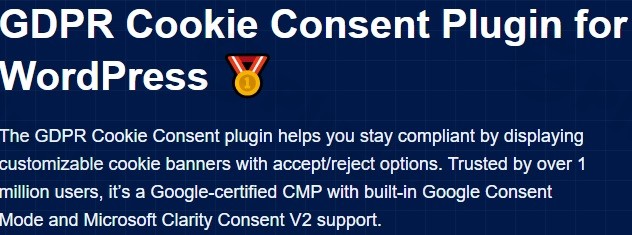
In an era of strict data privacy laws, ensuring your website complies with regulations like GDPR (EU), CCPA (California), and PIPEDA (Canada) is no longer optional. The Webtoffee GDPR Cookie Consent plugin is a market-leading solution designed to help WordPress site owners manage user data transparently while maintaining a seamless user experience. Trusted by over 1 million users, this webtoffee gdpr plugin bridges the gap between complex legal requirements and simple technical implementation.
Whether you are a small blogger or a large e-commerce store manager, navigating cookie compliance can be daunting. This guide will walk you through why wordpress gdpr cookie consent webtoffee is a top choice, its core features, and how to set it up to protect your business and your visitors.
Key Features of Webtoffee GDPR Cookie Consent
The webtoffee cookie consent plugin stands out because it is a Google-certified Consent Management Platform (CMP). This certification is critical for site owners using Google Ads or Analytics, as it ensures data is handled according to the latest industry standards.
1. Customizable Cookie Banners
You can create a gdpr cookie banner wordpress webtoffee that aligns perfectly with your brand’s aesthetic. The plugin offers:
- Multiple Layouts: Choose from Box, Banner, or Popup styles.
- Flexible Positioning: Place the banner at the top, bottom, or center of the screen.
- Design Control: Full customization of colors, fonts, and button styles without writing CSS.
2. Automatic Cookie Blocking
One of the most powerful features is the ability to block non-essential cookies and third-party scripts (like Facebook Pixel or Google Analytics) automatically until the user gives explicit consent. This “prior consent” mechanism is a fundamental requirement of the GDPR.
3. Google Consent Mode v2 Integration
As Google evolves its tracking requirements, google consent mode v2 webtoffee integration ensures your marketing and analytics remain functional. The plugin communicates the user’s consent status directly to Google’s tags, allowing you to recover lost conversion data through modeling even when users opt out of tracking.
4. Advanced Cookie Scanner & Policy Generator
The built-in scanner automatically identifies cookies used on your site and categorizes them (e.g., Necessary, Analytics, Marketing). Once scanned, you can use the webtoffee gdpr cookie consent plugin features to generate a professional Cookie Policy page automatically.
5. Geo-Location Targeting
You don’t always need to show a cookie banner to every visitor. This plugin allows you to display specific banners based on the visitor’s location, ensuring you stay compliant in the EU while offering a cleaner experience for users in regions with fewer restrictions.
How to Set Up Webtoffee GDPR Cookie Consent Plugin
Setting up your wordpress gdpr cookie consent webtoffee solution is straightforward. Follow these steps to get compliant in minutes:
Step 1: Installation and Activation
- Log in to your WordPress dashboard.
- Navigate to Plugins > Add New.
- Search for “GDPR Cookie Consent” by WebToffee.
- Click Install Now and then Activate.
Step 2: Run the Cookie Scanner
Before you can ask for consent, you need to know what cookies you are using.
- Go to the GDPR Cookie Consent menu in your sidebar.
- Select Cookie Scanner.
- Click Scan Website. The plugin will crawl your site and list all active cookies, categorizing them automatically.
Step 3: Configure the Cookie Banner
- Navigate to Settings > General.
- Enable the cookie bar.
- Under the Customization tab, choose your colors and layout.
- Use the Preview button to see how the banner looks on your live site.
Step 4: Configure Google Consent Mode v2 (Optional but Recommended)
For those using Google Analytics 4 (GA4) or Google Ads:
- In the plugin settings, look for the Integrations tab.
- Enable Google Consent Mode v2.
- Ensure your Google Tag Manager (GTM) or gtag.js settings are aligned with the plugin’s output.
Practical Usage & Best Practices
To get the most out of your webtoffee gdpr plugin, consider these real-world workflows:
- For E-commerce (WooCommerce): Use the granular control feature. Ensure that “Necessary” cookies (like those for the shopping cart) are always active, while “Marketing” cookies are blocked until the customer clicks “Accept.”
- For Global Agencies: Utilize the Multilingual Support. The plugin integrates with WPML and Polylang, allowing you to serve consent notices in the user’s native language.
- For Legal Protection: Regularly export your webtoffee consent log. This log provides an anonymized audit trail of user consents, which can be invaluable if your site ever faces a privacy audit.
- Ideal for Minimalists: If you want a non-intrusive look, use the “Bottom Bar” layout with a subtle “Settings” link, allowing users to manage preferences without blocking the entire screen.
FAQ & Troubleshooting
What is the Webtoffee GDPR Cookie Consent plugin?
The Webtoffee GDPR Cookie Consent plugin is a specialized WordPress tool designed to help website owners comply with global privacy laws. It provides a customizable banner, an automated cookie scanner, and a consent management system to ensure that third-party cookies only load after user approval.
Is the Webtoffee GDPR Cookie Consent plugin free?
Yes, there is a robust free version available on the WordPress repository that covers basic GDPR and CCPA requirements. However, premium features like Geo-location targeting, automatic scanning, and IAB TCF v2.3 compliance require a paid license.
Does the Webtoffee GDPR Cookie Consent plugin support Google Consent Mode v2?
Yes, the plugin fully supports Google Consent Mode v2. This allows your website to communicate user consent choices to Google services, ensuring compliant data collection and better ad performance tracking.
How can I verify that my cookies are being blocked?
You can use the “Incognito” mode in your browser. Open your site, right-click and select “Inspect,” then go to the “Application” tab and look under “Cookies.” If configured correctly, no non-essential cookies (like _ga for Analytics) should appear until you click “Accept” on the banner.
Conclusion: Final Verdict
The Webtoffee GDPR Cookie Consent plugin is an essential tool for any WordPress site owner who values both legal compliance and user trust. By offering a Google-certified CMP, seamless google consent mode v2 webtoffee integration, and a user-friendly interface, it simplifies the complex world of data privacy.
While the geo-location feature can occasionally cause a minor delay in banner loading, the peace of mind provided by its automated scanning and webtoffee consent log far outweighs the minor performance trade-off. If you are looking for a reliable, “set-it-and-forget-it” compliance solution, this plugin is one of the best investments you can make for your WordPress site.
For more WordPress tutorials and plugin reviews, visit wppick.com.
I. Download Limits & Account Benefits
- Free Downloads: Each email address receives 3 downloads per day for free products
- Upgrade Benefits: Purchase any paid product to increase your daily download limit by 3 for each paid product
- No Account Required: You can download immediately by receiving the download link via email
- Account Recommended: Create an account for easier access to your order history and direct update downloads
II. Understanding GPL vs Official Versions
Important: The products available on WPPick are GPL-licensed versions, which differ from official developer versions. Before purchasing, please read our comprehensive guide: Understanding GPL & Official Differences at WPPick
Key Points:
- GPL versions may not include premium support from original developers
- Updates may be delayed compared to official releases
- Some premium features might have limitations
- Always consider your specific needs and support requirements
III. Support & Assistance
We’re here to help through multiple channels:
- Email Support: Direct email assistance for all inquiries
- Live Chat: Real-time support during business hours
- Comprehensive Documentation: Detailed guides and tutorials
IV. Order Tracking
Access your complete purchase history and download links anytime: Order History
V. Account Access
New to WPPick? Login or Create Account to manage your downloads and orders efficiently.
VI. Refund Protection
We stand behind our products with a clear refund policy. Review our terms: Refund Policy
VII. Privacy & Security
Your data security is our priority. Learn how we protect your information: Privacy Policy
VII. Terms of Service
Understanding our service terms ensures a smooth experience: Terms of Use
Quick Tips for Best Experience
- Verify Compatibility: Check plugin/theme compatibility with your WordPress version
- Backup First: Always backup your site before installing new plugins or themes
- Test Environment: Consider testing on a staging site first
- Stay Updated: Regularly check for updates in your account dashboard
- Read Documentation: Review any included documentation for optimal setup
Need Help?
If you have questions about downloads, licensing, or need technical assistance, don’t hesitate to contact our support team. We’re committed to ensuring you have the best possible experience with WPPick products.
Ready to get started? Your download adventure begins with just one click!