

Greenshift Page Builder
/Year
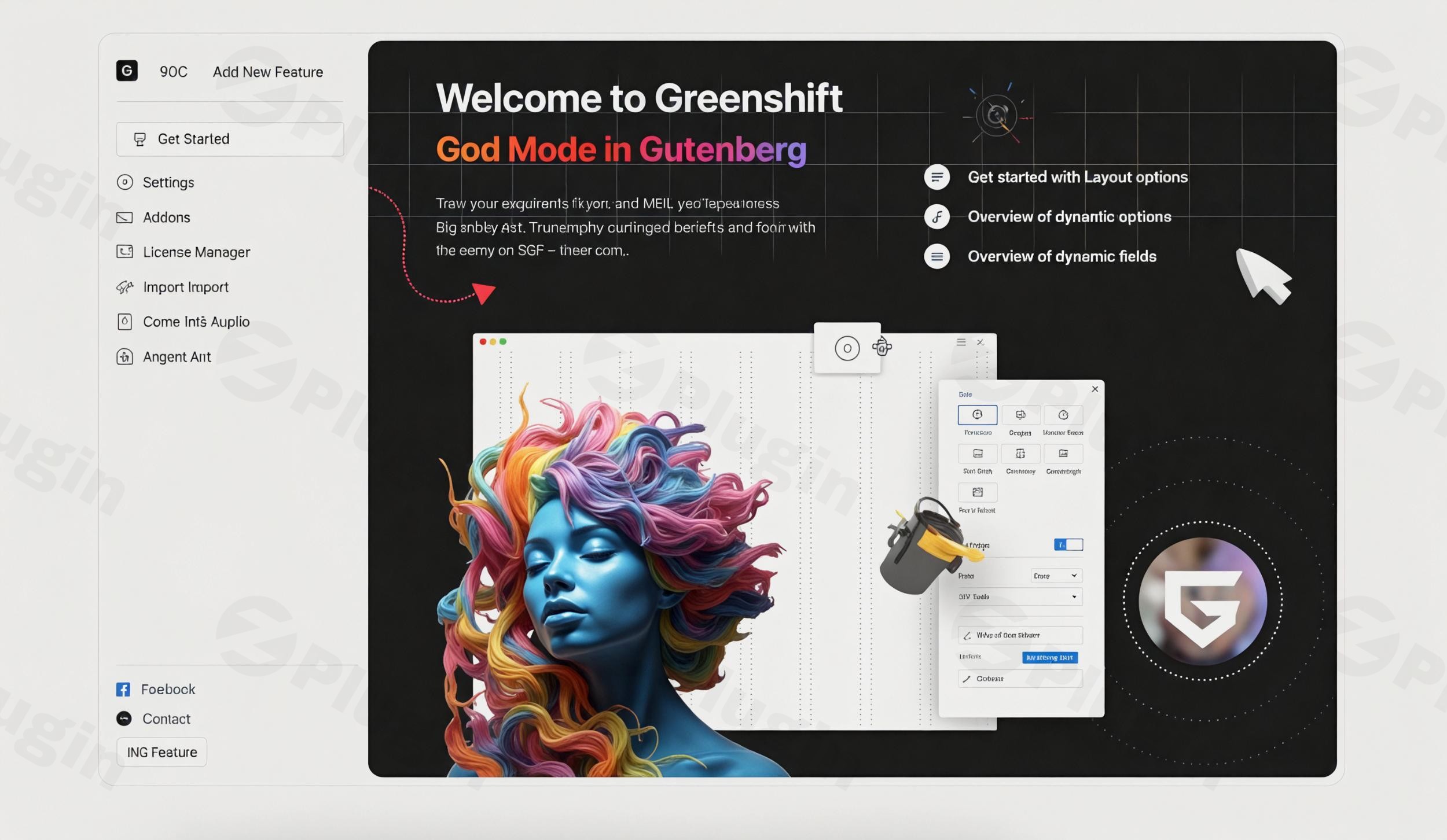
Are you struggling to create visually stunning websites with smooth animations without sacrificing precious page speed? Many popular WordPress page builders, while powerful, often come with a heavy performance cost, leading to slow loading times and lower Google Core Web Vitals scores. This is precisely the challenge GreenShift Page Builder addresses. It’s a robust WordPress plugin meticulously engineered to deliver breathtaking designs and dynamic animations while maintaining optimal performance, crucial for both user experience and SEO.Unlike traditional builders that load extensive code, GreenShift leverages a conditional asset loading system, ensuring only the necessary styles and scripts for the blocks you use are loaded. This lean approach makes it an ideal solution for developers, agencies, and content creators who demand both high-performance and design flexibility within the native Gutenberg editor and Full Site Editing (FSE) environment.
Key Features: Elevate Your WordPress Design and Performance
GreenShift is packed with features designed to push the boundaries of what’s possible with WordPress, all while keeping performance at its core.
Next-Level Design and Layout Control
GreenShift significantly enhances the native Gutenberg block editor with an extensive library of advanced blocks and unparalleled styling flexibility.
- Extensive Block Library: Beyond the default Gutenberg blocks, GreenShift offers over 25 advanced blocks in its free version, including sophisticated text, button, icon list, slider, and accordion blocks.
- Advanced Styling Options: Get pixel-perfect control with comprehensive styling capabilities, including gradient text colors, custom CSS transform options for hover effects, shadow presets, and overlay transitions.
- Flexible Layouts with CSS Grid & Flexbox: Utilize advanced container blocks with CSS Grid and Flexbox layouts, providing precise control over alignment, spacing, and positioning. This ensures your designs are structured perfectly and responsive across devices.
- Four Custom Breakpoints for Responsive Design: Tailor your designs for every screen size with 4 custom breakpoints. Preview your site across different resolutions and set specific values for each, including mobile, with features like mobile smart scroll to convert columns into scrollable items or carousels.
- Class and Variable System: GreenShift is a pioneer in offering a class system in a free plugin, allowing you to attach designs to local or global classes for reuse and even import/export design systems, streamlining your workflow.
Dynamic Animations & Interactive Experiences with GreenShift Animation
Adding engaging motion to your site doesn’t have to mean sacrificing speed. GreenShift’s integrated animation framework is built for performance.
- Scroll-Triggered and Hover Animations: Implement dynamic animations that trigger on scroll or hover without relying on heavy external libraries.
- 3D & AR/VR Integration: Showcase products interactively with unique blocks like the AR/VR 3D Viewer and Spline3D, powered by Google Model Viewer.
- Premium Animation Addon: Unlock the full potential of Greenshift Animation with GSAP-powered effects. This addon enables custom parallaxes, advanced scroll-triggered sequences, interactive Lottie animations, pin blocks on scroll, smooth FLIP transitions, mouse interactions, and complex animation chains.
Unmatched Performance Optimization
Greenshift Performance is a cornerstone of its design, ensuring your website remains fast and achieves high Core Web Vitals scores.
- Conditional Asset Loading: A unique system that loads only the necessary code for the blocks actually used on a page, preventing bloat.
- Zero jQuery Dependencies: By avoiding jQuery and other heavy external libraries, GreenShift keeps your site lean and agile.
- Local Font & Icon Loading: Assets like Google Fonts are stored locally, and icons are generated on the fly, reducing external requests and improving GDPR compliance.
- Inline Styles for CLS Prevention: Styles load inline to prevent Cumulative Layout Shift (CLS), a critical Core Web Vital metric, ensuring a smooth user experience and compatibility with cache plugins.
- Dynamic Block Loading: Convert blocks and pages to shortcodes, or load blocks dynamically when they are in view or on click/hover to further reduce initial page weight on complex pages.
Extending Functionality with GreenShift Addons
GreenShift’s modular design allows you to extend its capabilities with specialized premium addons.
- Query Addon: Essential for Greenshift dynamic content, this addon allows you to build custom templates for blog posts, shop pages, and directory listings. It includes a query loop block, Meta Getter block (for custom fields like ACF, Toolset, taxonomy meta), a wishlist block, and conditional logic to show/hide content.
- SEO & Marketing Addon: Boost conversions and search engine visibility with schema-optimized blocks (Product, Review, Listing, How To, Event, FAQ, Video), comparison table builders, and affiliate tools.
- WooCommerce Addon: Provides numerous Greenshift WooCommerce integration features for FSE themes, including advanced Buy Now buttons, Free Shipping indicators, product bundles, custom product templates, and AJAX search.
- Chart Addon & AI Generation Addons: Create professional charts and diagrams, and leverage AI Helper tools for smart code generation, block creation, and image assistance.
Installation & Setup: Getting Started with GreenShift WordPress Plugin
Installing GreenShift WordPress Plugin is straightforward, just like any other plugin.
- Download GreenShift: You can find the free version in the WordPress plugin repository or download a premium version (e.g., from ZeroPlugin.com for a genuine GPL-licensed version).
- Upload to WordPress:
- Log in to your WordPress admin dashboard.
- Navigate to Plugins > Add New.
- Click the “Upload Plugin” button at the top of the page.
- Click “Choose File,” select the GreenShift plugin
.zipfile from your computer, and click “Install Now.”
- Activate the Plugin: Once the installation is complete, click “Activate Plugin.”
- Install Addons (Optional): If you have purchased any premium Greenshift Addons, repeat steps 2 and 3 for each addon.
- Start Building: GreenShift blocks will now be available directly within your Gutenberg editor. You’ll find new options and settings appearing in the block sidebar when editing pages or posts.
Practical Usage & Best Practices for GreenShift
GreenShift empowers various users to build advanced, high-performing websites. Here’s how you can leverage its capabilities in your workflow:
- For Content Creators & Bloggers:
- Engaging Storytelling: Use GreenShift’s animation features to bring your blog posts to life. Create scroll-triggered intros for sections, animate statistics, or reveal images with elegant transitions using the Greenshift Animation addon.
- Dynamic Content Displays: With the Query Addon, you can easily create custom layouts for your blog post archives, showcasing content based on categories, tags, or custom fields, offering a more engaging reading experience.
- Conversion-Focused Content: Implement review boxes, comparison tables, or eye-catching call-to-action sections using the SEO & Marketing Addon to guide readers toward conversions.
- For eCommerce Store Owners (WooCommerce):
- Custom Product Pages: The Greenshift WooCommerce integration features allow you to completely customize single product pages beyond your theme’s default. Design unique layouts, add custom tabs, product bundles, and animated calls to action to boost sales.
- Dynamic Shop Pages: Use the Query Addon to create custom product grids, highlight bestsellers, or display related products with specific criteria, providing a tailored shopping experience.
- Performance for Revenue: The plugin’s focus on Greenshift Performance ensures your product pages load quickly, reducing bounce rates and improving conversion rates, especially crucial for online stores.
- For Agencies & Freelancers:
- Build Lightning-Fast Client Sites: Deliver projects with superior Core Web Vitals scores straight out of the box, a huge advantage for SEO and client satisfaction. GreenShift’s conditional asset loading minimizes bloat.
- Streamlined Workflow with FSE: For clients opting for Full Site Editing (FSE) themes, GreenShift integrates seamlessly, providing powerful block-based design capabilities within the native WordPress editor, future-proofing your builds.
- Reusable Design Systems: Utilize the class and variable system to create reusable design components and global styles, speeding up development across multiple client projects and ensuring brand consistency. This is the best way to create dynamic content with Greenshift efficiently.
FAQ & Troubleshooting
Is Greenshift better than Elementor?
GreenShift Page Builder vs Elementor performance is a common comparison. GreenShift is fundamentally different: it extends the native Gutenberg editor and is built from the ground up for superior performance and optimal Core Web Vitals scores. While Elementor offers extensive features, it often comes with more code bloat, impacting load times. GreenShift prioritizes lightweight code, conditional asset loading, and no jQuery dependencies, making it generally better for sites where speed and SEO are paramount, especially those leaning into Full Site Editing. Elementor may still be preferred by users accustomed to its specific workflow or needing its unique widget ecosystem, but GreenShift represents a modern, performance-first approach.
Does Greenshift slow down my WordPress site?
No, Greenshift Performance is a core focus of the plugin, and it is specifically designed not to slow down your WordPress site. It achieves this through several key optimizations:
- Conditional Asset Loading: Only the CSS and JavaScript needed for the specific blocks used on a page are loaded.
- No jQuery Dependencies: It avoids loading the often-heavy jQuery library.
- Local Assets: Google Fonts and icons are served locally, reducing external requests.
- Inline Styles: Styles are loaded inline to prevent layout shifts (CLS), improving perceived performance.These features make GreenShift one of the most performance-optimized page builder solutions available for WordPress.
What are the main features of Greenshift Query Addon?
The Greenshift Query Addon is essential for creating dynamic content and custom post type displays. Its main features include:
- Query Loop Block: Build custom templates to display posts, pages, custom post types, and WooCommerce products based on various criteria.
- Meta Getter Block: Easily pull data from custom fields (including ACF and Toolset), post meta, and taxonomy meta.
- Conditional Logic Block: Show or hide content based on user roles, post status, custom field values, and other filters.
- Wishlist Block, Thumbs and Hot Counter: Enhance user engagement for dynamic listings and e-commerce.
- It empowers users to create complex directories, advanced blog layouts, and sophisticated e-commerce archives without coding.
How to use Greenshift blocks in classic themes?
GreenShift blocks are primarily designed to enhance the Gutenberg editor, which works well with both classic and Full Site Editing (FSE) themes. While it fully unleashes its potential with FSE, you can absolutely use Greenshift Gutenberg Blocks in classic themes. Simply install the plugin, and the new blocks will appear in your block editor when creating or editing posts and pages. For sections of your site that might not be built with Gutenberg (e.g., older page builder content), GreenShift blocks and templates can be converted into shortcodes, allowing you to embed them within other page builders like Elementor, Bricks, Oxygen, or Divi.
What are the advantages of using Greenshift with Gutenberg?
The advantages of using Greenshift for Full Site Editing (FSE) and the broader Gutenberg ecosystem are numerous:
- Native Integration: GreenShift extends Gutenberg’s capabilities, working within the native WordPress interface, which is the future direction of WordPress development.
- Performance: It maintains Gutenberg’s inherent performance advantages while adding advanced design features, avoiding the “bloat” often associated with external page builders.
- Seamless FSE Experience: For FSE themes, GreenShift provides the tools to design headers, footers, post templates, and more directly within the Site Editor.
- Unified Workflow: You get a consistent design and editing experience across your entire site, rather than switching between different interfaces.
- Future-Proofing: Investing in a Gutenberg-native solution like GreenShift aligns your website with WordPress’s long-term vision, ensuring better compatibility and support going forward.
Conclusion: The Smart Choice for Modern WordPress Websites
GreenShift Page Builder stands out as a powerful and forward-thinking WordPress plugin for anyone serious about web performance and cutting-edge design. By meticulously integrating with Gutenberg and prioritizing Core Web Vitals, it offers a refreshing alternative to traditional page builders that often compromise speed for features.Whether you’re a content creator looking to add captivating animations, an eCommerce store owner needing high-converting product pages, or an agency building lightning-fast client sites, GreenShift provides the tools to achieve your goals. It delivers a unique blend of advanced styling, dynamic content capabilities, and stunning animations, all while ensuring your site remains lean, fast, and optimized for search engines. For a high-performance, design-rich, and future-proof WordPress experience, GreenShift is an intelligent investment.
I. Download Limits & Account Benefits
- Free Downloads: Each email address receives 3 downloads per day for free products
- Upgrade Benefits: Purchase any paid product to increase your daily download limit by 3 for each paid product
- No Account Required: You can download immediately by receiving the download link via email
- Account Recommended: Create an account for easier access to your order history and direct update downloads
II. Understanding GPL vs Official Versions
Important: The products available on WPPick are GPL-licensed versions, which differ from official developer versions. Before purchasing, please read our comprehensive guide: Understanding GPL & Official Differences at WPPick
Key Points:
- GPL versions may not include premium support from original developers
- Updates may be delayed compared to official releases
- Some premium features might have limitations
- Always consider your specific needs and support requirements
III. Support & Assistance
We’re here to help through multiple channels:
- Email Support: Direct email assistance for all inquiries
- Live Chat: Real-time support during business hours
- Comprehensive Documentation: Detailed guides and tutorials
IV. Order Tracking
Access your complete purchase history and download links anytime: Order History
V. Account Access
New to WPPick? Login or Create Account to manage your downloads and orders efficiently.
VI. Refund Protection
We stand behind our products with a clear refund policy. Review our terms: Refund Policy
VII. Privacy & Security
Your data security is our priority. Learn how we protect your information: Privacy Policy
VII. Terms of Service
Understanding our service terms ensures a smooth experience: Terms of Use
Quick Tips for Best Experience
- Verify Compatibility: Check plugin/theme compatibility with your WordPress version
- Backup First: Always backup your site before installing new plugins or themes
- Test Environment: Consider testing on a staging site first
- Stay Updated: Regularly check for updates in your account dashboard
- Read Documentation: Review any included documentation for optimal setup
Need Help?
If you have questions about downloads, licensing, or need technical assistance, don’t hesitate to contact our support team. We’re committed to ensuring you have the best possible experience with WPPick products.
Ready to get started? Your download adventure begins with just one click!
- Improvements for menu block
- Auto Conversion for Image Element block dynamic links if it has file ID instead of URL
- Fix for slider arrows
- Navigation menu Element block
- Dark mode improvements
- AI helper includes instructions for custom scripts and slider
- AI update for Gemini modules
- Block and Simplified panel feature
- Color and height presets for inner css framework
- Align option for Tabs
- Swiper synced container fix
- Unicorn Studio Canvas content type for Element block
- Custom JS panel for Element block
- AI Helper for Custom CSS panel for Element block
- AI Helper has now external web search tool for design building variant
- Some variables for Lightbox, Panels inside CSS variable framework
- Dark mode switcher available in editor panel (click on G icon in top right corner) + improvements for dark mode
- Fix for slider, interactions and other user reported issues
- Dark Mode for Editor (Greenshift Settings – Interface), currently in beta version
- Local class can be converted to global class
- Small color difference between different type of classes in class panel
- Conditions in Interaction Layers can have custom selector to check classes on other elements then current action element
- Fix for global variables popover, html conversion of styles if they have animation or calc functions
- Security improvement for button block
- Improved Taxonomy value Dynamic data for editor
- Gemini 2.5 model for AI design models. Also changed Gemini model to updated gemini-2.5-pro-preview-05-06 version. Please resave your model in Greenshift Settings – AI
- Few fixes for AI Helper tools
- When you duplicate block with local classes, it will reference to original block instead of copying all attributes of class
- fixes for accordion, model viewer, multiple conditions for interaction layers
- AI Helper tools now have new Open AI models for image generation
- Dynamic placeholders support for content of Element block
- Interactive Layers have option to create Templates for Panels and Popups. Example how to make quick view with slider
- Option for AI edit and generate for Image Element block
- AI Helper tools
- more fixes for WP 6.8
- better dynamic fetching in Image and Video Elements blocks
- new option for Repeater block – ACF Site options. It uses ACF function to retrieve data instead of get_option function
- WPML support for GreenLight Blocks
- security update for API endpoints
- Copy to Clipboard action for Interaction Layers
- Touch start and touch end triggers for Interaction Layers
- Dynamic placeholders support multiple placeholders in one field
- TOC block update
- Few WPML selectbox fixes
- Animated Text Element
- Animation Presets now use updated variable system so they can be overridden by variables globally
- Animation presets have option to add animations to child items instead item itself
- Tooltip option for Element block (find it in Cursor & Hover effects)