
Gutenbricks – Build Next-level Gutenberg Blocks With Bricks Builder
/Year
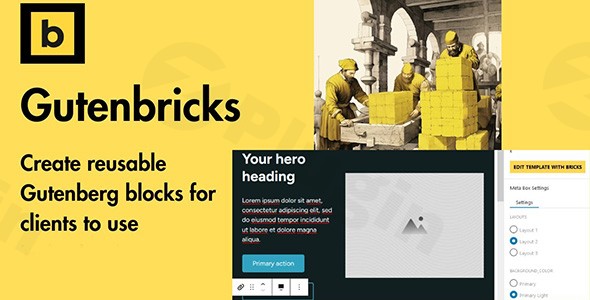
WordPress has evolved, and with it, the need for flexible, powerful, and client-friendly content editing solutions. Enter Gutenbricks, a premium WordPress plugin engineered to bridge the gap between the robust design capabilities of Bricks Builder and the intuitive content editing experience of the Gutenberg block editor. For developers, agencies, and site owners, Gutenbricks empowers you to create Gutenberg blocks with Bricks Builder, transforming intricate Bricks templates into easily manageable, client-editable blocks directly within the native WordPress editor. This revolutionary approach streamlines content management, ensures design consistency, and significantly enhances the client editing experience for Bricks Builder-powered websites.
Key Features of Gutenbricks
Gutenbricks supercharges your website development workflow by offering a suite of features that prioritize flexibility, control, and user-friendliness.
Build Reusable Gutenberg Blocks with Bricks Builder
The core strength of Gutenbricks lies in its ability to convert your sophisticated Bricks Builder templates into fully functional, reusable Gutenberg blocks. This means you can leverage Bricks’ extensive design library and powerful front-end engineering to craft custom blocks, then hand them over to clients for seamless content updates within Gutenberg. This feature is a game-changer for those looking to create custom Gutenberg blocks with no code using their preferred page builder.
Intuitive Drag-and-Drop Interface for Block Creation
While clients enjoy the Gutenberg interface, developers benefit from Bricks Builder’s familiar drag-and-drop functionality for creating the underlying block templates. Gutenbricks then integrates these into Gutenberg, providing an on-canvas editing experience where clients can modify content directly, saving time and effort in website building.
Variants and Toggles for Flexible Designs
With Gutenbricks, you can design multiple variations of a single block and implement toggles to show or hide specific elements. This crucial feature allows clients to select different layouts or styles for a block without needing separate blocks for each design option, promoting better organization and unparalleled flexibility in content presentation.
Dynamic Data Integration with Popular Custom Fields
Gutenbricks offers seamless integration with leading custom field plugins like Advanced Custom Fields (ACF) and Meta Box. This enables developers to create dynamic Gutenberg blocks that pull content directly from custom fields. Clients can then manage content through familiar field interfaces, ensuring that the visual blocks are always populated with up-to-date and structured data. Support for ACPT and PODs is actively under research and development.
InnerBlocks: Structured Yet Flexible Content
The plugin supports InnerBlocks, giving developers the power to define specific areas within a Gutenbricks-created block where clients can insert other native Gutenberg blocks. This provides a structured yet flexible editing environment, allowing for complex layouts while maintaining design integrity. Developers retain precise control over which blocks can be inserted, preventing design disruptions.
Seamless On-Canvas and Fine-Tuned Content Editing
Clients can edit block content directly within the Gutenberg editor, offering a true what-you-see-is-what-you-get (WYSIWYG) experience. Developers can further configure how clients edit blocks, providing guidelines, documentation, and even branding their custom blocks, ensuring content updates are intuitive and don’t compromise the underlying design or code.
Style and Class Editor for Controlled Customization
Gutenbricks offers users the ability to add custom classes and styles to blocks. This empowers designers and developers to maintain design control and brand consistency, allowing for advanced styling without breaking the overall site aesthetics.
Performance Optimized and SEO-Enhanced Output
Gutenbricks is highlighted for its ability to craft fast-loading, SEO-optimized websites. By converting Bricks templates into blocks, it leverages Bricks Builder’s inherent performance benefits, ensuring your site remains quick and visually appealing.
Installation & Setup
Installing Gutenbricks follows the standard WordPress plugin procedure. Before you begin, ensure you have an active installation of Bricks Builder, as Gutenbricks operates as an add-on.
- Download the Plugin: Obtain the Gutenbricks plugin file (usually a
.ziparchive) from ZeroPlugin.com or your purchase source. - Upload to WordPress:
- Log in to your WordPress admin dashboard.
- Navigate to Plugins > Add New.
- Click the “Upload Plugin” button at the top of the page.
- Click “Choose File”, select the Gutenbricks
.zipfile from your computer, and click “Install Now”.
- Activate the Plugin: Once installed, WordPress will prompt you to activate the plugin. Click “Activate Plugin”.
- Configure Bricks Builder Integration: After activation, Gutenbricks will integrate with your existing Bricks Builder installation. You can then begin converting Bricks templates into Gutenberg blocks from within your Bricks Builder interface. Refer to the Gutenbricks documentation for specific steps on how to turn Bricks templates into Gutenberg blocks.
Practical Usage / Best Practices
Gutenbricks is ideal for web developers, agencies, and professional site builders who need to deliver robust, custom-designed websites while providing clients with an easy-to-use content editing experience.
- Empowering Clients with Design Control (Within Limits): The primary use case is to solve the “age-old dilemma” of handing off complex page builder sites to clients. Agencies can use Bricks Builder to create stunning, flexible layouts, then convert specific sections into Gutenbricks blocks. This allows clients to update text, images, and even choose block variations without the risk of breaking the overall design or requiring developer intervention. This significantly improves the client editing experience WordPress Bricks solutions offer.
- Streamlining Content Management for Large Sites: For websites with extensive content or multiple content creators, Gutenbricks allows for the creation of standardized, dynamic blocks. For example, a “Team Member” block can be built in Bricks with dynamic fields for name, title, and photo. Clients can then easily add new team members via a simple Gutenberg block, ensuring consistency across all entries.
- Creating SEO-Optimized, Reusable Components: Leverage Bricks Builder’s performance and clean code output, then package it into Gutenbricks blocks. This ensures that even custom-designed sections of your site are lightweight and contribute positively to your SEO efforts, allowing you to optimize Bricks Builder for Gutenberg editing without compromise.
- Building a Library of Custom Blocks for Agencies: Agencies can develop a library of frequently used components (e.g., call-to-action sections, testimonial sliders, hero banners) in Bricks, convert them to Gutenbricks blocks, and then reuse them across multiple client projects. This drastically speeds up development time and ensures brand consistency across their portfolio.
FAQ & Troubleshooting
Here are answers to some common questions about Gutenbricks, providing clear, concise information for easy understanding.
What is Gutenbricks plugin?
Gutenbricks is a WordPress plugin that allows developers and designers to transform Bricks Builder templates into fully editable Gutenberg blocks. Its primary purpose is to enhance the client content editing experience by providing a user-friendly way to manage content on Bricks Builder-powered websites directly within the native Gutenberg editor, without requiring clients to learn Bricks Builder.
How does Gutenbricks improve client content editing?
Gutenbricks significantly improves client content editing by providing a visual, on-canvas editing experience within Gutenberg for Bricks-built elements. It allows developers to define editable areas, create block variations, and integrate dynamic data, giving clients the freedom to update content, select layouts, and manage custom fields without affecting the site’s design or requiring complex page builder knowledge.
Is Gutenbricks compatible with Bricks 2.0?
Yes, Gutenbricks aims to be compatible with upcoming Bricks components, including Bricks 2.0. While Bricks Builder itself has plans for its own native Gutenberg integration, Gutenbricks is designed to offer advanced features and added value beyond what the native integration might provide, similar to how other Bricks add-ons enhance the builder’s functionality.
Can Gutenbricks create dynamic layouts?
Absolutely. Gutenbricks excels at creating dynamic layouts by integrating seamlessly with popular custom field plugins like Advanced Custom Fields (ACF) and Meta Box. This allows developers to design Bricks templates that dynamically pull data from these fields, which clients can then manage through the custom field interfaces, effectively creating dynamic and data-driven Gutenberg blocks.
Gutenbricks vs ACF blocks for client sites: Which is better?
Both Gutenbricks and ACF Blocks allow for custom block creation, but they cater to different workflows. ACF Blocks are PHP-based, often faster for development, and provide granular control over fields, typically relying on sidebar forms for content input. Gutenbricks, however, leverages Bricks Builder’s visual design capabilities to create blocks with a direct, on-canvas editing experience within Gutenberg, making it highly intuitive for clients. Choose Gutenbricks if you are already using Bricks Builder and want to give clients a visual editing experience; opt for ACF Blocks if you prefer a PHP-driven, sidebar-focused approach or need maximum backend editor performance.
Conclusion
Gutenbricks stands out as a “must-have” plugin for any developer or agency working with Bricks Builder. It effectively solves the crucial problem of client content management on complex, custom-designed WordPress sites. By allowing you to create Gutenberg blocks with Bricks Builder, Gutenbricks empowers you to deliver visually stunning, performance-optimized, and truly client-friendly websites. The plugin’s ability to facilitate intuitive on-canvas editing, dynamic data integration, and flexible block variations makes it an invaluable tool for streamlining workflows and enhancing the return on investment for both developers and their clients. If you’re seeking to elevate your WordPress development process and provide an unparalleled client experience, Gutenbricks offers a robust and reliable solution.
I. Download Limits & Account Benefits
- Free Downloads: Each email address receives 3 downloads per day for free products
- Upgrade Benefits: Purchase any paid product to increase your daily download limit by 3 for each paid product
- No Account Required: You can download immediately by receiving the download link via email
- Account Recommended: Create an account for easier access to your order history and direct update downloads
II. Understanding GPL vs Official Versions
Important: The products available on WPPick are GPL-licensed versions, which differ from official developer versions. Before purchasing, please read our comprehensive guide: Understanding GPL & Official Differences at WPPick
Key Points:
- GPL versions may not include premium support from original developers
- Updates may be delayed compared to official releases
- Some premium features might have limitations
- Always consider your specific needs and support requirements
III. Support & Assistance
We’re here to help through multiple channels:
- Email Support: Direct email assistance for all inquiries
- Live Chat: Real-time support during business hours
- Comprehensive Documentation: Detailed guides and tutorials
IV. Order Tracking
Access your complete purchase history and download links anytime: Order History
V. Account Access
New to WPPick? Login or Create Account to manage your downloads and orders efficiently.
VI. Refund Protection
We stand behind our products with a clear refund policy. Review our terms: Refund Policy
VII. Privacy & Security
Your data security is our priority. Learn how we protect your information: Privacy Policy
VII. Terms of Service
Understanding our service terms ensures a smooth experience: Terms of Use
Quick Tips for Best Experience
- Verify Compatibility: Check plugin/theme compatibility with your WordPress version
- Backup First: Always backup your site before installing new plugins or themes
- Test Environment: Consider testing on a staging site first
- Stay Updated: Regularly check for updates in your account dashboard
- Read Documentation: Review any included documentation for optimal setup
Need Help?
If you have questions about downloads, licensing, or need technical assistance, don’t hesitate to contact our support team. We’re committed to ensuring you have the best possible experience with WPPick products.
Ready to get started? Your download adventure begins with just one click!
- Dynamic data not rendered properly within Gutenberg editor
- Block not showing in the editor
- Block rendering too slow
- GB:Meta images not showing alt text
- Bricks query duplicates
- Aria label not being applied properly