

Houzez Property Feed Pro
/Year
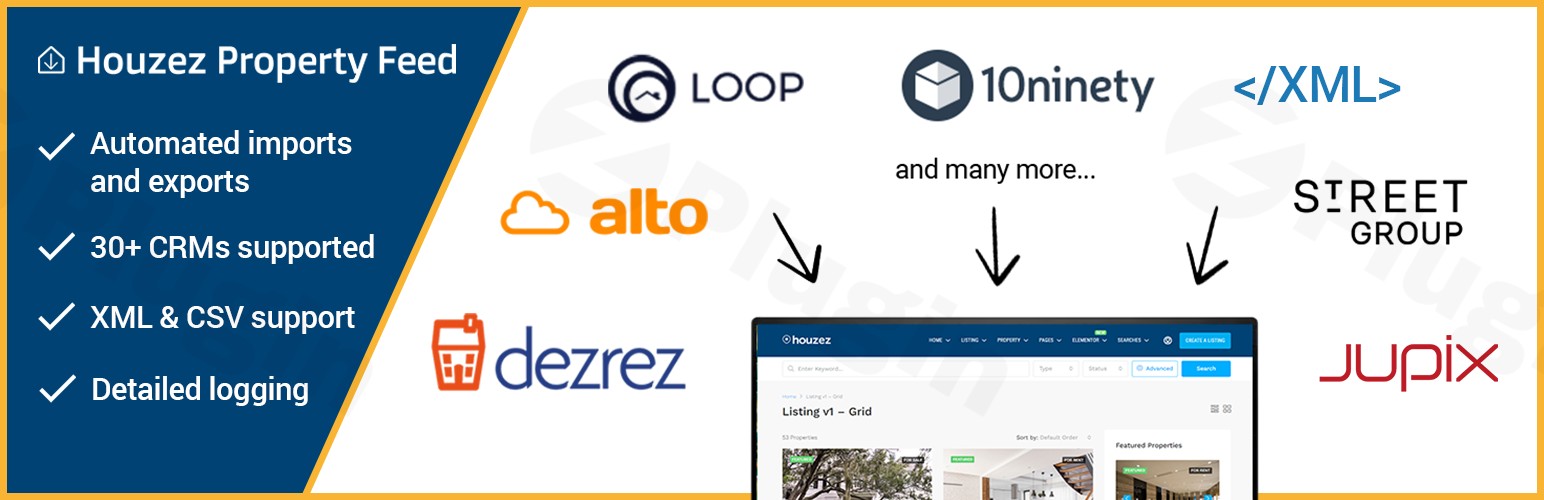
Managing a high-volume real estate website requires more than just a beautiful layout; it demands seamless data synchronization. If you are using the Houzez theme, Houzez Property Feed Pro is the definitive real estate WordPress plugin designed to bridge the gap between your website and external property software. By automating the way you import properties to Houzez and export them to major portals, this plugin eliminates manual data entry, reduces errors, and ensures your listings are always up to date.
Why Use Houzez Property Feed Pro?
The core challenge for any real estate agency is keeping their website listings in sync with their internal CRM (Customer Relationship Management) system. Manually adding, updating, or removing properties is a recipe for outdated information and missed leads.
Houzez Property Feed Pro solves this by providing a specialized, automated pipeline. Unlike generic import tools, this plugin is built by the experts at Property Hive—who possess over 20 years of experience in property data—specifically for the Houzez theme architecture. This ensures that custom fields, taxonomies, and image galleries are handled correctly every time.
Key Features and Benefits
This plugin is a dual-purpose powerhouse, handling both “Inbound” (imports) and “Outbound” (exports) property data.
1. Extensive CRM Integration for Seamless Imports
The plugin supports a vast array of estate agency CRMs and data formats. Whether your data is in XML or CSV format, as long as it is hosted on a public URL, Houzez Property Feed Pro can ingest it. Supported CRMs include:
- UK & International: Alto by Vebra, Jupix, Expert Agent, Street, agentOS, 10ninety, and Acquaint.
- European & Global: Apimo, AgestaNET, OpenImmo, and RE/MAX.
2. Multi-Portal Export Capabilities
Selling a property requires maximum exposure. This plugin allows you to export Houzez properties to major third-party portals in their required native formats.
- Rightmove & Zoopla: Supports Real-Time Data Format (RTDF).
- Regional Leaders: Idealista, Kyero v3, thinkSPAIN, and Thribee / LIFULL Connect.
- Social & Standard: Facebook and BLM formats.
3. Advanced Automation (PRO Version)
The PRO version transforms the plugin into a “set and forget” solution:
- Configurable Frequency: Run updates every 15 minutes, hourly, or daily.
- Media Queue: Images are imported in a separate background process to prevent server timeouts.
- Unlimited Scale: No limits on the number of properties imported or exported.
* Concurrent Tasks: Run multiple import and export feeds simultaneously—perfect for multi-branch agencies.
How to Install and Setup Houzez Property Feed Pro
Setting up your property feed is straightforward and does not require developer-level coding skills.
- Purchase and Download: Get the plugin from the official provider or via wppick.com.
- Upload to WordPress: Navigate to
Plugins > Add New > Upload Pluginand select the ZIP file. - Activate: Click “Activate Plugin” and enter your license key if prompted.
- Configure a Feed:
- Go to the Property Feed menu in your WordPress dashboard.
- Click Add New Feed.
- For Imports: Enter the XML/CSV URL provided by your CRM and map the fields to the Houzez property fields (Price, Address, Bedrooms, etc.).
- For Exports: Select the destination portal (e.g., Rightmove) and choose which properties should be included based on their status or category.
5. Schedule: Set your frequency (e.g., “Every Hour”) and save.
Practical Usage & Best Practices
To get the most out of your Houzez theme CRM integration, consider these professional workflows:
Syncing Real Estate CRM with Houzez WordPress
For most agencies, the CRM is the “source of truth.” When a negotiator changes a price in Alto or Jupix, the plugin detects the change and updates your WordPress site automatically. Best practice: Always use the “Media Import” background queue in the PRO version to ensure your site remains fast while large high-definition photos are being processed.
Strategic Portal Exporting
You may not want every listing on your site to go to every portal. The PRO version allows you to filter exports. For example, you can create a rule to only export “Featured” properties to expensive portals like Rightmove, while sending all listings to free or lower-cost regional sites.
Ideal for Multi-Branch Agencies
If you manage a site that aggregates listings from different branches using different software, Houzez Property Feed Pro is the best plugin to export Houzez listings and import them simultaneously. You can run an XML import for Branch A and a CSV import for Branch B without conflicts.
FAQ & Troubleshooting
What CRMs does Houzez Property Feed support?
Houzez Property Feed Pro supports a wide range of CRMs including Alto, Jupix, 10ninety, Expert Agent, agentOS, Street, Acquaint, Apimo, and any CRM capable of providing a public XML or CSV feed.
How does Houzez Property Feed Pro compare to WP All Import?
While Houzez is compatible with WP All Import, Houzez Property Feed Pro is a more efficient, specialized solution. It is pre-configured for the Houzez data structure and includes direct export capabilities to real estate portals (like Rightmove RTDF), which generic import plugins do not offer natively.
Can I automate property listings in Houzez to update daily?
Yes. With the PRO version, you can automate imports and exports to run every 15 minutes, every hour, or once daily. This ensures your website always reflects the current availability and pricing of your properties.
What should I do if images are not appearing after an import?
This usually occurs due to server timeouts. Ensure you are using the PRO version’s “Background Media Import” feature. This process downloads images in small batches, preventing the server from crashing during large imports.
Final Verdict
Houzez Property Feed Pro is an essential investment for any professional real estate site built on the Houzez theme. It offers a massive ROI by saving dozens of hours of manual labor every month. Its specialized focus on real estate data structures makes it significantly more reliable than generic import tools.Whether you are looking to sync a real estate CRM with Houzez or need to push your listings to international portals, this plugin provides the stability and technical “EEAT” (Experience, Expertise, Authoritativeness, and Trustworthiness) required for a high-performing property portal.Looking for more WordPress real estate tips? Visit wppick.com for the latest plugin reviews and tutorials.
I. Download Limits & Account Benefits
- Free Downloads: Each email address receives 3 downloads per day for free products
- Upgrade Benefits: Purchase any paid product to increase your daily download limit by 3 for each paid product
- No Account Required: You can download immediately by receiving the download link via email
- Account Recommended: Create an account for easier access to your order history and direct update downloads
II. Understanding GPL vs Official Versions
Important: The products available on WPPick are GPL-licensed versions, which differ from official developer versions. Before purchasing, please read our comprehensive guide: Understanding GPL & Official Differences at WPPick
Key Points:
- GPL versions may not include premium support from original developers
- Updates may be delayed compared to official releases
- Some premium features might have limitations
- Always consider your specific needs and support requirements
III. Support & Assistance
We’re here to help through multiple channels:
- Email Support: Direct email assistance for all inquiries
- Live Chat: Real-time support during business hours
- Comprehensive Documentation: Detailed guides and tutorials
IV. Order Tracking
Access your complete purchase history and download links anytime: Order History
V. Account Access
New to WPPick? Login or Create Account to manage your downloads and orders efficiently.
VI. Refund Protection
We stand behind our products with a clear refund policy. Review our terms: Refund Policy
VII. Privacy & Security
Your data security is our priority. Learn how we protect your information: Privacy Policy
VII. Terms of Service
Understanding our service terms ensures a smooth experience: Terms of Use
Quick Tips for Best Experience
- Verify Compatibility: Check plugin/theme compatibility with your WordPress version
- Backup First: Always backup your site before installing new plugins or themes
- Test Environment: Consider testing on a staging site first
- Stay Updated: Regularly check for updates in your account dashboard
- Read Documentation: Review any included documentation for optimal setup
Need Help?
If you have questions about downloads, licensing, or need technical assistance, don’t hesitate to contact our support team. We’re committed to ensuring you have the best possible experience with WPPick products.
Ready to get started? Your download adventure begins with just one click!