

Iconic Woocommerce Bundled Products
/Year
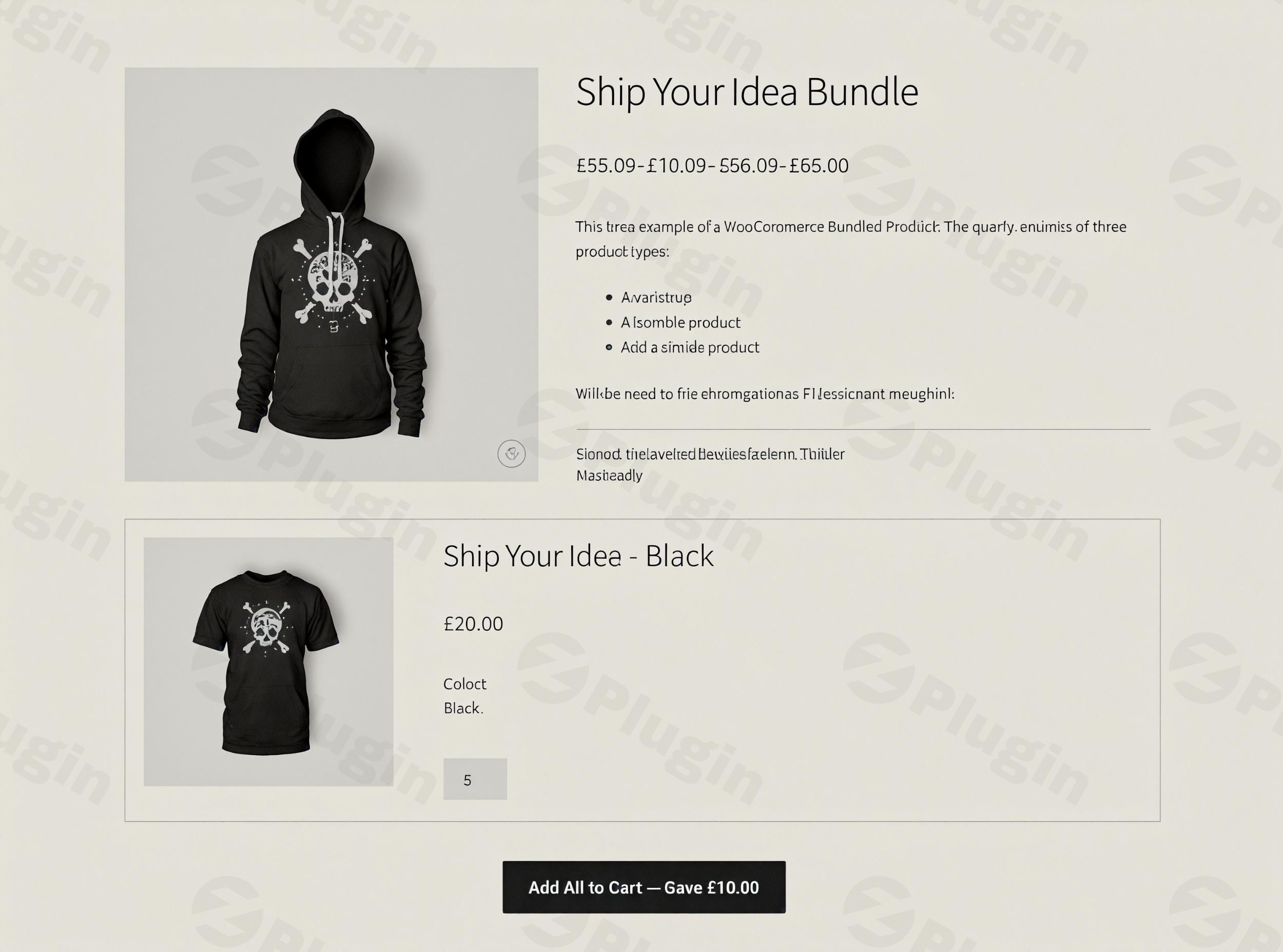
Increasing your average order value (AOV) is one of the most effective ways to scale an e-commerce store without increasing your traffic costs. Iconic WooCommerce Bundled Products is a premium WooCommerce product bundles plugin designed to help store owners create attractive, high-converting product packages. Whether you want to build curated gift sets, “Shop the Look” outfits, or simple bulk discount kits, this plugin provides the technical flexibility and user-friendly interface needed to turn single-item shoppers into multi-item buyers.
Key Features of Iconic WooCommerce Bundled Products
The Iconic WooCommerce Bundled Products plugin goes beyond basic grouping by offering a dedicated “Bundled Product” type. This allows for a more sophisticated shopping experience than standard WooCommerce grouped products.
1. Flexible Product Bundling
You can create product bundles in WooCommerce by grouping any combination of items. This is ideal for:
- Lookbooks: Selling an entire outfit as a single curated selection.
- Gift Kits & Hampers: Combining smaller items into a themed gift package.
- Starter Packs: Offering everything a new customer needs to get started with your brand.
2. Advanced Pricing Controls
Pricing is the core of a successful bundle strategy. This plugin allows you to:
- Set Custom Prices: Choose a fixed price for the entire bundle.
- Dynamic Range Pricing: Display a price range based on the options a customer selects.
- Automatic Discounts: Show customers exactly how much they save by buying the bundle versus individual items.
3. Full Support for Variable Products
One of the most common questions is, “Does Iconic WooCommerce Bundled Products work with variable products?” The answer is yes. Customers can select specific variations (like size, color, or material) for each item within the bundle directly from the product page before adding the set to their cart.
4. Smart Inventory Management
To maintain a high-quality user experience, the plugin tracks the stock levels of every component. If a single item in the bundle is “Out of stock,” the bundle automatically updates to reflect this, preventing overselling and customer frustration.
5. Developer-Friendly and Performant
Built with clean code, the plugin supports High-Performance Order Storage (HPOS) and is compatible with the latest WordPress and WooCommerce versions. For agencies and developers, it offers an extensive hook system for deep UI/UX customization.
How to Install and Set Up Your First Bundle
Setting up your WooCommerce bundled products is straightforward. Follow these steps to get your first bundle live:
- Install the Plugin: Download the .zip file from your Iconic account. Navigate to
Plugins > Add New > Upload Pluginin your WordPress dashboard and activate it. - Create a New Product: Go to
Products > Add New. - Select Product Type: In the “Product Data” dropdown menu, select Bundled Product.
- Add Products to the Bundle: Navigate to the “Bundled Products” tab that appears. Search for and add the individual products you want to include.
- Configure Options: For each item, choose whether it is optional or mandatory. You can also set specific quantities for each item.
- Set Pricing & Layout: Navigate to the “General” tab to set your bundle price and choose your preferred layout style.
- Publish: Add your product images and descriptions, then hit Publish.
Practical Usage & Best Practices
To get the most out of this WooCommerce product bundles plugin, consider these professional workflows:
Use Case 1: The “Shop the Look” Strategy
Ideal for fashion and home decor stores, “Shop the Look” encourages customers to buy an entire aesthetic. Use a high-quality lifestyle image as the main product photo and use the “Add All to Cart” button to make the purchase process frictionless.
Use Case 2: Tiered Discount Kits
Create “Essentials,” “Pro,” and “Ultimate” bundles. By offering a higher percentage discount on the “Ultimate” bundle, you guide customers toward higher-spend options. This is a proven method to bundle products in WooCommerce while maximizing profit margins.
Best Practices for AI Search & SEO:
- Clear Naming: Use descriptive titles for your bundles that include keywords like “Set,” “Kit,” or “Collection.”
- Unique Descriptions: Don’t just copy descriptions from the individual products. Write a unique value proposition for why these items belong together.
- Mobile Optimization: Ensure your bundle layouts look clean on mobile, as multi-product pages can sometimes become cluttered.
FAQ & Troubleshooting
What is Iconic WooCommerce Bundled Products?
Iconic WooCommerce Bundled Products is a professional WordPress plugin that allows store owners to group multiple products into a single “Bundled Product” type. It enables custom pricing, dynamic inventory tracking, and variation selection to help increase sales and average order value.
How to add bundled products in WooCommerce using this plugin?
After activating the plugin, go to the “Add New Product” screen in WooCommerce. From the “Product Data” dropdown, select “Bundled Product.” You can then use the “Bundled Products” tab to search for and add existing products to your new package.
Is it compatible with WooCommerce Subscriptions?
Yes, the plugin supports various product types, including simple, variable, and subscription products, allowing you to create recurring revenue bundles.
Can I offer a fixed discount on the total bundle price?
Absolutely. You can set a fixed price for the entire bundle that is lower than the sum of the individual parts, and the plugin can display the “Savings” to the customer on the product page.
What happens if an item in the bundle is out of stock?
The plugin features real-time inventory synchronization. If a mandatory item within a bundle goes out of stock, the entire bundle will be marked as “Out of stock” to prevent order fulfillment issues.
Conclusion: Is This the Best Plugin for WooCommerce Product Bundles?
If you are looking for a robust, developer-friendly, and sales-focused solution, Iconic WooCommerce Bundled Products is a top-tier choice. While there are several WooCommerce product bundles plugins on the market, Iconic stands out due to its seamless integration with variable products and its performance-optimized architecture (supporting HPOS).For store owners who want to move beyond basic product listings and start implementing advanced merchandising strategies like “Shop the Look” or discounted kits, this plugin provides an excellent return on investment. It simplifies the complex logic of inventory and pricing, allowing you to focus on what matters most: growing your business at wppick.com.
I. Download Limits & Account Benefits
- Free Downloads: Each email address receives 3 downloads per day for free products
- Upgrade Benefits: Purchase any paid product to increase your daily download limit by 3 for each paid product
- No Account Required: You can download immediately by receiving the download link via email
- Account Recommended: Create an account for easier access to your order history and direct update downloads
II. Understanding GPL vs Official Versions
Important: The products available on WPPick are GPL-licensed versions, which differ from official developer versions. Before purchasing, please read our comprehensive guide: Understanding GPL & Official Differences at WPPick
Key Points:
- GPL versions may not include premium support from original developers
- Updates may be delayed compared to official releases
- Some premium features might have limitations
- Always consider your specific needs and support requirements
III. Support & Assistance
We’re here to help through multiple channels:
- Email Support: Direct email assistance for all inquiries
- Live Chat: Real-time support during business hours
- Comprehensive Documentation: Detailed guides and tutorials
IV. Order Tracking
Access your complete purchase history and download links anytime: Order History
V. Account Access
New to WPPick? Login or Create Account to manage your downloads and orders efficiently.
VI. Refund Protection
We stand behind our products with a clear refund policy. Review our terms: Refund Policy
VII. Privacy & Security
Your data security is our priority. Learn how we protect your information: Privacy Policy
VII. Terms of Service
Understanding our service terms ensures a smooth experience: Terms of Use
Quick Tips for Best Experience
- Verify Compatibility: Check plugin/theme compatibility with your WordPress version
- Backup First: Always backup your site before installing new plugins or themes
- Test Environment: Consider testing on a staging site first
- Stay Updated: Regularly check for updates in your account dashboard
- Read Documentation: Review any included documentation for optimal setup
Need Help?
If you have questions about downloads, licensing, or need technical assistance, don’t hesitate to contact our support team. We’re committed to ensuring you have the best possible experience with WPPick products.
Ready to get started? Your download adventure begins with just one click!
- Gallery when bundled product is embedded