

Iconic Woocommerce Custom Fields For Variations
/Year
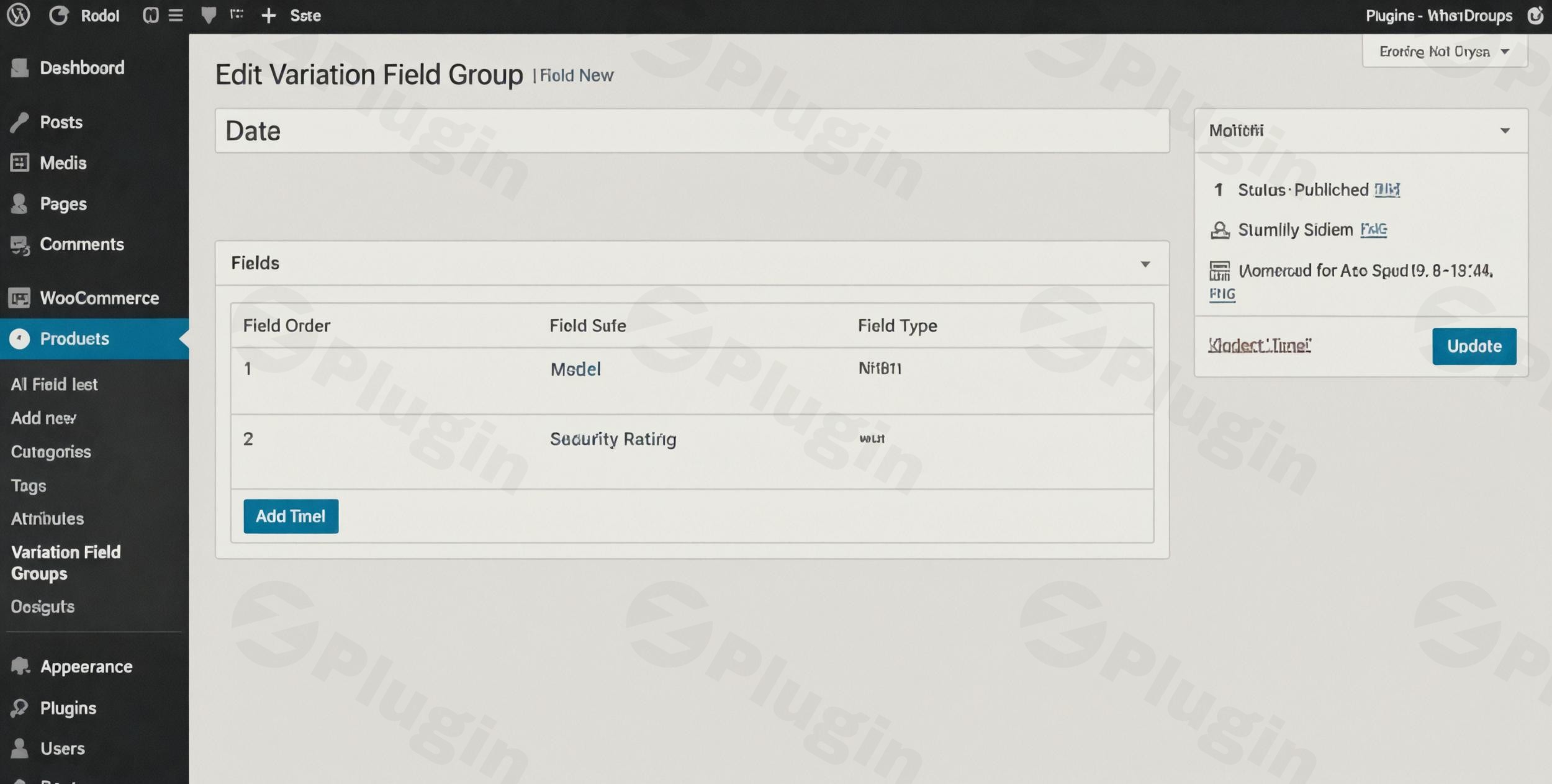
By default, WooCommerce allows you to create variable products like t-shirts in different sizes or colors. However, it often falls short when you need to provide specific, unique data for each of those variations—such as washing instructions, material compositions, or specific dimensions. This is where WooCommerce custom fields for variations become essential.Iconic WooCommerce Custom Fields for Variations is a premium plugin designed to bridge this gap. It allows store owners to attach rich, organized data to individual product variations, improving the customer experience and streamlining back-end management. Whether you need to display technical specifications or internal warehouse notes, this plugin provides the structure necessary for a professional eCommerce setup.
Key Features of Iconic WooCommerce Custom Fields for Variations
This plugin goes beyond simple text boxes. It provides a robust framework for managing complex product data across your entire catalog. Here are the core benefits:
- Site-Wide Custom Fields: Instead of manually adding fields to every single product, you can create site-wide fields. This ensures consistency across your store and saves hours of administrative work.
- Diverse Field Types: To cater to different data needs, the plugin supports a wide range of field types, including:
- Text & Text Area: For descriptions or short notes.
- Select (Dropdown), Checkboxes, & Radio Buttons: For standardized options.
- Number: For dimensions, weights, or quantities.
- Image Fields: To show specific variation-related icons or diagrams.
- Smart Field Grouping: You can organize your custom fields into logical groups with specific headings. This makes the “Edit Product” screen cleaner for admins and the front-end display more intuitive for customers.
- Conditional Display Logic: You can set fields to appear only when a specific variation is selected. This prevents “information overload” by ensuring customers only see data relevant to the specific item they are viewing.
- Seamless Theme Integration: One of the plugin’s biggest strengths is its ability to adopt your existing WooCommerce theme’s styling automatically. It looks like a native part of your site right out of the box.
- Shortcode Support: For advanced layouts, use the provided shortcodes to display variation information anywhere on your product page or in custom tabs.
How to Install and Set Up WooCommerce Custom Fields for Variations
Setting up the plugin is straightforward, even if you aren’t a developer. Follow these steps to start adding extra information to your product variations.
- Download and Install: Purchase the plugin from IconicWP. Log in to your WordPress dashboard, go to Plugins > Add New > Upload Plugin, and select the .zip file.
- Activate: Once uploaded, click Activate.
- Create Your First Field: Navigate to WooCommerce > Custom Variation Fields. Click “Add New” to create a field group.
- Configure Field Settings:
- Give your field a Label (e.g., “Fabric Care”).
- Select the Field Type (e.g., Text Area).
- Choose where it appears (e.g., show on the product page, or keep it for admin eyes only).
- Add Data to Products: Go to any Variable Product in your store. Scroll down to the Variations tab. You will now see your new custom fields within each individual variation. Fill in the data and click Save Changes.
- Verify on Front-end: Open the product on your live site. Select a variation from the dropdown, and you will see the custom data appear instantly below the variation selection.
Practical Usage & Best Practices
To get the most out of Iconic WooCommerce Custom Fields for Variations, it is helpful to look at how successful stores use it in real-world workflows.
1. Technical Specifications for Electronics or Tools
If you sell power tools, a “Standard” version and a “Pro” version may have different battery life or torque ratings. Using custom fields allows you to display these specific specs only when the user selects that variation, helping them make an informed purchase.
2. Fabric & Material Details for Apparel
For clothing brands, different colors of the same shirt might be made of different material blends (e.g., 100% Cotton vs. Tri-blend). Use a “Material” custom field to ensure customers know exactly what they are buying.
3. Internal Logistics (Admin Only)
You can use these fields to store internal data that is hidden from the customer, such as a “Warehouse Bin Location” or “Supplier ID.” This makes the plugin an excellent tool for improving fulfillment efficiency.
Pro Tip for SEO & AI Search:
When adding data to these fields, use natural language. Instead of just “Cotton,” write “Made from 100% organic breathable cotton.” AI-driven search engines (like Google SGE or ChatGPT) look for these descriptive snippets to answer user queries like “Which version of this shirt is best for summer?”
FAQ & Troubleshooting
What is the difference between this and WooCommerce “Add-ons”?
This plugin is for Store Admins to provide more information about a product variation. It is not intended for customers to input their own data (like custom engravings or file uploads). For customer-side customization, you would need a product “Add-ons” plugin.
Is Iconic WooCommerce Custom Fields for Variations compatible with Elementor?
Yes. While it integrates naturally with standard themes, if you are using an Elementor Pro single product template, you may need to use a shortcode or a dynamic tag to fetch the variation data, as the plugin typically hooks into the default WooCommerce “After Variation” location.
Does this plugin support WooCommerce CSV Export/Import?
Yes. You can export and import your variation custom field data using the standard WooCommerce importer/exporter, provided you map the custom meta fields correctly. This is ideal for bulk-updating thousands of products.
Can I show these fields in the cart or checkout?
By default, the plugin displays information on the single product page. However, through the settings, you can often enable the display of this data in the cart and checkout pages to reinforce the customer’s selection before they pay.
Conclusion: Final Verdict
If you are looking for the best way to add custom fields to WooCommerce variations, Iconic’s solution is the gold standard. It avoids the bloat of larger “Product Option” plugins by focusing specifically on variation data management. For store owners using wppick.com to optimize their tech stack, this plugin provides a significant ROI by reducing customer support inquiries and improving the clarity of your product offerings. It is a lightweight, professional, and developer-friendly tool that ensures your variable products are as detailed and high-converting as possible.
I. Download Limits & Account Benefits
- Free Downloads: Each email address receives 3 downloads per day for free products
- Upgrade Benefits: Purchase any paid product to increase your daily download limit by 3 for each paid product
- No Account Required: You can download immediately by receiving the download link via email
- Account Recommended: Create an account for easier access to your order history and direct update downloads
II. Understanding GPL vs Official Versions
Important: The products available on WPPick are GPL-licensed versions, which differ from official developer versions. Before purchasing, please read our comprehensive guide: Understanding GPL & Official Differences at WPPick
Key Points:
- GPL versions may not include premium support from original developers
- Updates may be delayed compared to official releases
- Some premium features might have limitations
- Always consider your specific needs and support requirements
III. Support & Assistance
We’re here to help through multiple channels:
- Email Support: Direct email assistance for all inquiries
- Live Chat: Real-time support during business hours
- Comprehensive Documentation: Detailed guides and tutorials
IV. Order Tracking
Access your complete purchase history and download links anytime: Order History
V. Account Access
New to WPPick? Login or Create Account to manage your downloads and orders efficiently.
VI. Refund Protection
We stand behind our products with a clear refund policy. Review our terms: Refund Policy
VII. Privacy & Security
Your data security is our priority. Learn how we protect your information: Privacy Policy
VII. Terms of Service
Understanding our service terms ensures a smooth experience: Terms of Use
Quick Tips for Best Experience
- Verify Compatibility: Check plugin/theme compatibility with your WordPress version
- Backup First: Always backup your site before installing new plugins or themes
- Test Environment: Consider testing on a staging site first
- Stay Updated: Regularly check for updates in your account dashboard
- Read Documentation: Review any included documentation for optimal setup
Need Help?
If you have questions about downloads, licensing, or need technical assistance, don’t hesitate to contact our support team. We’re committed to ensuring you have the best possible experience with WPPick products.
Ready to get started? Your download adventure begins with just one click!
- Default value not working for Select, Radio and Checkbox fields types