Close Menu
  • Themes
  • Plugins
  • Pricing
  • Affiliate Program
X (Twitter) Instagram TikTok
Wordpress Pick
  • Themes
  • Plugins
  • Pricing
  • Affiliate Program
Login / Register
Wordpress Pick
Home » Plugin » Design and Customization » Design and Customization » Image Map Pro For WordPress – Interactive Svg Image Map Builder

Image Map Pro For WordPress – Interactive Svg Image Map Builder

Free
$0

/Year

H
M
S
Create stunning, interactive image maps effortlessly on WordPress. Boost engagement now!

4.5

Rating summary

0

Reviews

83K+

Active installations

View Official Website
VirusTotal Scan
Checkout Now Added to cart

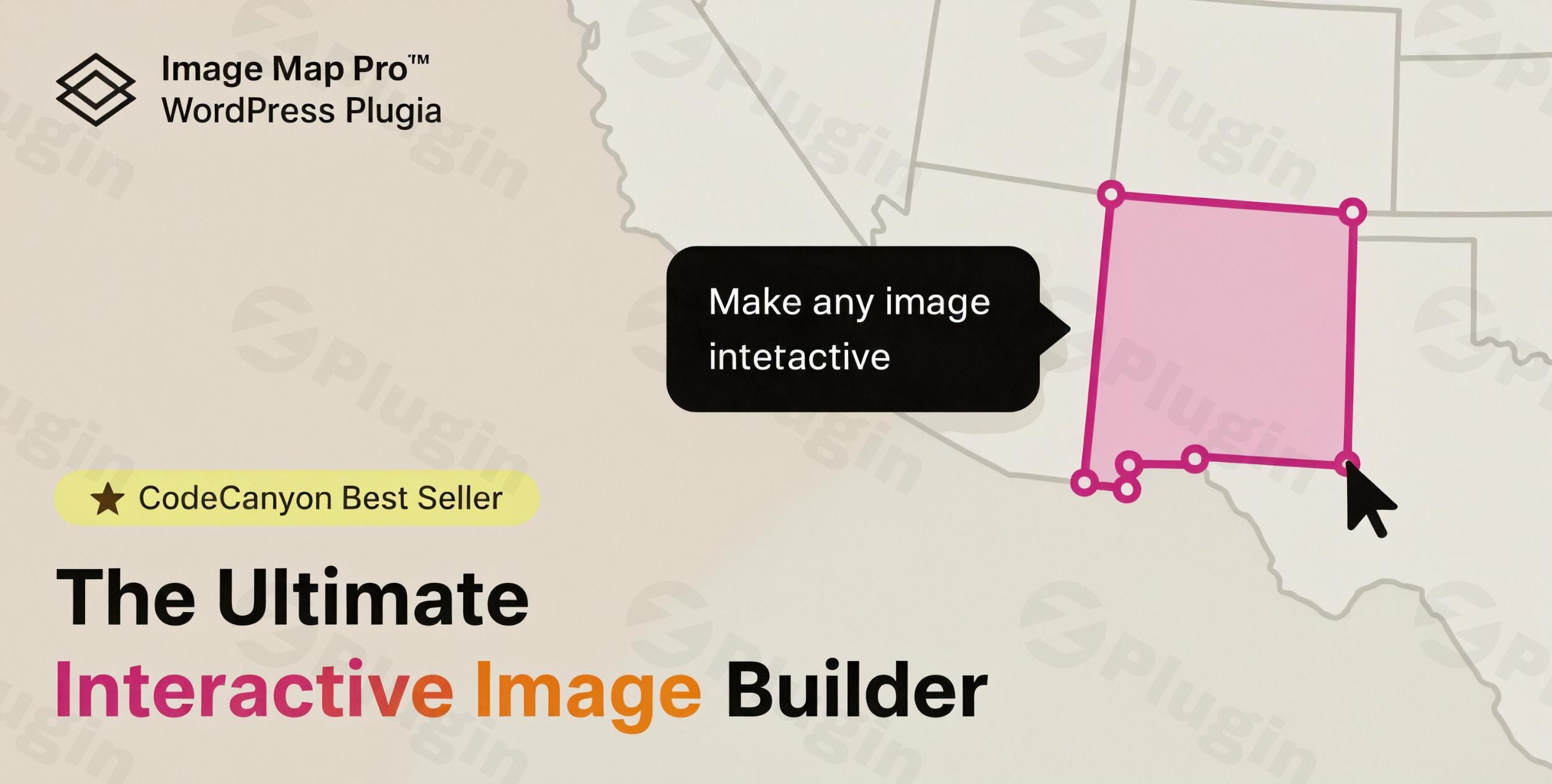
Transforming static images into engaging, clickable experiences is no longer a task reserved for developers. With Image Map Pro for WordPress, you gain access to a powerful interactive SVG image map builder that allows you to craft captivating visuals without writing a single line of code. This robust WordPress image map plugin is designed to significantly enhance user engagement on your website, making it an indispensable tool for businesses, educators, marketers, and content creators looking to add an interactive layer to their visual content.Whether you’re showcasing product features, creating interactive floor plans, or building informative infographics, Image Map Pro empowers you to add custom pins, vector shapes, and rich-content tooltips to any image. It tackles the common challenge of making visuals dynamic and informative, directly within your WordPress environment.

Key Features that Make Image Map Pro Stand Out

Image Map Pro for WordPress offers a comprehensive suite of features engineered for both flexibility and ease of use. It’s built to provide an intuitive experience while delivering advanced interactive capabilities.

Advanced Drag-and-Drop Editor

At the heart of Image Map Pro is its sophisticated web-app-like editor. This drag-and-drop image map interface simplifies the creation and editing process, allowing you to visually design your interactive images with precision. The editor includes a step-by-step guide to help you get started quickly, along with essential functionalities like zooming, undo, and redo for a seamless workflow.

Rich Content Builder for Tooltips

Elevate your interactive elements with the powerful Content Builder, introduced as “Squares” in version 3.0. This feature allows you to add rich text, images, icons, and even videos to the tooltips of your image map. These tooltips can be structured using a flexible 12-column Bootstrap-style grid, providing ample customization for presenting detailed information directly on hover or click.

Multiple & Custom Shape Options

Unlike many generic solutions, Image Map Pro allows you to draw and edit a variety of shapes. You can choose from standard rectangle, ellipse, and icon shapes, but its unique selling point is the ability to draw custom polygon shapes WordPress. This means you’re not limited to predefined forms, enabling highly precise and creative interactive areas on your images. The plugin is the only one that truly empowers you to draw complex custom shapes directly.

Extensive Icon Library and Custom Uploads

To further enhance your designs, the plugin includes a library of 150 high-quality SVG icons. These icons can be easily integrated into your image maps. For ultimate brand consistency, you also have the option to upload your own custom images, ensuring your interactive elements perfectly align with your site’s aesthetic.

Advanced Styling and Animation Options

Take full control over the visual presentation of your interactive elements. Customize properties such as opacity, fill color, stroke, and corner-radius to perfectly match your site’s design. To add an extra layer of dynamism, separate styles and animations can be applied specifically on mouseover, creating engaging hover effects for your interactive shapes.

Fully Responsive Design for All Devices

In today’s mobile-first world, responsiveness is crucial. Image Map Pro ensures that your interactive images are responsive image hotspot plugin elements, looking great and functioning flawlessly across all devices, including desktops, tablets, and smartphones. For optimal mobile user experience, tooltips can even be configured to appear fullscreen on smaller screens, enhancing readability and interaction.

Customizable Actions for Enhanced Interaction

Beyond simply displaying information, Image Map Pro allows you to define custom actions for your interactive shapes. You can easily turn shapes into direct links, enabling users to navigate to other pages or external resources. Tooltips can be set to appear on mouseover or click, giving you flexibility over user interaction. For scenarios where tooltips aren’t needed, you have the option to disable them entirely.

Comprehensive API for Developers

For those with coding expertise, Image Map Pro offers a robust JavaScript and HTML API. This allows developers to extend the plugin’s functionality, enabling the creation of custom features like triggering default tooltips or executing specific JavaScript actions when a user clicks on a shape. This makes it an excellent SVG image map builder with JavaScript API for WordPress.

Installing and Setting Up Image Map Pro for WordPress

Getting Image Map Pro up and running on your WordPress site is a straightforward process, designed for users of all technical skill levels. Here’s a step-by-step guide:

  1. Purchase and Download: First, purchase Image Map Pro from a reputable marketplace (like CodeCanyon) or ZeroPlugin.com. You’ll receive a .zip file containing the plugin.
  2. Upload the Plugin:
    • Log in to your WordPress admin dashboard.
    • Navigate to Plugins > Add New.
    • Click on the “Upload Plugin” button at the top of the page.
    • Click “Choose File”, select the image-map-pro.zip file you downloaded, and then click “Install Now”.
  3. Activate the Plugin: Once the plugin has been successfully installed, click the “Activate Plugin” button.
  4. Access the Editor: After activation, you’ll find a new menu item, typically labeled “Image Map Pro,” in your WordPress dashboard sidebar. Click on this to launch the plugin’s advanced drag-and-drop editor.
  5. Start Creating: Inside the editor, you can upload an image, then begin adding shapes, icons, and tooltips. The intuitive interface will guide you through the process of designing your first interactive image map. A built-in step-by-step guide is also available to help you quickly master the editor.

Practical Usage & Best Practices with Image Map Pro

How to make an interactive image in WordPress? Image Map Pro makes it simple, enabling a wide range of practical applications for various types of websites. Here are a few concrete use cases and best practices:

  1. Interactive Product Showcases for eCommerce:
    • Use Case: An online store selling electronics can upload a high-resolution image of a product (e.g., a laptop). Using Image Map Pro, they can create custom polygon shapes over specific components (screen, keyboard, ports) and attach tooltips detailing features, specifications, or even short video demonstrations for each part. Shapes can link to individual product pages or reviews. This is an ideal WordPress plugin for interactive product features with tooltips.
    • Best Practice: Keep tooltip content concise and to the point. Use a mix of text, images, and icons for visual appeal. Ensure links open in new tabs to keep users on the product page.
  2. Educational Infographics and Diagrams:
    • Use Case: An educational website or a course creator can transform complex diagrams or anatomical charts into interactive learning tools. Students can hover over different sections to reveal detailed explanations, definitions, or even quizzes within the tooltips.
    • Best Practice: Use clear, distinct shapes for each interactive area. Leverage the Content Builder to include rich media that aids understanding, such as embedded videos or audio explanations.
  3. Interactive Floor Plans and Real Estate Listings:
    • Use Case: Real estate agencies or businesses with physical locations (e.g., event venues, museums) can create interactive floor plan WordPress layouts. Users can click on different rooms, sections, or facilities to see photos, descriptions, or virtual tours of each area. The “multiple floors/layers” feature is particularly useful here.
    • Best Practice: Optimize image sizes for performance. Clearly label interactive areas. For larger, complex maps, utilize the connected shapes and layer system to manage elements effectively.
  4. Team Member or Company Directory:
    • Use Case: A corporate website can display an image of their team or office layout. Hovering over each team member’s photo or office desk reveals their name, title, contact information, and a brief bio in a tooltip.
    • Best Practice: Ensure consistent styling for all interactive elements. Keep the tooltip content professional and updated. Consider adding a “click to email” action for direct contact.

FAQ & Troubleshooting

Here are answers to some common questions about Image Map Pro for WordPress:

What is Image Map Pro For WordPress?

Image Map Pro for WordPress is a premium WordPress plugin that enables users to create highly customizable and interactive image maps. It provides a drag-and-drop editor to add clickable areas (hotspots) with rich-content tooltips, custom shapes, and actions to any image, without requiring any coding knowledge. Its primary purpose is to enhance user engagement and deliver information visually.

How do I make an interactive image in WordPress?

To make an interactive image in WordPress using Image Map Pro, first, install and activate the plugin. Then, navigate to the “Image Map Pro” menu in your WordPress dashboard to launch the visual editor. Upload your desired image, then use the editor’s tools to draw shapes (rectangles, circles, polygons) or add icons. Configure these shapes to display tooltips (with text, images, videos) on hover or click, or to link to other pages. Finally, embed the generated image map into your posts or pages using its shortcode or Gutenberg block.

Can Image Map Pro create custom polygon hotspots?

Yes, Image Map Pro is distinguished by its ability to create custom polygon shapes WordPress hotspots. While it supports standard shapes like rectangles and ellipses, its advanced editor allows users to draw complex, freeform polygon shapes directly onto their images. This feature provides unparalleled precision and flexibility for defining interactive areas that perfectly match the contours of specific elements within your images.

Is Image Map Pro mobile responsive?

Absolutely. Image Map Pro is mobile responsive by design. All interactive image maps created with the plugin are fully optimized to display beautifully and function seamlessly across various devices, including desktops, tablets, and smartphones. It also includes an option to make tooltips fullscreen on mobile devices to ensure optimal readability and user experience on smaller screens.

Is Image Map Pro compatible with popular WordPress page builders?

Yes, Image Map Pro is designed for broad compatibility within the WordPress ecosystem. It integrates smoothly with popular page builders such as Elementor and WPBakery Page Builder, allowing you to easily embed your interactive image maps into pages built with these tools. The plugin is also fully Gutenberg Ready, meaning you can use its dedicated block within the native WordPress editor for seamless content creation.

Conclusion: Elevate Your Visual Content with Image Map Pro

Image Map Pro for WordPress stands as a robust and highly effective solution for anyone looking to add dynamic, interactive elements to their WordPress website. Its intuitive drag-and-drop editor, coupled with advanced features like custom polygon shapes, a rich content builder for tooltips, and comprehensive styling options, makes it a powerful tool for enhancing user engagement.By empowering users to create interactive SVG image maps without needing to code, the plugin offers significant ROI for content marketers, eCommerce store owners, educators, and agencies. It’s a reliable choice for transforming static visuals into captivating experiences that inform, guide, and convert. With its commitment to regular updates, safety guarantees, and third-party verification, Image Map Pro from ZeroPlugin.com is a trustworthy investment for future-proofing your site’s visual content strategy. If you aim to make your images truly speak to your audience, Image Map Pro is an indispensable WordPress image map plugin.

4.5 206 votes
Plugin Rating

I. Download Limits & Account Benefits

  • Free Downloads: Each email address receives 3 downloads per day for free products
  • Upgrade Benefits: Purchase any paid product to increase your daily download limit by 3 for each paid product
  • No Account Required: You can download immediately by receiving the download link via email
  • Account Recommended: Create an account for easier access to your order history and direct update downloads

II. Understanding GPL vs Official Versions

Important: The products available on WPPick are GPL-licensed versions, which differ from official developer versions. Before purchasing, please read our comprehensive guide: Understanding GPL & Official Differences at WPPick

Key Points:

  • GPL versions may not include premium support from original developers
  • Updates may be delayed compared to official releases
  • Some premium features might have limitations
  • Always consider your specific needs and support requirements

III. Support & Assistance

We’re here to help through multiple channels:

  • Email Support: Direct email assistance for all inquiries
  • Live Chat: Real-time support during business hours
  • Comprehensive Documentation: Detailed guides and tutorials

IV. Order Tracking

Access your complete purchase history and download links anytime: Order History

V. Account Access

New to WPPick? Login or Create Account to manage your downloads and orders efficiently.

VI. Refund Protection

We stand behind our products with a clear refund policy. Review our terms: Refund Policy

VII. Privacy & Security

Your data security is our priority. Learn how we protect your information: Privacy Policy

VII. Terms of Service

Understanding our service terms ensures a smooth experience: Terms of Use

Quick Tips for Best Experience

  1. Verify Compatibility: Check plugin/theme compatibility with your WordPress version
  2. Backup First: Always backup your site before installing new plugins or themes
  3. Test Environment: Consider testing on a staging site first
  4. Stay Updated: Regularly check for updates in your account dashboard
  5. Read Documentation: Review any included documentation for optimal setup

Need Help?

If you have questions about downloads, licensing, or need technical assistance, don’t hesitate to contact our support team. We’re committed to ensuring you have the best possible experience with WPPick products.


Ready to get started? Your download adventure begins with just one click!

March 22, 2026
Version: 6.1.2Latest Release
Bug Fix
  • Fixed a bug that could sometimes prevent buttons inside tooltips from executing custom code.
March 11, 2026
Version: 6.1.1
Bug Fix
  • Bug fixes related to the new SVG import process.
February 28, 2026
Version: 6.1.0
Improvement
  • Major overhaul of the SVG import process. Importing SVGs with "Import as Multiple Objects" checked should work more reliably now.
February 19, 2026
Version: 6.0.42
Other
  • Minor CSS conflict fixes.
January 30, 2026
Version: 6.0.41
Bug Fix
  • Fixed a bug that could sometimes prevent buttons inside tooltips from being clickable.
January 6, 2026
Version: 6.0.39
November 23, 2025
Version: 6.0.38
October 18, 2025
Version: 6.0.37
Other
  • View full changelog on Image Map Pro website
August 4, 2025
Version: 6.0.36
Bug Fix
  • Minor CSS fix, preventing some cases where styles from the theme could affect the widget.
June 13, 2025
Version: 6.0.35
Improvement
  • When editing a tooltip in the editor, the toolbar will now always be visible, even if the tooltip leaves the bounds of the editor.
  • When editing a tooltip in the editor, the bold/italic/etc buttons now handle BR tags correctly.
0 Comments
Inline Feedbacks
View all comments
Image Map Pro For Wordpress
Type:
Plugin
Version:
6.1.2
Last updated:
Jul 6, 2026
License:
GPL v3
Scanned by:
VirusTotal
Categories:
Design and Customization
Tags:
Design
Image
Interactive Maps
Visual Editor
Facebook YouTube LinkedIn Telegram
  • Home
  • Order History
  • Return and Refund Policy
  • Terms of Use
  • Privacy Policy
  • About Us

100 Rue Peel, Montréal, QC H3C 0L8, Canada
© WP Pick. All Rights Reserved.

Type above and press Enter to search. Press Esc to cancel.