

Inkscape – Tattoo WordPress Theme
/Year
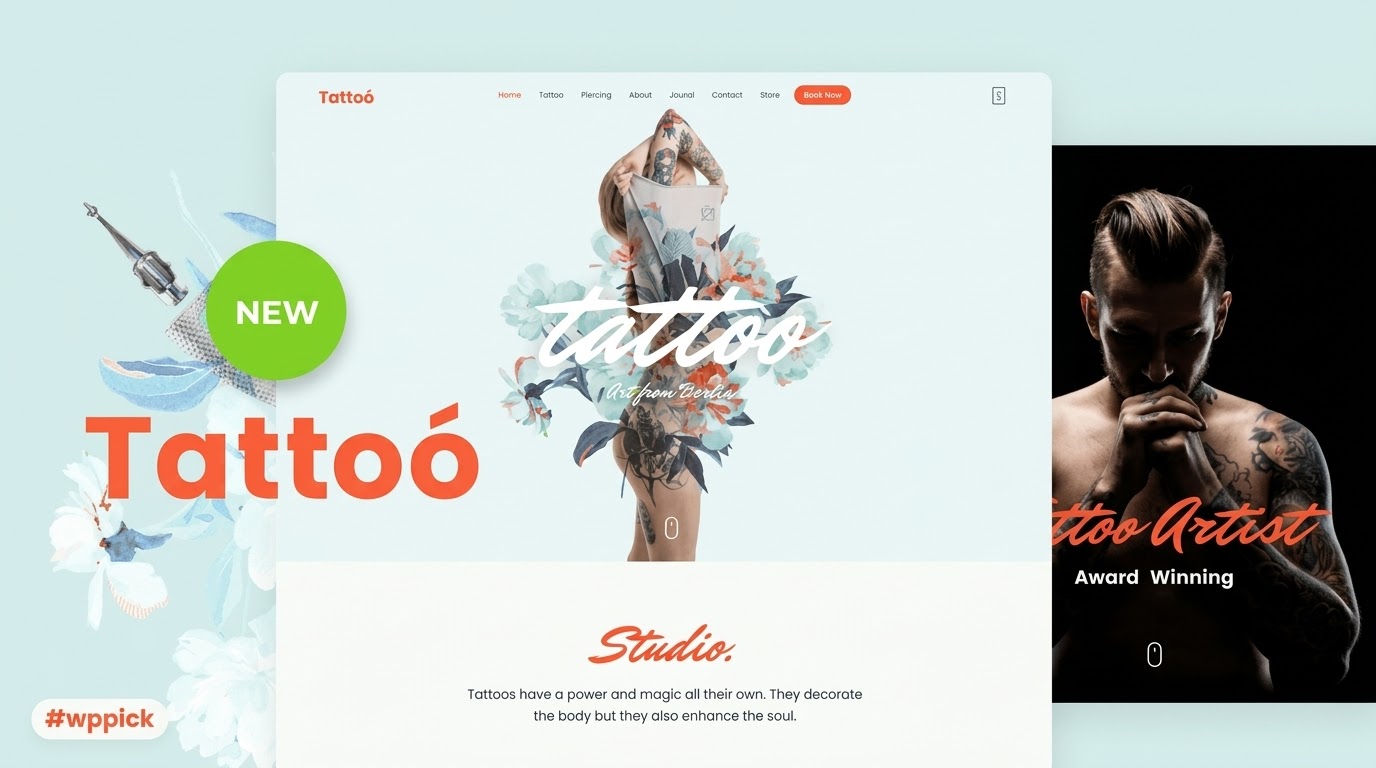
Elevate Your Tattoo Studio Online Presence
Inkscape is a premium WordPress theme meticulously crafted for tattoo artists, piercing studios, and body modification professionals. Establishing a visually striking digital storefront is essential for showcasing intricate flash art and pristine body modifications. Inkscape fulfills this demand by offering an immersive, dark-optimized design framework that makes color and black-and-grey artwork stand out vividly. It eliminates the need for complex multi-plugin setups by integrating portfolio management, client intake aesthetics, and shop capabilities into a unified, responsive architecture.
Who Should Choose Inkscape?
This theme is engineered specifically for independent tattooists, multi-artist parlors, piercing boutiques, and creative body art collectives. Studio owners looking to move away from generic business templates will find value in its industry-specific layouts. Whether managing an individual artist portfolio or coordinating calendars for an entire shop of resident creators, Inkscape adapts cleanly to match corporate cleanliness or traditional grit.
Key Capabilities and Creative Control
- High-definition media galleries engineered to showcase fine line work, shading, and complex color palettes without losing image fidelity.
- Fully responsive layout configurations ensuring text, design elements, and image carousels remain polished across smartphone and desktop screens.
- Seamless integration with leading appointment scheduling plugins to facilitate smooth consultation requests and booking flows.
- Built-in commercial layout readiness allowing studios to sell merchandise, prints, aftermarket care products, or digital vouchers directly.
- Comprehensive customizer tools providing control over fonts, color schemes, and structural spacing to maintain alignment with physical branding.
Practical WordPress Use Cases
In practice, a multi-artist shop can deploy Inkscape to build distinct, dedicated portfolio pages for each resident creator. This categorization assists potential clients in navigating by specific styles such as traditional, neo-traditional, realism, or tribal art. Additionally, the theme functions effectively for flash day events; studios can build dedicated landing pages featuring available flash sheets, complete with checkout systems for clients to purchase and claim designs ahead of time.
Setup and Environment Compatibility
Inkscape installs smoothly on standard WordPress environments and supports clean interaction with default block tools and popular custom fields. It is recommended to use high-quality, optimized compressed images to preserve site speed while populating the intricate image galleries. The theme works hand-in-hand with core translation setups and standard caching mechanisms to ensure rapid localized loading times for regional clients looking for a nearby shop.
Why Choose Inkscape on WPPick?
Procuring Inkscape through WPPick gives you immediate access to a secure, verified repository file entirely free from arbitrary installation restrictions. Every digital asset is thoroughly inspected automatically for malicious scripts, ensuring your client database and studio scheduling systems remain secure. WPPick provides an efficient, straightforward avenue to test, deploy, and customize high-end niche themes without navigating multi-tiered license walls.
Latest Version Context
Detailed official release notes for version 31.0 are not available from the provided sources. The underlying internal structure indicates maintenance adjustments and minor style definitions within the core CSS files to preserve visual layout consistency. Users looking for a deep historical breakdown should note that vendor versioning systems can display unique numbering progressions depending on the distribution channel.
Frequently Asked Questions
Can I display separate portfolios for different artists on the same site?
Yes, the theme supports flexible categorization structures. You can easily organize your galleries by artist name or specific tattoo style, giving each resident creator a dedicated space to show off their portfolio pieces.
Is this theme compatible with WooCommerce for selling merch?
Inkscape includes styling hooks and layout compatibility built to pair cleanly with major e-commerce tools. You can list retail merchandise, tattoo care ointments, or digital gift cards without breaking the layout design.
Does the theme include a live booking calendar?
Inkscape provides the design framework, localized sections, and call-to-action areas tailored for appointments. It connects seamlessly with standard WordPress scheduling plugins to handle real-time date picking and client intake forms.
Can I adjust the dark design to match a lighter brand identity?
While the theme is natively styled to prioritize a moody, dark artistic aesthetic ideal for body art, the customizer options allow administrators to change color palettes, backgrounds, and text styling to match your shop branding.
How does the theme handle large image files of tattoos?
Inkscape uses responsive image scaling to load appropriate file sizes depending on the user device. For optimal performance, it is always recommended to compress your portfolio photos before uploading them to your WordPress media library.
I. Download Limits & Account Benefits
- Free Downloads: Each email address receives 3 downloads per day for free products
- Upgrade Benefits: Purchase any paid product to increase your daily download limit by 3 for each paid product
- No Account Required: You can download immediately by receiving the download link via email
- Account Recommended: Create an account for easier access to your order history and direct update downloads
II. Understanding GPL vs Official Versions
Important: The products available on WPPick are GPL-licensed versions, which differ from official developer versions. Before purchasing, please read our comprehensive guide: Understanding GPL & Official Differences at WPPick
Key Points:
- GPL versions may not include premium support from original developers
- Updates may be delayed compared to official releases
- Some premium features might have limitations
- Always consider your specific needs and support requirements
III. Support & Assistance
We’re here to help through multiple channels:
- Email Support: Direct email assistance for all inquiries
- Live Chat: Real-time support during business hours
- Comprehensive Documentation: Detailed guides and tutorials
IV. Order Tracking
Access your complete purchase history and download links anytime: Order History
V. Account Access
New to WPPick? Login or Create Account to manage your downloads and orders efficiently.
VI. Refund Protection
We stand behind our products with a clear refund policy. Review our terms: Refund Policy
VII. Privacy & Security
Your data security is our priority. Learn how we protect your information: Privacy Policy
VII. Terms of Service
Understanding our service terms ensures a smooth experience: Terms of Use
Quick Tips for Best Experience
- Verify Compatibility: Check plugin/theme compatibility with your WordPress version
- Backup First: Always backup your site before installing new plugins or themes
- Test Environment: Consider testing on a staging site first
- Stay Updated: Regularly check for updates in your account dashboard
- Read Documentation: Review any included documentation for optimal setup
Need Help?
If you have questions about downloads, licensing, or need technical assistance, don’t hesitate to contact our support team. We’re committed to ensuring you have the best possible experience with WPPick products.
Ready to get started? Your download adventure begins with just one click!
- v31 (2025-05-30)
- style.css