

Intellywp – Inline Related Posts Pro
/Year
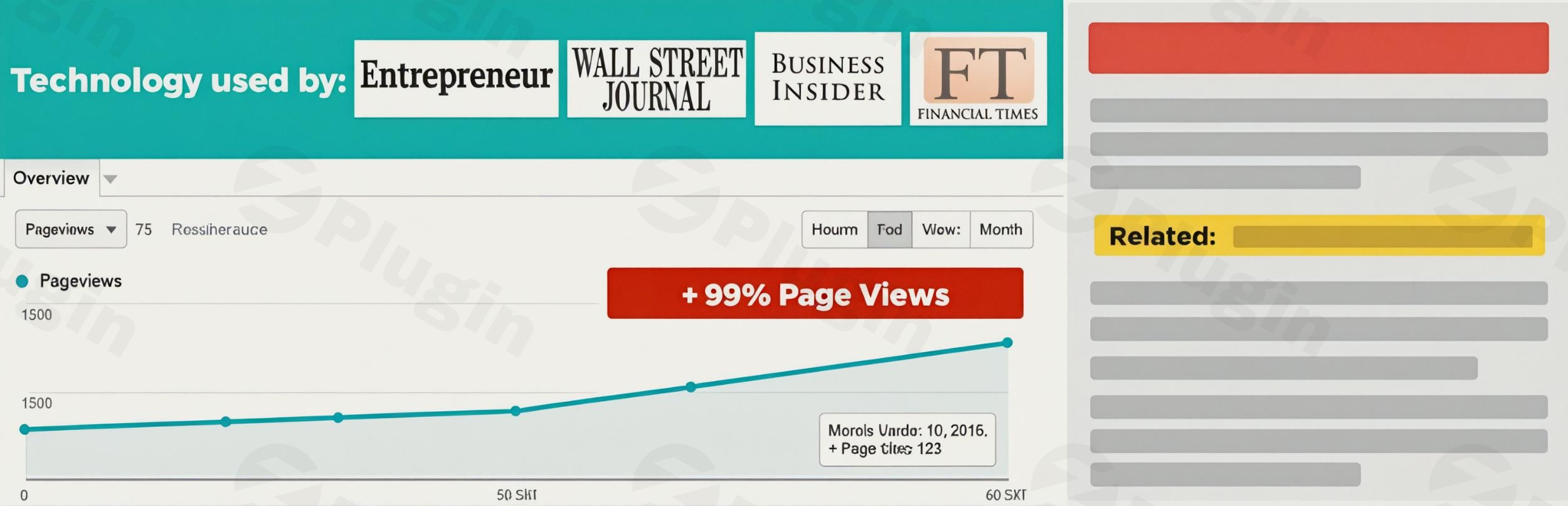
In the competitive landscape of online content, keeping your readers engaged is paramount. Traditional related posts widgets often appear at the very bottom of an article or in sidebars, by which time a reader’s attention may have already waned. This is where Intellywp Inline Related Posts Pro, a premium WordPress inline related posts plugin, emerges as a game-changer. It intelligently embeds inline content recommendations WordPress directly within your articles, ensuring contextually relevant suggestions appear when your audience is most receptive, driving higher page views and significantly reducing bounce rates.Designed for publishers, bloggers, and eCommerce sites, Intellywp Inline Related Posts Pro solves the critical problem of declining on-site engagement. By mimicking the sophisticated content recommendation strategies of major news outlets like the BBC and Wall Street Journal, this plugin turns casual readers into active explorers of your site, improving internal linking and strengthening your overall SEO performance.
Key Features & Benefits That Drive Engagement
Intellywp Inline Related Posts Pro offers a robust suite of Intellywp Pro features designed for automated, seamless, and highly effective content recommendations.
Automatic Inline Insertion with Smart Content Analysis
At its core, the plugin excels at automatically placing related post boxes within the body of your articles. Its advanced algorithm meticulously analyzes paragraph breaks, punctuation, and HTML tags to insert content without disrupting the natural reading flow. This “set and forget” functionality means you don’t need to manually edit every post, making it an ideal WordPress internal linking plugin for content-heavy sites.
Real-Time Preview for Perfect Placement
Save valuable time with the built-in real-time preview feature. As you adjust your settings, you can instantly see how related posts will appear on your pages, ensuring perfect visual integration and optimal user experience before going live.
Customizable Placement & Multiple Display Styles
Gain granular control over where your related post boxes appear. You can define insertion points based on a specific number of paragraphs, opt for random placement, or even use shortcodes for precise manual positioning. The Pro version offers numerous pre-built themes and styles, providing over 20 combinations, allowing you to seamlessly match the related post boxes to your website’s design and branding.
Enhanced Visuals with Featured Images Support
The Pro version elevates the visual appeal and click-through rates by supporting featured images within your related post boxes. This visual cue helps capture attention and further entices readers to click on suggested content.
Unlimited Related Boxes for Comprehensive Coverage
While the free version might limit your related boxes, the Pro version allows for an unlimited number of inline suggestions within your articles. This ensures that every piece of content has ample opportunity to direct readers to more relevant material, helping to boost page views WordPress plugin performance.
SEO Optimization for Improved Visibility
By fostering greater user engagement, increasing dwell time, and generating more internal links, Intellywp Inline Related Posts Pro directly contributes to improved SEO performance. Search engines favor websites that offer a rich and engaging user experience, making this plugin a powerful tool for your content strategy.
Broad Compatibility: Custom Post Types, Taxonomies & WooCommerce
The Pro version extends its powerful functionality beyond standard posts to include custom post types and taxonomies. This flexibility makes it suitable for a wide range of content structures, from portfolios to product catalogs. Crucially, it also offers Intellywp Inline Related Posts Pro WooCommerce compatibility, allowing online stores to suggest related products or blog content directly within product descriptions or blog articles, improving conversion paths.
Shortcode Integration & Exclusion Controls
For ultimate control, the plugin supports shortcodes, giving you the power to place related posts exactly where you want them. Additionally, you have the option to disable inline related posts on specific individual posts or pages, ensuring flexibility for sensitive or unique content.
Lightweight & Responsive Design
Built with lightweight code, the plugin ensures it doesn’t negatively impact your website’s performance – a critical consideration for any related posts solution. Furthermore, the display of related posts is fully responsive and optimized for mobile devices, guaranteeing a consistent experience across all screen sizes.
How to Install Intellywp Inline Related Posts Pro
Installing Intellywp Inline Related Posts Pro is a straightforward process, just like any other premium WordPress plugin. Here’s a step-by-step guide:
- Purchase and Download: First, purchase Intellywp Inline Related Posts Pro from the official vendor website. You will receive a
.zipfile containing the plugin. - Log in to WordPress: Access your WordPress admin dashboard (e.g.,
yourwebsite.com/wp-admin). - Navigate to Plugins: In the WordPress dashboard, go to Plugins > Add New.
- Upload Plugin: Click the “Upload Plugin” button at the top of the page.
- Choose File: Click “Choose File” and select the
.zipfile you downloaded earlier. - Install Now: Click “Install Now”. WordPress will upload and unpack the plugin.
- Activate Plugin: Once installed, click the “Activate Plugin” button.
- Configure Settings: After activation, a new menu item for Intellywp Inline Related Posts Pro will appear in your WordPress dashboard (usually under “Settings” or its own dedicated menu). Navigate to this section to configure your desired settings, placement rules, and display styles. Don’t forget to use the real-time preview to fine-tune your setup!
Practical Usage & Best Practices
Intellywp Inline Related Posts Pro is an indispensable tool for anyone looking to maximize content engagement and conversion. Here are a few practical use cases and best practices:
1. For Bloggers & Content Creators
If you run a blog with a rich archive of articles, this plugin is ideal for automatically surfacing older, relevant content to new readers. Instead of relying solely on categories or tags, the smart algorithm ensures that truly contextual posts are recommended.
- Best Practice: Experiment with placing related posts after 3-5 paragraphs in longer articles to catch readers before they consider leaving. Use featured images to make the recommendations more visually appealing and increase click-through rates. This will effectively reduce bounce rate WordPress sites often experience.
2. For eCommerce Stores (WooCommerce Users)
Beyond traditional blogs, online stores can leverage the Intellywp Inline Related Posts Pro WooCommerce compatibility to recommend products or related content. For example, within a product description for a camera lens, you could embed a link to a blog post titled “5 Tips for Using Your New Camera Lens” or suggest a complementary product like a camera bag.
- Best Practice: Strategically place related product suggestions within detailed product descriptions or blog posts that review product categories. This can guide customers through your sales funnel and boost average order value.
3. For Publishers & News Sites
Emulate the strategy of major news corporations by providing a continuous stream of relevant articles. For news sites, this means keeping readers updated on related developments without forcing them to scroll to the very end of an article.
- Best Practice: Utilize the unlimited related boxes feature to offer a rich exploration path for readers. Ensure that the design of the related boxes is subtle and integrated, maintaining the professional look of your publication.
FAQ & Troubleshooting
Q1: What does Intellywp Inline Related Posts Pro do?
A: Intellywp Inline Related Posts Pro is a premium WordPress plugin that automatically inserts contextually relevant posts directly within the body of your articles. Its primary goal is to boost user engagement, increase page views, and reduce bounce rates by presenting further content options while readers are still actively engaged with an article.
Q2: Is Intellywp Inline Related Posts Pro good for SEO?
A: Yes, Intellywp Inline Related Posts Pro is highly beneficial for SEO. By increasing internal linking, improving user engagement metrics like page views and dwell time, and reducing bounce rates, it signals to search engines that your content is valuable and your site offers a great user experience. These factors contribute positively to your website’s search engine rankings.
Q3: Does Intellywp Inline Related Posts Pro support custom post types?
A: Yes, the Pro version of Intellywp Inline Related Posts supports custom post types and custom taxonomies. This allows for flexible content recommendations across various content structures on your WordPress website, not just standard posts.
Q4: How to customize Intellywp inline related posts appearance?
A: You can customize the appearance of Intellywp inline related posts through the plugin’s settings panel in your WordPress dashboard. The Pro version offers multiple pre-built themes and styles, along with options to enable featured images. The real-time preview feature allows you to see your changes instantly as you adjust settings.
Q5: Is Intellywp Inline Related Posts Pro compatible with WooCommerce?
A: Yes, Intellywp Inline Related Posts Pro is fully compatible with WooCommerce. This means online store owners can leverage its features to recommend related products or relevant blog content directly within product pages or other e-commerce-related content, enhancing the shopping experience and potentially increasing conversions.
Conclusion
Intellywp Inline Related Posts Pro stands out as an exceptional WordPress inline related posts plugin that delivers tangible results for website owners focused on engagement and growth. By intelligently placing content recommendations within the reading flow, it significantly increases page views, reduces bounce rates, and boosts your site’s SEO performance through enhanced internal linking. For any WordPress site serious about converting casual visitors into engaged readers and customers, Intellywp Inline Related Posts Pro offers a powerful, automated, and highly effective solution, making it an invaluable addition to your digital strategy.
I. Download Limits & Account Benefits
- Free Downloads: Each email address receives 3 downloads per day for free products
- Upgrade Benefits: Purchase any paid product to increase your daily download limit by 3 for each paid product
- No Account Required: You can download immediately by receiving the download link via email
- Account Recommended: Create an account for easier access to your order history and direct update downloads
II. Understanding GPL vs Official Versions
Important: The products available on WPPick are GPL-licensed versions, which differ from official developer versions. Before purchasing, please read our comprehensive guide: Understanding GPL & Official Differences at WPPick
Key Points:
- GPL versions may not include premium support from original developers
- Updates may be delayed compared to official releases
- Some premium features might have limitations
- Always consider your specific needs and support requirements
III. Support & Assistance
We’re here to help through multiple channels:
- Email Support: Direct email assistance for all inquiries
- Live Chat: Real-time support during business hours
- Comprehensive Documentation: Detailed guides and tutorials
IV. Order Tracking
Access your complete purchase history and download links anytime: Order History
V. Account Access
New to WPPick? Login or Create Account to manage your downloads and orders efficiently.
VI. Refund Protection
We stand behind our products with a clear refund policy. Review our terms: Refund Policy
VII. Privacy & Security
Your data security is our priority. Learn how we protect your information: Privacy Policy
VII. Terms of Service
Understanding our service terms ensures a smooth experience: Terms of Use
Quick Tips for Best Experience
- Verify Compatibility: Check plugin/theme compatibility with your WordPress version
- Backup First: Always backup your site before installing new plugins or themes
- Test Environment: Consider testing on a staging site first
- Stay Updated: Regularly check for updates in your account dashboard
- Read Documentation: Review any included documentation for optimal setup
Need Help?
If you have questions about downloads, licensing, or need technical assistance, don’t hesitate to contact our support team. We’re committed to ensuring you have the best possible experience with WPPick products.
Ready to get started? Your download adventure begins with just one click!
- Do additional sanitization of inputs (RDU-1629)
- Fix a potential vulnerability