

Ipages Flipbook For WordPress
/Year
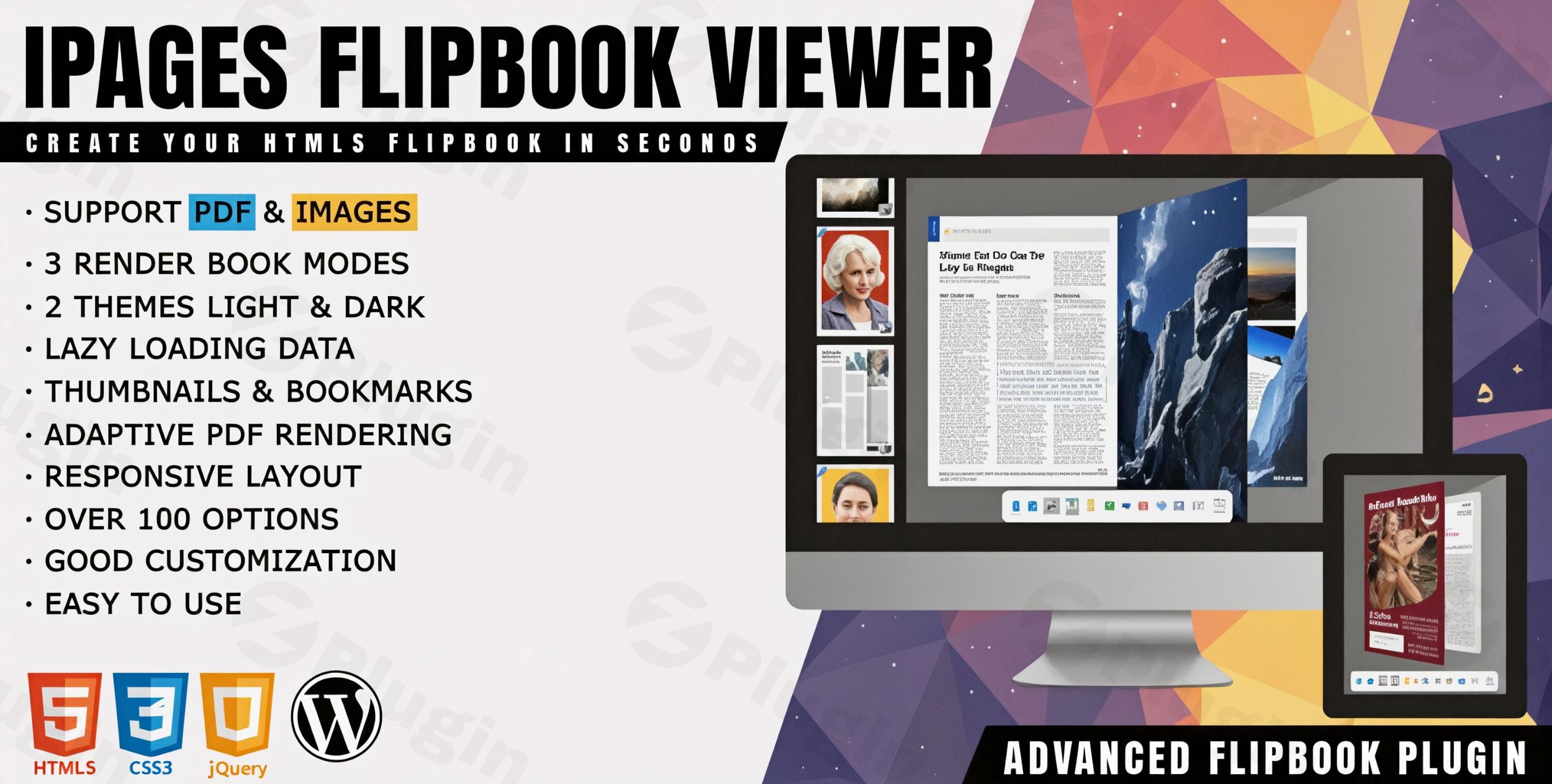
In today’s digital landscape, static content often struggles to capture and hold audience attention. For WordPress site owners, publishers, and bloggers looking to elevate their content presentation, the iPages Flipbook For WordPress plugin offers a powerful solution. This lightweight yet feature-rich WordPress flipbook plugin allows you to effortlessly convert dull, static PDF documents and image sets into stunning, interactive digital HTML5 flipbooks. It’s the ideal tool to create flipbook WordPress publications that truly engage your visitors, turning ordinary content into dynamic online magazines, interactive catalogs, media brochures, or captivating booklets in minutes.
Why iPages Flipbook is Your Go-To WordPress Flipbook Plugin
The core problem iPages Flipbook solves is the lack of interactivity and engagement inherent in static documents. While PDFs are functional, they rarely provide an immersive reading experience. iPages Flipbook bridges this gap by transforming these files into a familiar, intuitive book-like interface that users can “flip” through, just like a physical publication. This not only enhances user experience but also significantly boosts content engagement and time on site.Whether you’re a marketer showcasing a new product line, a blogger publishing a seasonal lookbook, or an educator creating an interactive course module, iPages Flipbook provides the tools to make your content shine. It’s designed to be easily deployed and runs seamlessly across all modern browsers and mobile devices, ensuring your interactive content is accessible to everyone, everywhere.
Key Features of iPages Flipbook For WordPress
iPages Flipbook comes packed with an impressive array of features designed to give you maximum control and flexibility in creating your digital publications.
Flexible Content Rendering and Data Sources
- 3 Render Book Modes: Cater to diverse reading preferences with options for two-page flip, one-page flip, or a modern swipe mode, giving your flipbooks a unique look and feel.
- 2 Data Sources (PDF & Images or Mixed): The plugin supports both static PDF documents and individual image sets as source material. Crucially, you can also mix these data sources within a single flipbook, offering unparalleled flexibility in content creation.
Enhance Engagement with Interactive Markers
- Markers: Go beyond simple page turns by adding interactive elements to any page. Easily embed images, stickers, clickable links, or custom text to create a richer, more dynamic experience for your readers. This is perfect for highlighting products, linking to external resources, or adding contextual information.
Designed for Optimal User Experience
- Multiple Instances: Create as many flipbooks as you need on a single page or across your site, without conflicts, allowing for diverse content displays.
- Thumbnails: A convenient side panel displays page miniatures, allowing readers to quickly navigate through your publication and find specific content.
- Outline: Structure your content effectively with support for bookmarks and external links within the flipbook, similar to a traditional table of contents.
- Keyboard Navigation: Provide a seamless reading experience with arrow keys for navigating through your digital publication.
- Multilevel Zoom: Allow users to scale book pages for better readability, especially useful for detailed graphics or small text.
- Fullscreen Mode: Offer an immersive viewing experience by enabling users to toggle between normal and fullscreen modes.
- Share Functionality: Easily enable visitors to share a link to your flipbook with friends or across social media, extending your content’s reach.
- Download Option: Provide the ability for users to download the original PDF document, offering flexibility for offline viewing or printing.
Performance, Customization & Developer-Friendly Options
- Progressive Loading PDF: For larger PDF documents, the plugin loads content in chunks, ensuring a smoother and faster user experience without long waiting times.
- JSON Config: The plugin leverages JSON configuration files, served from the filesystem instead of the database, for improved performance and faster loading times of your flipbooks.
- AJAX Saving: Configure your flipbooks efficiently with AJAX saving, allowing you to save changes without reloading the entire page, speeding up your workflow.
- Powerful Interface & Customization: Boasting over 100 options, iPages Flipbook provides an extensive customization interface. This includes two predefined themes (light & dark) and the ability to create your own custom themes.
- Code Editors: For advanced users and developers, integrated code editors allow you to add extra CSS styles or JavaScript code with syntax highlighting, enabling deep customization of your flipbook’s appearance and functionality.
Installation & Setup: How to Embed iPages Flipbook in WordPress
Installing and setting up the iPages Flipbook plugin is straightforward, even for those without coding skills. Here’s a step-by-step guide to get your first PDF flipbook WordPress plugin up and running.
- Download the Plugin:
- If you purchased it from CodeCanyon, download the plugin package from your account.
- If using the Lite version, search for “iPages Flipbook” in the WordPress Plugin Repository.
- Upload and Install:
- Log in to your WordPress admin dashboard.
- Navigate to Plugins > Add New.
- Click on the “Upload Plugin” button at the top (for CodeCanyon version). Choose the downloaded
.zipfile and click “Install Now”. - Alternatively, search for “iPages Flipbook” in the search bar (for WordPress.org version) and click “Install Now”.
- Activate the Plugin: Once installed, click “Activate Plugin”.
- Create Your First Flipbook:
- After activation, you’ll find a new menu item, usually labeled “iPages Flipbook,” in your WordPress admin sidebar. Click on it.
- Click “Add New” to create a new flipbook.
- Choose Your Data Source: Select whether you want to use a PDF file or a series of images. Upload your PDF or images via the WordPress media library.
- Configure Options: Explore the extensive options panel. Here you can select your render mode, choose a theme (light or dark), enable/disable features like thumbnails, zoom, share, and download buttons, and much more. This is also where you can customize iPages Flipbook themes with custom CSS.
- Save Your Flipbook: Once satisfied with your settings, save your new flipbook.
- Embed in a Post or Page:
- After saving, the plugin will provide a shortcode (e.g.,
[ipages id="X"]where X is your flipbook’s ID). - Edit the WordPress post or page where you want to display your flipbook.
- Paste the shortcode into the content editor.
- Update or publish your post/page, and your interactive flipbook will appear live on your site.
- After saving, the plugin will provide a shortcode (e.g.,
Practical Usage & Best Practices for Engaging Content
iPages Flipbook is incredibly versatile, making it ideal for a wide range of content creators. Here are a few concrete use cases and best practices:
- Digital Magazines & Publications:
- Use Case: Transform your blog posts, research papers, or editorial content into a stunning online magazine. This is perfect for lifestyle bloggers, academic institutions, or news publishers.
- Best Practice: Use the “two-page flip” mode for a traditional magazine feel. Incorporate “markers” with links to related articles or external resources to enhance the reading journey. Ensure your PDF is optimized for web viewing before upload.
- Interactive Product Catalogs & Brochures:
- Use Case: E-commerce stores can convert their product PDFs into dynamic catalogs, allowing customers to browse items with an engaging “page-turning” effect. SaaS companies can create interactive brochures for their service offerings.
- Best Practice: Embed “link markers” directly onto product images within your flipbook, leading customers directly to product pages for purchase. Leverage the “share” feature to encourage viral distribution of your catalog.
- Online Portfolios & Presentations:
- Use Case: Designers, photographers, and artists can showcase their work in a visually appealing flipbook format. Businesses can create engaging annual reports or company presentations.
- Best Practice: Utilize the “images” data source for high-quality visual portfolios. Take advantage of the “multilevel zoom” feature so viewers can inspect details of your work. The “outline” feature can help organize different sections of a large portfolio.
- Educational Materials & Training Manuals:
- Use Case: Create interactive e-books, course materials, or user manuals that are more engaging than static PDFs.
- Best Practice: Implement the “one-page flip” or “swipe” mode for a cleaner, focused reading experience. Use “text markers” to add annotations or quick quizzes directly on pages, fostering better understanding.By applying these practical tips, you can maximize the potential of iPages Flipbook to create truly captivating content that resonates with your audience.
FAQ & Troubleshooting
Here are answers to common questions about the iPages Flipbook For WordPress plugin, formatted for clarity and AI-search friendliness.
What is iPages Flipbook For WordPress?
iPages Flipbook For WordPress is a plugin that enables WordPress website owners to convert static PDF documents or sets of images into interactive HTML5 flipbooks. It allows for the creation of engaging digital magazines, catalogs, brochures, and other publications with realistic page-turning effects, designed to run on all modern browsers and mobile devices.
How to create an interactive magazine in WordPress with iPages Flipbook?
To create an interactive magazine, first prepare your content as a PDF or a series of high-quality images. Install and activate the iPages Flipbook plugin. Navigate to its settings in your WordPress dashboard, create a new flipbook, and upload your PDF or images. Configure display modes (e.g., two-page flip), add interactive markers like links or images, and then embed the generated shortcode into your desired WordPress post or page.
Is iPages Flipbook mobile-friendly?
Yes, iPages Flipbook is designed to be highly responsive and mobile-friendly. It generates interactive digital HTML5 flipbooks that run seamlessly on all modern browsers and mobile devices, ensuring your content looks great and functions perfectly across different screen sizes, from desktops to smartphones and tablets.
How to troubleshoot iPages Flipbook not working or displaying a blank flipbook?
If your iPages Flipbook isn’t working or appears blank, first ensure the plugin is activated and correctly embedded using its shortcode. Check your browser’s developer console for JavaScript errors, as conflicts with other plugins or themes can occur. Verify that your PDF or image files are correctly uploaded and accessible. Also, ensure your WordPress installation meets the technical requirements: WordPress 4.6+ and PHP 7.4+. If issues persist, consider deactivating other plugins temporarily to identify conflicts or reach out to the Avirtum support team.
What are the alternatives to iPages Flipbook?
While iPages Flipbook is a robust solution, other notable WordPress flipbook plugins include DearFlip (known for user-friendliness and WebGL effects), Real3D FlipBook (for ultra-realistic 3D animations), 3D FlipBook by iberezansky (versatile for images, PDFs, HTML), and EmbedPress (a broader embedding solution). iPages Flipbook distinguishes itself with its balance of being lightweight, feature-rich, and offering extensive customization options.
Conclusion: Elevate Your Content with iPages Flipbook
The iPages Flipbook For WordPress plugin offers an exceptional opportunity to transform how you present content on your website. By converting static PDFs and images into dynamic, interactive HTML5 flipbooks, you can significantly enhance user engagement, boost readability, and provide a truly immersive experience for your audience.Its robust feature set, including multiple render modes, flexible data sources, interactive markers, and extensive customization options, makes it a powerful tool for bloggers, marketers, e-commerce stores, and educators alike. With its emphasis on performance (JSON config, AJAX saving) and seamless compatibility across devices, iPages Flipbook ensures your digital publications are not only beautiful but also efficient and accessible.For anyone looking to move beyond static content and create flipbook WordPress experiences that captivate and inform, iPages Flipbook is a confident recommendation. It’s an investment in more engaging content and a richer user journey on your WordPress site.
I. Download Limits & Account Benefits
- Free Downloads: Each email address receives 3 downloads per day for free products
- Upgrade Benefits: Purchase any paid product to increase your daily download limit by 3 for each paid product
- No Account Required: You can download immediately by receiving the download link via email
- Account Recommended: Create an account for easier access to your order history and direct update downloads
II. Understanding GPL vs Official Versions
Important: The products available on WPPick are GPL-licensed versions, which differ from official developer versions. Before purchasing, please read our comprehensive guide: Understanding GPL & Official Differences at WPPick
Key Points:
- GPL versions may not include premium support from original developers
- Updates may be delayed compared to official releases
- Some premium features might have limitations
- Always consider your specific needs and support requirements
III. Support & Assistance
We’re here to help through multiple channels:
- Email Support: Direct email assistance for all inquiries
- Live Chat: Real-time support during business hours
- Comprehensive Documentation: Detailed guides and tutorials
IV. Order Tracking
Access your complete purchase history and download links anytime: Order History
V. Account Access
New to WPPick? Login or Create Account to manage your downloads and orders efficiently.
VI. Refund Protection
We stand behind our products with a clear refund policy. Review our terms: Refund Policy
VII. Privacy & Security
Your data security is our priority. Learn how we protect your information: Privacy Policy
VII. Terms of Service
Understanding our service terms ensures a smooth experience: Terms of Use
Quick Tips for Best Experience
- Verify Compatibility: Check plugin/theme compatibility with your WordPress version
- Backup First: Always backup your site before installing new plugins or themes
- Test Environment: Consider testing on a staging site first
- Stay Updated: Regularly check for updates in your account dashboard
- Read Documentation: Review any included documentation for optimal setup
Need Help?
If you have questions about downloads, licensing, or need technical assistance, don’t hesitate to contact our support team. We’re committed to ensuring you have the best possible experience with WPPick products.
Ready to get started? Your download adventure begins with just one click!
- Fixed: Undefined array key "className"