
Jajalum
/Year
Introduction to Jajalum
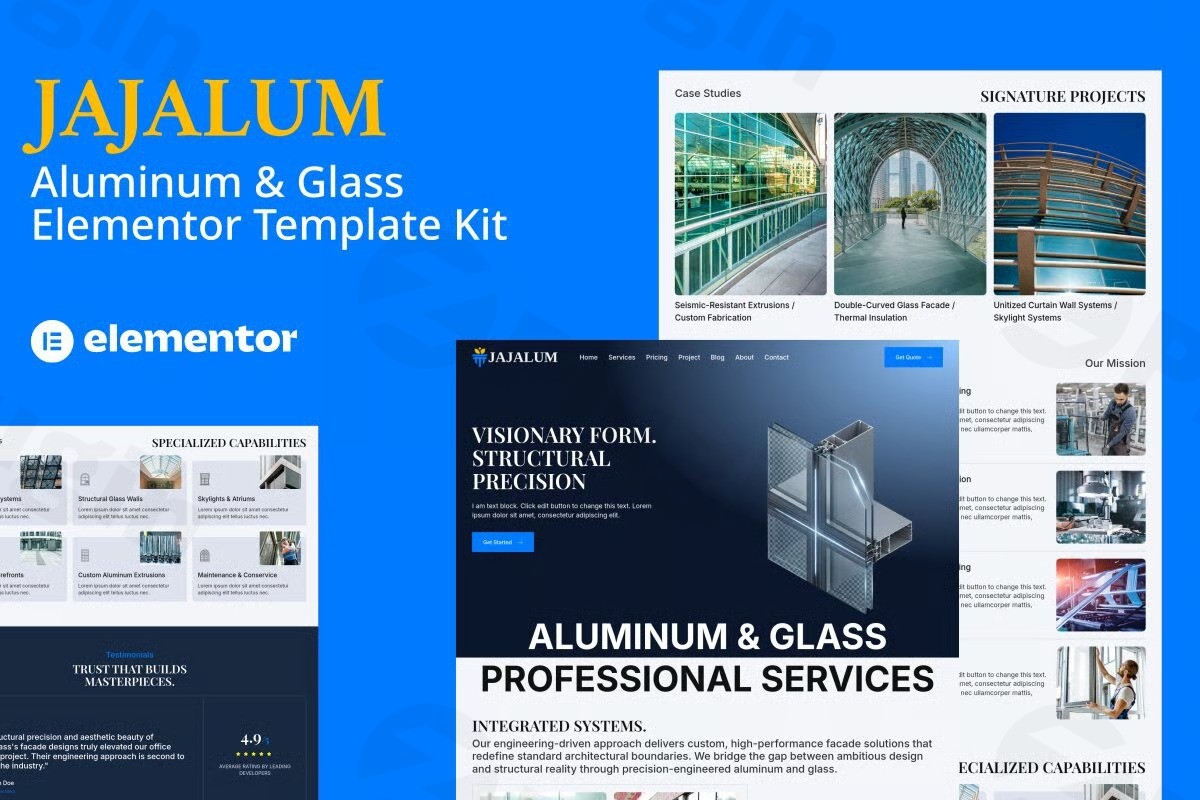
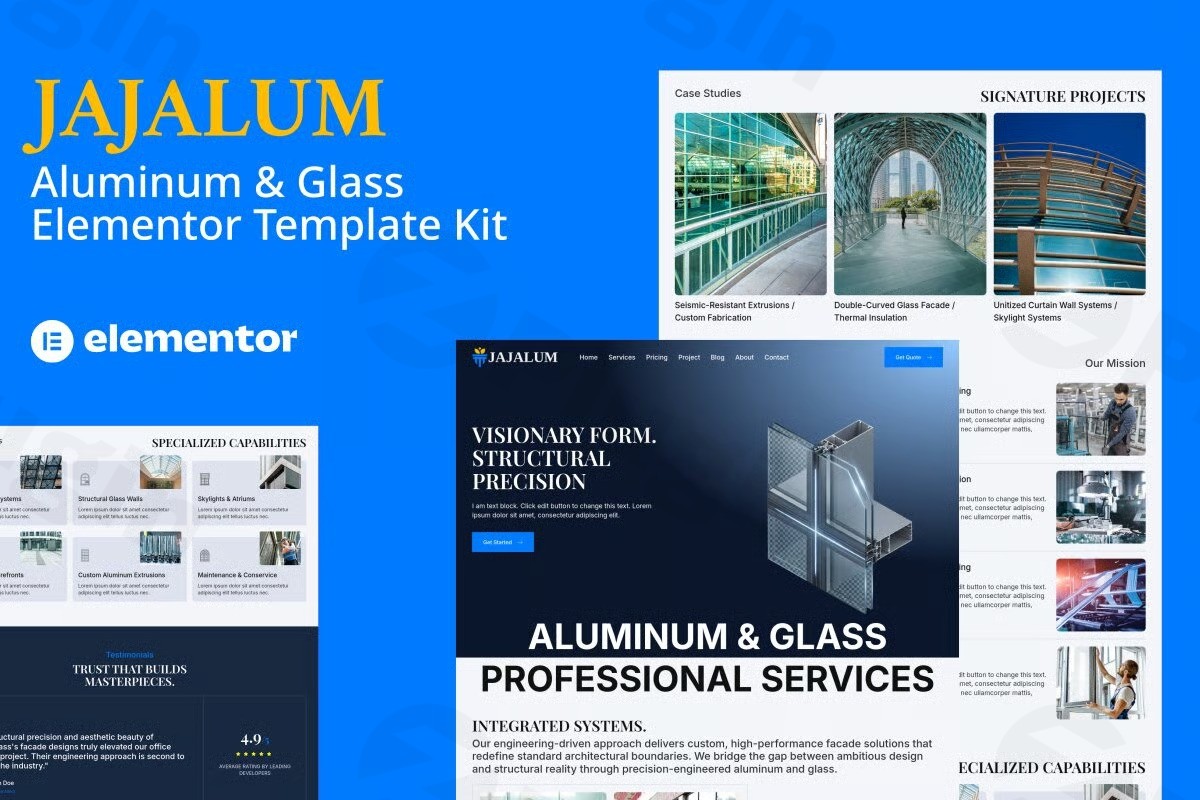
Jajalum is a specialized Elementor Pro template kit designed specifically for businesses operating in the aluminum and glass manufacturing, window installation, and architectural fabrication sectors. Built to integrate seamlessly with the WordPress ecosystem, this kit provides a complete set of pre-built page layouts tailored to showcase heavy-duty industrial materials, sleek architectural glazing, and custom storefront installations with professional clarity.
What Jajalum Does
This template kit offers a comprehensive collection of pre-designed page templates that eliminate the need for starting a website layout from scratch. It equips site administrators with fully structured homepages, service overviews, project portfolio galleries, and conversion-focused contact pages. Because it relies entirely on the Elementor page builder ecosystem, users can modify layouts visually via drag-and-drop mechanics without touching underlying code.
Target Audience and Use Cases
Jajalum serves commercial contractors, local glazing shops, window and door replacement services, and architectural aluminum fabricators who need an immediate web presence. Typical use cases include establishing a digital portfolio for completed commercial storefronts, detailing residential glass repair offerings, publishing technical specifications for framing systems, and capturing local quote requests through structured inquiry sections.
Key Capabilities and Layout Features
The template kit features a range of functional design elements aimed at presenting industrial and architectural products effectively:
- Pre-built structural templates for homepages, service listings, and project showcases.
- Full responsiveness across desktop computers, tablets, and mobile devices.
- Visual styling options that support global color palette adjustments through Elementor controls.
- Dedicated portfolio sections to display high-resolution imagery of custom glass installations.
- Optimized layout structures designed to support conversion pathways and lead generation forms.
Setup and Compatibility Requirements
Deploying Jajalum requires a working WordPress installation equipped with the Elementor page builder plugin, preferably Elementor Pro to unlock all dynamic template widget functionalities. Users import the kit directly via the Elementor template kit import tool. Theme compatibility is flexible, though it performs optimally with lightweight frameworks that support full-width canvas layouts and clean typography rendering.
Reasons to Choose Jajalum on WPPick
Sourcing Jajalum through WPPick ensures secure, direct access to clean template assets for your WordPress staging or production environments. It provides developers and agency owners with a cost-effective structural foundation that reduces initial design hours, allowing teams to focus on client-specific content population, imagery integration, and local search optimization.
Latest Version Context
The current initial release of Jajalum is version 0.0.0. Detailed release notes or historical patch logs from official developer channels are not available from the provided sources. Because this is an initial template release, users can deploy the core design framework immediately without requiring migration or upgrade patches.
Frequently Asked Questions
What page builder is required to use Jajalum?Jajalum requires the Elementor plugin, with Elementor Pro recommended to fully utilize all dynamic template structures and widgets included in the kit.
Are the template layouts mobile-friendly?Yes, all layouts within the Jajalum kit are engineered to be fully responsive and adapt smoothly across various screen sizes, including smartphones and tablets.
Can I change the color scheme and fonts?Yes, because the kit is built natively within Elementor, you can modify colors, typography, and spacing globally or per section using standard design controls.
Is Jajalum a standalone WordPress theme?No, Jajalum is an Elementor Pro template kit rather than a traditional standalone theme, meaning it is designed to be imported into an active WordPress environment running Elementor.
I. Download Limits & Account Benefits
- Free Downloads: Each email address receives 3 downloads per day for free products
- Upgrade Benefits: Purchase any paid product to increase your daily download limit by 3 for each paid product
- No Account Required: You can download immediately by receiving the download link via email
- Account Recommended: Create an account for easier access to your order history and direct update downloads
II. Understanding GPL vs Official Versions
Important: The products available on WPPick are GPL-licensed versions, which differ from official developer versions. Before purchasing, please read our comprehensive guide: Understanding GPL & Official Differences at WPPick
Key Points:
- GPL versions may not include premium support from original developers
- Updates may be delayed compared to official releases
- Some premium features might have limitations
- Always consider your specific needs and support requirements
III. Support & Assistance
We’re here to help through multiple channels:
- Email Support: Direct email assistance for all inquiries
- Live Chat: Real-time support during business hours
- Comprehensive Documentation: Detailed guides and tutorials
IV. Order Tracking
Access your complete purchase history and download links anytime: Order History
V. Account Access
New to WPPick? Login or Create Account to manage your downloads and orders efficiently.
VI. Refund Protection
We stand behind our products with a clear refund policy. Review our terms: Refund Policy
VII. Privacy & Security
Your data security is our priority. Learn how we protect your information: Privacy Policy
VII. Terms of Service
Understanding our service terms ensures a smooth experience: Terms of Use
Quick Tips for Best Experience
- Verify Compatibility: Check plugin/theme compatibility with your WordPress version
- Backup First: Always backup your site before installing new plugins or themes
- Test Environment: Consider testing on a staging site first
- Stay Updated: Regularly check for updates in your account dashboard
- Read Documentation: Review any included documentation for optimal setup
Need Help?
If you have questions about downloads, licensing, or need technical assistance, don’t hesitate to contact our support team. We’re committed to ensuring you have the best possible experience with WPPick products.
Ready to get started? Your download adventure begins with just one click!