
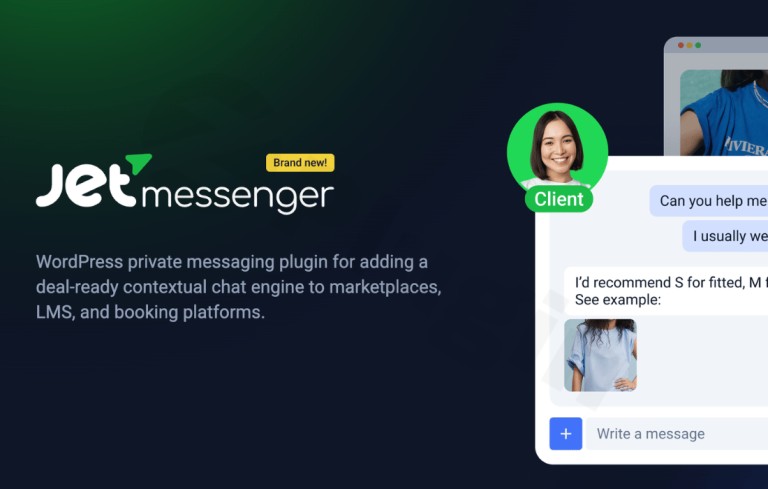
Jetmessenger
/Year
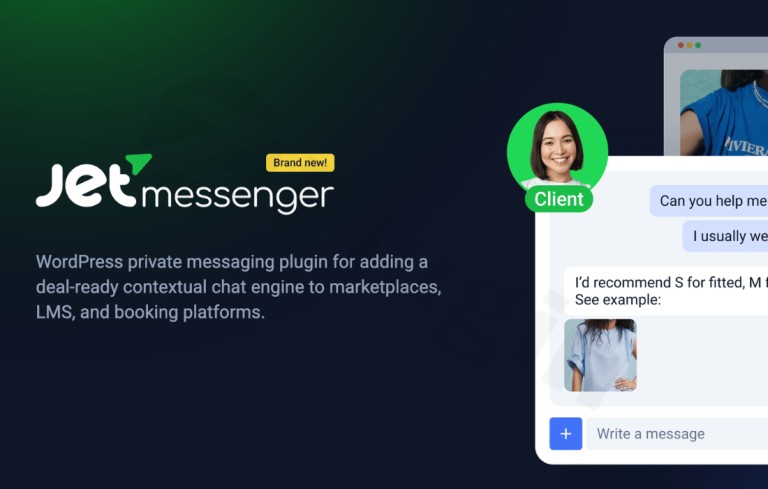
Connect Users with Real-Time Private Messaging
JetMessenger provides a comprehensive solution for site owners looking to foster direct user communication without relying on external SaaS chat networks. Built specifically for WordPress environments, this plugin establishes a self-hosted, private chat infrastructure natively inside your database. Whether running a multi-vendor marketplace, a student portal, or a membership community, this tool allows logged-in site members to find one another, initiate text threads, and maintain secure conversations right on the front end of your website.
What JetMessenger Does
The primary function of the plugin is to introduce a contextual private messaging ecosystem to your WordPress site. It allows users to communicate in real time, sharing thoughts, coordinates, or project details seamlessly. Because it integrates cleanly with major page builders, administrators can embed chat windows, message histories, and user contact directories into custom dashboards or front-end account areas without complex custom coding or third-party subscription overheads.
Who Benefits Most from Internal Chat?
This internal messaging plugin satisfies distinct needs across multiple modern website archetypes:
- Multi-Vendor Marketplaces: Facilitates direct pre-sale or post-sale dialogues between prospective buyers and store vendors to clarify product details or shipping terms.
- Membership and Community Sites: Increases overall member retention by giving registered users a safe, direct path to network and collaborate.
- Online Education Platforms: Encourages communication between students, teachers, and study groups directly alongside learning management system templates.
- Directory and Listing Networks: Allows visitors to contact listing owners or service providers safely without exposing private email addresses publicly.
Key Capabilities and Layout Integrations
The core framework is built with flexibility in mind, offering full technical harmony with modern web design workflows:
- Multi-Builder Compatibility: Includes dedicated components, blocks, or elements designed for Elementor, Gutenberg, and Bricks Builder setups.
- User Directories: Generates responsive frontend rosters where users can easily search for other registered members and click to start a chat instantly.
- Real-Time Delivery: Handles user-to-user private conversations asynchronously, updating active message logs without forcing painful manual page refreshes.
- Visual Customization: Provides direct controls to align chat window layouts, bubble colors, font treatments, and text behaviors with your global brand styling.
Practical WordPress Use Cases
Consider a dynamic WooCommerce marketplace where a buyer wants custom modifications on an item. By placing a JetMessenger chat trigger directly on the vendor profile or product page template, the buyer can initiate an instant dialogue. Similarly, on an dynamic BuddyPress or JetEngine-driven membership network, the plugin acts as a lightweight communication layer that bridges individual user profiles, transforming static user directories into active, interactive messaging grids.
Setup and Compatibility Context
JetMessenger runs efficiently on standard WordPress environments and does not place massive external API dependencies on your server. Because it works as a modular element, you can drop the chat components onto any custom template via Elementor widgets, Gutenberg blocks, or Bricks elements. It adapts naturally to standard user roles, meaning anyone with an authorized account on your site can participate based on the permissions structure you establish in your site administration panel.
Why Choose JetMessenger on WPPick?
Acquiring this communication plugin via WPPick delivers distinct practical advantages for developers and creators. You receive access to a completely clean, unmodified GPL file that installs seamlessly across your development, staging, and production environments. This allows you to build and test conversational front-end interfaces freely on client websites without restrictive per-domain licensing models or artificial feature walls, reducing project costs while maintaining top-tier architecture.
Latest Version Context
The latest iteration, version 1.1.0, focuses heavily on user engagement and user-interface optimization. Detailed release notes are not available from the provided public sources regarding developer-hosted tracking URLs; however, verified internal file logs show key visual and functional upgrades. This version introduces an essential Notifications component available as a widget, block, or builder element to flag unread items immediately. Additionally, it brings enhanced native translation options, deeper appearance settings for advanced chat-box design control, and smoother integration for multi-language platforms.
Frequently Asked Questions
Does this plugin rely on external chat servers or monthly APIs?
No. This plugin is a fully self-hosted solution that retains all conversation logs and user connection databases inside your local WordPress setup, eliminating recurring SaaS subscription fees.
Which page builders are natively supported?
The plugin contains tailored elements, blocks, and widgets built specifically for Elementor, the WordPress Gutenberg Block Editor, and Bricks Builder layouts.
Can I restrict who is allowed to send private messages?
Yes. The messaging engine respects native WordPress user accounts and roles, allowing you to control and deploy chat components on specific template layouts restricted to logged-in members.
Are messages updated in real time on the screen?
Yes. The chat system leverages modern asynchronous updating, enabling logged-in users to view incoming and outgoing messages instantly without manually reloading the active webpage.
I. Download Limits & Account Benefits
- Free Downloads: Each email address receives 3 downloads per day for free products
- Upgrade Benefits: Purchase any paid product to increase your daily download limit by 3 for each paid product
- No Account Required: You can download immediately by receiving the download link via email
- Account Recommended: Create an account for easier access to your order history and direct update downloads
II. Understanding GPL vs Official Versions
Important: The products available on WPPick are GPL-licensed versions, which differ from official developer versions. Before purchasing, please read our comprehensive guide: Understanding GPL & Official Differences at WPPick
Key Points:
- GPL versions may not include premium support from original developers
- Updates may be delayed compared to official releases
- Some premium features might have limitations
- Always consider your specific needs and support requirements
III. Support & Assistance
We’re here to help through multiple channels:
- Email Support: Direct email assistance for all inquiries
- Live Chat: Real-time support during business hours
- Comprehensive Documentation: Detailed guides and tutorials
IV. Order Tracking
Access your complete purchase history and download links anytime: Order History
V. Account Access
New to WPPick? Login or Create Account to manage your downloads and orders efficiently.
VI. Refund Protection
We stand behind our products with a clear refund policy. Review our terms: Refund Policy
VII. Privacy & Security
Your data security is our priority. Learn how we protect your information: Privacy Policy
VII. Terms of Service
Understanding our service terms ensures a smooth experience: Terms of Use
Quick Tips for Best Experience
- Verify Compatibility: Check plugin/theme compatibility with your WordPress version
- Backup First: Always backup your site before installing new plugins or themes
- Test Environment: Consider testing on a staging site first
- Stay Updated: Regularly check for updates in your account dashboard
- Read Documentation: Review any included documentation for optimal setup
Need Help?
If you have questions about downloads, licensing, or need technical assistance, don’t hesitate to contact our support team. We’re committed to ensuring you have the best possible experience with WPPick products.
Ready to get started? Your download adventure begins with just one click!
- ADD: Notifications widget/block/element;
- ADD: Translation settings;
- ADD: Appearance settings to more advanced control the look of the chat;
- UPD: Better multilanguage plugin support;