
Joomunited Wp File Download – File Manager For WordPress
/Year
An Advanced File Management Solution for WordPress
Managing files and digital assets on a website can quickly become disorganized without the right tools. Joomunited WP File Download provides an elegant, structured solution to organize, control, and display downloadable documents. Designed to function like a desktop file manager, this tool replaces default WordPress media limitations with a drag-and-drop interface, flexible themes, and robust access controls.
Latest Version 6.3.5 Changes
WP File Download version 6.3.5 introduces the ability to download all files and subcategories within a category as a single ZIP archive.
- Add Possibility to download all files and subcategories within a category as a ZIP archive.
What WP File Download Does
At its core, the plugin simplifies file uploads and distribution. Administrators can create multi-level file categories, drag files directly into the browser, and publish download links anywhere on their site. It operates with a strong focus on frontend presentation, giving users professional layouts instead of plain text links. It also handles file categorization dynamically, meaning updates in the backend instantly reflect on the live site.
Who Needs This Plugin
This manager is built for site administrators who distribute documentation, software, media, or digital resources. It is highly beneficial for:
- Educational institutions sharing study guides, syllabus files, and student resources.
- Corporate intranets distributing training manuals, policy guidelines, and business templates.
- Developers and digital creators selling or sharing software packages, zip files, and updates.
- Community portals and membership websites requiring secure, user-specific file access.
Key Capabilities and Features
The system stands out due to several functional aspects that bridge the gap between local hosting and cloud storage:
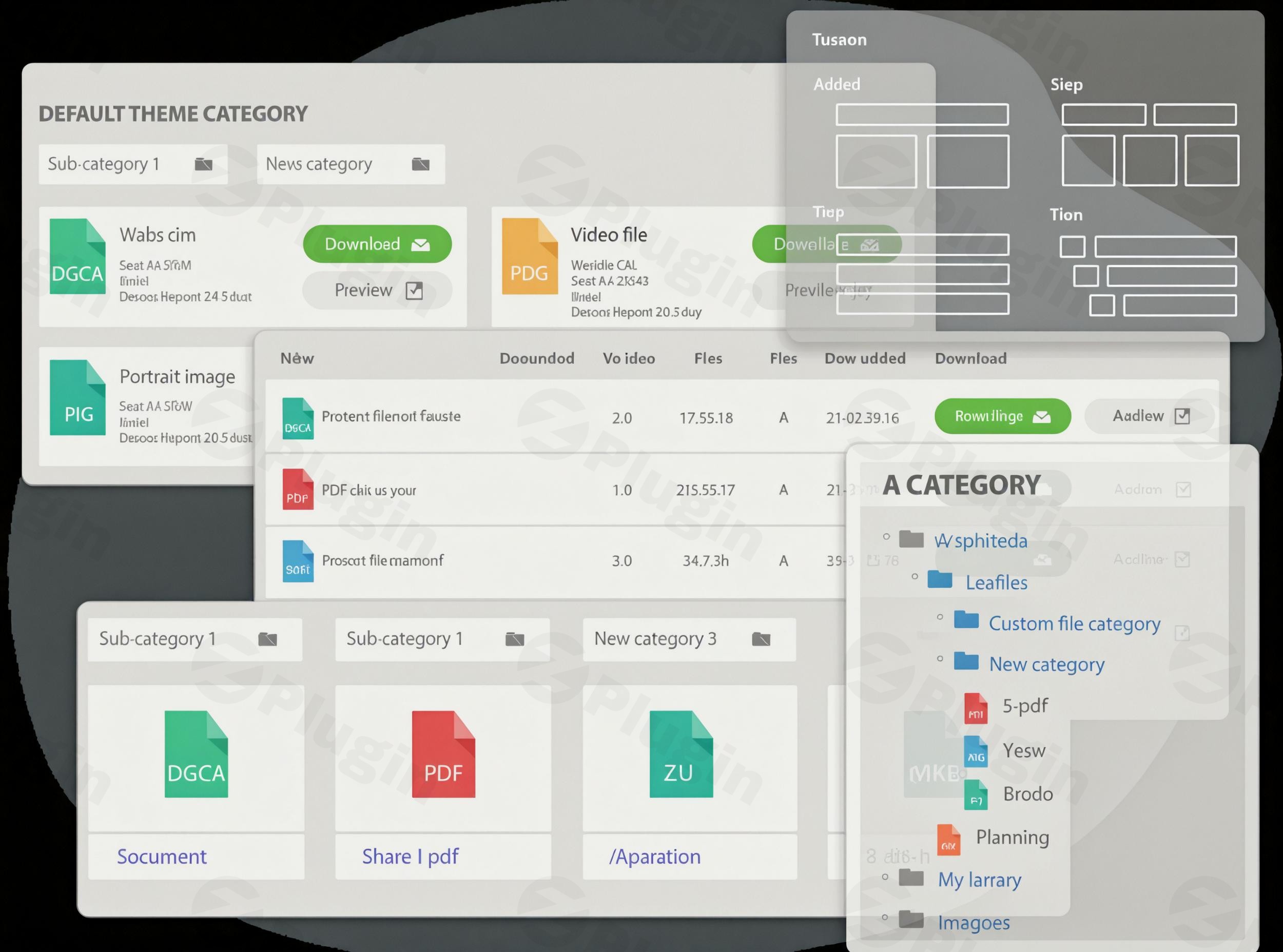
- Interactive File Themes: Choose from multiple predefined layouts, including tree structure, table view, and grid layouts, to fit any website aesthetic.
- Granular Access Controls: Restrict categories or specific files based on WordPress user roles, or assign access permissions to specific individual users.
- Cloud Storage Synchronization: Connect folders with external cloud storage systems such as Google Drive, Microsoft OneDrive, and Dropbox for seamless offloading.
- File Search Engine: Includes a custom search form with filters for tags, categories, upload dates, and plain text indexing within documents.
Practical WordPress Use Cases
Integrating a dedicated file manager opens up several highly practical applications. For instance, a web agency can set up private client portals. Clients log in and see a personalized folder containing only their project deliverables, contract drafts, and invoices. Another scenario is a digital product store that uses the plugin to serve public downloads of product sheets while restricting premium software updates to registered purchasers. Additionally, schools can organize curriculum files by department, allowing teachers to manage their respective folders without access to administrative settings.
Setup and Environment Context
Getting started is straightforward. Once active, the plugin creates a dedicated dashboard under the WordPress admin menu. To establish cloud sync, administrators set up an API connection with their preferred storage provider. The plugin also integrates smoothly with page builders like Gutenberg, Elementor, and Divi, allowing users to insert file categories directly through dedicated widgets or shortcodes.
Why Choose WP File Download on WPPick
Acquiring this tool through WPPick ensures access to clean, secure, and ready-to-install packages. Users benefit from stable versions without complex licensing hurdles, making it easier to deploy advanced document distribution systems on developmental, staging, or client websites.
Latest Version Updates and Enhancements
The latest release, version 6.3.5, brings significant practical upgrades to file downloads and backend management. Users now have the capability to download all files and subcategories within a specific category compiled as a single ZIP archive. The custom email notification system has been enhanced to support a file location tag inside custom email bodies. Furthermore, this version resolves an issue where multiple duplicate emails were sent when files were downloaded from the admin view, fixes plain text search functionality for folders synced via Server Folder Sync, and addresses minor PHP warnings for cleaner execution.
Frequently Asked Questions
Can I restrict file access to specific logged-in users?
Yes. The plugin allows administrators to configure permissions so that files or entire directories are only visible to specific WordPress roles or custom groups of individual users.
Does this plugin sync with Google Drive or Dropbox?
Yes. It features native, two-way synchronization with popular cloud services including Google Drive, OneDrive, and Dropbox, enabling files to sync automatically between the cloud and WordPress.
Can users preview documents before downloading them?
Yes. A built-in document viewer allows users to preview files such as PDFs, office documents, and images directly in a responsive lightbox window without downloading them first.
How does the ZIP download feature work?
As of version 6.3.5, site owners can enable an option allowing visitors to download an entire category, including its nested subfolders, packed dynamically into a single ZIP file.
Is the file search engine customizable?
Yes. You can configure custom search forms, define which filters are visible to visitors, and enable full-text searching that indexes the content within PDF and text documents.
I. Download Limits & Account Benefits
- Free Downloads: Each email address receives 3 downloads per day for free products
- Upgrade Benefits: Purchase any paid product to increase your daily download limit by 3 for each paid product
- No Account Required: You can download immediately by receiving the download link via email
- Account Recommended: Create an account for easier access to your order history and direct update downloads
II. Understanding GPL vs Official Versions
Important: The products available on WPPick are GPL-licensed versions, which differ from official developer versions. Before purchasing, please read our comprehensive guide: Understanding GPL & Official Differences at WPPick
Key Points:
- GPL versions may not include premium support from original developers
- Updates may be delayed compared to official releases
- Some premium features might have limitations
- Always consider your specific needs and support requirements
III. Support & Assistance
We’re here to help through multiple channels:
- Email Support: Direct email assistance for all inquiries
- Live Chat: Real-time support during business hours
- Comprehensive Documentation: Detailed guides and tutorials
IV. Order Tracking
Access your complete purchase history and download links anytime: Order History
V. Account Access
New to WPPick? Login or Create Account to manage your downloads and orders efficiently.
VI. Refund Protection
We stand behind our products with a clear refund policy. Review our terms: Refund Policy
VII. Privacy & Security
Your data security is our priority. Learn how we protect your information: Privacy Policy
VII. Terms of Service
Understanding our service terms ensures a smooth experience: Terms of Use
Quick Tips for Best Experience
- Verify Compatibility: Check plugin/theme compatibility with your WordPress version
- Backup First: Always backup your site before installing new plugins or themes
- Test Environment: Consider testing on a staging site first
- Stay Updated: Regularly check for updates in your account dashboard
- Read Documentation: Review any included documentation for optimal setup
Need Help?
If you have questions about downloads, licensing, or need technical assistance, don’t hesitate to contact our support team. We’re committed to ensuring you have the best possible experience with WPPick products.
Ready to get started? Your download adventure begins with just one click!
- Possibility to download all files and subcategories within a category as a ZIP archive.
- Email notification system: Support a file location tag in custom email content to provide more detailed information.
- Email notification system: Multiple email notifications are sent when downloading a WP File Download file from the admin file listing.
- Plain text search not working for WP File Download files synchronized through the Server Folder Sync.
- Some PHP warnings.
- Email notification system: Ability to send email notifications to specific user roles
- Email notification system: Ability to send email notifications to users subscribed to specific WP File Download files
- Update Gutenberg blocks for newest API compatibility
- Preview file not working on front-end
- Users restriction: Granting WP File Download category access to multiple specific users
- Improve UX of plugin's configuration page
- Some PHP warnings
- Possibility to move WP File Download files to Trash and set an automatic deletion duration
- Owner file attribution issue when deleting an existing user on WordPress
- The context menu to manage files displays incorrectly on the admin file listing
- Missing WP File Download files when exporting WP File Download files and categories from one server to another
- Compatible issue with the LearnDash, Instructor Role plugins
- WP File Download Search engine: Search by tag not working with multi category files
- Can't scroll on the admin file listing
- Possibility to delete cloned themes
- Compatible issue with the latest version of Divi page builder
- File extension was broken when editing
- Plain text search: indexing issue with files on the WP Engine hosting
- Import server files not working without any WP File Download category
- Redesigned the plugin settings interface
- Possibility to create automatically private WP File Download category per user
- Preview lightbox not working on mobile
- WP File Download Search engine: Theme not working on search results