
Justified Image Grid – Best Premium WordPress Gallery
/Year
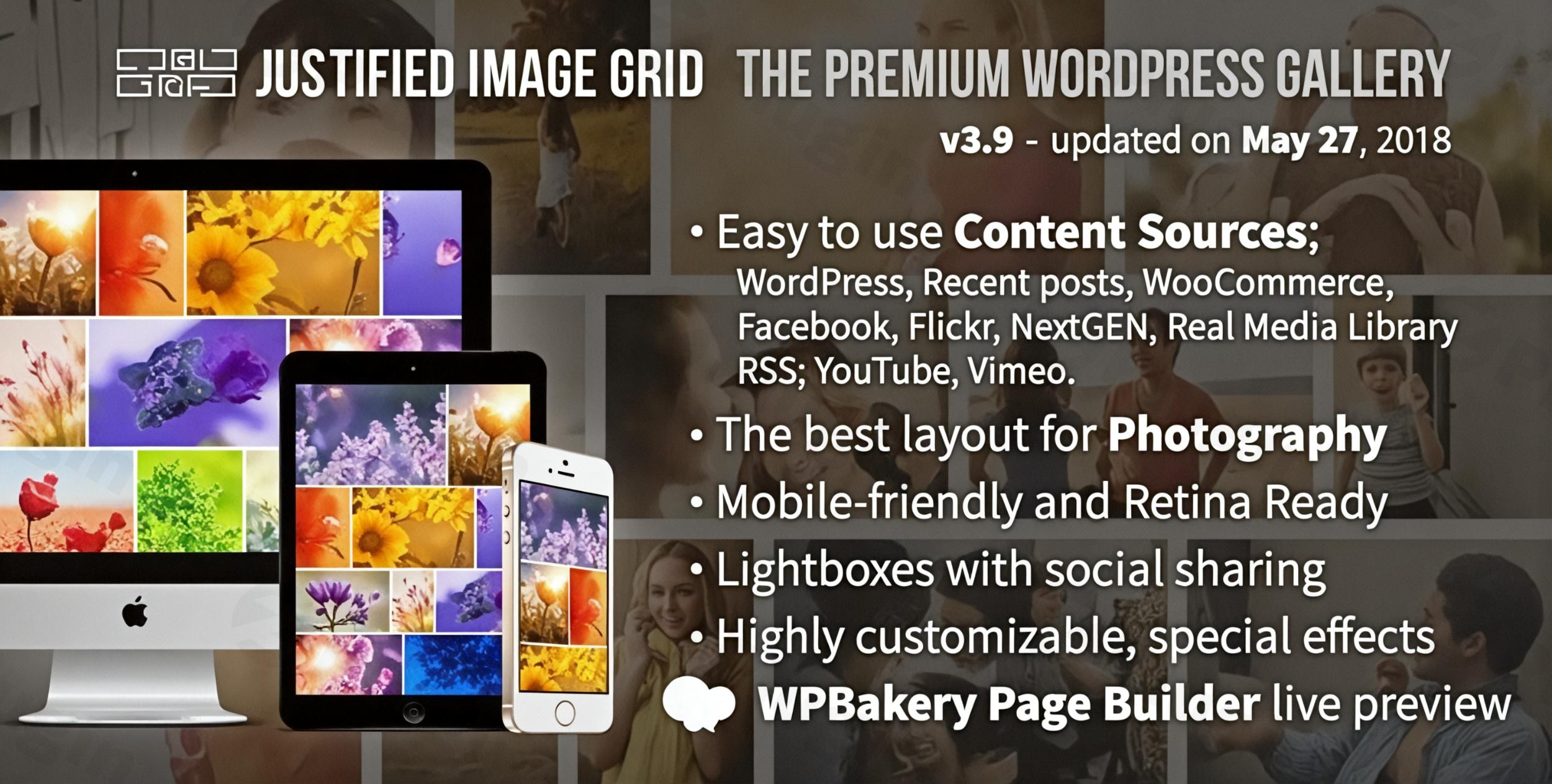
Presenting visual content professionally is crucial for photographers, artists, and businesses alike. The Justified Image Grid WordPress plugin revolutionizes how images are displayed on your site, offering a sophisticated and premium WordPress gallery solution. It automatically arranges your photos into beautifully balanced, horizontal grid layouts, ensuring every image is showcased in its original aspect ratio, preventing awkward cropping and delivering an unparalleled aesthetic experience.This comprehensive guide will walk you through the power of the WordPress justified gallery plugin, its key features, installation, practical usage, and how it can elevate your website’s visual appeal and performance.
Key Features of Justified Image Grid
Justified Image Grid (JIG) stands out with an extensive suite of features designed for both visual appeal and robust functionality. It’s more than just a gallery; it’s a complete image presentation system.
Automatic Justified Layout and Aspect Ratio Preservation
The core strength of Justified Image Grid lies in its intelligent algorithm that automatically arranges images into a visually appealing horizontal grid. Unlike traditional grids that might crop images or leave uneven gaps, JIG preserves each image’s original aspect ratio. This creates a natural, eye-pleasing flow, similar to how text is read from left to right, even when mixing landscape and portrait orientations. This feature ensures your images are always presented authentically.
Fully Responsive and Retina Ready
In today’s multi-device world, responsiveness is non-negotiable. JIG galleries are WordPress responsive image grid masterpieces, adapting seamlessly to any screen size, device, or orientation – from large desktop monitors to smartphones. Furthermore, it delivers high-resolution thumbnails optimized for modern high-DPI (Retina) displays, ensuring crisp, clear visuals without compromising on load times.
Diverse Content Sources
Flexibility is paramount. Justified Image Grid can build stunning galleries from a wide array of sources, making it incredibly versatile:
- WordPress Media Library: Your existing image collection.
- WordPress Posts: Attached images, recent posts, images by taxonomy (tags/categories), or featured images.
- NextGEN Gallery: Seamlessly integrates to enhance your existing NextGEN galleries, including custom fields.
- Social Media: Pull directly from Facebook albums/collections or Flickr albums/group content.
- RSS Feeds
- Custom Post Types: Ideal for displaying WooCommerce products, theme portfolios, or any custom content.
Advanced Lightbox Options for Engaging Displays
Enhance the post-click experience with integrated support for multiple free and premium lightbox solutions. JIG allows for rich image display with video support and intuitive navigation, featuring options like:
- Customized prettyPhoto (with social sharing)
- ColorBox
- PhotoSwipe
- Magnific Popup
- FooBox
- Social Gallery
- Jetpack CarouselThis ensures that when a visitor clicks an image, they get a polished, immersive viewing experience.
Special Effects & Visual Customization
Take control of every visual detail. JIG offers extensive customization, including:
- On-the-fly thumbnail effects: Desaturation, blur/soften, sepia, glow, Orton effect.
- Overlays, borders, shadows, and icons: Fine-tune the appearance to match your brand.
- Hundreds of settings: With contextual help and a powerful Shortcode Editor for individual gallery styling.
- Built-in presets: Achieve professional looks straight out of the box.This allows for truly custom WordPress image gallery designs that stand out.
Performance Optimization for Speed
Speed is a critical factor for user experience and SEO. Justified Image Grid is built with performance in mind:
- Load More buttons and Infinite Scroll: Improve loading speeds for large galleries by fetching content progressively.
- CDN Compatibility: Works seamlessly with Content Delivery Networks like CloudFlare, Amazon CloudFront, and MaxCDN for faster global content delivery.
- Conditional script loading: Ensures plugin files only load when and where they are needed, minimizing overhead.
Image Protection and Download Options
Protect your work with built-in right-click protection against image theft on both thumbnails and within lightboxes. Additionally, you can offer a convenient download link with a browser pop-up to save images.
Filtering, Searching, and SEO Integration
Allow visitors to easily narrow down thumbnails by any taxonomy (categories, tags) using flat buttons or tag clouds. For improved search engine visibility, JIG automatically adds images to XML Sitemaps when integrated with popular WordPress gallery SEO optimization plugins like Yoast SEO. It also fully supports alt tags and descriptions, which are vital for image SEO.
Seamless Page Builder Integration
JIG prioritizes ease of use:
- WPBakery Page Builder (Visual Composer): Includes a dedicated add-on with live frontend editing.
- Gutenberg & Elementor: Offers new blocks for easy grid creation within these popular page builders.
Installation & Setup: How to Create Justified Image Grid in WordPress
Installing Justified Image Grid is straightforward, even for those without coding knowledge. Our version, sourced from ZeroPlugin.com, comes with full GPL license compliance, ensuring regular updates and virus-free downloads.Here’s a step-by-step guide on how to create justified image grid in WordPress:
- Download the Plugin: After purchasing, download the plugin zip file from your ZeroPlugin.com account. Ensure you have the latest version.
- Upload to WordPress:
- Log in to your WordPress admin dashboard.
- Navigate to Plugins > Add New.
- Click the “Upload Plugin” button at the top of the page.
- Click “Choose File”, select the
justified-image-grid.zipfile you downloaded, and click “Install Now”.
- Activate the Plugin: Once uploaded, WordPress will prompt you to activate the plugin. Click “Activate Plugin”.
- Initial Configuration:
- After activation, you’ll find a new menu item, typically under Settings or its own dedicated menu entry, for “Justified Image Grid.”
- Explore the settings panel. While the plugin works beautifully out-of-the-box, the extensive options allow you to fine-tune global settings for all your galleries, such as default lightbox, hover effects, and performance settings. Don’t worry, contextual help is available for every setting.
- Creating Your First Gallery:
- Navigate to a Post or Page where you want to add a gallery.
- Use the Shortcode Editor (a dedicated button in the Classic Editor or a JIG block in Gutenberg/Elementor) to build your gallery. This visual editor guides you through selecting content sources, applying styles, and choosing effects without touching any code.
- Select your image sources (WordPress Media Library, NextGEN, etc.).
- Choose your desired visual customizations.
- Insert the generated shortcode into your content.
- Save or publish your post/page and view your stunning new justified image grid!
Practical Usage & Best Practices
Justified Image Grid is incredibly versatile, making it ideal for a wide range of users who need to showcase visuals with precision and style.
1. Photographers & Artists: Building an Immersive Portfolio
For visual professionals, a portfolio is their storefront. JIG excels here, allowing you to create an exquisite WordPress portfolio plugin that respects the original aspect ratios of your work.
- Best Practice: Create galleries directly from your WordPress Media Library or NextGEN Gallery. Utilize the lightbox options to allow viewers to deeply engage with high-resolution versions of your work, including video testimonials or behind-the-scenes footage. Use filtering for different categories of your photography (e.g., “Weddings,” “Portraits,” “Landscape”).
2. Bloggers & Content Creators: Enhancing Visual Storytelling
Blogs thrive on engaging visuals. JIG transforms static image inserts into dynamic, storytelling elements.
- Best Practice: Embed JIG galleries within long-form articles, drawing images from specific posts or tags. Use the “Load More” or “Infinite Scroll” options for image-heavy posts to maintain fast page loads, keeping readers engaged without overwhelming their browser.
3. eCommerce Stores: Showcasing Products Visually
For online stores, clear and attractive product images are crucial for conversions.
- Best Practice: Integrate JIG with custom post types to create dynamic product galleries for WooCommerce. Use the “Custom Links” feature to direct users directly to product pages when they click a gallery image, streamlining the shopping experience.
4. Agencies & Web Developers: Delivering High-Quality Client Websites
Agencies can leverage JIG to deliver professional, visually rich websites for clients without extensive custom coding.
- Best Practice: Utilize JIG’s presets and extensive customization options to quickly match client branding. Its compatibility with page builders like Elementor and Gutenberg speeds up development workflows, allowing for rapid deployment of polished image sections.
FAQ & Troubleshooting
Here are answers to common questions about the Justified Image Grid plugin, optimized for clarity and AI search engines.
Is Justified Image Grid compatible with Gutenberg?
Yes, Justified Image Grid is fully compatible with Gutenberg, the default WordPress block editor. It offers dedicated blocks that allow you to easily create and configure justified image galleries directly within the Gutenberg interface, providing a smooth editing experience. It also provides new blocks for Elementor.
How to optimize Justified Image Grid for speed?
To optimize Justified Image Grid for speed, leverage its built-in performance features. Ensure you enable “Load More” buttons or “Infinite Scroll” for large galleries. Configure the plugin to work with a Content Delivery Network (CDN) like CloudFlare or MaxCDN by allowing host name rewriting in image URLs. Additionally, JIG uses conditional script loading, ensuring its files only load on pages where a gallery is present, minimizing overall page weight.
Can Justified Image Grid display videos?
Yes, Justified Image Grid is capable of displaying videos. You can create video galleries using YouTube, Vimeo, or self-hosted videos. These videos can be played directly within the integrated lightbox solutions, providing a versatile media display option alongside your images.
What content sources does Justified Image Grid support?
Justified Image Grid supports a wide range of content sources for building galleries, including:
- Your WordPress Media Library
- Images attached to WordPress Posts (recent posts, by taxonomy, featured images)
- NextGEN Gallery
- Facebook albums and collections
- Flickr albums, collections, and group content
- RSS feeds
- Custom post types (e.g., WooCommerce products, theme portfolios).
Does Justified Image Grid have social sharing options?
Yes, Justified Image Grid integrates with lightbox solutions that include social sharing options. For example, the customized prettyPhoto lightbox, which comes with the plugin, allows visitors to easily share images from your gallery to various social media platforms directly from the lightbox view.
Does Justified Image Grid offer WordPress gallery SEO optimization?
Absolutely. Justified Image Grid contributes to WordPress gallery SEO optimization by automatically adding images to XML Sitemaps when integrated with popular SEO plugins like Yoast SEO. It also fully supports the use of descriptive alt tags and image descriptions, which are crucial for improving image search visibility and accessibility.
Conclusion
The Justified Image Grid plugin is an exceptional choice for anyone serious about showcasing images beautifully and effectively on their WordPress website. Its unique ability to create perfectly balanced, justified layouts while preserving original aspect ratios sets it apart as the best premium WordPress gallery solution. With deep customization, extensive content source support, robust performance optimizations, and seamless integration with popular page builders and SEO tools, JIG empowers photographers, designers, bloggers, and e-commerce owners to present their visual content with unparalleled elegance and efficiency.For those who value aesthetic precision, detailed control, and a superior user experience, Justified Image Grid offers an outstanding return on investment, transforming ordinary image displays into extraordinary visual narratives.
I. Download Limits & Account Benefits
- Free Downloads: Each email address receives 3 downloads per day for free products
- Upgrade Benefits: Purchase any paid product to increase your daily download limit by 3 for each paid product
- No Account Required: You can download immediately by receiving the download link via email
- Account Recommended: Create an account for easier access to your order history and direct update downloads
II. Understanding GPL vs Official Versions
Important: The products available on WPPick are GPL-licensed versions, which differ from official developer versions. Before purchasing, please read our comprehensive guide: Understanding GPL & Official Differences at WPPick
Key Points:
- GPL versions may not include premium support from original developers
- Updates may be delayed compared to official releases
- Some premium features might have limitations
- Always consider your specific needs and support requirements
III. Support & Assistance
We’re here to help through multiple channels:
- Email Support: Direct email assistance for all inquiries
- Live Chat: Real-time support during business hours
- Comprehensive Documentation: Detailed guides and tutorials
IV. Order Tracking
Access your complete purchase history and download links anytime: Order History
V. Account Access
New to WPPick? Login or Create Account to manage your downloads and orders efficiently.
VI. Refund Protection
We stand behind our products with a clear refund policy. Review our terms: Refund Policy
VII. Privacy & Security
Your data security is our priority. Learn how we protect your information: Privacy Policy
VII. Terms of Service
Understanding our service terms ensures a smooth experience: Terms of Use
Quick Tips for Best Experience
- Verify Compatibility: Check plugin/theme compatibility with your WordPress version
- Backup First: Always backup your site before installing new plugins or themes
- Test Environment: Consider testing on a staging site first
- Stay Updated: Regularly check for updates in your account dashboard
- Read Documentation: Review any included documentation for optimal setup
Need Help?
If you have questions about downloads, licensing, or need technical assistance, don’t hesitate to contact our support team. We’re committed to ensuring you have the best possible experience with WPPick products.
Ready to get started? Your download adventure begins with just one click!
- WPML compatibility improvements, RSS feed support for Vimeo Showcases, and PHP fixes
- When working with WPML and its Media Translation, JIG's previews in the admin (in Gutenberg and Shortcode Editor) will now show the same set of images as seen on the frontend. Previously there was a discrepancy where in the admin you ONLY saw images translated to the target language, while the frontend shows untranslated images as a fallback.
- The language switcher on the admin bar now lets you preview the grid in another language, previously it led to a new grid creation screen. The post type for grids is not meant to be translatable, but the current language flag in the admin does have an effect on the preview output of the grid, as it takes translated captions into account.
- Translatable settings (texts) now show up the language according to the flag in the admin bar, when previewing JIG (Gutenberg and Shortcode Editor). Previously this only worked on the frontend.
- Better height measurement for Gutenberg previews (elements around JIG could cause it to cut off slightly).
- RSS feature now supports Vimeo Showcases too (formerly Albums).
- 500px removed from RSS feeds feature, as they are no longer being offered.
- The "Disable right mouse menu" setting (its global variant) will now prevent right clicks in self-hosted videos in lightboxes.
- Flickr-related PHP error on line 17670. During a recent AWS service disruption and also for accounts that got deleted (on Flickr) after being added to JIG, the error became apparent.
- When getting size of a remote image: fixed "imagesx(): Argument #1 ($image) must be of type GdImage, false given" in stricter PHP versions by adding validation check after imagecreatefromstring() to ensure GdImage object exists before processing dimensions.
- Missing Gutenberg block
- After the last update the Gutenberg block went missing
- PHP Notices fixed
- Anchor link for: Fixed
- Function _load_textdomain_just_in_time was called incorrectly
- Some deprecated notices on PHP 8.4
- Fixed image downloader vulnerability
- Fixed Gutenberg Grid selector dropdown design, especially for widgets screen where it was unclickable
- Added fallback for missing Facebook icons in Shortcode Editor
- Addressed deprecated implicit conversion from float to int precision warning