
Launchguard Pro
/Year
Product-Intent Opening
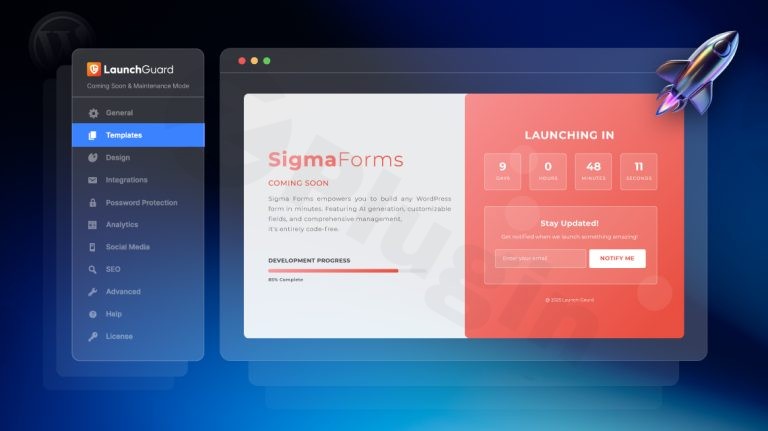
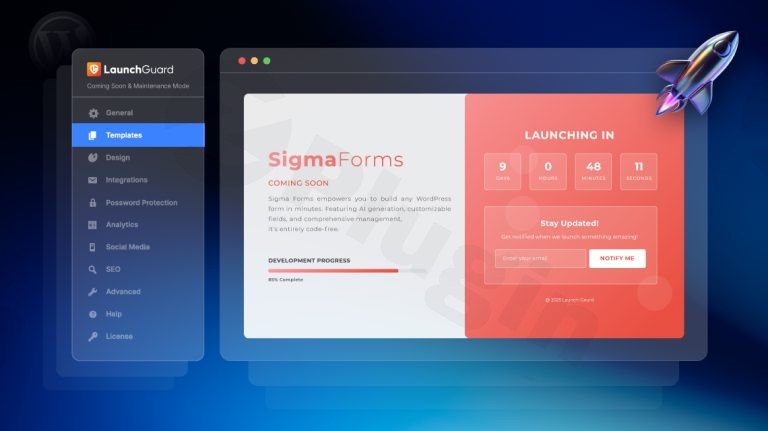
Launchguard Pro is a dedicated WordPress solution designed to help site owners, developers, and agencies manage pre-launch states effectively. When building or updating a WordPress website, controlling public access while keeping stakeholders and prospective visitors informed is essential. This plugin provides the structural framework needed to deploy professional coming soon, under construction, and maintenance mode pages quickly without custom coding.
What It Does
The plugin allows users to replace standard website views with custom, branded landing pages while site work is underway. It includes tools for audience engagement, such as dynamic countdown timers to display launch dates, email subscription forms for lead generation, and social media links. Administrators can configure bypass permissions, allowing specific user roles or IP addresses to view the live site in progress while the general public sees the landing page.
Who It Is For
Launchguard Pro is built for web designers, freelance developers, digital agencies, and business owners launching new WordPress projects or performing major site updates. It suits teams that need a reliable way to collect early subscriber emails, maintain brand consistency during downtime, and protect unreleased content from search engine indexing or public view prematurely.
Key Capabilities
The plugin offers several core capabilities tailored for pre-launch workflow management:
- Pre-designed layout templates that integrate with standard WordPress page builders.
- Customizable countdown timers to build anticipation for site openings.
- Email capture integration for building subscriber lists before launch day.
- Role-based and IP-based access controls for client reviews and internal testing.
- Responsive layouts optimized for mobile devices and desktop displays.
Practical WordPress Use Cases
Web professionals utilize Launchguard Pro across multiple scenarios. Agencies use it to display professional placeholder pages for client projects during development. E-commerce store owners deploy maintenance mode during inventory audits, database migrations, or seasonal redesigns. Bloggers and creators use coming soon pages to validate ideas and capture early interest through email newsletters.
Setup and Compatibility Notes
Launchguard Pro installs like a standard WordPress plugin via the dashboard upload tool. It operates independently of specific themes, though compatibility with major page builders allows for advanced design customization. Configuration requires assigning a designated page as the maintenance or coming soon view and adjusting visitor access rules within the plugin settings panel.
Reasons to Choose It on WPPick
WPPick provides verified software access for developers seeking reliable tools to streamline their workflow. Choosing Launchguard Pro through WPPick ensures access to clean files and structured metadata, allowing site administrators to implement professional pre-launch capabilities efficiently and securely.
Latest Version Context
Version 1.2.4 introduces important codebase refinements, including the deprecation of legacy promotional notice features, associated AJAX handlers, and outdated dashboard feed widgets. These updates remove redundant background requests to improve overall plugin performance and backend efficiency.
Frequently Asked Questions
Q: Can specific users bypass the coming soon page during development?A: Yes, administrators can configure access permissions by user role or IP address to allow testing while the public view remains restricted.
Q: Does Launchguard Pro support email collection for pre-launch leads?A: Yes, it includes built-in email collection elements to gather subscriber addresses before the site officially launches.
Q: Is coding knowledge required to set up a landing page?A: No, the plugin provides ready-to-use templates and configuration settings manageable through the WordPress dashboard.
Q: How does version 1.2.4 improve performance?A: Version 1.2.4 removes deprecated promotional notices and dashboard feed widgets, reducing unnecessary background requests and resource usage.
I. Download Limits & Account Benefits
- Free Downloads: Each email address receives 3 downloads per day for free products
- Upgrade Benefits: Purchase any paid product to increase your daily download limit by 3 for each paid product
- No Account Required: You can download immediately by receiving the download link via email
- Account Recommended: Create an account for easier access to your order history and direct update downloads
II. Understanding GPL vs Official Versions
Important: The products available on WPPick are GPL-licensed versions, which differ from official developer versions. Before purchasing, please read our comprehensive guide: Understanding GPL & Official Differences at WPPick
Key Points:
- GPL versions may not include premium support from original developers
- Updates may be delayed compared to official releases
- Some premium features might have limitations
- Always consider your specific needs and support requirements
III. Support & Assistance
We’re here to help through multiple channels:
- Email Support: Direct email assistance for all inquiries
- Live Chat: Real-time support during business hours
- Comprehensive Documentation: Detailed guides and tutorials
IV. Order Tracking
Access your complete purchase history and download links anytime: Order History
V. Account Access
New to WPPick? Login or Create Account to manage your downloads and orders efficiently.
VI. Refund Protection
We stand behind our products with a clear refund policy. Review our terms: Refund Policy
VII. Privacy & Security
Your data security is our priority. Learn how we protect your information: Privacy Policy
VII. Terms of Service
Understanding our service terms ensures a smooth experience: Terms of Use
Quick Tips for Best Experience
- Verify Compatibility: Check plugin/theme compatibility with your WordPress version
- Backup First: Always backup your site before installing new plugins or themes
- Test Environment: Consider testing on a staging site first
- Stay Updated: Regularly check for updates in your account dashboard
- Read Documentation: Review any included documentation for optimal setup
Need Help?
If you have questions about downloads, licensing, or need technical assistance, don’t hesitate to contact our support team. We’re committed to ensuring you have the best possible experience with WPPick products.
Ready to get started? Your download adventure begins with just one click!
- Promotion notice feature and all of its assets, AJAX handler, and dismissal logic
- Dashboard feed widget and its remote feed requests, transients, and styles