

Lc Refund Requests – Woocommerce Refunds Manager
/Year
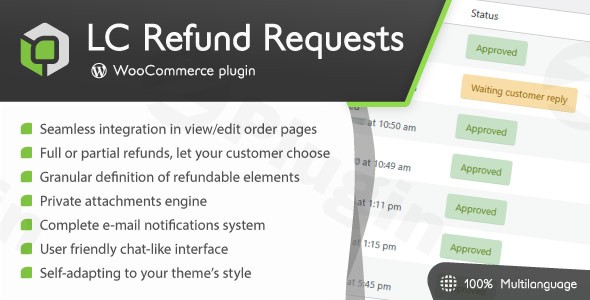
Managing returns and refunds is often the most friction-heavy part of running an online business. Default WooCommerce settings offer basic functionality, but they lack a structured communication channel and automated workflow. LC Refund Requests – WooCommerce Refunds Manager is a premium solution designed to transform this headache into a professional, streamlined process that builds customer trust.
Whether you are looking for a WooCommerce refund plugin to handle physical product damages or a system to manage digital return requests, this plugin provides a “plug-and-play” experience that integrates directly into your existing theme.
Key Features of LC Refund Requests WooCommerce
The LC Refund Requests WooCommerce plugin distinguishes itself by moving away from static forms and toward a dynamic, conversation-based system. Here is a detailed breakdown of how it helps you manage WooCommerce refunds more effectively:
1. Chat-Like Communication Interface
Instead of back-and-forth emails that get lost in spam filters, this plugin creates a dedicated communication thread within the order page. This chat-like interface allows customers and store managers to discuss the refund request in a professional, organized environment.
2. Flexible Refund Rules & Restrictions
One of the most powerful aspects of this WooCommerce refund manager is the ability to set granular rules. You can:
- Restrict by Order Age: Automatically disable refund requests for orders older than a specific number of days.
- Exclude Discounted Items: Prevent refunds on “On Sale” products to protect your margins.
- Product-Specific Settings: Mark individual items as non-refundable or set unique time limits for specific categories.
- Subscription Protection: If you use WooCommerce Subscriptions, you can prevent refund requests on renewal orders.
3. Private File Attachments for Proof
For stores selling physical goods, the WooCommerce plugin with refund request attachments capability is a game-changer. Customers can upload images or videos as proof of damage.
- Security: Files are kept private and undergo strict security checks.
- Customization: Admins can define allowed file types (JPG, PNG, PDF), maximum file sizes, and the number of allowed uploads.
4. Effortless Admin Workflow
The backend is built for efficiency. A dedicated request list allows you to filter by status or date. When you are ready to resolve a case, the one-click approval feature automatically populates the native WooCommerce refund form, saving you from manual data entry.
How to Install and Set Up LC Refund Requests
Setting up a professional WooCommerce return and refund system doesn’t require a developer. Follow these steps to get started:
- Installation: Download the plugin from CodeCanyon and upload the ZIP file via Plugins > Add New > Upload in your WordPress dashboard.
- Activation: Click “Activate” and navigate to the new “Refund Requests” menu item.
- Define Refund Reasons: The plugin is “plug-and-play,” but you must first define common refund reasons (e.g., “Defective item,” “Wrong size,” “Changed mind”) in the settings. This populates the dropdown menu for your customers.
- Configure Global Rules: Set your maximum order age for refund eligibility (e.g., 14 or 30 days) and decide if you want to allow multiple requests per order.
- Customize Notifications: Head to the Email tab to tailor the messages sent to customers when a request is opened, replied to, or approved.
Practical Usage & Best Practices
To get the most out of this plugin for WooCommerce refunds, consider these real-world workflows:
For Physical Product Retailers
The best way to handle damaged goods is to require an image upload. Use the “Mandatory Attachment” setting to ensure customers provide a photo of the broken item before they can even submit the request. This filters out fraudulent claims and speeds up the verification process.
For Large Teams and Agencies
LC Refund Requests is ideal for multi-agent support teams. The backend displays the administrator’s nickname and avatar next to their replies. This transparency helps shop owners track which team member handled a specific refund, improving accountability and internal communication.
For Stores with Clear Legal Terms
Use the Refund Disclaimer feature. By enabling the mandatory checkbox on the request form, you force customers to acknowledge your terms and conditions (e.g., “I understand that return shipping is my responsibility”) before proceeding.
FAQ & Troubleshooting
Can I restrict refunds by order age in WooCommerce?
Yes. LC Refund Requests allows you to set a global limit (e.g., 30 days) after which the “Request Refund” button automatically disappears from the customer’s account. You can also override this for specific products if they have different warranty periods.
How does LC Refund Requests manage refund communication?
The plugin uses a dedicated, chat-style interface located on the WooCommerce Order page. Both the customer and the admin receive email notifications for new replies, and all messages are logged within the WordPress database for future reference.
Does it support partial refunds?
Absolutely. This is the best plugin for WooCommerce partial refunds because it allows customers to select exactly which items from a large order they want to return and in what quantity, rather than forcing a “all or nothing” refund.
Is the plugin compatible with my theme?
The plugin is designed to be “theme-agnostic.” It utilizes native WooCommerce elements and styles, meaning it will naturally adopt the fonts, colors, and button styles of your current WordPress theme without requiring custom CSS.
Conclusion: Is LC Refund Requests Worth It?
If you are looking to professionalize your customer service, the LC Refund Requests – WooCommerce Refunds Manager is an essential investment. It replaces messy email threads with a secure, centralized system that protects the merchant with robust rules while providing customers with a transparent, easy-to-use interface.
The ROI is found in the time saved by the “one-click” approval system and the reduction in customer support friction. For any serious e-commerce site, this plugin is the definitive choice for a WooCommerce refund manager that balances security, ease of use, and professional aesthetics.
Ready to streamline your shop? Visit wppick.com for more WordPress tips and plugin reviews.
I. Download Limits & Account Benefits
- Free Downloads: Each email address receives 3 downloads per day for free products
- Upgrade Benefits: Purchase any paid product to increase your daily download limit by 3 for each paid product
- No Account Required: You can download immediately by receiving the download link via email
- Account Recommended: Create an account for easier access to your order history and direct update downloads
II. Understanding GPL vs Official Versions
Important: The products available on WPPick are GPL-licensed versions, which differ from official developer versions. Before purchasing, please read our comprehensive guide: Understanding GPL & Official Differences at WPPick
Key Points:
- GPL versions may not include premium support from original developers
- Updates may be delayed compared to official releases
- Some premium features might have limitations
- Always consider your specific needs and support requirements
III. Support & Assistance
We’re here to help through multiple channels:
- Email Support: Direct email assistance for all inquiries
- Live Chat: Real-time support during business hours
- Comprehensive Documentation: Detailed guides and tutorials
IV. Order Tracking
Access your complete purchase history and download links anytime: Order History
V. Account Access
New to WPPick? Login or Create Account to manage your downloads and orders efficiently.
VI. Refund Protection
We stand behind our products with a clear refund policy. Review our terms: Refund Policy
VII. Privacy & Security
Your data security is our priority. Learn how we protect your information: Privacy Policy
VII. Terms of Service
Understanding our service terms ensures a smooth experience: Terms of Use
Quick Tips for Best Experience
- Verify Compatibility: Check plugin/theme compatibility with your WordPress version
- Backup First: Always backup your site before installing new plugins or themes
- Test Environment: Consider testing on a staging site first
- Stay Updated: Regularly check for updates in your account dashboard
- Read Documentation: Review any included documentation for optimal setup
Need Help?
If you have questions about downloads, licensing, or need technical assistance, don’t hesitate to contact our support team. We’re committed to ensuring you have the best possible experience with WPPick products.
Ready to get started? Your download adventure begins with just one click!