

Listivo – Classified Ads & Directory Listing
/Year
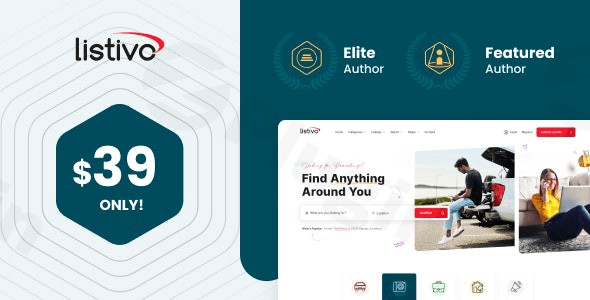
Are you looking to create a robust online directory or classified ads platform without writing a single line of code? The Listivo WordPress theme is specifically engineered for this purpose, offering an intuitive drag-and-drop experience coupled with powerful listing functionalities. Designed for entrepreneurs, small business owners, real estate agents, and anyone looking to launch a dynamic online marketplace, Listivo makes building professional directory websites accessible and efficient.
Key Features: Design, Layout & Performance for Modern Directories
Listivo excels in providing a comprehensive suite of tools that blend visually appealing design with high-performance functionality, making it an ideal choice for any directory listing theme project.
Flexible Design & Layout Options
Listivo offers extensive control over your website’s aesthetics and structure. You can choose from various customizable layouts, including grid view and list view options for displaying your listings, ensuring your content is presented engagingly. The theme supports both single and multiple-page directory layouts, giving you the flexibility to design diverse presentation styles. To kickstart your project, Listivo includes a “Single Click Import” feature with 11 customizable classified ads listings demos, allowing you to quickly visualize and implement your desired site structure.
Intuitive Customization Capabilities
With Elementor integration at its core, Listivo allows for effortless drag-and-drop customization of virtually every aspect of your site. This means you can:
- Global Design Settings: Easily change colors through a user-friendly interface and leverage global design settings to maintain brand consistency. This includes setting primary colors, logos, and contact information via the “Basic Setup Panel.”
- Typography Control: Integrate with Google Fonts, offering access to over 800 fonts for global body and heading typography, all selectable directly from the setup panel.
- Layout and Visual Hierarchy: Customize sizes, spacing, containers, sections, and backgrounds using a drag-and-drop method. This provides significant control over the visual hierarchy and overall layout of your directory.
- Header, Footer, and Menu Builders: Listivo provides robust options for customizing headers and footers. Its flexible menu system supports sticky, transparent, and off-canvas options for mobile devices, along with a customizable “Menu CTA Button” for key calls-to-action.
Exceptional Performance & SEO Features
Listivo is built with performance in mind, ensuring your directory loads quickly and ranks well in search engines.
- Ultra-Fast & Lightweight: The theme features clean, optimized code for fast loading times, contributing to higher Google search rankings. Advanced caching and a modern thumbnail system are implemented to reduce loading times and enhance user experience.
- Mobile-Optimized Design: A fully responsive design ensures your directory looks stunning and functions perfectly across all devices, from desktops to smartphones, enhancing user experience and SEO.
- Built-in SEO Optimization: Listivo offers built-in SEO features and is fully compatible with popular SEO plugins like Yoast SEO, helping your listings and pages achieve better visibility. It also uses structured headings for clean markup, which is crucial for search engine understanding.
Advanced Search and Monetization
A stand-out feature is Listivo’s advanced search system, providing instant results and customizable filters based on field relationships. This allows visitors to quickly find exactly what they’re looking for, making your directory highly efficient. Furthermore, Listivo is monetization-ready with integrated payment gateways and full WooCommerce compatibility, enabling you to generate revenue through listing fees, premium placements, memberships, and even subscriptions.
Installation & Demo Import: Getting Started with Listivo
Setting up your Listivo Classified Ads theme is a straightforward process, even for beginners. Here’s a step-by-step guide to get your directory website up and running:
- Install & Activate the Theme:
- From your WordPress dashboard, navigate to
Appearance > Themes. - Click
Add New, thenUpload Theme. - Choose the Listivo theme zip file you downloaded from your purchase source and click
Install Now. - Once installed, click
Activate.
- From your WordPress dashboard, navigate to
- Install Required Companion Plugins:
- Upon activation, Listivo will likely prompt you to install a set of recommended plugins. This typically includes Elementor (free version), which is crucial for the theme’s drag-and-drop functionality, and potentially others for core directory features.
- Follow the on-screen prompts to install and activate these plugins. Elementor Pro is supported but not required for core theme features.
- Use the One-Click Demo Import:
- Listivo features a “Single Click Import” functionality. After activating the theme and necessary plugins, look for a menu item like
Appearance > Import Demo DataorListivo > Demo Import. - Select your desired demo from the 11 available customizable classified ads listings demos.
- Click the import button. This will automatically import all demo content, pages, widgets, and theme settings.
- Listivo features a “Single Click Import” functionality. After activating the theme and necessary plugins, look for a menu item like
- What to Expect During/After Demo Import:
- The demo import process can take several minutes, depending on your hosting environment and the size of the demo content. Do not navigate away from the page during this time.
- Common Pitfalls: For large demo imports, ensure your server meets the recommended PHP settings to prevent timeouts or errors. Listivo recommends PHP versions 8.1 or 8.2 (PHP 8.3 is not recommended due to beta support).
- Recommended PHP Settings:
upload_max_filesize = 32Mpost_max_size = 32Mmax_input_time = 300max_execution_time = 300max_input_vars = 10000memory_limit = 256M
- After a successful import, your website should closely resemble the chosen demo. You may need to manually assign imported menus to their respective locations (
Appearance > Menus) and set your homepage (Settings > Reading).
Customization Guide: Branding Your Listivo Directory
Personalizing your Listivo website to match your brand and specific directory needs is intuitive thanks to its deep integration with Elementor and robust theme options.
Leveraging the Elementor Page Builder
Listivo is built around the free version of Elementor, providing a visual drag-and-drop interface for designing pages, sections, custom fields, and search forms. This allows you to visually construct your entire site without needing programming knowledge.
- Edit Any Page: Simply navigate to the page you wish to edit and click “Edit with Elementor” in the WordPress admin bar.
- Utilize Listivo’s Widgets: The theme provides over a hundred Elementor widgets specifically tailored for directory elements, including specialized widgets like a “User Address” widget for user and ad pages.
Global Styles and Theme Customizer
Listivo’s “Basic Setup Panel” and global design settings allow for quick and consistent branding:
- Colors & Typography: Easily change your primary colors, heading fonts, and body text fonts from a centralized location, ensuring consistency across your entire site. The theme integrates with Google Fonts, offering a vast selection.
- Logo & Contact Information: Upload your brand logo and set essential contact details (phone numbers, email addresses) that can be dynamically displayed throughout your site.
- Listing Layouts: Define the default layout for your listings (e.g., grid or list view) from the global settings, which can then be overridden on individual pages if needed.
Custom Post Types and Fields
One of Listivo’s strengths for how to create classified ads website WordPress is its powerful listing inventory. It supports 9 types of customizable fields: Text, Number, Taxonomy, Rich Text, Price, Gallery, Location, Embed (Video), and Attachments. You can create and modify these custom fields to suit the unique requirements of your specific niche, whether it’s real estate, automotive, or job listings. This ensures your listings capture all necessary details and enhance the search experience.
Advanced Customization
For more advanced users or specific design requirements beyond global styles, Listivo supports:
- Child Themes: Its modular architecture allows developers to extend functionality and make template modifications through a child theme, ensuring your customizations are safe during theme updates.
- Custom CSS/JS: Add custom CSS or JavaScript for unique styling or interactive elements directly within the WordPress Customizer or through a child theme.
FAQ & Troubleshooting
Here are answers to common questions about the Listivo directory listing theme to help you make the most of your website.
Is Listivo compatible with Elementor and Gutenberg?
Yes, Listivo is fully integrated with the free version of Elementor, providing a robust drag-and-drop page building experience without requiring Elementor Pro for core features. While primarily built with Elementor, it is also generally compatible with the WordPress Block Editor (Gutenberg) for standard content editing within posts and pages.
Does Listivo support WooCommerce for online stores and monetization?
Absolutely. Listivo is fully compatible with WooCommerce, enabling powerful monetization options for your directory. You can easily set up paid listings, premium placements, memberships, and subscriptions using various payment gateways like PayPal and Stripe through WooCommerce.
Does Listivo support child themes?
Yes, Listivo employs a modular architecture that fully supports child themes. This allows developers and users to make customizations and add new functionality without modifying the core theme files, ensuring your changes are preserved when the theme is updated.
How can I update the Listivo theme without losing my customizations?
If you’ve made customizations directly to the theme files, they will be overwritten during an update. To safely update, always use a child theme for any code modifications. For global style changes, leverage the theme’s built-in Customizer or Elementor options, as these are typically stored in the database and are update-safe. If you purchased from ThemeForest, you’ll receive lifetime free updates from the developer. GPL reseller versions often provide access to updates for a period.
What should I do if the demo import fails or looks different from the demo site?
If the demo import fails, first ensure your server meets the recommended PHP settings (especially memory_limit, max_execution_time, and post_max_size). Check for any error messages and ensure all required plugins were installed and activated. If the demo looks different, you may need to manually assign menus (Appearance > Menus) or set your homepage (Settings > Reading) after the import. Sometimes, permalink settings (Settings > Permalinks) might need to be refreshed by simply saving them again.
Conclusion: Is Listivo the Right Choice for Your Directory?
The Listivo WordPress theme presents itself as a powerful, user-friendly solution for building virtually any type of classified ads or directory website. Its exceptional design flexibility, driven by deep Elementor integration, allows for extensive visual customization of layouts, colors, and typography, without requiring coding knowledge.From a performance and SEO perspective, Listivo is built to be ultra-fast and lightweight, ensuring your directory is responsive and ranks well in search engines. Its advanced search system, coupled with robust monetization options via WooCommerce, makes it an ideal platform for connecting buyers and sellers and generating revenue through various models.Listivo shines for:
- Entrepreneurs and Business Owners looking to launch and monetize online marketplaces like real estate, automotive, or job boards.
- Freelancers and Agencies seeking a flexible, efficient tool to build client directory websites.
- Beginners who need an intuitive, drag-and-drop interface to create a professional site without programming.
- Advanced Developers who can leverage its modular architecture and child theme support for deeper customizations.While external API costs for services like Google Maps or Twilio might be an additional consideration, and highly specific design modifications may require custom coding, Listivo’s comprehensive feature set, strong performance, and user-centric design make it an excellent choice. If you aim to build a feature-rich, visually appealing, and high-performing classifieds or directory website with ease, Listivo offers a compelling and reliable solution.
I. Download Limits & Account Benefits
- Free Downloads: Each email address receives 3 downloads per day for free products
- Upgrade Benefits: Purchase any paid product to increase your daily download limit by 3 for each paid product
- No Account Required: You can download immediately by receiving the download link via email
- Account Recommended: Create an account for easier access to your order history and direct update downloads
II. Understanding GPL vs Official Versions
Important: The products available on WPPick are GPL-licensed versions, which differ from official developer versions. Before purchasing, please read our comprehensive guide: Understanding GPL & Official Differences at WPPick
Key Points:
- GPL versions may not include premium support from original developers
- Updates may be delayed compared to official releases
- Some premium features might have limitations
- Always consider your specific needs and support requirements
III. Support & Assistance
We’re here to help through multiple channels:
- Email Support: Direct email assistance for all inquiries
- Live Chat: Real-time support during business hours
- Comprehensive Documentation: Detailed guides and tutorials
IV. Order Tracking
Access your complete purchase history and download links anytime: Order History
V. Account Access
New to WPPick? Login or Create Account to manage your downloads and orders efficiently.
VI. Refund Protection
We stand behind our products with a clear refund policy. Review our terms: Refund Policy
VII. Privacy & Security
Your data security is our priority. Learn how we protect your information: Privacy Policy
VII. Terms of Service
Understanding our service terms ensures a smooth experience: Terms of Use
Quick Tips for Best Experience
- Verify Compatibility: Check plugin/theme compatibility with your WordPress version
- Backup First: Always backup your site before installing new plugins or themes
- Test Environment: Consider testing on a staging site first
- Stay Updated: Regularly check for updates in your account dashboard
- Read Documentation: Review any included documentation for optimal setup
Need Help?
If you have questions about downloads, licensing, or need technical assistance, don’t hesitate to contact our support team. We’re committed to ensuring you have the best possible experience with WPPick products.
Ready to get started? Your download adventure begins with just one click!
- Enhanced overall security
- Updated chat widget suggestions in the socials integration
- Enhanced overall security
- Minor adjustments to server PHP settings
- Ability to add the User Description widget on the single listing page
- Added support for the Pasarela Unificada de Redsys payment gateway for WooCommerce packages
- Google Maps invalid value error in the latest version
- Search Results button display for long text content
- Display of images added via rich text field on single listing page
- Monetization module with enhanced packages and subscriptions display
- Added data-lat and data-lng attributes to listing map widget markup for easier customization
- Fixed: minor bug related to the location field
- Improved security
- Added option to purge notification logs in Listivo Panel / Notifications
- Added password hide/show toggle on frontend login page (can be enabled in Login & Register widget settings)
- Improved multilevel taxonomy CSS in Search V2
- Fixed Custom Text widget display on single listing page
- Fixed minor adjustments in Row Card layout
- Fixed overflow issue in Hero Search V7
- Fixed Elementor CSS shapes file not loading in Layouts
- Enforcement of required Company Information field for business-type customers
- Phone default country code edge case for +355 setting
- Display of creation date on row card
- Minor fixes in the subscription module
- Package module issue where deleting a pending ad restores the ad slot for reuse
- Welcome email notification
- User social widget icon corrected for platform X