

Louis – Handmade & Craft Shopify Theme
/Year
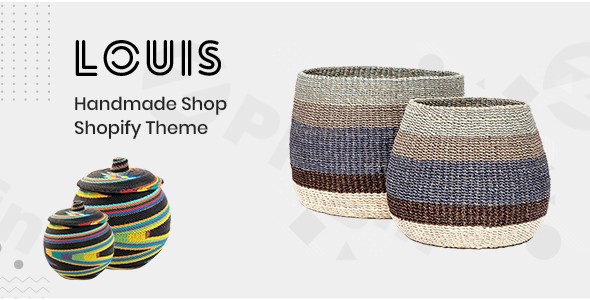
Are you a creator, an artisan, or a small business owner crafting unique handmade goods? Finding the perfect online storefront to showcase your passion projects can be a daunting task. The Louis – Handmade & Craft Shopify theme emerges as a tailored solution, designed specifically to highlight the beauty and uniqueness of artisanal products. This premium Shopify theme provides a clean, minimalist, and highly functional platform, enabling you to build a captivating online store that resonates with your brand and drives sales for your handmade products.
Key Features: Elevating Your Handmade Brand Online
The Louis Shopify theme is meticulously designed with the specific needs of handmade and craft businesses in mind, offering a suite of features that focus on product presentation, user experience, and robust e-commerce functionality. It’s an ideal eCommerce theme for handmade products that ensures your creations stand out.
1. Minimalist & Aesthetic Design
The core philosophy behind the Louis theme is minimalism. Its clean lines and uncluttered layout ensure that your products remain the absolute centerpiece. This minimalist Shopify theme prevents visual distractions, allowing customers to focus purely on the intricate details and quality of your handmade items. It’s perfect for brands that value sophistication and clarity.
2. Powerful Drag & Drop Customization
Built on Shopify Sections, the Louis theme empowers store owners with unparalleled flexibility. The intuitive drag and drop Shopify theme interface means you can easily customize layouts, add sections, and arrange content without writing a single line of code. This simplifies the design process, allowing you to create a unique storefront that perfectly reflects your brand aesthetic.
3. Diverse Homepage Layouts & Product Showcasing
With 2 distinct homepage layouts, the Louis theme provides flexibility in how you first greet your customers. Beyond the homepage, it excels at product showcasing, offering numerous options for sorting, filtering, and presenting your collections. Each product is displayed equally and beautifully, ensuring every item gets its deserved attention.
4. Essential E-commerce & Sales-Boosting Tools
Louis integrates a comprehensive set of e-commerce functionalities critical for driving online sales:
- Quick Install & Theme Color Options: Get your store up and running quickly with easy installation and flexible branding options.
- Newsletter Popup: Grow your customer base with built-in subscription forms.
- Multiple Currency Support: Cater to a global audience with ease.
- Advanced Navigation: Implement efficient dropdown menus and MegaMenus for improved user experience.
- Interactive Product Displays: Utilize sliders, featured product sections, and product carousels to highlight key items.
- Ajax Cart, Wishlist & QuickView: Enhance the shopping journey with seamless “add to cart” experiences, saved lists, and instant product previews.
- Product Badges/Stickers: Highlight sales, new arrivals, or bestsellers.
- Detailed Product Pages: Offer zoom and popup features for high-resolution product imagery, along with color swatch options for variations.
- Shop Grid/List View & Collection Filters: Give customers control over how they browse your inventory, including sorting and pagination.
- Product Share & Reviews: Encourage social sharing and leverage customer testimonials for trust.
- Related Product Display: Boost average order value by suggesting complementary items.
5. Content & Blog Capabilities
Beyond product listings, the Louis theme supports robust content marketing with blog grids, lists, and sidebars. Custom pages, a dedicated 404 page, and testimonial sections allow you to tell your brand story, share insights, and build community around your handmade goods.
6. Responsive Design & Browser Compatibility
Your customers will experience your store flawlessly on any device – be it desktop, tablet, or mobile phone. The Louis Handmade & Craft Shopify theme is fully responsive and cross-browser compatible, ensuring a consistent and high-quality shopping experience for everyone.
Installing and Setting Up Your Louis Shopify Theme
Getting started with your Louis Shopify theme is a straightforward process, designed for artisans and craft business owners who might not have extensive technical experience. This guide will walk you through the essential steps to how to install the Louis Shopify theme and get it ready for your products.
Step 1: Purchase and Download the Theme
Once you’ve purchased the Louis – Handmade & Craft Shopify Theme from a reputable marketplace (like ThemeForest), you will receive a downloadable theme package file (typically a .zip file).
Step 2: Upload the Theme to Your Shopify Store
- Log in to your Shopify Admin: Go to your Shopify store’s administration panel.
- Navigate to Themes: From the left sidebar, click on Online Store > Themes.
- Upload Theme File: In the “Theme library” section, click the “Add theme” button. Then select “Upload zip file”.
- Choose Your File: Click “Choose File” and select the
.zipfile you downloaded earlier. Click “Upload file”.Shopify will now upload and process the theme. This might take a few moments.
Step 3: Publish or Customize Your Theme
After uploading, the Louis theme will appear in your Theme library. You have two options:
- Publish: If you’re ready to go live immediately, click “Actions” next to the Louis theme and select “Publish”. Your new theme will become active on your store.
- Customize: To personalize your store before publishing, click “Customize” next to the theme name. This will take you to the Shopify Theme Editor.
Step 4: Initial Customization in the Theme Editor
The Shopify Theme Editor is where the drag and drop Shopify theme functionality truly shines. You’ll find options to:
- Add/Remove Sections: Arrange pre-built sections (like sliders, featured products, collections, testimonials) on your homepage.
- Adjust Colors & Typography: Match your brand identity with custom color palettes and Google Fonts integration.
- Configure Navigation: Set up your dropdown menus and MegaMenus.
- Upload Your Logo: Replace the default logo with your own.
- Set Up Newsletter Popup: Configure your email subscription forms.
- Populate Content: Add your product details, collection descriptions, blog posts, and custom pages.Remember to save your changes regularly!
Practical Usage & Best Practices for Artisans and Crafters
The Louis theme is more than just a template; it’s a powerful framework for showcasing your unique creations. Here are some practical usage scenarios and best practices to maximize its potential for your craft business eCommerce site.
1. High-Resolution Imagery for Product Showcasing
Given the theme’s minimalist design and emphasis on product display, investing in high-quality, professional photography is paramount. Utilize the product zoom and popup features to allow customers to examine every detail of your handmade items. This is especially crucial for products like pottery and jewelry, where textures and intricate designs are key selling points.
2. Strategic Use of Homepage Sections for Storytelling
Leverage the multiple homepage layouts and Shopify Sections to tell your brand story. Dedicate sections to:
- Featured Products: Highlight your latest creations or bestsellers with engaging imagery.
- Testimonials: Build trust by showcasing positive customer reviews.
- Blog Posts: Share your creative process, material sourcing, or the inspiration behind your products. This helps connect with customers on a deeper level.
- About Us/Meet the Maker: Use a custom section to introduce yourself and the hands behind the craft, fostering a personal connection unique to handmade businesses.
3. Optimizing Product Pages for Conversion
Beyond stunning photos, your product pages are critical. Use the Louis Shopify theme’s features like product badges (e.g., “Handmade,” “Limited Edition”), color swatch options, and clear descriptions to provide all necessary information. Encourage product reviews, as social proof is a powerful conversion tool, especially for unique items.
4. Streamlining Navigation with MegaMenus and Filters
For stores with diverse collections (e.g., jewelry, home decor, apparel), a well-structured navigation is essential. Use the MegaMenu feature to create organized dropdowns for broad categories. Implement collection filters and sorting options to help customers quickly find specific items like “ceramic mugs,” “silver earrings,” or “vegan candles.” This enhances the user experience and is an easy to customize Shopify theme for craft business owners to configure.
FAQ & Troubleshooting for the Louis Shopify Theme
Here are answers to common questions about the Louis – Handmade & Craft Shopify Theme, designed to provide quick and clear information for store owners.
What is the Louis Handmade & Craft Shopify Theme?
The Louis Handmade & Craft Shopify Theme is a premium e-commerce theme specifically designed for Shopify stores selling handmade, artisanal, and craft products. It features a minimalist design, robust drag-and-drop customization via Shopify Sections, and a comprehensive suite of e-commerce tools aimed at beautifully showcasing unique creations and boosting sales.
Is Louis Shopify theme good for handmade jewelry?
Yes, the Louis Shopify theme is exceptionally well-suited for handmade jewelry businesses. Its minimalist design ensures that intricate details of jewelry pieces are highlighted without distraction. Features like high-resolution product image zoom, color swatch options, and efficient product showcasing capabilities make it an excellent choice for presenting fine craftsmanship.
How to customize the Louis Shopify theme?
You can easily customize the Louis Shopify theme using the built-in Shopify Theme Editor. After installing, navigate to Online Store > Themes in your Shopify admin and click “Customize” next to the Louis theme. Here, you can utilize the drag-and-drop interface to add/remove sections, adjust colors, change fonts, configure navigation, and upload your brand assets without needing any coding knowledge.
What are the main features of the Louis Shopify theme?
The main features of the Louis Shopify theme include its minimalist and responsive design, powerful drag-and-drop customization with Shopify Sections, multiple homepage layouts, advanced product showcasing options (sliders, carousels, quick view, wishlist, zoom), essential e-commerce functionalities (AJAX cart, multi-currency support), and robust content and blog capabilities. It is built on Bootstrap 4 and is compatible with Shopify Online Store 2.0.
Is the Louis Shopify theme compatible with Shopify Online Store 2.0?
Yes, the Louis Handmade & Craft Shopify Theme is compatible with Shopify Online Store 2.0. This ensures you can leverage the latest Shopify features and benefits, including enhanced customization options with sections on every page and improved performance.
Conclusion: Your Craft Deserves the Louis Shopify Theme
For artisans and craft entrepreneurs seeking an elegant, powerful, and easy to customize Shopify theme for craft business, the Louis – Handmade & Craft Shopify Theme stands out as a top-tier choice. Its unwavering focus on product presentation, combined with intuitive drag-and-drop functionality and a comprehensive set of e-commerce features, provides an invaluable toolkit for online success. By choosing the Louis Shopify theme, you’re investing in a platform that truly understands and elevates the unique value of your handmade creations, ensuring your craft receives the spotlight it deserves and helping you grow your online business effectively.
I. Download Limits & Account Benefits
- Free Downloads: Each email address receives 3 downloads per day for free products
- Upgrade Benefits: Purchase any paid product to increase your daily download limit by 3 for each paid product
- No Account Required: You can download immediately by receiving the download link via email
- Account Recommended: Create an account for easier access to your order history and direct update downloads
II. Understanding GPL vs Official Versions
Important: The products available on WPPick are GPL-licensed versions, which differ from official developer versions. Before purchasing, please read our comprehensive guide: Understanding GPL & Official Differences at WPPick
Key Points:
- GPL versions may not include premium support from original developers
- Updates may be delayed compared to official releases
- Some premium features might have limitations
- Always consider your specific needs and support requirements
III. Support & Assistance
We’re here to help through multiple channels:
- Email Support: Direct email assistance for all inquiries
- Live Chat: Real-time support during business hours
- Comprehensive Documentation: Detailed guides and tutorials
IV. Order Tracking
Access your complete purchase history and download links anytime: Order History
V. Account Access
New to WPPick? Login or Create Account to manage your downloads and orders efficiently.
VI. Refund Protection
We stand behind our products with a clear refund policy. Review our terms: Refund Policy
VII. Privacy & Security
Your data security is our priority. Learn how we protect your information: Privacy Policy
VII. Terms of Service
Understanding our service terms ensures a smooth experience: Terms of Use
Quick Tips for Best Experience
- Verify Compatibility: Check plugin/theme compatibility with your WordPress version
- Backup First: Always backup your site before installing new plugins or themes
- Test Environment: Consider testing on a staging site first
- Stay Updated: Regularly check for updates in your account dashboard
- Read Documentation: Review any included documentation for optimal setup
Need Help?
If you have questions about downloads, licensing, or need technical assistance, don’t hesitate to contact our support team. We’re committed to ensuring you have the best possible experience with WPPick products.
Ready to get started? Your download adventure begins with just one click!
No changelog available.