
Magic 360 For Woocommerce
/Year
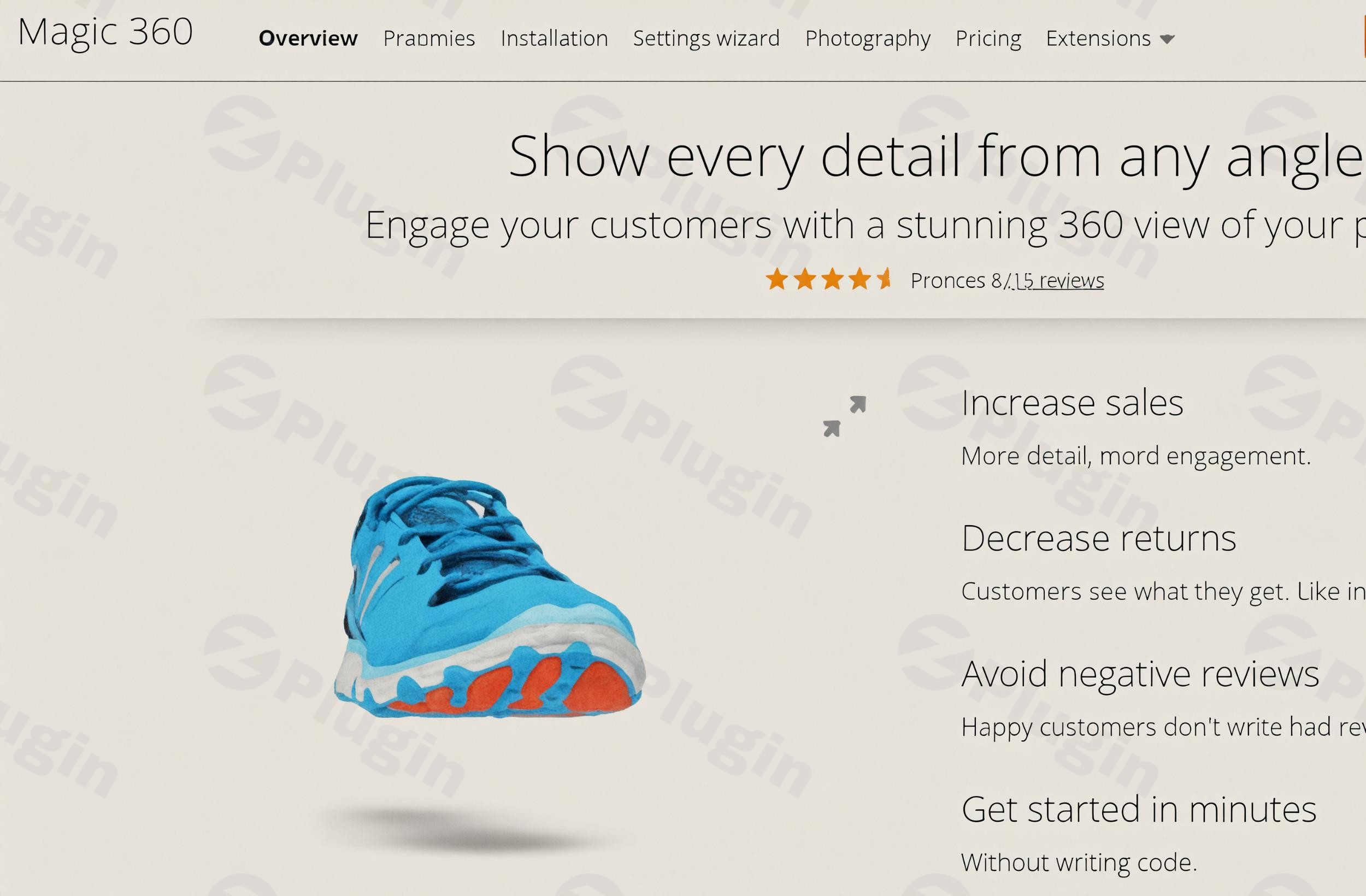
In the competitive world of online retail, captivating product presentation is no longer a luxury—it’s a necessity. Static images often fall short of conveying the true look and feel of a product, leaving potential customers with unanswered questions and leading to hesitation. This is where Magic 360 For WooCommerce steps in, transforming your ordinary product pages into engaging, interactive showcases.This powerful WooCommerce 360 Product Viewer plugin allows your customers to explore items with stunning 360-degree spins, much like they would in a physical store. By providing an immersive, tactile experience, Magic 360 helps build customer confidence, answer visual queries, and ultimately, drive significantly higher conversion rates for your online store.
Key Features of Magic 360: Elevating Your Product Displays
Magic 360 For WooCommerce isn’t just about spinning images; it’s a comprehensive solution designed to enhance every aspect of your product visuals. It brings a suite of features that make your WooCommerce interactive product display truly stand out.
Interactive Product Exploration & Zoom
The core of Magic 360 is its fluid, interactive product spin. Customers can effortlessly rotate products using mouse drag or touch gestures on mobile devices, examining every angle with precision. Beyond basic rotation, the plugin includes a robust integrated zoom feature. Shoppers can magnify intricate product details, from fabric textures to fine craftsmanship, ensuring they get a close-up look that builds trust and confidence in their purchase decision. This functionality supports both square magnifiers and intuitive pinch-to-zoom on touch screens.
Seamless WooCommerce Integration
Designed specifically for the WooCommerce ecosystem, Magic 360 integrates directly into your existing product pages with minimal setup. This “out-of-the-box” compatibility means you can start creating stunning 360-degree product displays quickly, without needing to wrestle with complex code or extensive configurations. It works flawlessly with all major WooCommerce versions and a broad range of WordPress installations.
Combine with Magic Zoom Plus for a Unified Gallery
For online stores looking to enhance WooCommerce product images even further, Magic 360 offers seamless integration with its sibling plugin, Magic Zoom Plus. This powerful combination allows you to display 360-degree spins, zoomable static images, and product videos all within one elegant and fast image gallery. It’s the ideal solution for presenting a diverse range of visual content on a single product page.
Product Video Support
Demonstrate your products in action with integrated video support. Magic 360 allows you to easily embed product videos from popular platforms like YouTube and Vimeo directly onto your product pages. This feature is perfect for tutorials, product demonstrations, or lifestyle content that adds another layer of engagement to your listings.
Extensive Customization Options
Tailor the 360-degree viewer to perfectly match your brand and website aesthetic. Magic 360 provides over 30 customization options, giving you granular control over elements such as:
- Background color or image
- Navigation buttons
- Rotation speed and direction
- Auto-spin settings
- Custom cursorsThis flexibility ensures your interactive displays feel like a natural extension of your store’s design.
Responsive and Mobile-Friendly Design
In today’s mobile-first world, your product displays must perform flawlessly across all devices. Magic 360 is built with responsiveness at its core, ensuring an optimal and interactive experience whether customers are browsing on a desktop, tablet, or smartphone. Its support for mobile gestures makes interaction intuitive and engaging on touch-enabled screens.
Single and Multi-Axis Spins
While single-axis spins (left-to-right rotation) are common, Magic 360 also supports more advanced multi-axis or 3D spins. This feature allows customers to rotate products both horizontally and vertically, providing a truly three-dimensional viewing experience (this typically requires multi-row product photography).
Easy Setup and Shortcode Support
Beyond its easy WooCommerce integration, Magic 360 also offers shortcode functionality. This means you can embed your interactive 360 spins into any WordPress page or post, not just product pages, providing versatility for marketing and content creation without requiring any coding knowledge.
Simple Installation Process for Your WooCommerce 360 Product Viewer
Getting Magic 360 up and running on your WooCommerce store is straightforward, even for those without technical expertise. Follow these simple steps to start creating 360 degree product photography WordPress displays:
- Download the Plugin: After purchase, you’ll receive a
.zipfile containing the Magic 360 For WooCommerce plugin. - Upload via WordPress Admin: Log in to your WordPress dashboard. Navigate to Plugins > Add New. Click the “Upload Plugin” button at the top of the page. Choose the
.zipfile you downloaded and click “Install Now.” - Activate the Plugin: Once installed, WordPress will prompt you to activate the plugin. Click “Activate Plugin” from your plugins menu.
- Configure Settings: After activation, you’ll find a new menu item, usually under WooCommerce or a dedicated “Magic Toolbox” section. Here, you can access Magic 360’s settings. Adjust the various options (such as spin speed, background, zoom levels, and integration with Magic Zoom Plus) to perfectly match your store’s design and product needs.
- Start Creating 360° Product Displays: With the plugin installed and configured, you’re ready to add 360-degree image sets to your WooCommerce products. Each product will have an option to upload your series of images, creating an interactive spin automatically.
Practical Usage & Best Practices for Dynamic Product Views
Integrating Magic 360 For WooCommerce effectively can significantly impact your store’s performance. Here’s how marketers, store owners, and agencies can leverage this powerful tool:
- Highlight High-Value & Detail-Oriented Products: Reserve 360-degree spins for products where visual detail is paramount. This includes jewelry, electronics, furniture, fashion items, and custom-made goods. Allowing customers to inspect every angle justifies higher price points and reduces returns.
- Optimize Your Photography Workflow: To create compelling 360-degree effects, you’ll need a series of images (typically 18 to 72 JPGs) captured from slightly different angles around the product. For the best quality, aim for image widths between 1200px and 1500px to support both spin and detailed zoom. Invest in a proper photography setup (turntable, consistent lighting) to ensure professional results.
- A/B Test for Conversion Lift: While studies suggest a significant boost (up to 27-30% in conversion rates), always test the impact on your specific audience and products. Experiment with different auto-spin settings, rotation speeds, and combined galleries with Magic Zoom Plus to find what resonates best with your customers.
- Prioritize Mobile Experience: Given the plugin’s responsiveness, always test your 360 views on various mobile devices. Ensure touch gestures are intuitive and load times are acceptable, even on slower connections. Optimized image loading (on page load or on request) can save bandwidth and improve website speed.
- Leverage Product Videos: Use the integrated video support to demonstrate product features that aren’t obvious from static images or 360 spins alone. For example, show a bag being opened, a piece of clothing being worn, or an electronic device in operation.
FAQ & Troubleshooting for Magic 360 For WooCommerce
Here are answers to some common questions about using this powerful WooCommerce 360 product viewer:
What is Magic 360 For WooCommerce?
Magic 360 For WooCommerce is a premium WordPress plugin designed to enhance product displays on WooCommerce stores. It enables interactive 360-degree product spins, allowing customers to view items from every angle, zoom in on details, and engage with products more immersively than with static images. It aims to boost customer confidence and conversion rates.
Does Magic 360 For WooCommerce support product videos?
Yes, Magic 360 For WooCommerce includes robust product video support. Store owners can easily embed videos from platforms like YouTube and Vimeo directly onto their product pages, allowing for demonstrations, tutorials, or other informative content to enrich the shopping experience. This can be combined with 360 spins and zoomable images using Magic Zoom Plus.
Is Magic 360 For WooCommerce compatible with WordPress themes?
Magic 360 For WooCommerce is designed for seamless integration with all WooCommerce versions (from 1.x up to 7.x and current) and a wide range of WordPress versions (2.x up to 6.x). While it generally works well with most themes, its developer, Magic Toolbox, offers free support to help integrate the plugin with specific WordPress themes if any compatibility issues arise.
How can I optimize Magic 360 for performance and mobile responsiveness?
To optimize performance, ensure your 360-degree image sets are correctly sized and compressed. Magic 360 allows control over how images load (on page load or on request), which can help manage bandwidth. For mobile responsiveness, the plugin is inherently built to adapt to various screen sizes. Always test on real devices to ensure fluid touch gestures and quick loading times, especially over cellular networks.
What are the image requirements for 360-degree product spins?
To create the 360-degree effect, you’ll need a series of JPG images, typically ranging from 18 to 72 individual shots, each captured from a slightly different angle around the product. For high-quality spins, magnification, and full-screen effects, recommended image widths are usually between 1200px and 1500px. Consistent lighting and positioning during photography are crucial for a smooth and professional-looking spin.
Conclusion: Invest in an Immersive Shopping Experience
The Magic 360 For WooCommerce plugin stands as an authoritative and trusted solution for any online store looking to move beyond static imagery. By offering an interactive, 360-degree product viewer, you’re not just displaying products; you’re creating an immersive shopping experience that builds trust, answers customer questions visually, and directly impacts your bottom line.Developed by Magic Toolbox, a company with extensive expertise in interactive imaging since 2005, this plugin benefits from years of refinement, ensuring professional quality, seamless integration, and reliable performance. With features like comprehensive zoom, video support, extensive customization, and robust mobile responsiveness, Magic 360 For WooCommerce is an investment that yields significant returns in customer engagement and, crucially, higher conversion rates. For serious WooCommerce store owners ready to elevate their product presentation, Magic 360 is an indispensable tool.
I. Download Limits & Account Benefits
- Free Downloads: Each email address receives 3 downloads per day for free products
- Upgrade Benefits: Purchase any paid product to increase your daily download limit by 3 for each paid product
- No Account Required: You can download immediately by receiving the download link via email
- Account Recommended: Create an account for easier access to your order history and direct update downloads
II. Understanding GPL vs Official Versions
Important: The products available on WPPick are GPL-licensed versions, which differ from official developer versions. Before purchasing, please read our comprehensive guide: Understanding GPL & Official Differences at WPPick
Key Points:
- GPL versions may not include premium support from original developers
- Updates may be delayed compared to official releases
- Some premium features might have limitations
- Always consider your specific needs and support requirements
III. Support & Assistance
We’re here to help through multiple channels:
- Email Support: Direct email assistance for all inquiries
- Live Chat: Real-time support during business hours
- Comprehensive Documentation: Detailed guides and tutorials
IV. Order Tracking
Access your complete purchase history and download links anytime: Order History
V. Account Access
New to WPPick? Login or Create Account to manage your downloads and orders efficiently.
VI. Refund Protection
We stand behind our products with a clear refund policy. Review our terms: Refund Policy
VII. Privacy & Security
Your data security is our priority. Learn how we protect your information: Privacy Policy
VII. Terms of Service
Understanding our service terms ensures a smooth experience: Terms of Use
Quick Tips for Best Experience
- Verify Compatibility: Check plugin/theme compatibility with your WordPress version
- Backup First: Always backup your site before installing new plugins or themes
- Test Environment: Consider testing on a staging site first
- Stay Updated: Regularly check for updates in your account dashboard
- Read Documentation: Review any included documentation for optimal setup
Need Help?
If you have questions about downloads, licensing, or need technical assistance, don’t hesitate to contact our support team. We’re committed to ensuring you have the best possible experience with WPPick products.
Ready to get started? Your download adventure begins with just one click!
- Minor bug fixes