
Mainwp Google Search Console Extension
/Year
Product Overview and Intent
Managing multiple WordPress websites requires efficient multi-site oversight, especially when tracking organic search visibility across various client properties. The MainWP Google Search Console Extension bridges the gap between individual site analytics and your central management hub. By integrating Google Search Console data directly into your MainWP dashboard, web professionals and agency owners can monitor SEO metrics without logging into multiple individual Google accounts or WordPress backends.
Latest Version 6.2.1 Changes
Version 6.2.1 of the MainWP Google Search Console Extension includes an update that refactors the activation logic to improve file handling and eliminate transient retries.
- Updated: Refactor activation logic to improve file handling and remove transient retries
What the MainWP Google Search Console Extension Does
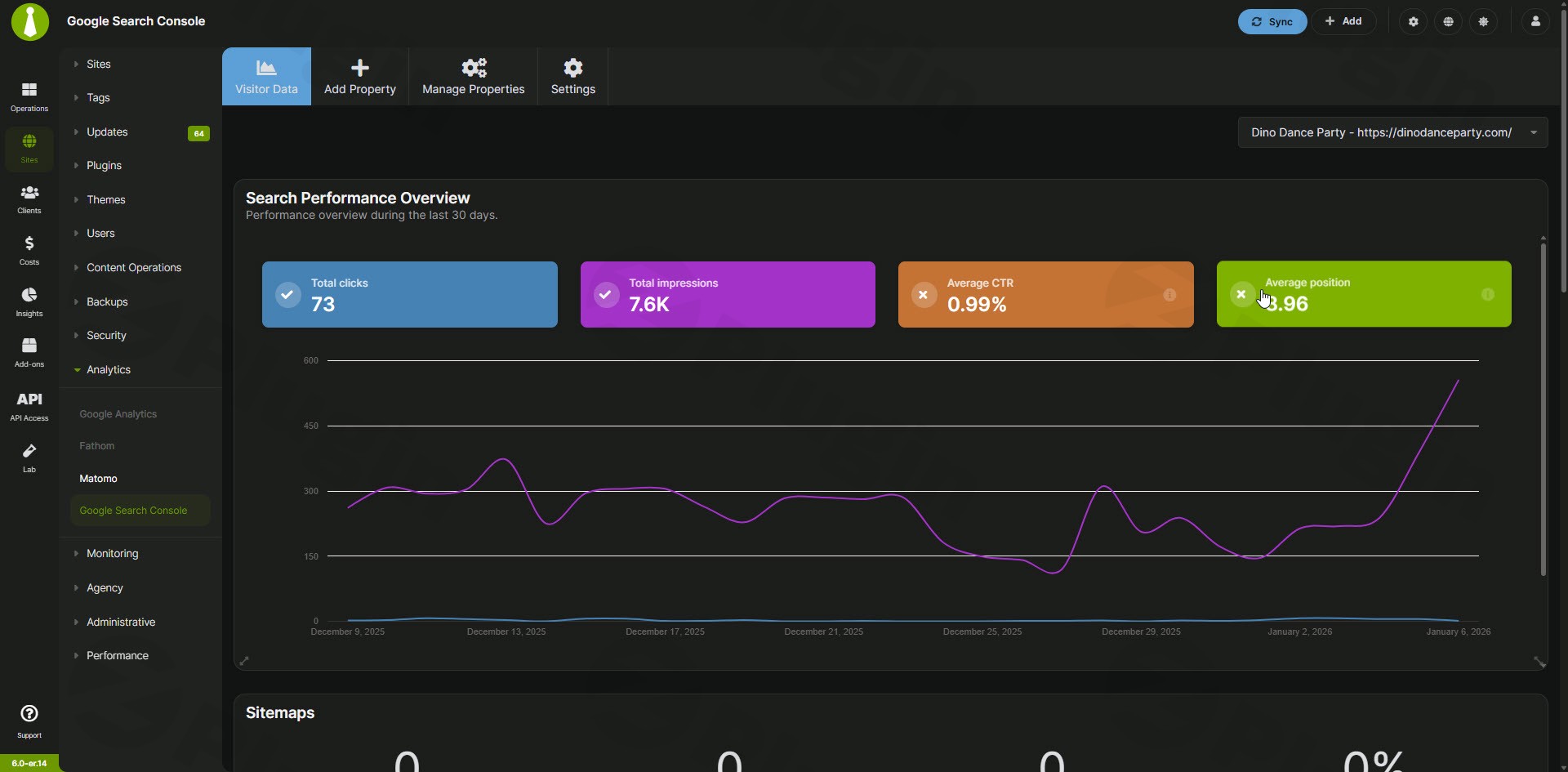
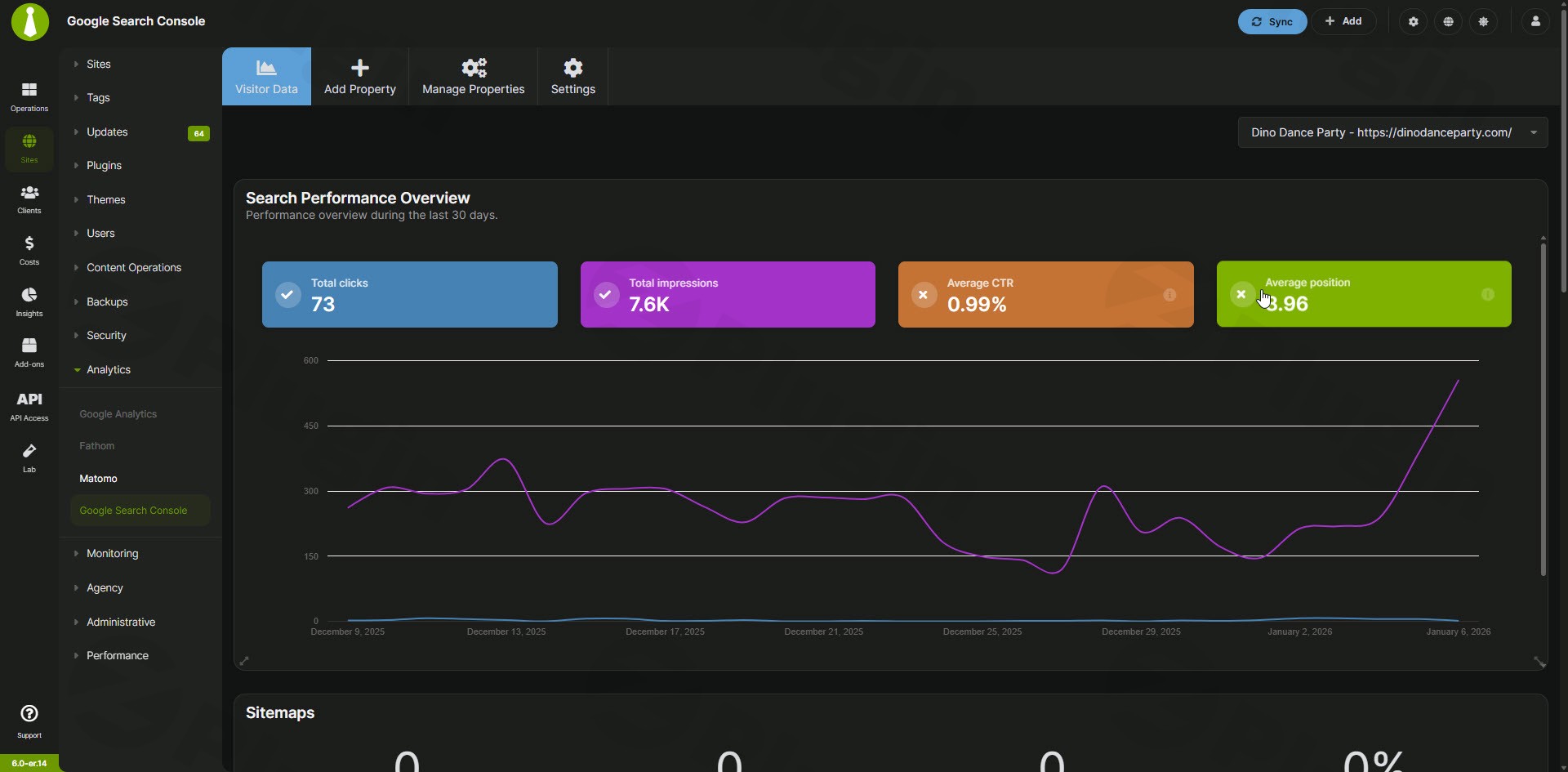
This extension connects your child sites to Google Search Console and aggregates essential organic performance metrics into a unified interface. It retrieves data regarding search queries, click-through rates, total impressions, and average keyword positions. Administrators can review organic traffic trends, detect indexation snags, and monitor sitemap health across a network of websites from a single control panel.
Target Audience and Who It Is For
This plugin is tailored for WordPress maintenance providers, digital agencies, multi-site network administrators, and freelance developers managing several client properties. Anyone responsible for routine SEO maintenance, performance reporting, and traffic monitoring across multiple distinct WordPress installations will find this tool valuable for reducing administrative overhead.
Core Capabilities and Key Features
- Centralized reporting interface displaying search metrics for all connected child sites in one place.
- Aggregated tracking of clicks, impressions, and average search ranking positions.
- Sitemap health visibility to ensure search engines crawl and index pages effectively.
- Streamlined workflow removing the necessity to log into separate Google Search Console properties individually.
- Clear performance overviews to help spot sudden traffic drops or indexing anomalies early.
Practical WordPress Use Cases
Agency SEO Auditing: Quickly scan a portfolio of client websites during monthly reviews to identify which domains experienced organic traffic gains or losses.
Maintenance Reporting: Compile search performance data to include in routine client maintenance reports without manually gathering statistics from separate dashboards.
Indexation and Sitemap Monitoring: Verify that search engine sitemaps are functioning correctly and that pages are actively indexed across multiple customer sites.
Compatibility and Setup Considerations
The extension requires a functioning MainWP Dashboard installation on your main management site along with the corresponding MainWP Child plugin active on all connected websites. Proper API authentication and authorization with Google Search Console are required for each property to successfully fetch reporting data. System administrators should ensure that server configurations permit outbound API requests for seamless synchronization.
Reasons to Choose This Extension on WPPick
Downloading this utility via WPPick provides an accessible path for agencies looking to scale their multi-site management stack. It offers straightforward deployment, transparent file management, and fits directly into existing MainWP workflows without adding unnecessary code bloat or complex external dependencies.
Latest Version Context
Version 6.2.1 includes technical refinements that update and refactor the activation logic to improve file handling and eliminate transient retries during setup.
Frequently Asked Questions
Does this plugin replace the need for a Google Search Console account?
No. You must still have an active Google Search Console account and verify your website properties. This extension simply pulls data from your verified accounts into your MainWP dashboard.
Can I monitor multiple client domains from a single screen?
Yes. The extension is designed to aggregate and display search metrics across your entire network of connected child sites within the main management interface.
What kind of metrics are visible in the dashboard?
You can view core organic search performance indicators such as total clicks, total impressions, average click-through rates, keyword ranking positions, and sitemap status.
Is special configuration required on child sites?
Each child site must be connected to your central MainWP dashboard and properly authorized with your Google Search Console credentials to enable data synchronization.
Where can I find the official release notes for version 6.2.1?
Detailed change information and release updates can be reviewed directly through the official vendor release documentation.
I. Download Limits & Account Benefits
- Free Downloads: Each email address receives 3 downloads per day for free products
- Upgrade Benefits: Purchase any paid product to increase your daily download limit by 3 for each paid product
- No Account Required: You can download immediately by receiving the download link via email
- Account Recommended: Create an account for easier access to your order history and direct update downloads
II. Understanding GPL vs Official Versions
Important: The products available on WPPick are GPL-licensed versions, which differ from official developer versions. Before purchasing, please read our comprehensive guide: Understanding GPL & Official Differences at WPPick
Key Points:
- GPL versions may not include premium support from original developers
- Updates may be delayed compared to official releases
- Some premium features might have limitations
- Always consider your specific needs and support requirements
III. Support & Assistance
We’re here to help through multiple channels:
- Email Support: Direct email assistance for all inquiries
- Live Chat: Real-time support during business hours
- Comprehensive Documentation: Detailed guides and tutorials
IV. Order Tracking
Access your complete purchase history and download links anytime: Order History
V. Account Access
New to WPPick? Login or Create Account to manage your downloads and orders efficiently.
VI. Refund Protection
We stand behind our products with a clear refund policy. Review our terms: Refund Policy
VII. Privacy & Security
Your data security is our priority. Learn how we protect your information: Privacy Policy
VII. Terms of Service
Understanding our service terms ensures a smooth experience: Terms of Use
Quick Tips for Best Experience
- Verify Compatibility: Check plugin/theme compatibility with your WordPress version
- Backup First: Always backup your site before installing new plugins or themes
- Test Environment: Consider testing on a staging site first
- Stay Updated: Regularly check for updates in your account dashboard
- Read Documentation: Review any included documentation for optimal setup
Need Help?
If you have questions about downloads, licensing, or need technical assistance, don’t hesitate to contact our support team. We’re committed to ensuring you have the best possible experience with WPPick products.
Ready to get started? Your download adventure begins with just one click!