
Mainwp Pro Reports Extension
/Year
Streamline Your Agency Workflow With MainWP Pro Reports Extension
The MainWP Pro Reports Extension is a comprehensive reporting utility built specifically for WordPress agencies, developers, and freelancers who manage multiple client websites through a centralized MainWP dashboard. This extension automates the entire process of gathering site data, formatting it into professional documents, and delivering it directly to your clients. By converting complex backend site activity into easily digestible visual metrics, the extension helps you demonstrate the ongoing value of your maintenance plans and solidifies client trust.
Who Can Benefit From This Reporting Tool
WordPress agencies handling dozens or hundreds of client sites will find this extension invaluable for scaling their client communication. Freelancers offering monthly maintenance and security packages can use it to justify their recurring fees by showing clients exactly what technical work was completed behind the scenes. Furthermore, internal development teams can leverage these reporting features to track software updates, monitor security scans, and maintain an audit trail of overall network health across an extensive portfolio of managed enterprise websites.
Key Capabilities For Professional Reporting
The extension offers robust functionality designed to meet the demands of professional WordPress management and client relations.
- Automated report generation and scheduling for daily, weekly, or monthly delivery via email.
- Fully customizable report templates tailored to match your specific agency branding and styling.
- Export options for creating polished PDF documents or web-based HTML reports for client viewing.
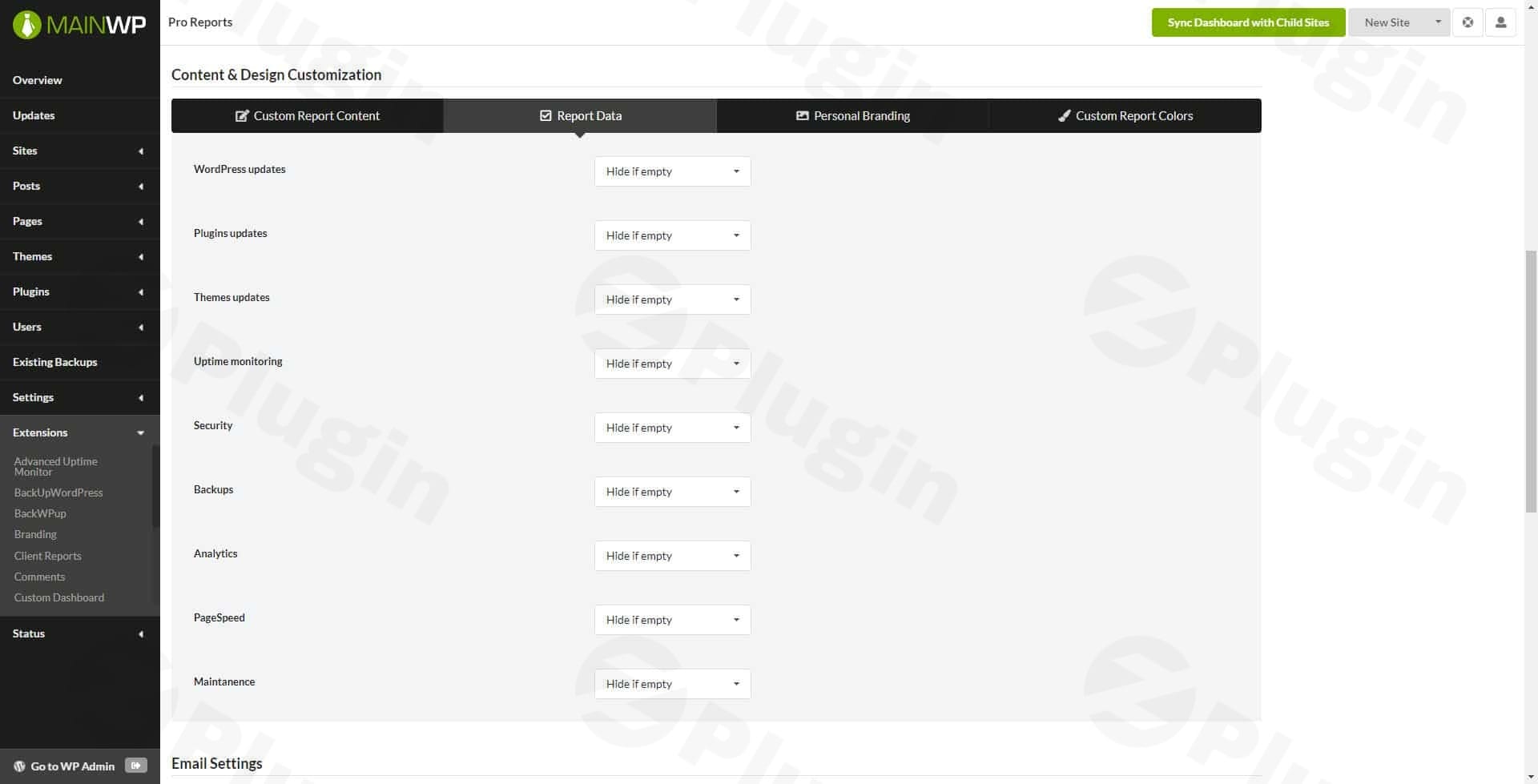
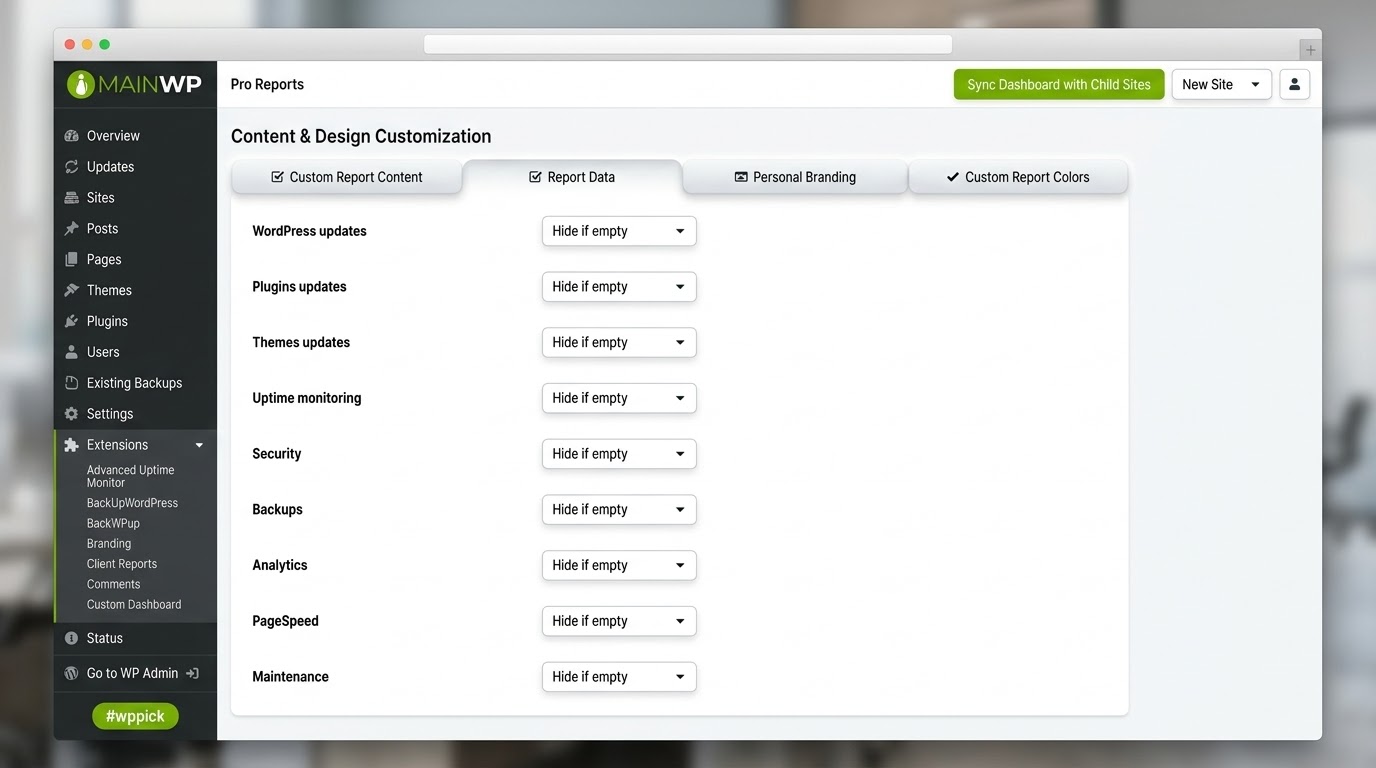
- Comprehensive data inclusion covering plugin updates, theme changes, and core WordPress software upgrades.
- Integration with other MainWP extensions to include metrics from security scanners, backup utilities, and performance monitors.
- Advanced data token system for inserting dynamic client details, site-specific analytics, and uptime monitoring data automatically.
- Robust client-email token validation to prevent sending errors and preserve communication accuracy.
Practical WordPress Use Cases
Client retention relies heavily on transparent, consistent communication. Using this extension, you can automatically send a comprehensive monthly summary to a client detailing the specific plugin updates applied, security scans performed, and database optimizations completed on their site. This tangible proof of work eliminates questions about what your care plan actually covers and proves your return on investment. Additionally, you can use the extension to generate internal audit reports before handing a completed website project over to a client, ensuring all underlying software is up to date, backups are running, and the site is performing optimally.
Setup And Compatibility Notes
To utilize this extension, you must have a functioning MainWP Dashboard installed on a dedicated WordPress installation. The extension installs directly onto your dashboard site, not on the individual child sites. It integrates seamlessly with the core MainWP system and automatically pulls historical data from connected child sites without requiring additional configuration plugins on the client end. The extension relies on standard PHP functions for complex PDF generation and embedded file handling, so ensuring your dashboard hosting environment meets standard WordPress resource requirements is essential for smooth, error-free document compilation.
Reasons To Choose This Extension On WPPick
Acquiring this extension through WPPick ensures you receive original, unmodified files for your agency dashboard operations. WPPick provides clear visibility into the version history and file integrity of the tools you rely on for critical client management. Accessing the extension here allows you to safely deploy professional reporting capabilities across your network while maintaining strict, secure oversight of the codebase powering your central agency hub.
Latest Version Context
The current available release is version 5.1.6. Detailed release notes are not available from the provided sources. Users maintaining active client reporting schedules should continue to test new updates in a staging environment of their MainWP dashboard before applying them to their production network, ensuring that all custom PDF templates, token rendering, and scheduled automated email deliveries continue to function exactly as expected.
Frequently Asked Questions
What is the MainWP Pro Reports Extension used for?
It is used to automatically generate and distribute professional, white-labeled reports to clients, detailing the maintenance, security, and management tasks performed on their WordPress websites via the MainWP network.
Do I need the core MainWP Dashboard plugin to use this?
Yes, this is an add-on extension. It requires an active MainWP Dashboard installation to function properly and cannot operate as a standalone reporting tool on a standard, unmanaged WordPress site.
Can I customize the appearance of the client documents?
You have complete control over the design of the reports. The extension provides built-in templates that you can modify using visual editing tools, allowing you to add your agency logo, customize brand colors, adjust typography, and include custom introductory text to match your corporate identity.
Is it possible to schedule reports to send automatically?
The extension includes a highly configurable scheduling engine. You can configure reports to generate and send to designated client email addresses on a recurring basis, such as the first day of every month, completely automating your recurring client communication workflow.
What types of data can I include in the generated files?
You can include a wide variety of metrics via the token system, including standard WordPress updates, security scan results, uptime monitoring statistics, performance scores, backup completion statuses, and analytics data, provided you have the corresponding MainWP extensions active and configured on your dashboard.
Will compiling these reports slow down my client websites?
The extension operates entirely on your central MainWP Dashboard site. It compiles data that has already been synced and stored from the child sites, meaning the resource-intensive report and PDF generation process has absolutely no performance impact on your clients live websites.
I. Download Limits & Account Benefits
- Free Downloads: Each email address receives 3 downloads per day for free products
- Upgrade Benefits: Purchase any paid product to increase your daily download limit by 3 for each paid product
- No Account Required: You can download immediately by receiving the download link via email
- Account Recommended: Create an account for easier access to your order history and direct update downloads
II. Understanding GPL vs Official Versions
Important: The products available on WPPick are GPL-licensed versions, which differ from official developer versions. Before purchasing, please read our comprehensive guide: Understanding GPL & Official Differences at WPPick
Key Points:
- GPL versions may not include premium support from original developers
- Updates may be delayed compared to official releases
- Some premium features might have limitations
- Always consider your specific needs and support requirements
III. Support & Assistance
We’re here to help through multiple channels:
- Email Support: Direct email assistance for all inquiries
- Live Chat: Real-time support during business hours
- Comprehensive Documentation: Detailed guides and tutorials
IV. Order Tracking
Access your complete purchase history and download links anytime: Order History
V. Account Access
New to WPPick? Login or Create Account to manage your downloads and orders efficiently.
VI. Refund Protection
We stand behind our products with a clear refund policy. Review our terms: Refund Policy
VII. Privacy & Security
Your data security is our priority. Learn how we protect your information: Privacy Policy
VII. Terms of Service
Understanding our service terms ensures a smooth experience: Terms of Use
Quick Tips for Best Experience
- Verify Compatibility: Check plugin/theme compatibility with your WordPress version
- Backup First: Always backup your site before installing new plugins or themes
- Test Environment: Consider testing on a staging site first
- Stay Updated: Regularly check for updates in your account dashboard
- Read Documentation: Review any included documentation for optimal setup
Need Help?
If you have questions about downloads, licensing, or need technical assistance, don’t hesitate to contact our support team. We’re committed to ensuring you have the best possible experience with WPPick products.
Ready to get started? Your download adventure begins with just one click!
- Agency templates now display optional sections only when content is available, preventing empty containers from appearing.
- Refined report title styling in agency report templates by reducing the font size, line height, and improving text wrapping behavior to prevent layout issues.
- Simplified the accent color rendering for the title to produce cleaner, more consistent styling.
- Corrected translation handling that caused a JavaScript error and prevented some UI elements from working properly.
- Resolved an issue with checking the client email token value when a child site was not assigned to any client.
- Call to undefined method `acquire_update_completed_lock()` method.
- Preventing potential errors when counting rows on invalid results.
- Previous-period calculation for scheduled reports so previews and PDF exports now use the correct prior reporting window for daily, weekly, and monthly schedules.
- Uptime Monitoring metrics and tokens to default report templates.
- A new scheduling option to run tasks every minute, providing more frequent execution intervals for automated processes.
- Automatic date range fallback functionality when dates are not specified, the system now defaults to the past year through today.
- Client-email token validation: shows warnings, can block save/send until user confirms, and preserves confirmation state.
- Enhanced embedded file handling capabilities in PDF exports.
- Improved data sanitization to safely handle and process various data types, ensuring cleaner handling of complex values in reports.
- Strengthened type checking and data validation throughout the application.
- Improved resource management for image handling in PDFs.
- Improved UTF-8 text handling and encoding awareness in PDF generation.
- Better handling of fixed-layout tables and positioning.
- Enhanced input validation for report data processing.
- Improved data decoding robustness for handling serialized and base64-encoded content.
- Default report start/end times to ensure consistent period boundaries for scheduled reports.
- Blocked creation of new tokens using reserved built-in names to ensure naming consistency and protect core functionality.
- Changed the Matomo Unique Visits token to Unique Visitors.
- Bounce rate calculations in reports have been refined for improved accuracy. Metrics are now properly displayed as percentages on a 0-100 scale.
- New hooks: `mainwp_pro_reports_prepare_content_report_email`, `mainwp_pro_reports_send_scheduled_report_after_generated_content`, `mainwp_pro_reports_after_completed_send_scheduled_report`, `mainwp_pro_reports_continue_send_reports_limit`.
- New report template action `mainwp_pro_reports_additional_content` for hooking new report content.
- An issue where hard-coded PDF filenames without site-specific tokens could cause report data to be sent to incorrect recipients in bulk operations.
- Added: `mainwp_pro_reports_agency_template_summary_bottom` action hook to the bottom of the summary section in the Agency report template.