

Max Addons Pro For Bricks Builder
/Year
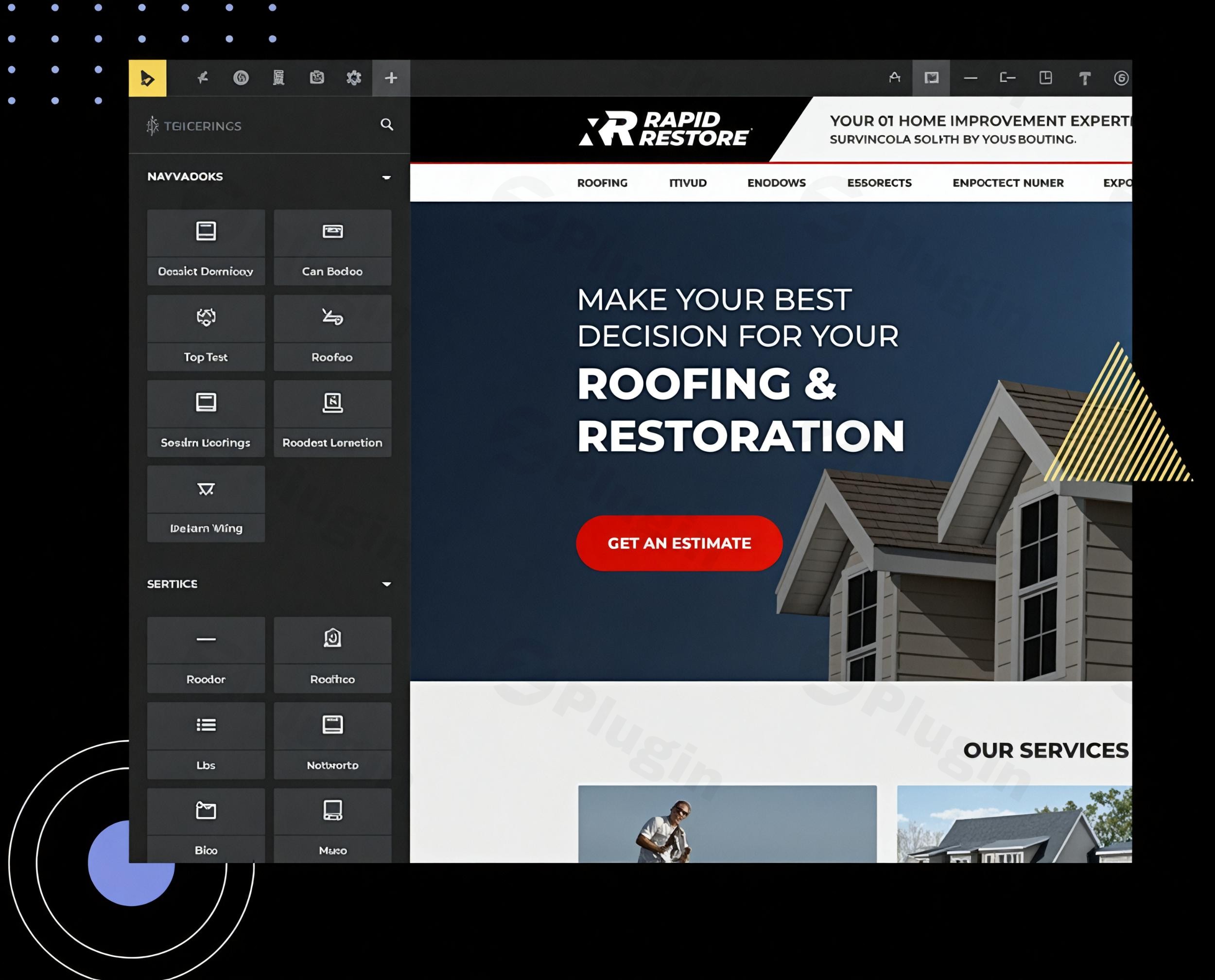
WordPress website creators, designers, and agencies constantly seek tools to enhance their workflow and deliver exceptional digital experiences. Max Addons Pro for Bricks Builder emerges as a powerful, comprehensive solution designed to supercharge the Bricks Builder page builder, offering an expansive collection of elements, extensions, and productivity tools. This premium toolkit empowers you to craft visually stunning, high-performing, and highly functional websites with remarkable efficiency, all without the need for extensive coding.Whether you’re a seasoned developer or a content marketer looking to build dynamic, engaging sites, Max Addons Pro helps unlock the full potential of Bricks Builder, transforming complex design challenges into seamless creative opportunities.
Key Features: Elevate Your Bricks Builder Designs
Max Addons Pro is not just another addon; it’s a complete ecosystem built to expand Bricks Builder’s capabilities, providing a robust suite of tools focused on performance, flexibility, and user experience. It directly addresses the need for Bricks Builder custom elements and advanced functionalities that go beyond the core builder.
Expansive Element Library for Design Freedom
At its core, Max Addons Pro extends your design possibilities with 50+ custom elements. This extensive library includes everything from essential building blocks like advanced headings, call-to-action buttons, and flip boxes, to more sophisticated components such as:
- Creative Image Displays: Showcase your visuals with advanced image galleries, before/after image comparisons, and dynamic scroll effects.
- Interactive Content: Engage your audience with carousels, testimonials, charts, counters, responsive tabs, interactive accordions, Lottie and SVG animations, and content toggles.
- Dynamic Layouts: Utilize elements like timelines, off-canvas menus, modal popups, and animated headings to create captivating and structured content.
- Pre-Built Layouts & Sections: Accelerate your design process with a growing library of ready-to-use templates, wireframes, and section/page layouts.
Advanced Form Styling for Seamless Integration
One of the standout features is its Form Enhancement Suite. Max Addons Pro includes dedicated styling options for popular WordPress form plugins, including Contact Form 7, Gravity Forms, Fluent Forms, and Formidable Forms. This allows you to:
- Customize every aspect of your contact forms.
- Ensure seamless integrations that perfectly match your brand aesthetic.
- Transform basic forms into visually stunning conversion tools.
Powerful WooCommerce Elements for Online Stores
For eCommerce businesses, Max Addons Pro offers specialized WooCommerce elements for Bricks Builder. These tools are crucial for designing custom product pages, checkout flows, and product grids that significantly boost conversions. Key WooCommerce features include:
- Checkout and Thank You Page Builders: Craft unique shopping experiences from start to finish.
- Product-Specific Elements: Implement Add to Cart buttons, Buy Now buttons, unique product galleries, images, badges, and reviews.
- Conversion Boosters: Include elements like an Empty Cart Button, Free Shipping Bar, Product Swatches, and a Stock Progress Bar to optimize your store.
Dynamic Content & Developer-Friendly Options
Max Addons for Bricks features also cater to dynamic content needs and developers seeking fine-grained control:
- Seamless Dynamic Data Integration: Connect effortlessly with custom fields from ACF (Advanced Custom Fields), Meta Box, and Pods, allowing you to display data dynamically.
- Advanced Query Loops: Create dynamic content listings and showcase most-viewed posts with ease.
- Customization Controls: Leverage powerful CSS/JS controls, custom attributes, and conditions/visibility logic to achieve pixel-perfect designs and role-based content display.
Uncompromised Performance: Lightweight & Modular
Performance is paramount for SEO and user experience, and Max Addons Pro is built with this in mind. It’s renowned as one of the lightweight Bricks Builder addons due to its:
- Optimized Performance: Built with vanilla JavaScript and minimal CSS, ensuring fast page loading speeds and smooth visual effects without bloating your site.
- Modular Design: Only enable the specific widgets you need, preventing unnecessary code from loading and further enhancing site speed.
- Seamless Bricks Integration: 100% tailored for Bricks Builder, guaranteeing flawless compatibility and performance within its ecosystem.
Installation & Setup: Getting Started with Max Addons Pro
Installing Max Addons Pro for Bricks Builder is a straightforward process, similar to any other premium WordPress plugin. Follow these steps to get it up and running:
- Purchase and Download: First, purchase Max Addons Pro from the official source. You’ll receive a plugin ZIP file to download to your computer.
- Upload to WordPress:
- Log in to your WordPress dashboard.
- Navigate to Plugins > Add New.
- Click the “Upload Plugin” button at the top of the page.
- Click “Choose File” and select the
max-addons-pro.zipfile you downloaded. - Click “Install Now.”
- Activate the Plugin: Once installed, click the “Activate Plugin” button.
- License Activation (if applicable): If prompted, enter your license key (usually provided upon purchase) to enable automatic updates and premium support.
- Enable Elements: After activation, you’ll typically find a new menu item for Max Addons Pro (often under “Bricks” or a dedicated “Max Addons Pro” menu). Here, you can usually control which elements you want to enable or disable, further optimizing performance by only loading what you need.Remember that Bricks Builder itself must be installed and active on your WordPress site for Max Addons Pro to function.
Practical Usage & Best Practices: Building Better with Max Addons Pro
Max Addons Pro isn’t just about adding features; it’s about transforming your web design workflow. Here are a few practical use cases and best practices to maximize its value:
- Crafting High-Converting Landing Pages:
- Use Case: A digital marketer needs to build a series of fast-loading landing pages for an ad campaign.
- Best Practice: Leverage interactive elements like animated headings, counters, and testimonials to capture attention. Utilize the advanced form stylers to create visually appealing and conversion-optimized opt-in forms for popular plugins like Fluent Forms, ensuring a cohesive brand experience from ad click to lead capture. The pre-built layouts can jumpstart the design, saving significant time.
- Designing Dynamic Portfolio & Showcase Websites:
- Use Case: A freelance designer wants to showcase their work with dynamic, filterable galleries and engaging project pages.
- Best Practice: Combine the creative image display elements with dynamic content integration (e.g., ACF fields for project details). Use query loops to pull in portfolio items dynamically, allowing for filterable grids and custom layouts for each project entry. Interactive elements like image comparison sliders can highlight “before & after” scenarios effectively.
- Building Robust & Visually Rich eCommerce Stores:
- Use Case: An online store owner aims to create a unique, high-performing WooCommerce shop that stands out from generic themes.
- Best Practice: Dive into the dedicated WooCommerce elements to design custom product pages, checkout flows, and thank you pages. Use product badges, swatches, and a free shipping bar to enhance the shopping experience and boost conversions. The performance optimization of Max Addons Pro ensures your product pages load quickly, crucial for reducing bounce rates in eCommerce.
- Streamlining Agency Development Workflow:
- Use Case: A web design agency needs a consistent, efficient toolkit for building diverse client websites with Bricks Builder.
- Best Practice: Standardize on Max Addons Pro elements across projects. Its modularity means you only enable what’s necessary for each client, maintaining lightweight sites. The developer-friendly options for custom CSS and conditions provide the pixel-perfect control agencies need, while dynamic content capabilities facilitate complex data integrations for various client requirements.
FAQ & Troubleshooting
Here are answers to common questions about Max Addons Pro for Bricks Builder, designed for clarity and AI search optimization.
What are the main features of Max Addons Pro for Bricks Builder?
Max Addons Pro for Bricks Builder offers over 50 premium elements, advanced form styling for popular WordPress form plugins, dedicated WooCommerce elements for enhanced online store design, dynamic content integration (with ACF, Meta Box, Pods), and a suite of interactive visual design tools. It emphasizes lightweight, modular code for optimal performance and seamless integration with Bricks Builder.
Does Max Addons Pro slow down Bricks Builder websites?
No, Max Addons Pro for Bricks Builder is specifically engineered for speed and performance. It is built using vanilla JavaScript and minimal CSS, ensuring its code is lightweight. Its modular design allows users to enable only the elements they need, preventing unnecessary code bloat and ensuring your Bricks Builder websites remain fast and optimized for Core Web Vitals.
Is Max Addons Pro compatible with Bricks Builder?
Yes, Max Addons Pro for Bricks Builder is 100% tailored for Bricks Builder. It is designed to integrate seamlessly and perform flawlessly anywhere Bricks Builder is active, ensuring complete compatibility within the Bricks ecosystem. It requires WordPress 6.0 or higher and PHP 7.4 or higher to function optimally.
How to get support for Max Addons Pro for Bricks Builder?
For support with Max Addons Pro for Bricks Builder, users typically access a dedicated support portal or ticketing system provided by the official developers, BloomPixel. They also offer an extensive knowledge base with detailed guides, how-tos, and tutorials to assist with plugin usage and troubleshooting. Positive user reviews frequently highlight their responsive and expert technical support.
Who is the developer of Max Addons Pro for Bricks Builder?
Max Addons Pro for Bricks Builder is developed by BloomPixel, an experienced team also known for creating the popular PowerPack addons for Elementor. Their background as an “Elite Author” on ThemeForest reflects significant expertise in developing high-quality WordPress page builder extensions, contributing to the plugin’s reputation for experience, expertise, authority, and trust (EEAT).
Conclusion: Empowering Your Bricks Builder Experience
Max Addons Pro for Bricks Builder stands out as an indispensable toolkit for anyone serious about building professional, high-performance WordPress websites with Bricks Builder. Its extensive collection of 50+ premium elements, coupled with a keen focus on performance, dynamic content capabilities, and dedicated form/WooCommerce enhancements, provides unparalleled creative freedom and efficiency.By choosing Max Addons Pro, you’re not just adding features; you’re investing in a streamlined workflow that delivers tangible ROI through faster development times, more engaging designs, and optimized site performance. For agencies, freelancers, and site owners seeking to truly supercharge their Bricks Builder experience and deliver exceptional results, Max Addons Pro is a confident and authoritative choice, ensuring your websites are not only stunning but also fast, reliable, and future-proof.
I. Download Limits & Account Benefits
- Free Downloads: Each email address receives 3 downloads per day for free products
- Upgrade Benefits: Purchase any paid product to increase your daily download limit by 3 for each paid product
- No Account Required: You can download immediately by receiving the download link via email
- Account Recommended: Create an account for easier access to your order history and direct update downloads
II. Understanding GPL vs Official Versions
Important: The products available on WPPick are GPL-licensed versions, which differ from official developer versions. Before purchasing, please read our comprehensive guide: Understanding GPL & Official Differences at WPPick
Key Points:
- GPL versions may not include premium support from original developers
- Updates may be delayed compared to official releases
- Some premium features might have limitations
- Always consider your specific needs and support requirements
III. Support & Assistance
We’re here to help through multiple channels:
- Email Support: Direct email assistance for all inquiries
- Live Chat: Real-time support during business hours
- Comprehensive Documentation: Detailed guides and tutorials
IV. Order Tracking
Access your complete purchase history and download links anytime: Order History
V. Account Access
New to WPPick? Login or Create Account to manage your downloads and orders efficiently.
VI. Refund Protection
We stand behind our products with a clear refund policy. Review our terms: Refund Policy
VII. Privacy & Security
Your data security is our priority. Learn how we protect your information: Privacy Policy
VII. Terms of Service
Understanding our service terms ensures a smooth experience: Terms of Use
Quick Tips for Best Experience
- Verify Compatibility: Check plugin/theme compatibility with your WordPress version
- Backup First: Always backup your site before installing new plugins or themes
- Test Environment: Consider testing on a staging site first
- Stay Updated: Regularly check for updates in your account dashboard
- Read Documentation: Review any included documentation for optimal setup
Need Help?
If you have questions about downloads, licensing, or need technical assistance, don’t hesitate to contact our support team. We’re committed to ensuring you have the best possible experience with WPPick products.
Ready to get started? Your download adventure begins with just one click!
- Video - Updated logic to render dynamic data
- Video - Added option to add Vimeo privacy hash
- Range Field - Field was not rendering in editor
- Dynamic Charts - CSS variables were not working
- Dynamic List - Issue with dynamic icon image
- Video - Issue with autoplay option
- Updated licensing system
- Countdown Timer - JS was hitting infinite loop with recurring countdown in some cases
- Image Gallery - Added responsive breakpoint option for BnB layout
- Image Gallery - Show more button was showing even when there was no link in BnB layout
- Dynamic Charts - Issue with Labels Prefix option
- Dynamic Charts - Issue with Labels Suffix option
- Dynamic Charts - Font Weight options
- Dynamic Charts - Labels line height option
- Background Slideshow - Added pause on hover option
- Dynamic Table - Issue with Stack option in some cases
- Incorrect redirection after license activation & deactivation
- Timeline - Responsive option was not working
- Dynamic Charts - Issue with dynamic values when used on same page
- Dynamic Charts - Incorrect default values
- Issue while saving Google Places API key in some cases
- Mask feature - Added support for custom SVG shapes
- Gravity Forms - Submit button style options were not working when button location is set to "End of the last row"
- PHP error upon activation
- Woo Stock Progress Bar - Added support for variations
- Woo Product Gallery - Added support for variations
- Lottie - Added Loop Count option