

Meeek – Bio Links Saas (wordpress)
/Year
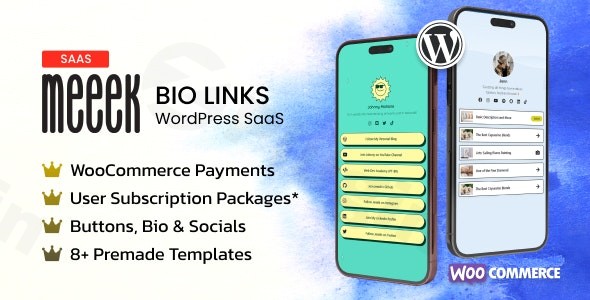
Elevate Your Online Presence with Meeek Bio Links
In today’s fast-paced digital landscape, your social media bio is often the first point of contact for potential followers, customers, or clients. It’s a critical piece of online real estate that needs to work hard for you. This is where Meeek Bio Links SaaS for WordPress comes in. Designed as the ultimate WordPress Bio Link Plugin, Meeek transforms your single “link in bio” into a powerful, branded, and conversion-optimized hub.Whether you’re an influencer, content creator, business owner, or agency, Meeek empowers you to consolidate all your important links, drive traffic across platforms, and maximize your online impact directly from your WordPress site. Say goodbye to generic third-party bio link services and embrace a self-hosted solution that gives you complete control, enhanced branding, and robust analytics.
Key Features of Meeek – The WordPress Bio Page Builder
Meeek provides a comprehensive suite of features to help you create, manage, and optimize your bio link pages effectively.
1. Professional & Customizable Link Management
Take full command of your online presence with stunning, brand-aligned link pages.
- Visually Appealing Pages: Create beautiful, professional link pages that captivate your audience and reflect your brand’s aesthetic. Choose from numerous design options, including 8 vertical, 8 horizontal style demos, and 18 different skins.
- Centralized Link Organization: Effortlessly organize multiple links in one easy-to-navigate location.
- Effortless Editing: A drag-and-drop interface allows for intuitive and quick arrangement of your links and content blocks.
- Link Scheduling & Security: Schedule links to publish or unpublish automatically, set expiry dates, and even password-protect individual links for exclusive content.
2. Advanced Social & Content Integration
Seamlessly connect your entire digital footprint and showcase diverse content.
- Unified Social Profiles: Connect all your social media profiles from Instagram and TikTok to Twitter and LinkedIn, driving traffic between platforms.
- Rich Content Embedding: Embed various content types directly into your bio page, including YouTube videos, Spotify embeds, Twitter/Facebook/TikTok posts, WooCommerce products, and blog articles.
- Email Capture: Integrate email capture forms to grow your subscriber list directly from your bio page.
3. Conversion Optimization & Monetization Tools
Turn clicks into conversions and even generate revenue directly from your bio link page.
- High-Impact Call-to-Action (CTA) Buttons: Implement compelling CTA buttons for specific actions like newsletter subscriptions, sales, bookings, or downloads.
- Robust Analytics & Tracking: Gain deep insights with real-time analytics. Track link performance, including UTM data, click metrics, geo-location, device, and referrer information. Integrates with Google Analytics, Meta Pixel, and TikTok Pixel for advanced tracking. This answers the long-tail query: “How to create a bio link page on WordPress with analytics“.
- Mobile-Optimized Design: Ensure perfect display and a seamless user experience on all devices, from desktops to smartphones and tablets.
- Monetization Features: With an extended license, Meeek offers powerful Meeek Bio Links SaaS monetization features. This includes integrating subscription plans and accepting payments via PayPal and Venmo, or selling products directly through WooCommerce.
- A/B Testing: Optimize your link performance and layouts with built-in A/B testing functionality.
4. Comprehensive Branding & Customization
Maintain a consistent brand identity with full control over your bio link’s appearance.
- Custom Domains & Subdomains: Utilize your own custom domains and subdomains for your bio profiles, reinforcing your brand and avoiding dilution associated with free services. This addresses “Meeek Bio Links custom domain setup WordPress“.
- Branding Controls: Customize logos, fonts, colors, and themes to perfectly match your brand’s aesthetic.
5. SaaS-Ready Capabilities
For agencies and entrepreneurs, Meeek offers unique multi-user and subscription management features.
- Multi-User Platform: Set up Meeek as a multi-user platform with subscription plans, limits, and metering.
- Client Workspaces: Create and manage client workspaces, making it ideal for agencies offering bio link services.
6. Elementor Integration & SEO
Benefit from a familiar page builder and essential SEO controls.
- Drag-and-Drop with Elementor: Integrates seamlessly with Elementor (and Elementor Pro), allowing you to build pages using familiar drag-and-drop blocks, including links, buttons, grids, carousels, and embeds. This makes it the “Best WordPress bio link plugin with Elementor integration“.
- SEO Settings: Optimize for search engines with custom page titles and options to prevent indexing if desired.
- QR Code Generation: Each page and link can have its own QR code, ideal for offline promotions.
Installation & Setup: Getting Started with Your Meeek WordPress Plugin
Installing and setting up Meeek Bio Links is straightforward, designed for non-developers to get up and running quickly.
- Purchase & Download: Obtain the Meeek – Bio Links SaaS (WordPress) plugin from ZeroPlugin.com or another authorized vendor. You’ll receive a
.zipfile. - Upload to WordPress:
- Log in to your WordPress admin dashboard.
- Navigate to Plugins > Add New.
- Click on Upload Plugin at the top of the page.
- Click Choose File, select the
meeek.zipfile you downloaded, and click Install Now.
- Activate the Plugin: Once installed, click Activate Plugin.
- Initial Configuration: After activation, a new “Meeek Bio Links” or similar menu item will appear in your WordPress dashboard. Click on it to access the plugin’s settings.
- Create Your First Bio Link Page:
- Follow the prompts or navigate to the “Create New Page” section within Meeek’s interface.
- Use the drag-and-drop builder (leveraging Elementor if installed) to add your desired links, social profiles, content embeds, and CTA buttons.
- Customize the design, colors, and fonts to match your brand.
- Assign a Custom Domain (Optional but Recommended): In the Meeek settings, configure a custom domain or subdomain for your bio link pages to enhance branding and professionalism.
- Integrate Analytics: Connect your Google Analytics, Meta Pixel, and TikTok Pixel accounts in the Meeek settings to start tracking performance immediately.
Practical Usage & Best Practices for Your Self-Hosted Bio Link Solution
Meeek Bio Links SaaS (WordPress) is incredibly versatile, making it ideal for a wide range of users looking for a Self-Hosted Bio Link Solution.
Use Case 1: The Influencer’s Power Hub
For Instagram influencers, TikTok creators, and YouTube personalities, your bio link is prime real estate.
- Strategy: Instead of a single rotating link, create a Meeek bio page featuring your latest video, affiliate links, merchandise store (WooCommerce integration!), and links to all your other social profiles.
- Best Practice: Utilize Meeek’s advanced analytics to see which links are performing best. Use A/B testing on button copy or layout to optimize click-through rates for your most important content. Schedule promotional links to appear and disappear automatically for limited-time offers.
Use Case 2: Boosting Business & eCommerce Conversions
Businesses and online store owners can leverage Meeek to streamline customer journeys.
- Strategy: Direct users from social media directly to new product launches, seasonal sales, lead magnet downloads, or booking pages.
- Best Practice: Integrate CTA buttons directly to your WooCommerce product pages or a newsletter signup form. The analytics will show you which traffic sources from your social media convert best. Leverage custom domains to reinforce brand trust.
Use Case 3: Agencies & SaaS Founders (Multi-Client Management)
For agencies offering digital marketing services or SaaS entrepreneurs building a platform, Meeek’s multi-user capabilities are a game-changer.
- Strategy: Offer branded bio link services to your clients, managing their profiles and analytics from a central WordPress installation. Create custom subscription plans for different tiers of service.
- Best Practice: Utilize Meeek’s client workspace features to provide tailored services. Offer advanced analytics and custom domain setup as premium features in your subscription plans. This positions Meeek as a powerful WordPress Linktree Alternative Plugin for business.
Use Case 4: Content Creators & Thought Leaders
Bloggers, podcasters, and industry experts can consolidate their valuable content.
- Strategy: Use your Meeek bio link to showcase your latest articles, podcast episodes, online courses, and speaking engagements.
- Best Practice: Embed snippets of your latest podcast or YouTube video directly onto your bio page to give visitors a taste of your content before they click away. Use email capture forms to build your audience directly.
FAQ & Troubleshooting
Here are answers to common questions about Meeek Bio Links SaaS for WordPress:
What is Meeek Bio Links SaaS for WordPress?
Meeek Bio Links SaaS for WordPress is a premium WordPress plugin that enables users to create highly customizable, branded, and conversion-optimized “link in bio” pages directly on their WordPress website. It functions as a self-hosted alternative to third-party bio link services, offering extensive features for link management, social media integration, analytics, and even monetization.
How does Meeek Bio Links compare to Linktree on WordPress?
Meeek Bio Links offers several key advantages over Linktree and similar hosted services when integrated with WordPress. Being a self-hosted solution, Meeek provides full control over your data, enhanced branding through custom domains, more in-depth analytics (including UTM tracking and pixel integrations), and direct monetization options like WooCommerce sales and subscription plans. It also offers advanced customization via Elementor and SaaS-ready features for agencies, which are typically limited or unavailable in free hosted alternatives.
Can I monetize my bio link page with Meeek WordPress plugin?
Yes, you can absolutely monetize your bio link page with the Meeek WordPress plugin. With an extended license, Meeek allows you to implement subscription plans for exclusive content or services. It integrates seamlessly with payment gateways like PayPal and Venmo, and is fully compatible with WooCommerce for direct product sales, making it a powerful tool for generating revenue.
What are the technical requirements for Meeek Bio Links plugin?
To run Meeek Bio Links SaaS (WordPress) effectively, your WordPress environment should meet the following technical requirements:
- WordPress Version: Compatible with WordPress versions 5.2 or higher (tested up to 6.8.3 for Lite, and supports 6.5.x – 6.8.x for the SaaS version).
- PHP Version: Requires PHP version 7.0 or higher.
- Page Builder: Integrates with Elementor (and Elementor Pro) for its drag-and-drop functionality.
- WooCommerce Compatibility: Fully compatible for eCommerce features.
- Theme Compatibility: Designed to work with any WordPress theme that supports header/footer removal and body color/background changes. ModelTheme also offers an optimized Meeek Bio Links Theme for seamless integration.
Is Meeek Bio Links GDPR compliant?
Yes, Meeek Bio Links SaaS (WordPress) is built with a GDPR-compliant setup to help protect user data and ensure privacy, aligning with current data protection regulations.
Conclusion: Why Meeek is Your Go-To WordPress Bio Link Plugin
In the competitive digital space, having a powerful and flexible “link in bio” strategy is no longer optional – it’s essential. Meeek Bio Links SaaS WordPress offers an unparalleled solution for individuals, businesses, and agencies seeking to maximize their online presence. By providing a self-hosted platform with advanced customization, deep analytics, robust monetization features, and multi-user capabilities, Meeek truly stands out.It’s more than just a link aggregator; it’s a comprehensive WordPress Bio Link Plugin that gives you complete control, stronger branding, and the tools to turn passive clicks into active engagements and conversions. If you’re ready to transcend the limitations of generic bio link services and invest in a scalable, high-performing solution for your WordPress site, Meeek is undoubtedly the smart choice to elevate your digital strategy.
I. Download Limits & Account Benefits
- Free Downloads: Each email address receives 3 downloads per day for free products
- Upgrade Benefits: Purchase any paid product to increase your daily download limit by 3 for each paid product
- No Account Required: You can download immediately by receiving the download link via email
- Account Recommended: Create an account for easier access to your order history and direct update downloads
II. Understanding GPL vs Official Versions
Important: The products available on WPPick are GPL-licensed versions, which differ from official developer versions. Before purchasing, please read our comprehensive guide: Understanding GPL & Official Differences at WPPick
Key Points:
- GPL versions may not include premium support from original developers
- Updates may be delayed compared to official releases
- Some premium features might have limitations
- Always consider your specific needs and support requirements
III. Support & Assistance
We’re here to help through multiple channels:
- Email Support: Direct email assistance for all inquiries
- Live Chat: Real-time support during business hours
- Comprehensive Documentation: Detailed guides and tutorials
IV. Order Tracking
Access your complete purchase history and download links anytime: Order History
V. Account Access
New to WPPick? Login or Create Account to manage your downloads and orders efficiently.
VI. Refund Protection
We stand behind our products with a clear refund policy. Review our terms: Refund Policy
VII. Privacy & Security
Your data security is our priority. Learn how we protect your information: Privacy Policy
VII. Terms of Service
Understanding our service terms ensures a smooth experience: Terms of Use
Quick Tips for Best Experience
- Verify Compatibility: Check plugin/theme compatibility with your WordPress version
- Backup First: Always backup your site before installing new plugins or themes
- Test Environment: Consider testing on a staging site first
- Stay Updated: Regularly check for updates in your account dashboard
- Read Documentation: Review any included documentation for optimal setup
Need Help?
If you have questions about downloads, licensing, or need technical assistance, don’t hesitate to contact our support team. We’re committed to ensuring you have the best possible experience with WPPick products.
Ready to get started? Your download adventure begins with just one click!
- New Element: Instagram photo element (setup + preview screenshot): It inherits the Instagram style layout of a card (Name, title, photo should be uploaded manually).
- New Options to set the number of pages per each pricing plan + limitation messages.
- New membership helper functions.
- Added a new button to duplicate a created link-in-bio page with one click (screenshot).
- Updated the core code to allow pages to be listed as homepage *(using plugin - Frontype).
- Improved Styling (Builder and frontend elements).
- Updated The pricing addon was updated to version 3.1 (*new benefits added).
- Google Maps embeds
- Telegram option for the Phone element (with dedicated styling and icon)
- Signal.me option for the Phone element (with dedicated styling and icon)
- Styling (Builder and frontend elements)
- The documentation
- Updated The translation file (.pot file)
- New Report Profile feature: Anyone can report an user or more to admins using the Report Profile from single link in bio pages. To report a profile users have to fill in details such as: Name, email, reason and description. Admins will see the reports in the dashboard with options to change the status (pending/solved).
- New The templates importer: When you already have a page title and slug set, it won't be replaced on import (with the imported slug and demo title).
- New Users/Creators Directory: Adding creators categories (users can set their directory category to be listed in - https://prnt.sc/hhbzDmO3cEim ).
- New Users/Creators Directory: profile views number/badge and category filters https://prnt.sc/fZnV38fkFRhK.
- Improved UX in the settings panel: After saving the options the view will remain the last saved one.
- Improved UX user page editing.
- Updated The Documentation.
- Fixed Some broken styling.
- Released on 10 June 2025