
Meow Apps – Ai Engine
/Year
Empower WordPress with Intelligent Automation
Meow Apps AI Engine is a comprehensive toolset designed to integrate state-of-the-art artificial intelligence models directly into your WordPress dashboard. Instead of relying on fragmented external platforms, this plugin centralizes content generation, intelligent chatbot creation, and vector embeddings within a unified interface. It bridges the gap between major AI engines and your website infrastructure, optimizing administrative workflows and boosting visitor interaction.
Latest Version 3.6.2 Changes
Meow Apps AI Engine version 3.6.2 changelog entries:
- Fix: Fixed block editor paragraph spacing broken by the AI Copilot handler wrapper.
- Add: Note filtering support for the wpgetcomments MCP tool, allowing agents to read WordPress 6.9 editor Notes.
- Fix: Fixed the Anthropic engine dropping conversation history on function-call follow-up requests.
- Fix: Fixed duplicate embedding vectors for the same reference and environment, which left embeddings stuck at pending after a sync.
- Meow Apps develops several WordPress plugins, and the changelog matching version 3.6.2 belongs to their popular ‘AI Engine’ plugin.
- Version 3.6.2 was released on July 16, 2026.
- The official changelog is published on the WordPress.org plugin directory repository for AI Engine.
What AI Engine Does
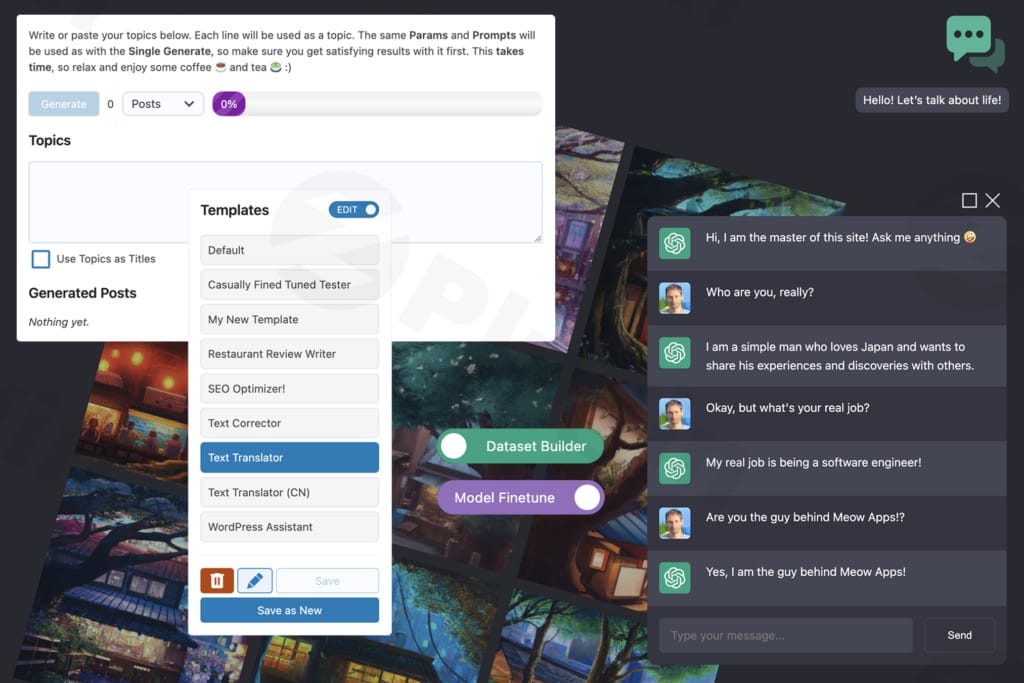
The plugin serves as a central hub connecting your site to leading AI infrastructure like OpenAI, Anthropic, and Google Gemini. It enables administrators to deploy responsive front-end chatbots, establish a dynamic AI Copilot for back-end editorial support, and generate structured textual content or imagery. Additionally, its robust embedding tools handle data synchronization, enabling highly localized context indexing for precise, internal semantic search and support capabilities.
Who It Is For
AI Engine is built for digital agencies, content creators, e-commerce store operators, and developers who want to reduce manual production overhead. Editorial teams can accelerate drafting processes, while customer success managers can configure tailored chatbots to answer recurring inquiries based on existing documentation. Developers benefit from extensible hooks, custom API integrations, and advanced Model Context Protocol frameworks to extend WordPress capabilities.
Key Capabilities and Features
- Multi-Provider Support: Connect seamlessly with OpenAI, Anthropic, Google, and open-source models.
- Custom Chatbots: Deploy fully stylable, context-aware chat windows with custom prompts, user logging, and behavior controls.
- Content and Image Generator: Draft articles, product copy, marketing blurbs, and visual assets directly within the WordPress editor.
- AI Copilot: Enhance back-end productivity with a persistent assistant tailored to handle site editing tasks.
- Embeddings and Vector Stores: Index your posts, pages, and products into vector databases for semantic retrieval and accurate data querying.
- Model Context Protocol (MCP): Implement sophisticated tool call structures allowing external AI agents to read and manage platform records safely.
Practical WordPress Use Cases
- Automated Content Drafting: Generate SEO outlines, rewrite product descriptions, and translate content into multiple languages.
- Customer Support Assistance: Train a front-facing chatbot on specific knowledge base articles to deliver precise, automated user support.
- Internal Data Synchronization: Sync extensive product inventories with OpenAI Vector Stores to enable hyper-relevant product recommendations.
- Editorial Notes Review: Allow AI Copilot agents to parse system comments and editor notes to streamline collaboration across multi-author blogs.
Setup and Compatibility Context
To use AI Engine, an active API key from your selected provider is required. The plugin adheres strictly to core WordPress standards, integrating directly into the block editor and native management screens. Administrators should ensure proper user capabilities are enforced when activating advanced developer features like user-level MCP tools, maintaining secure containment over automated data execution workflows.
Reasons to Choose AI Engine on WPPick
Acquiring AI Engine through WPPick delivers a clean, verified package free of hidden visual scripts or modification layers. This approach allows developers and agencies to evaluate the full depth of custom embeddings, internal fine-tuning support, and comprehensive provider configurations inside staging and live environments. It offers an efficient path to modernize your platform’s operational flow under a neutral, performance-first distribution architecture.
Latest Version Context
The latest iteration, version 3.6.2, introduces critical refinements ensuring smoother backend integration. It resolves an unexpected paragraph spacing defect caused by the AI Copilot handler wrapper in the block editor. Additionally, function-call follow-ups managed through the Anthropic engine now properly preserve conversation history without dropping context. Embedding routines have also been improved by preventing duplicate vectors from stalling sync queues at a pending status. Finally, the wpgetcomments tool now includes native note filtering, allowing external agents to read modern editor Notes effectively.
Frequently Asked Questions
Does AI Engine require an external subscription?
Yes, while the core plugin architecture runs on your server, you must provide your own API keys from services like OpenAI, Anthropic, or Google. Usage costs are determined directly by those providers based on your token consumption.
Can I train the chatbot using my own website data?
Yes. The plugin includes dedicated features for creating embeddings. You can index your posts, pages, and custom post types, allowing the AI to query your internal knowledge base before generating responses.
Is the chatbot design customizable to match my theme?
Yes. AI Engine provides comprehensive styling rules and structural settings within the admin dashboard, allowing you to alter the interface, colors, icons, and behavior without altering core code.
What does the Model Context Protocol do in this plugin?
MCP acts as a secure intermediary layer, defining specific tools that permit AI models to safely execute read, write, or query operations across your site’s database, posts, and comments under set permission rules.
I. Download Limits & Account Benefits
- Free Downloads: Each email address receives 3 downloads per day for free products
- Upgrade Benefits: Purchase any paid product to increase your daily download limit by 3 for each paid product
- No Account Required: You can download immediately by receiving the download link via email
- Account Recommended: Create an account for easier access to your order history and direct update downloads
II. Understanding GPL vs Official Versions
Important: The products available on WPPick are GPL-licensed versions, which differ from official developer versions. Before purchasing, please read our comprehensive guide: Understanding GPL & Official Differences at WPPick
Key Points:
- GPL versions may not include premium support from original developers
- Updates may be delayed compared to official releases
- Some premium features might have limitations
- Always consider your specific needs and support requirements
III. Support & Assistance
We’re here to help through multiple channels:
- Email Support: Direct email assistance for all inquiries
- Live Chat: Real-time support during business hours
- Comprehensive Documentation: Detailed guides and tutorials
IV. Order Tracking
Access your complete purchase history and download links anytime: Order History
V. Account Access
New to WPPick? Login or Create Account to manage your downloads and orders efficiently.
VI. Refund Protection
We stand behind our products with a clear refund policy. Review our terms: Refund Policy
VII. Privacy & Security
Your data security is our priority. Learn how we protect your information: Privacy Policy
VII. Terms of Service
Understanding our service terms ensures a smooth experience: Terms of Use
Quick Tips for Best Experience
- Verify Compatibility: Check plugin/theme compatibility with your WordPress version
- Backup First: Always backup your site before installing new plugins or themes
- Test Environment: Consider testing on a staging site first
- Stay Updated: Regularly check for updates in your account dashboard
- Read Documentation: Review any included documentation for optimal setup
Need Help?
If you have questions about downloads, licensing, or need technical assistance, don’t hesitate to contact our support team. We’re committed to ensuring you have the best possible experience with WPPick products.
Ready to get started? Your download adventure begins with just one click!
- Fixed block editor paragraph spacing broken by the AI Copilot handler wrapper.
- Fixed the Anthropic engine dropping conversation history on function-call follow-up requests.
- Fixed duplicate embedding vectors for the same reference and environment, which left embeddings stuck at pending after a sync.
- Note filtering support for the wp_get_comments MCP tool, allowing agents to read WordPress 6.9 editor Notes.
- Fix: MCP user tools not enforcing proper capabilities, allowing Multisite site administrators to edit users beyond their reach. Hotfix. (Thanks to Charles Vosburgh for reporting.)
- Fix: MCP read tools corrupting block-JSON Unicode escapes by double-unslashing database content.
- Update: Native browser dialogs (alert/confirm/prompt) are now forbidden in code; NekoModal is used instead.
- Fix: MCP post meta tools double-serializing array values, which stored nested arrays as strings.
- Fix: MCP wp_create_post and wp_update_post tools stripping shortcodes, email HTML, and inline CSS for admin-authorized callers.
- Fix: Chatbot theme styles loading outside AI Engine's admin screens, which caused Gutenberg editor iframe warnings.
- Fix: simpleJsonQuery failing on Anthropic and Google environments by no longer forcing an OpenAI fallback model, with a clearer error message.
- Fix: Discussions and Queries timestamps now display in the site's configured timezone instead of the browser's.
- Fix: MCP Functions settings crashing when tools were registered due to the list being returned as an object instead of an array.
- Fix: OpenAI Vector Store Pull All failing with a limit error by paginating the file list.
- Update: WordPress MCP tools are now enabled by default.