

Metform Pro – Advanced Elementor Form Builder
/Year
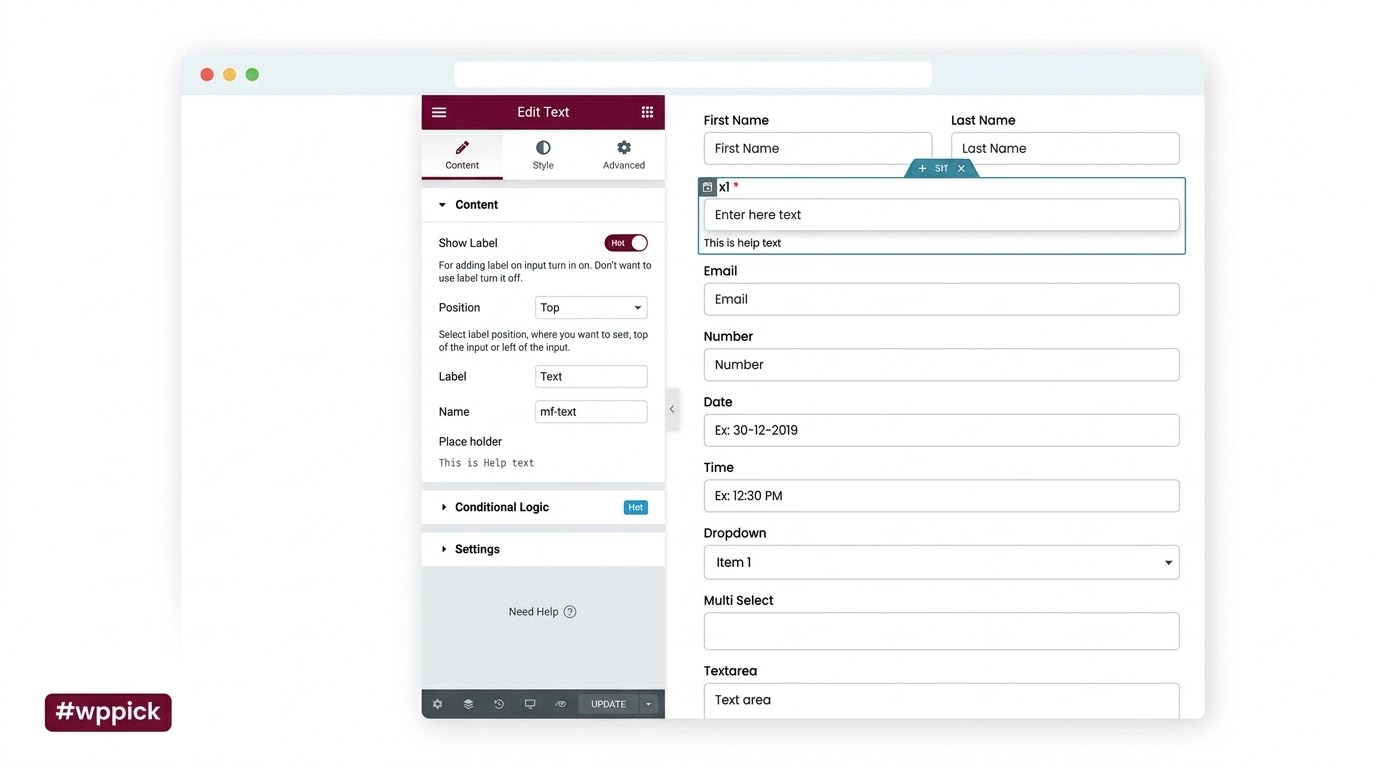
Build Smart Forms Seamlessly Inside Elementor
MetForm Pro is a premium form builder addon tailored specifically for the Elementor page builder. It bridges the gap between layout flexibility and data collection, allowing developers and site owners to build complex contact forms, dynamic quizzes, multi-step registration flows, and user feedback surveys entirely within the visual editing interface. By embedding directly into Elementor, it eliminates the need to jump between external backend dashboards and front-end builders when configuring entry layouts.
Latest Version 4.0.0 Changes
MetForm Pro version 4.0.0 introduces a built-in WordPress Form Analytics dashboard to track metrics like views, conversions, and quiz performance directly on the server without external dependencies. This release also introduces smarter conditional logic with dynamic field value support and an overhauled form template creation interface.
- 4.0.0 Introduced MetForm Analytics, a built-in analytics system for forms and quizzes that lives entirely inside WordPress. Refined the form creation UI including a cleaner, organized pop-up modal, better categorization of form templates, faster template access, and template search. Expanded conditional logic with dynamic field value support, enabling conditions to be evaluated against dynamic field values instead of static predefined options. Added the ability to filter general forms and quiz forms separately. Full backward compatibility ensuring existing forms, submissions, and settings remain unchanged.
What the Plugin Does and Target Audience
This extension replaces rigid shortcode-based layout rendering with flexible, widget-driven block layouts. Site editors can configure multi-column grid adjustments, custom inputs, submit actions, and localized placeholder translations visually. MetForm Pro targets scaling agencies, marketing managers, enterprise site operators, and freelancers who rely on Elementor for styling consistency and require deep functional control over dynamic field validation and data capture without coding overhead.
Key Capabilities for Form Creation
- Visual Layout Control: Place input widgets, selectors, switches, and checkboxes side by side within standard Elementor columns.
- Dynamic Multi-Step Flows: Group continuous workflows into logical step containers with dedicated navigation bars and validation checking.
- Integrated Server Analytics: Monitor form impressions, drop-off behaviors, completion rates, and user engagement summaries over localized server storage.
- Intelligent Conditional Mapping: Control visibility states or evaluate criteria against dynamic input fields rather than predefined static values.
- Third-Party Connectivity: Sync submitted field parameters directly into cloud storage endpoints and email marketing lists instantly.
Practical WordPress Use Cases
A primary setup context involves multi-stage quote calculations for service businesses. For example, a home improvement business can construct a form where specific product selections open corresponding sub-questions dynamically based on the customer’s localized selections. Another standard scenario is internal training quizzes where the platform evaluates individual query strings, aggregates responses, and structures summary results inside a neat dashboard view. Additionally, it easily serves as a secure client onboarding endpoint featuring secure native storage uploads via Dropbox or Google Drive configurations.
Setup, Compatibility, and Deployment Context
MetForm Pro activates as an Elementor addon and inherits global typography and skin configurations natively. It remains independent of excessive external rendering libraries to ensure server-side request metrics stay fast. The solution features native validation handling across mobile and tablet breakpoints, protecting form functionality across all visitor screen sizes. The framework maintains comprehensive backward compatibility across data trees, meaning core updates do not risk resetting legacy submissions, conditional tables, or styling properties.
Strategic Reasons to Choose It on WPPick
Selecting this plugin from WPPick provides an optimal solution for scaling agency sites that depend on clean code maintenance and unified design environments. Users secure complete entry access, file verification, and regular version updates that match developer milestones. The lack of domain restrictions allows design teams to preview complex logic and evaluate customized quiz modules across testing networks before executing live deployment routines.
Latest Version Context and Updates
In version 4.0.0, the core architecture brings critical monitoring capabilities directly to the native interface. The introduction of MetForm Analytics allows managers to review exact server-side counts of form views, completed entries, and quiz performance metrics without installing heavy third-party tracking scripts. The form template creation pipeline has been enhanced with localized search filters, clearer categorical splits, and a highly accessible layout modal. Additionally, conditional logic capabilities now accommodate dynamic evaluation workflows, enabling form builders to cross-check input data on the fly against active field values for precise verification rules.
Frequently Asked Questions
Does this tool require the premium version of Elementor to operate?
No, the plugin functions effectively alongside both the free and premium versions of Elementor, using core visual rendering logic to shape its fields, layouts, and containers.
Where are the analytics data logs stored?
All impression tracking, submission ratios, and quiz insights operate fully inside the localized WordPress database infrastructure, ensuring external networks do not process user engagement metrics.
Can fields be hidden or shown depending on previous selections?
Yes, the visual logic engine supports complete conditional control, letting editors construct rules to toggle the display states of sections or inputs based on user inputs.
Is it possible to upload customer files directly to cloud endpoints?
Yes, the integration pipeline lets users configure direct connections so that uploaded files go straight to target folders in Google Drive or Dropbox storage.
I. Download Limits & Account Benefits
- Free Downloads: Each email address receives 3 downloads per day for free products
- Upgrade Benefits: Purchase any paid product to increase your daily download limit by 3 for each paid product
- No Account Required: You can download immediately by receiving the download link via email
- Account Recommended: Create an account for easier access to your order history and direct update downloads
II. Understanding GPL vs Official Versions
Important: The products available on WPPick are GPL-licensed versions, which differ from official developer versions. Before purchasing, please read our comprehensive guide: Understanding GPL & Official Differences at WPPick
Key Points:
- GPL versions may not include premium support from original developers
- Updates may be delayed compared to official releases
- Some premium features might have limitations
- Always consider your specific needs and support requirements
III. Support & Assistance
We’re here to help through multiple channels:
- Email Support: Direct email assistance for all inquiries
- Live Chat: Real-time support during business hours
- Comprehensive Documentation: Detailed guides and tutorials
IV. Order Tracking
Access your complete purchase history and download links anytime: Order History
V. Account Access
New to WPPick? Login or Create Account to manage your downloads and orders efficiently.
VI. Refund Protection
We stand behind our products with a clear refund policy. Review our terms: Refund Policy
VII. Privacy & Security
Your data security is our priority. Learn how we protect your information: Privacy Policy
VII. Terms of Service
Understanding our service terms ensures a smooth experience: Terms of Use
Quick Tips for Best Experience
- Verify Compatibility: Check plugin/theme compatibility with your WordPress version
- Backup First: Always backup your site before installing new plugins or themes
- Test Environment: Consider testing on a staging site first
- Stay Updated: Regularly check for updates in your account dashboard
- Read Documentation: Review any included documentation for optimal setup
Need Help?
If you have questions about downloads, licensing, or need technical assistance, don’t hesitate to contact our support team. We’re committed to ensuring you have the best possible experience with WPPick products.
Ready to get started? Your download adventure begins with just one click!
- Added: Form analytics feature to track submissions and monitor form performance with insights.
- Added: Conditional redirect support for form submissions based on rules.
- Added: Dynamic field value support in conditional logic for advanced form validation and field comparison.
- Added: Dynamic values support for hidden fields and submit tracking.
- Fixed: Country flag display issue in mobile number fields for multistep forms.
- Fixed: Broken access control issue allowing unauthorized access to form field and authentication settings via API.
- Fixed: Security issues related to access control and transient data handling.
- Stripe and PayPal payment vulnerability.
- Setting tab redirect issue.
- Dropbox integration for file uploads.
- Google Drive integration for file uploads.
- Performance issue for form to post feature.
- Resolved a security issue related to Broken Access Control.
- Third-party plugin notice issue.
- Admin UI design.
- Calculation not working for first input.
- License activation issue.
- PDF exporting issue for big entry.
- Elementor optimized markup support
- Pre-built demo templates section converted to container layout
- Compatibility issue with Google Sheets integration
- All widgets icon
- License setting page
- Fixed: Adaptive container issue for multistep form