

MonsterInsights – Google Analytics Plugin for WP
/Year
What is MonsterInsights?
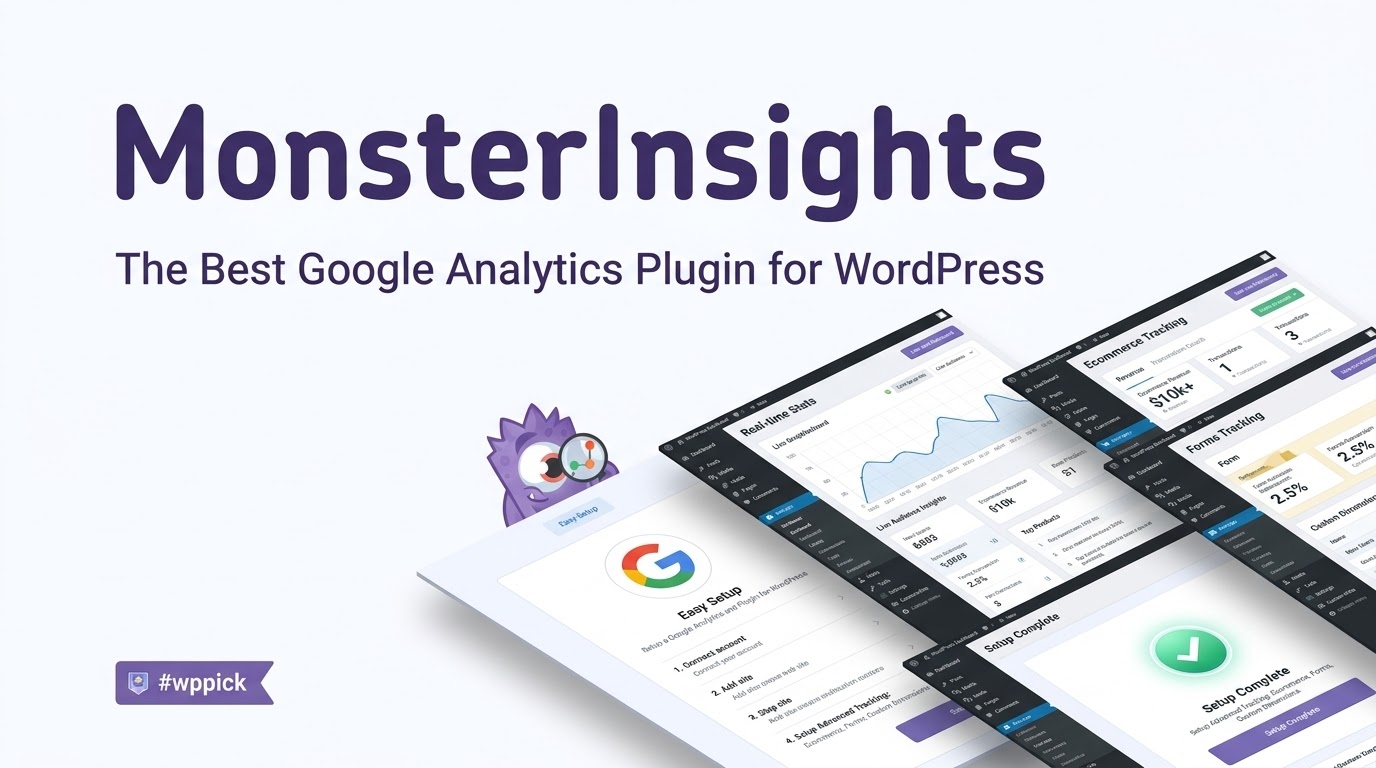
MonsterInsights is a comprehensive Google Analytics plugin designed specifically for WordPress websites. It bridges the gap between raw web traffic data and actionable business intelligence, allowing site administrators to connect their websites to Google Analytics without editing any code.
What Does MonsterInsights Do?
The plugin simplifies the process of integrating Google Analytics 4 (GA4) into WordPress. It automatically tracks page views, user engagement, and traffic sources while offering advanced tracking capabilities like ecommerce transactions, form conversions, and file downloads directly inside the WordPress admin dashboard.
Who Is MonsterInsights For?
MonsterInsights serves website owners, bloggers, digital marketers, and e-commerce store operators who need clear, straightforward data insights without navigating the complex interface of Google Analytics. It is built for users of all technical skill levels who want to make data-driven decisions.
Key Capabilities
- Dashboard Reports: View visitor counts, popular posts, and referral sources right inside your WordPress dashboard.
- Ecommerce Integration: Track total revenue, conversion rates, and top-selling products seamlessly with WooCommerce and Easy Digital Downloads.
- Form Tracking: Measure form submission rates and conversion metrics for contact forms and lead generation widgets.
- Real-Time Statistics: Monitor active visitors on your site in real time to see how live campaigns perform.
Practical WordPress Use Cases
Website administrators use MonsterInsights to identify which content formats perform best, measure the success of marketing campaigns, and monitor e-commerce checkouts. By understanding user behavior patterns, site owners can optimize layout elements and improve overall conversion rates.
Setup and Compatibility Notes
Installation requires authenticating your Google Analytics account through an automated setup wizard. The plugin is fully compatible with popular caching systems, SEO tools, and form builders, ensuring smooth operation across standard WordPress environments.
Reasons to Choose MonsterInsights on WPPick
Choosing MonsterInsights on WPPick provides access to professional-grade tracking capabilities at an accessible value. It eliminates the technical hurdles of manual tracking implementation while delivering structured reports tailored for WordPress users.
Latest Version Context
Version 11.1.2 introduces important security hardening across administrative and reporting requests. It also resolves compatibility issues with third-party charts loading duplicate copies of ApexCharts and reduces notification requests to prevent firewall rate-limiting issues.
Frequently Asked Questions
Do I need coding skills to set up MonsterInsights?
No, the plugin features a user-friendly setup wizard that handles tracking code implementation automatically without requiring any manual code edits.
Can MonsterInsights track WooCommerce stores?
Yes, it includes dedicated e-commerce tracking features that monitor revenue, transactions, and product performance for online stores.
Where do I view my analytics reports?
All core reports and statistics are displayed directly inside your WordPress dashboard widgets and reporting tabs.
Does the plugin support Google Analytics 4?
Yes, MonsterInsights provides full support for Google Analytics 4 properties and modern data collection standards.
How does real-time tracking work?
The real-time report displays active visitors currently browsing your website, giving you immediate feedback on active traffic spikes.
I. Download Limits & Account Benefits
- Free Downloads: Each email address receives 3 downloads per day for free products
- Upgrade Benefits: Purchase any paid product to increase your daily download limit by 3 for each paid product
- No Account Required: You can download immediately by receiving the download link via email
- Account Recommended: Create an account for easier access to your order history and direct update downloads
II. Understanding GPL vs Official Versions
Important: The products available on WPPick are GPL-licensed versions, which differ from official developer versions. Before purchasing, please read our comprehensive guide: Understanding GPL & Official Differences at WPPick
Key Points:
- GPL versions may not include premium support from original developers
- Updates may be delayed compared to official releases
- Some premium features might have limitations
- Always consider your specific needs and support requirements
III. Support & Assistance
We’re here to help through multiple channels:
- Email Support: Direct email assistance for all inquiries
- Live Chat: Real-time support during business hours
- Comprehensive Documentation: Detailed guides and tutorials
IV. Order Tracking
Access your complete purchase history and download links anytime: Order History
V. Account Access
New to WPPick? Login or Create Account to manage your downloads and orders efficiently.
VI. Refund Protection
We stand behind our products with a clear refund policy. Review our terms: Refund Policy
VII. Privacy & Security
Your data security is our priority. Learn how we protect your information: Privacy Policy
VII. Terms of Service
Understanding our service terms ensures a smooth experience: Terms of Use
Quick Tips for Best Experience
- Verify Compatibility: Check plugin/theme compatibility with your WordPress version
- Backup First: Always backup your site before installing new plugins or themes
- Test Environment: Consider testing on a staging site first
- Stay Updated: Regularly check for updates in your account dashboard
- Read Documentation: Review any included documentation for optimal setup
Need Help?
If you have questions about downloads, licensing, or need technical assistance, don’t hesitate to contact our support team. We’re committed to ensuring you have the best possible experience with WPPick products.
Ready to get started? Your download adventure begins with just one click!
- Security hardening across admin and reporting requests
- Charts no longer break when another plugin loads its own copy of ApexCharts
- Reduced admin notification requests that could trip firewall rate limits
- Various bug fixes and updates
- Various bug fixes and updates
- Various Performance Improvements
- Various Bug Fixes
- Year In Review Report
- Various Performance Improvements
- Various Bug Fixes
- Updated Forms Report to include more metrics and stats
- Minor updates and bug fixes
- Minor updates and bug fixes
Finding MonsterInsights through WPPick was a game-changer for my site. The download was super quick and straightforward. I really value WPPick as a reliable source for my WordPress needs, especially when I’m looking for quality plugins that aren’t always easily accessible elsewhere. Their service is top-notch!
Works great tbh, super easy to set up my GA for WP. Def recommend! 👍
Ngl, this plugin does exactly what it says. Integrates GA smoothly, no fuss. Pretty good af.
Been using for a bit rn, makes tracking in WP so much simpler. Lifesaver! 🔥
Works fine, pretty solid plugin for Google Analytics. No complaints here.
WPPick is my go-to now for WordPress plugins. Their curation is excellent, and I easily found MonsterInsights which has been fantastic for my analytics. The whole download process was seamless, and it’s great to know I’m getting plugins from such a reliable source. A genuinely great alternative to hunting through endless official repos!
I’ve been wanting to use MonsterInsights for a while, and WPPick made it incredibly easy to get. Their selection is truly well-curated, and the download process was a breeze. It’s such a relief to have a reliable source like WPPick as a fantastic alternative to the official repo. Really appreciate their service!