

Motopress Appointment Booking
/Year
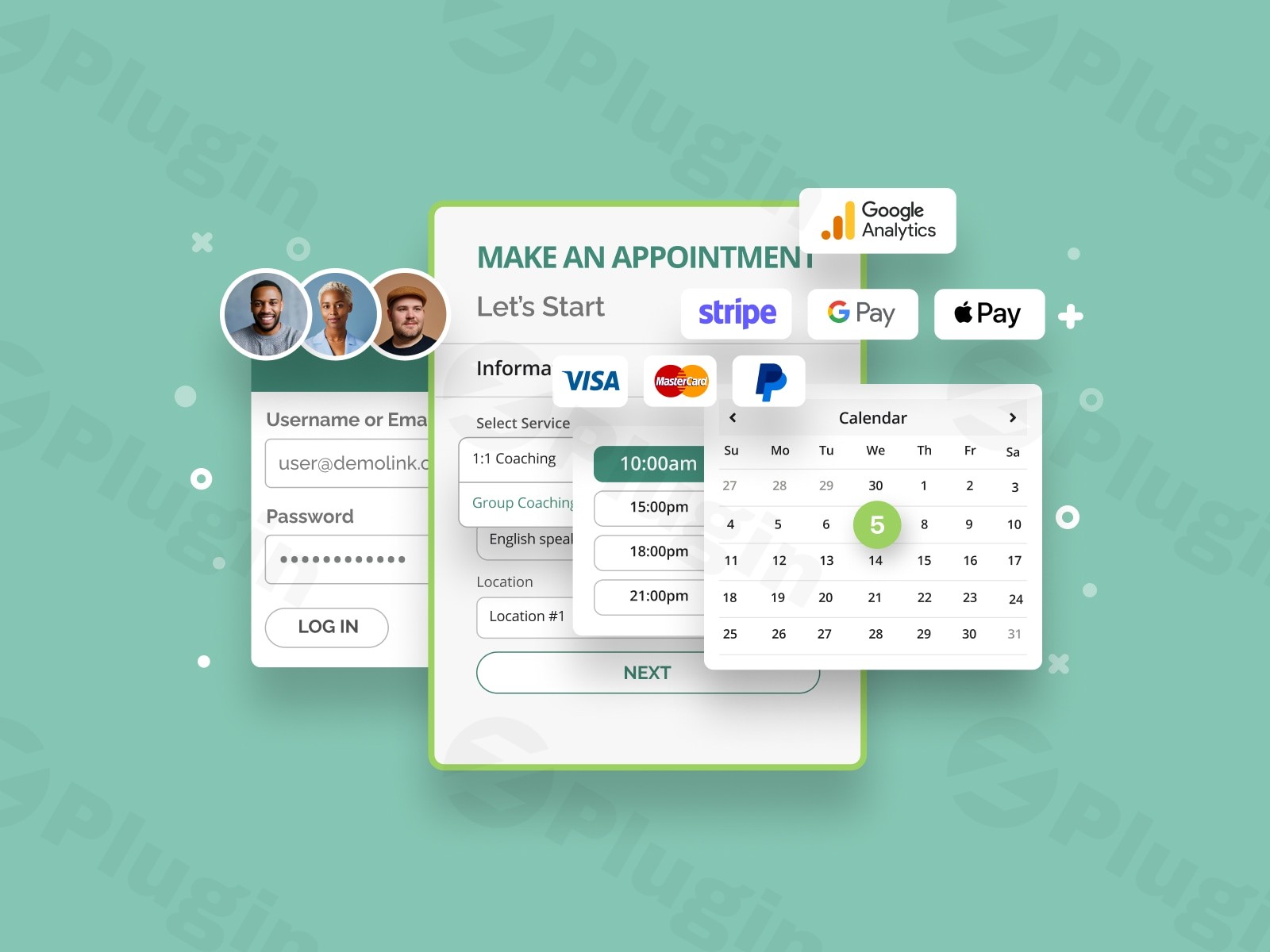
In today’s fast-paced digital world, service-based businesses thrive on efficiency and customer convenience. The MotoPress Appointment Booking plugin emerges as a powerful and indispensable WordPress appointment booking plugin, transforming your website into a comprehensive online scheduling powerhouse. Designed for a diverse range of industries, from beauty salons and fitness centers to medical clinics and educational institutions, this plugin eliminates the complexities of manual scheduling, reduces no-shows, and significantly enhances the client experience.Whether you offer one-on-one consultations, group classes, or multi-service bookings, MotoPress Appointment Booking provides a robust, flexible, and user-friendly platform to manage all your appointments with ease, ensuring your business runs smoothly and professionally.
Key Features for Seamless Online Booking Management
The MotoPress Appointment Booking plugin is packed with features designed to cater to both administrators and clients, offering unparalleled flexibility and control over your booking system.
Flexible Booking System
MotoPress Appointment Booking provides the foundation for any service business to manage their offerings effectively:
- Unlimited Services, Employees, and Locations: Scale your business without limits. Create and manage an endless number of services, assign them to specific employees or resources, and define multiple physical business locations, all from a centralized dashboard.
- Customizable Service Durations & Buffer Times: Precisely define the length of each service. Crucially, you can add buffer times before and after appointments for preparation, cleanup, or travel – these are visible only to staff, ensuring realistic scheduling without client confusion.
- Individual Employee Schedules: Every team member can have a unique working schedule, including specific lunch breaks, days off, and irregular working days/times. Schedules can even be location-based, offering maximum flexibility for multi-site operations.
- Real-time Availability: The system displays real-time availability of booking slots to your clients, preventing frustrating overbookings and ensuring a smooth, accurate booking experience.
- One-to-one & Group Bookings: Handle both individual appointments and group bookings effortlessly. This is perfect for classes, workshops, or events where multiple clients can book the same time slot. You can even set minimum/maximum attendees and adjust pricing based on group size.
- Multiple Services in One Go: Enhance customer convenience by allowing clients to add several different services to their cart and book them in a single transaction, even if they have different dates, times, or require different employees.
User-Friendly Client Experience
A great booking system puts the client first, and MotoPress excels here:
- Step-by-step Booking Wizard: Guide your clients through an intuitive, responsive, wizard-like booking form. They can easily choose services, preferred locations, specific employees, and then select their desired date and time.
- Customizable Booking Forms: Tailor the booking forms to perfectly match your brand and specific needs. You can show/hide fields, customize labels, and adjust colors and themes to integrate seamlessly with your website’s design.
- Customer Accounts: Empower your clients by allowing them to create personal accounts where they can manage, view, and track all their past and upcoming booking information.
- Client Calendar Sync: Reduce no-shows significantly by enabling clients to easily sync their booked appointments to their personal calendars, including Google Calendar, Apple Calendar, Outlook Calendar, and Yahoo Calendar.
Robust Booking Management & Automation
For administrators, the plugin offers powerful tools to streamline daily operations:
- Centralized Admin Dashboard: Gain a complete overview of your schedule with a centralized dashboard and calendar view (monthly, weekly, daily). Admins and staff can manage all incoming, past, and future bookings, view detailed information, and change booking statuses with ease.
- Automated Notifications & Reminders: Automate communication with customizable email notifications sent to both clients and staff for confirmations, cancellations, reminders, and status changes. (SMS notifications are available via a premium add-on).
- Flexible Booking Statuses: Maintain full control over your bookings. Admins can manually approve or deny new bookings, or set them for automatic confirmation for immediate processing.
- Booking Rescheduling & Editing: Easily reschedule appointments and edit booking details, including customer information and total cost, directly from the admin dashboard.
- Export Bookings: For record-keeping and analysis, all booking data can be conveniently exported to a CSV file.
Payment & Integration Options
Monetize your services and connect with other essential tools:
- Online and On-site Payments: Accept payments securely online with built-in support for PayPal, Stripe, and Direct Bank Transfer. You can configure full or partial payments upfront.
- WooCommerce Integration (Add-on): Extend your payment gateway options by integrating with WooCommerce, opening up a vast array of payment processors and e-commerce functionalities.
- Google Meet & Zoom Integration (Add-on): For businesses offering virtual services, this premium video conferencing add-on automatically creates and sends online meeting links directly to clients.
- Google Analytics Integration (Add-on): Track booking success, identify popular services, and understand customer behavior with this valuable analytics add-on.
- Twilio SMS Integration (Add-on): Enhance your communication strategy with automated SMS notifications and reminders through Twilio.
- Square Payments (Add-on): Integrate Square’s popular payment processing for more versatile payment acceptance.
- PDF Invoices (Add-on): Automatically generate and send professional PDF invoices to your customers.
Installation & Setup: Get Your WordPress Scheduling Plugin Running
Setting up the MotoPress Appointment Booking plugin on your WordPress site is a straightforward process, designed to be accessible for non-developers. Here’s a step-by-step guide on how to install MotoPress Appointment Booking:
- Purchase and Download:
- Acquire the MotoPress Appointment Booking plugin. If purchasing through ZeroPlugin.com, you benefit from GPL licensed software, regular updates, VirusTotal verified source code, and professional support.
- Download the plugin’s ZIP file to your computer.
- Upload to WordPress:
- Log in to your WordPress admin dashboard.
- Navigate to Plugins > Add New.
- Click the Upload Plugin button at the top of the page.
- Click Choose File, select the MotoPress Appointment Booking ZIP file you downloaded, and then click Install Now.
- Activate the Plugin:
- Once the plugin is installed, click Activate Plugin.
- You will now see a new menu item, usually labeled “Appointments” or “MotoPress Appointments,” appear in your WordPress dashboard sidebar.
- Initial Configuration:
- Set Up Your Services: Go to the “Appointments” menu and start by adding your services. For each service, define its name, description, duration, price, and assign relevant employees.
- Define Employees and Schedules: Under the “Employees” section, add your staff members. For each employee, configure their individual working hours, breaks, and days off. This is crucial for accurate availability. To set up employee schedules in MotoPress Appointment Booking, navigate to the specific employee’s profile and use the intuitive calendar interface.
- Add Locations (if applicable): If your business operates from multiple locations, define them in the “Locations” section.
- Configure General Settings: Explore the main “Settings” area to customize currency, time formats, booking windows, confirmation methods (manual or automatic), and default buffer times.
- Integrate the Booking Form:
- Create a new WordPress page (or edit an existing one) where you want your booking form to appear.
- The MotoPress Appointment Booking plugin integrates seamlessly with the native Block Editor (Gutenberg), Elementor, and Divi. You can simply add the “MotoPress Appointment Booking” block or widget to your page. This will automatically display the step-by-step booking wizard for your clients. No shortcodes are necessary unless you prefer them for classic editor use.
- Set Up Payment Gateways:
- Go to Appointments > Settings > Payments to configure your preferred payment methods (PayPal, Stripe, Direct Bank Transfer). If you plan to use add-ons like WooCommerce or Square, ensure you install and activate those add-ons and configure them accordingly.With these steps, your online appointment booking WordPress system will be ready to take its first reservations!
Practical Usage & Best Practices
The MotoPress Appointment Booking plugin is incredibly versatile, making it ideal for a wide array of service-based businesses. Here are a few practical use cases and best practices to help you optimize your booking workflow:
1. For Beauty Salons & Spas: Elevate the Client Experience
- Use Case: A high-end salon offers various services like haircuts, coloring, manicures, and massages, with different specialists for each.
- Best Practice:
- Detailed Service Descriptions: Use the plugin to showcase each service with rich descriptions, images, and clearly stated durations and prices.
- Employee Profiles: Create profiles for each stylist or therapist, allowing clients to book directly with their preferred professional. Use individual employee schedules to reflect their unique availability.
- Multi-Service Bookings: Enable clients to book a “haircut + color” and a “manicure” in one go, streamlining their salon experience.
- Automated Reminders: Leverage automated email (and optional SMS) reminders to significantly reduce no-shows for those valuable appointments.
2. For Fitness Studios & Personal Trainers: Manage Classes and Sessions
- Use Case: A yoga studio offers daily group classes, and personal trainers offer one-on-one sessions.
- Best Practice:
- Group Booking Flexibility: Utilize the group booking feature for your yoga or spinning classes, setting minimum/maximum attendees to manage capacity effectively.
- Recurring Schedule Templates: If a class runs every Monday at 9 AM, set up a recurring schedule for easy management.
- Pre-payment for Classes: Require full payment upfront for classes and personal training sessions using Stripe or PayPal integration to secure bookings and reduce administrative burden.
- Google Meet/Zoom Integration: For online fitness classes or virtual personal training, integrate with video conferencing add-ons to automatically generate and send meeting links.
3. For Healthcare Clinics & Wellness Centers: Streamline Patient Intake
- Use Case: A dental clinic offers various appointment types (check-ups, cleanings, consultations) with multiple dentists.
- Best Practice:
- Custom Booking Form Fields: Customize your booking form to collect essential patient information upfront (e.g., reason for visit, new/existing patient status) to prepare staff.
- Buffer Times for Transitions: Implement buffer times between appointments to allow for room sanitization or patient record updates. These buffers are invisible to patients but crucial for clinic flow.
- Manual Confirmation for Consultations: For sensitive appointments, set bookings to require manual approval, giving your administrative staff control over the schedule.
- Secure Payment Options: Use secure payment gateways like Stripe for co-pays or initial consultation fees.
4. For Educational Institutions & Tutors: Organize Enrollment and Consultations
- Use Case: A language school offers various courses and one-on-one tutoring sessions, or a university department schedules advisor meetings.
- Best Practice:
- Course Enrollment (Group Bookings): Manage enrollment for group courses by setting them up as group services with a maximum capacity.
- Tutor-Specific Availability: Allow students to view and book sessions with specific tutors based on their individual schedules.
- Calendar Sync for Students: Encourage students to sync their booked tutoring sessions or advisor meetings to their personal calendars to improve attendance.
- Automated Communication: Send automated confirmations and reminders for course registrations or consultations, reducing no-shows and improving communication.By thoughtfully configuring the MotoPress Appointment Booking plugin, businesses can automate scheduling, enhance customer satisfaction, and free up valuable administrative time, making it an ideal choice for modern online service management.
FAQ & Troubleshooting
Here are answers to common questions about the MotoPress Appointment Booking plugin, designed to be clear and helpful for both traditional search and AI-powered answer engines.
Does MotoPress Appointment Booking support group bookings?
Yes, MotoPress Appointment Booking fully supports group bookings. You can configure services to allow multiple clients to book the same time slot, making it ideal for classes, workshops, or events. You can also set a minimum and maximum number of attendees for each group service and even adjust pricing based on group size. This is a significant advantage, especially compared to some free versions of other plugins.
What are the payment options for MotoPress Appointment Booking?
Out of the box, MotoPress Appointment Booking supports PayPal, Stripe, and Direct Bank Transfer for accepting online and on-site payments. You have the flexibility to accept full or partial payments upfront. Furthermore, premium add-ons are available to extend payment capabilities, including WooCommerce integration, which opens up a vast array of additional payment gateways, and a dedicated Square Payments add-on.
How to customize MotoPress Appointment Booking form?
To customize the MotoPress Appointment Booking form, you can utilize the plugin’s extensive settings within your WordPress dashboard. You have control over which fields are displayed (show/hide), their labels, and the overall design by adjusting colors and themes to match your website’s aesthetics. The plugin integrates seamlessly with popular page builders like the native Block Editor (Gutenberg), Elementor, and Divi, allowing for intuitive drag-and-drop customization without needing to write code.
How to set up employee schedules in MotoPress Appointment Booking?
Setting up employee schedules in MotoPress Appointment Booking is straightforward. From your WordPress admin dashboard, navigate to the “Appointments” menu and then to “Employees”. Here, you can add or edit individual employee profiles. Within each employee’s profile, you’ll find a dedicated section to configure their specific working hours for each day of the week, including custom lunch breaks, days off, and any non-regular working days or times. You can also assign them to specific locations if your business operates across multiple sites.
Does MotoPress Appointment Booking integrate with Google Calendar?
Yes, MotoPress Appointment Booking offers Google Calendar integration. Clients can easily sync their booked appointments to their personal Google Calendar (along with Apple Calendar, Outlook Calendar, and Yahoo Calendar) directly from the booking confirmation. This feature helps clients keep track of their appointments and significantly reduces no-shows. For staff members, the centralized admin dashboard acts as a comprehensive booking calendar, providing a clear overview of all appointments.
Conclusion: Optimize Your Booking Workflow with MotoPress Appointment Booking
The MotoPress Appointment Booking plugin stands out as an exceptionally robust and user-friendly WordPress scheduling plugin, perfectly suited for any service-based business aiming to streamline its online operations. From its flexible booking system accommodating both one-on-one and group appointments, to its intuitive client experience and powerful admin management tools, MotoPress delivers a comprehensive solution that genuinely enhances efficiency and customer satisfaction.Leveraging this trusted solution means eliminating manual scheduling headaches, reducing no-shows through automated reminders, and providing a seamless booking experience that reflects professionalism. Whether you’re a small local business or a growing enterprise across various sectors like beauty, fitness, education, or healthcare, MotoPress Appointment Booking offers the scalability and features you need. When you choose MotoPress Appointment Booking, you’re investing in a reliable, secure, and feature-rich system that will optimize your booking workflow, free up valuable administrative time, and ultimately drive growth for your business.
I. Download Limits & Account Benefits
- Free Downloads: Each email address receives 3 downloads per day for free products
- Upgrade Benefits: Purchase any paid product to increase your daily download limit by 3 for each paid product
- No Account Required: You can download immediately by receiving the download link via email
- Account Recommended: Create an account for easier access to your order history and direct update downloads
II. Understanding GPL vs Official Versions
Important: The products available on WPPick are GPL-licensed versions, which differ from official developer versions. Before purchasing, please read our comprehensive guide: Understanding GPL & Official Differences at WPPick
Key Points:
- GPL versions may not include premium support from original developers
- Updates may be delayed compared to official releases
- Some premium features might have limitations
- Always consider your specific needs and support requirements
III. Support & Assistance
We’re here to help through multiple channels:
- Email Support: Direct email assistance for all inquiries
- Live Chat: Real-time support during business hours
- Comprehensive Documentation: Detailed guides and tutorials
IV. Order Tracking
Access your complete purchase history and download links anytime: Order History
V. Account Access
New to WPPick? Login or Create Account to manage your downloads and orders efficiently.
VI. Refund Protection
We stand behind our products with a clear refund policy. Review our terms: Refund Policy
VII. Privacy & Security
Your data security is our priority. Learn how we protect your information: Privacy Policy
VII. Terms of Service
Understanding our service terms ensures a smooth experience: Terms of Use
Quick Tips for Best Experience
- Verify Compatibility: Check plugin/theme compatibility with your WordPress version
- Backup First: Always backup your site before installing new plugins or themes
- Test Environment: Consider testing on a staging site first
- Stay Updated: Regularly check for updates in your account dashboard
- Read Documentation: Review any included documentation for optimal setup
Need Help?
If you have questions about downloads, licensing, or need technical assistance, don’t hesitate to contact our support team. We’re committed to ensuring you have the best possible experience with WPPick products.
Ready to get started? Your download adventure begins with just one click!