

Mp3 Audio Player By Sonaar – Pro Addon
/Year
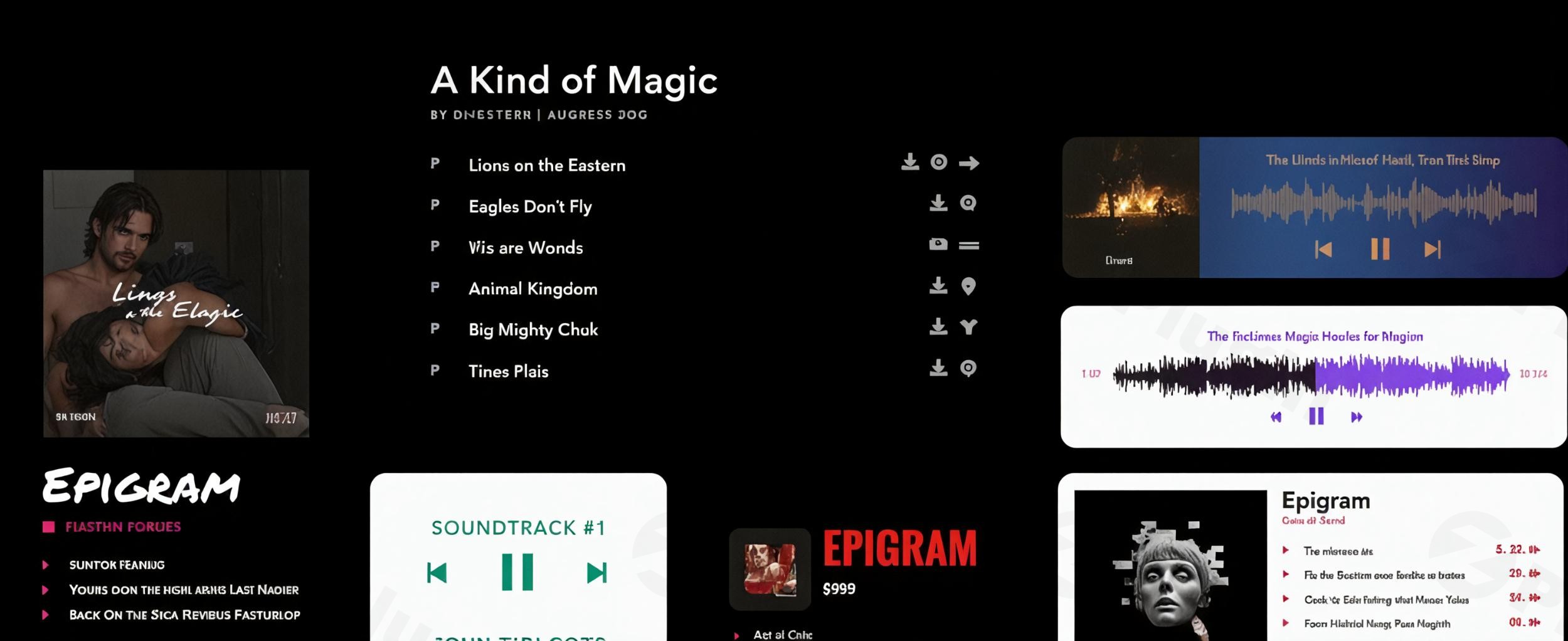
Creating a professional audio experience on your website is no longer just about “playing a file.” Whether you are an indie musician, a rising podcaster, or a beatmaker running a digital storefront, your audience expects seamless playback, stunning visuals, and mobile responsiveness.
The Sonaar MP3 Audio Player Pro Addon is widely considered the most powerful WordPress mp3 player plugin available today. It moves beyond basic playback by offering a suite of tools for monetization, advanced visualization, and deep integration with page builders like Elementor. In this guide, we will explore why this WordPress music player is the industry standard and how you can set it up to transform your site’s audio experience.
Key Features of the Sonaar MP3 Audio Player Pro Addon
While the free version of Sonaar handles basic audio tasks, the Sonaar Pro Addon transforms your site into a professional media hub. Here are the core benefits of upgrading:
1. Stunning Waveform Visualizers
Unlike standard players that show a static progress bar, Sonaar features real-time animated audio spectrums. You can choose from multiple styles—including Bars, Bricks, Shockwave, and String—to give your users a modern, interactive way to “see” your music.
2. Seamless WooCommerce Integration
If you’ve ever wondered, “Can I sell music on my WordPress site?”, Sonaar provides the definitive answer. It integrates directly with WooCommerce, allowing you to:
- Add “Buy Now” or “Add to Cart” buttons directly to the player.
- Offer 30-second audio previews (clips) while locking full tracks behind a paywall.
- Sell beats, sample packs, and full albums with automatic digital delivery.
3. Persistent Sticky Footer Player
One of the biggest friction points for audio sites is playback stopping when a user clicks a new page. The Sticky Footer Player ensures continuous playback across your entire site, maintaining a professional “Spotify-like” experience for your listeners.
4. Advanced Podcast & Radio Tools
For creators using WordPress as a podcast player, Sonaar offers automated RSS feed imports. It fetches episode notes, durations, and titles automatically. It also supports Icecast and Shoutcast streams for live radio broadcasting.
5. Bulk Media Management & ID3 Fetching
Uploading a library of 100 tracks manually is a nightmare. Sonaar’s Bulk Import Tool allows you to upload folders of MP3s and automatically generates posts or products for each one. It even fetches metadata (Artist, Album, Title) directly from the ID3 tags to save you hours of data entry.
How to Install the Sonaar MP3 Audio Player Pro Addon
Setting up this WordPress mp3 player plugin is straightforward, even for non-developers. Follow these steps to get started:
- Install the Free Version: Navigate to Plugins > Add New in your WordPress dashboard. Search for “Mp3 Audio Player by Sonaar,” install, and activate it.
- Upload the Pro Addon: After purchasing the Pro version, download the .zip file from the Sonaar website. Go to Plugins > Add New > Upload Plugin and select your file.
- Activate Your License: Once activated, go to the “Sonaar Settings” menu in your sidebar and enter your license key to unlock Pro features and automatic updates.
- Configure Your Global Player: Head to the “MP3 Player” settings tab to choose your default colors, fonts, and waveform styles. These settings will apply to your Sticky Audio Player site-wide.
- Add Your First Track: Create a new “Playlist” or “Podcast Episode,” upload your MP3, and use the Gutenberg block or Elementor widget to display it on your front end.
Practical Usage & Best Practices
To get the most out of the Sonaar audio player, consider these real-world workflows:
For Musicians & Beatmakers (E-commerce Focus)
The best way to sell audio is to offer value first. Use Sonaar’s “Make an Offer” or “Ask for Email to Download” feature. This allows you to build an email list by giving away a free track in exchange for a lead, which you can later convert into a paying customer.
For Agencies & High-Traffic Sites
If you are managing a site with thousands of tracks, performance is key. We recommend using the Sonaar pro addon alongside an offload plugin like WP Offload Media. This moves your heavy audio files to Amazon S3 or Google Cloud, ensuring your WordPress site remains lightning-fast while the audio streams from dedicated servers.
For Professional Podcasters
Utilize the “Subscribe” buttons and “Show Notes” integration. By placing the Sonaar audio player at the top of your blog posts, you capture listeners immediately. Use the “Playback Speed” control feature to allow power-listeners to consume your content at 1.5x or 2x speed.
FAQ & Troubleshooting
What is the best mp3 player plugin for WordPress?
The Sonaar MP3 Audio Player is widely considered the best choice due to its combination of visual waveforms, WooCommerce support, and deep integration with page builders like Elementor. It offers more styling options (over 100) than generic alternatives.
Does Sonaar work with Elementor and Gutenberg?
Yes. Sonaar is fully compatible with all major page builders. It includes a dedicated Elementor audio player widget and custom Gutenberg blocks, allowing you to design your player layout visually without touching any code.
Can I sell beats and music directly through the player?
Absolutely. Through its WooCommerce integration, you can add “Add to Cart” buttons directly into the playlist. You can also set up audio watermarks to protect your files until they are purchased.
How do I add a sticky audio player to WordPress?
In the Sonaar settings, navigate to the “Continuous Player” tab. Simply toggle the “Enable Sticky Player” option to “On.” This will create a persistent player at the bottom (or top) of your website that continues playing as users navigate different pages.
Does it support custom fields like ACF or JetEngine?
Yes, the Pro version supports custom fields. This allows you to display extra metadata in your tracklist—such as BPM, Genre, or Mood—making it the ideal tool for searchable music libraries and production catalogs.
Final Verdict
The Sonaar MP3 Audio Player Pro Addon is a high-ROI investment for any audio-centric website. It eliminates the need for multiple plugins by combining a high-end visual player, a podcast manager, and an e-commerce solution into one package.
If you want a professional, “sticky” WordPress music player that boosts user engagement and simplifies your workflow, Sonaar is the definitive choice. Whether you’re a developer building for clients or a creator building for yourself, this plugin provides the authority and performance needed to stand out in a crowded digital space.
I. Download Limits & Account Benefits
- Free Downloads: Each email address receives 3 downloads per day for free products
- Upgrade Benefits: Purchase any paid product to increase your daily download limit by 3 for each paid product
- No Account Required: You can download immediately by receiving the download link via email
- Account Recommended: Create an account for easier access to your order history and direct update downloads
II. Understanding GPL vs Official Versions
Important: The products available on WPPick are GPL-licensed versions, which differ from official developer versions. Before purchasing, please read our comprehensive guide: Understanding GPL & Official Differences at WPPick
Key Points:
- GPL versions may not include premium support from original developers
- Updates may be delayed compared to official releases
- Some premium features might have limitations
- Always consider your specific needs and support requirements
III. Support & Assistance
We’re here to help through multiple channels:
- Email Support: Direct email assistance for all inquiries
- Live Chat: Real-time support during business hours
- Comprehensive Documentation: Detailed guides and tutorials
IV. Order Tracking
Access your complete purchase history and download links anytime: Order History
V. Account Access
New to WPPick? Login or Create Account to manage your downloads and orders efficiently.
VI. Refund Protection
We stand behind our products with a clear refund policy. Review our terms: Refund Policy
VII. Privacy & Security
Your data security is our priority. Learn how we protect your information: Privacy Policy
VII. Terms of Service
Understanding our service terms ensures a smooth experience: Terms of Use
Quick Tips for Best Experience
- Verify Compatibility: Check plugin/theme compatibility with your WordPress version
- Backup First: Always backup your site before installing new plugins or themes
- Test Environment: Consider testing on a staging site first
- Stay Updated: Regularly check for updates in your account dashboard
- Read Documentation: Review any included documentation for optimal setup
Need Help?
If you have questions about downloads, licensing, or need technical assistance, don’t hesitate to contact our support team. We’re committed to ensuring you have the best possible experience with WPPick products.
Ready to get started? Your download adventure begins with just one click!
- Waveform width issue caused by css from third party themes or plugins.
- PHP error with RSS feed as source in some condition.
- Add to cart button on mobile.
- Tracklist Note button issue when reverse tracklist option is enable from post option.
- Icecasts - Convert the feed to json format. Some feed was received as string.
- PHP error with the license pdf generator.
- Bulk importer - Set the audio file(s) as the purchased file(s) option to prevent manual work.
- License Contract - Removed unused LICENSE_TYPE variable type.
- Special characters issue with the sticky player.
- Streaming: Album artwork was often the wrong one. We have improved the fetch.
- Streaming - Update for Public Radio Co.
- Filters - Lazyload filters now match exact values (e.g. Male is treated separately from Female).
- Filters - Filter condition OR parameter with no lazyload.
- Elementor editor - Condition issue with tracklist play button options.
- Shortcode builder - Add responsive carousel slide per view options and meta title group styling.
- Issue with Lazy load applied through the gutenberg extra parameter option.
- Show Control On Hover condition now working.
- CPT Categories created with JetEngine is now supported.
- Gutenberg - Scrollbar option issue.
- Image size in the email-capture popup.
- Shuffle order after filtering when sticky is disabled.
- Pagination issue in rare condition.
- Mobile Popup CTA.
- RSS Feed - Reverse tracklist parameter now working.
- Plugin conflict with other CMB2 plugins in some case.
- Now display whats currently playing for Citrus Streams.
- PHP warning regarding sonaar_license when WC is not activated.
- PHP Warning with WC 3.0+.
- PHP 8.2 notice with html2pdf library.
- Icecast: Force Optional Image when no image is provided by the json.
- Carousel "view detail" and "favorite" issue when source is "Post".
- Allow dash character (#) in the feed_title shortcode attribute.
- Playlist padding not working in Elementor Editor in some case.
- Lyrics Karaoke not working when sticky player loaded on page load.
- Search and tag filter not working in some case.
- Compatibility issue with JetMenu plugin.
- Translation of License and contract default value.
- Tracklist Grid: Fix play button over image when "Link to the post page" is enable.
- PDF Licence creation not working with Cyrillic.
- Issue with special characters in the product attribute name.
- Chip widget: Fix Clear All Button.
- Caroussel Slider with Favorites.
- PHP warning in the classic Widget interface in some case.
- Special characters issue with post title when using ACF as source.
- Sticky player float layout progress bar visibility.
- Three dots clicking issue on the CTAs.
- WooCommerce – Added option to set separate Preview and Purchased audio files. After buying a track, customers can instantly download and listen to their purchased version on the frontend, and the Add to Cart button can automatically adjust based on purchase status. All new settings are available under MP3 Player > Settings > WooCommerce.
- WooCommerce - Create a player widget which contains all tracks purchased by the user.
- Semantic accessibility: add role "button" to control buttons.
- Add "Order" option to the playlist/episode post type to allow manual ordering.
- Load Elementor Categories the right way. Fix conflict with other plugins in some case.
- Show track not found warning from search or specific player only.
- WooCommerce - Display correct WC price if using geolocation.
- Make sure plugin review admin notice is not shown if not admin.
- Shortcode Builder - Add visual helper when no track found.
- Speed Optimization of the frontend. Removed unnecessary query.
- Renamed Icecast Stream for Live Stream in the admin area.
- Add ALT text on sticky player thumbnail.
- Update: Moment JS library 2.30.1.
- Update: Swiper JS Library 11.2.3.
- Resolved a security vulnerability.
- Resolved a security vulnerability with broken access control.
- Resolved a security vulnerability.