

Multi Institute Management – WordPress Plugin
/Year
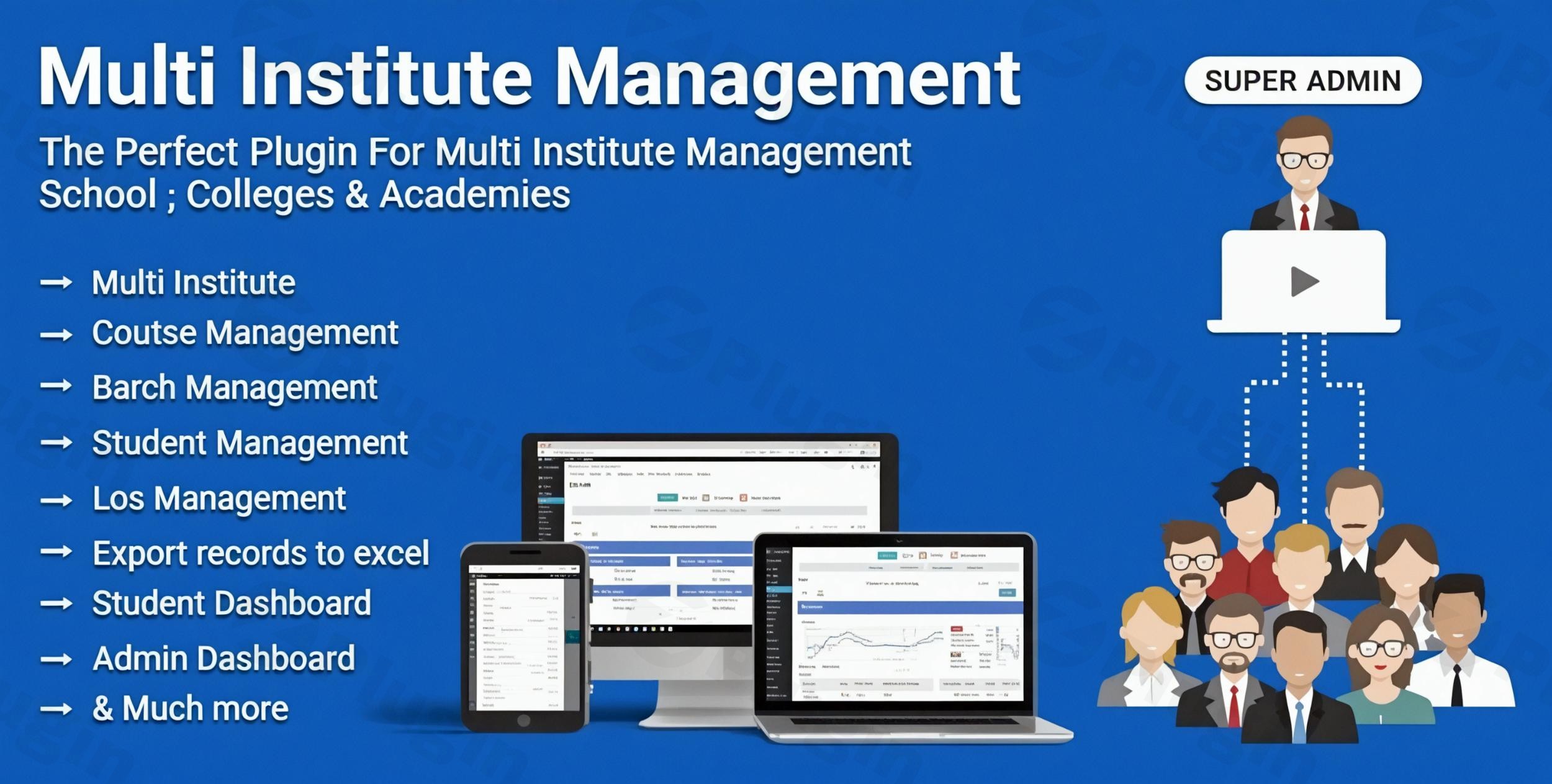
Managing a single educational facility is challenging, but coordinating multiple branches, hundreds of students, and complex fee structures requires a specialized solution. The Multi Institute Management WordPress Plugin (MIM) is a comprehensive WordPress Institute Management System designed to centralize administration for schools, coaching centers, and vocational institutes.Whether you are a solo educator expanding to a second location or a large organization managing a nationwide network, this Education Management Plugin for WordPress transforms a standard website into a powerful administrative hub. In this guide, we will explore how to leverage MIM to automate your workflow, track student progress, and secure your revenue streams.
Key Features & Benefits of Multi Institute Management
The Multi Institute Management plugin stands out by offering a “Super Admin” hierarchy that allows you to oversee several distinct entities from one dashboard.
1. Centralized Multi-Branch Administration
Unlike standard LMS plugins that focus on a single site, MIM allows you to create and manage an unlimited number of institutes or branches.
- The Benefit: You can assign dedicated administrators to specific branches while maintaining global oversight as a Super Admin. This is the best way to manage multiple branches of an institute using WordPress without needing multiple site installations.
2. Role-Based Dashboards
Efficiency relies on giving users exactly what they need and nothing more. MIM provides four distinct roles:
- Super Admin: The “God-view” for managing all institutes and assigning administrators.
- Admin (Branch Level): Controls daily operations for their specific location.
- Staff: Manages attendance, study materials, and student interactions.
- Student: A private portal to view notices, download materials, check exam results, and pay pending fees.
3. Comprehensive Fee & Payment Management
Revenue leakage is a common problem for growing institutes. This plugin serves as the best WordPress plugin for fee collection for multiple institutes by supporting:
- Custom Fee Types: Define admission, tuition, or exam fees.
- Installment Plans: Allow students to pay in manageable chunks.
- Global Payment Gateways: Integration with PayPal, Stripe, Razorpay, and Paystack ensures secure, automated transactions.
4. Communication & Automated Notifications
Keep students informed via integrated Email and SMS carriers (Nexmo, MsgClub, EBulkSMS). You can automate alerts for:
- Registration confirmations.
- Fee deposit receipts.
* Urgent reminders for pending payments.
Technical Specifications & Compatibility
For developers and site owners at wppick.com, technical reliability is paramount. The Multi Institute Management plugin is built to be lightweight yet highly compatible:
| Feature | Details |
|---|---|
| WordPress Version | Compatible with 5.0.x up to the latest 6.8.x |
| Page Builders | Elementor, Beaver Builder, Visual Composer |
| Frameworks | Bootstrap 4.x & 5.x |
| File Types | PHP, JS, CSS, SQL, XML |
| Multilingual | WPML Compatible |
How to Install and Set Up Multi Institute Management
Follow these steps to get your WordPress School Management Plugin up and running:
- Upload & Activate: Purchase the plugin and upload the
.zipfile via Plugins > Add New > Upload in your WordPress dashboard. Click Activate. - Configure Global Settings: Navigate to the MIM settings menu. Here, you will set your currency, school year, and global SMS/Email API credentials.
- Create Your First Institute: Go to the “Institutes” section and click “Add New.” Assign an Admin user to this branch.
- Define Courses and Batches: Before adding students, you must create “Courses” (e.g., Web Development) and “Batches” (e.g., Morning Batch 2024).
- Set Up Fees: Navigate to the Fee Management module to define your pricing structures for each course.
6. Add the Shortcodes: Use the provided shortcodes to display the Enquiry Form, Student Login, and Noticeboard on your front-end pages.
Practical Usage & Best Practices
To get the most out of your Online Institute Management System, consider these real-world workflows:
- For Coaching Centers: Use the Enquiry Management module to capture leads from your website. Assign staff to follow up on these enquiries manually or via automated SMS to increase conversion rates.
- For Vocational Schools: Use the Attendance Tracking and Study Material features to provide a hybrid learning experience. Students can attend in person but download their resources through their MIM dashboard.
* For Scaling Agencies: If you manage websites for educational clients, this plugin is ideal for “White Label” style management where the client sees only their branch dashboard, while you maintain the Super Admin role for maintenance.
FAQ: Common Questions About Multi Institute Management
What is the best WordPress plugin for managing multiple institutes?
The Multi Institute Management (MIM) plugin by Weblizar is widely considered the top choice for this specific need because it provides a centralized “Super Admin” role that most standard LMS plugins (like Tutor LMS or LearnDash) lack.
Can WordPress manage school fees for multiple branches?
Yes. The Multi Institute Management plugin allows you to set different fee structures for different branches and collect payments via Stripe, PayPal, and Razorpay, all while keeping the financial data for each branch separate.
Is the Multi Institute Management plugin compatible with the latest WordPress versions?
Yes, the plugin is actively maintained and compatible with WordPress versions ranging from 5.0.x to the latest 6.8.x releases.
Does it support student ID card generation?
Yes. One of the core features of MIM is the ability to generate and print student ID cards, admission forms, and course completion certificates directly from the admin panel.
Final Verdict
The Multi Institute Management WordPress Plugin is a high-ROI tool for any educational organization looking to move away from messy spreadsheets and into a streamlined digital ecosystem. While it has a slight learning curve due to its massive feature set, the ability to manage fees, attendance, and multiple branches from a single dashboard is an invaluable asset.If you need a robust Student Management System WordPress Plugin that scales with your business, MIM is a dependable, professional-grade solution. For more WordPress plugin reviews and technical guides, stay tuned to wppick.com.
I. Download Limits & Account Benefits
- Free Downloads: Each email address receives 3 downloads per day for free products
- Upgrade Benefits: Purchase any paid product to increase your daily download limit by 3 for each paid product
- No Account Required: You can download immediately by receiving the download link via email
- Account Recommended: Create an account for easier access to your order history and direct update downloads
II. Understanding GPL vs Official Versions
Important: The products available on WPPick are GPL-licensed versions, which differ from official developer versions. Before purchasing, please read our comprehensive guide: Understanding GPL & Official Differences at WPPick
Key Points:
- GPL versions may not include premium support from original developers
- Updates may be delayed compared to official releases
- Some premium features might have limitations
- Always consider your specific needs and support requirements
III. Support & Assistance
We’re here to help through multiple channels:
- Email Support: Direct email assistance for all inquiries
- Live Chat: Real-time support during business hours
- Comprehensive Documentation: Detailed guides and tutorials
IV. Order Tracking
Access your complete purchase history and download links anytime: Order History
V. Account Access
New to WPPick? Login or Create Account to manage your downloads and orders efficiently.
VI. Refund Protection
We stand behind our products with a clear refund policy. Review our terms: Refund Policy
VII. Privacy & Security
Your data security is our priority. Learn how we protect your information: Privacy Policy
VII. Terms of Service
Understanding our service terms ensures a smooth experience: Terms of Use
Quick Tips for Best Experience
- Verify Compatibility: Check plugin/theme compatibility with your WordPress version
- Backup First: Always backup your site before installing new plugins or themes
- Test Environment: Consider testing on a staging site first
- Stay Updated: Regularly check for updates in your account dashboard
- Read Documentation: Review any included documentation for optimal setup
Need Help?
If you have questions about downloads, licensing, or need technical assistance, don’t hesitate to contact our support team. We’re committed to ensuring you have the best possible experience with WPPick products.
Ready to get started? Your download adventure begins with just one click!
- Added Smartping SMS gateway.
- Fixed Collect payment.
- Fixed Study Material Course wise.