

Multiloca – Woocommerce Multi Locations Inventory Management
/Year
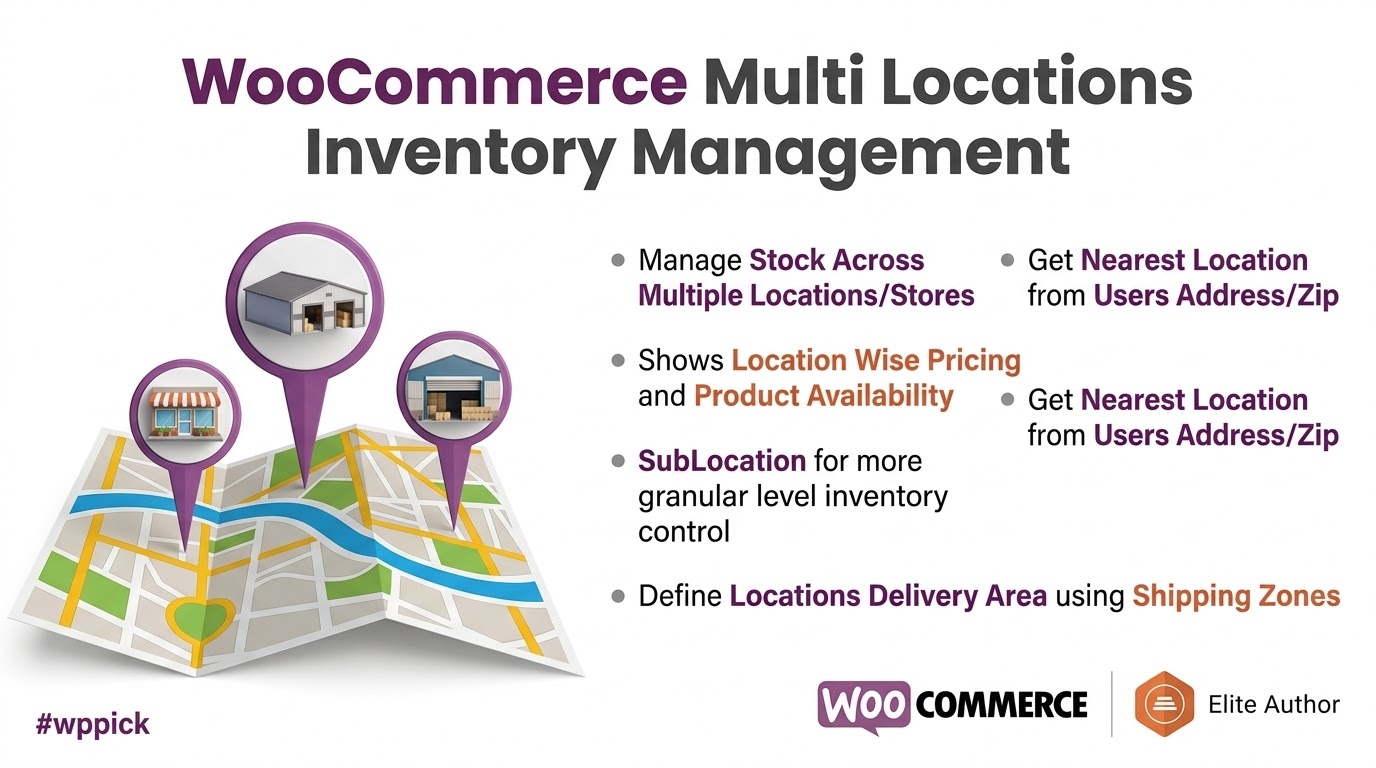
For businesses scaling beyond a single storefront or warehouse, managing inventory across multiple locations within WooCommerce can quickly become a complex, error-prone challenge. The native WooCommerce platform is robust for single-location operations, but it lacks the sophisticated tools needed to synchronize stock, manage pricing, and optimize fulfillment across various physical stores or warehouses. This is where Multiloca – WooCommerce Multi Locations Inventory Management steps in, transforming your online store into a seamlessly integrated multi-location powerhouse.This powerful plugin, developed by Techspawn Solutions, provides a comprehensive solution for managing your stock levels across unlimited warehouses, retail outlets, or pickup points directly from your WooCommerce dashboard. By enabling accurate stock updates, reducing overselling, and enhancing fulfillment efficiency, Multiloca ensures your customers always see the correct product availability and receive their orders promptly.
Key Features for Streamlined Multi-Location Inventory Management
Multiloca is packed with features designed to handle the intricate demands of WooCommerce multi warehouse management and multi-store operations, focusing on both backend efficiency and an improved customer experience.
Real-Time, Location-Based Inventory Tracking
Gain complete control over your stock with a centralized dashboard that tracks inventory levels for each product at every single location. Multiloca provides real-time status updates—in stock, low stock, or sold out—and even supports managing backorders on a per-location basis. This is crucial for maintaining accurate WooCommerce location-based inventory data, preventing frustrating oversells.
Unlimited Location Management
Create and manage an unlimited number of stores, warehouses, or customer pickup points. Each location can be fully detailed with addresses, contact information, business hours, and more. You have the flexibility to temporarily hide locations without deleting their data, perfect for seasonal changes or temporary closures.
Enhanced Frontend Display & Customer Experience
Multiloca significantly improves the customer journey by displaying real-time product availability on product pages, in the cart, and at checkout. Customers can easily select their preferred location for pickup or delivery using intuitive dropdowns, lists, or buttons. The plugin can even automatically detect a customer’s nearest location via IP or prompt them to share their location, showing stock and prices from that specific store for a hyper-personalized shopping experience.
Location-Based Pricing
Implement dynamic pricing strategies by setting unique regular, sale, and even purchase prices for products at different locations. This feature is invaluable for businesses needing to adapt to regional market demands or specific promotional events.
Location-Specific Shipping & Logistics
Tailor your shipping strategy by configuring unique shipping methods, rates, zones, and restrictions for each store location. Multiloca calculates shipping costs based on the product’s stock location and the customer’s address, optimizing logistics and potentially reducing shipping costs. It also supports location-specific free-shipping thresholds and integrates with major shipping carriers.
Rules-Based Order Fulfillment
Automate your order fulfillment process with smart order routing. Multiloca can prioritize fulfillment locations based on inventory levels, proximity to the customer, or other custom-defined rules. It fully supports “Buy Online, Pick Up In Store” (BOPIS) workflows, ensuring customers can only select stores with available stock, creating a seamless WooCommerce local pickup inventory management plugin experience.
Centralized Product & Bulk Stock Editor
Save significant time with a centralized interface that allows you to easily assign products to multiple locations and bulk edit stock quantities across all your sites. This streamlines routine inventory updates, making how to manage inventory across multiple WooCommerce stores much simpler.
Interactive Store Locator
Integrate with Google Maps or OpenStreetMap to provide an interactive store locator on your website. Customers can view store markers, get directions, see info cards, search for stores within a specific radius, and even filter by products available at each location. This is a key component for WooCommerce store locator inventory functionality.
Role-Based Access
For franchises or businesses with multiple managers, Multiloca offers role-based access control. Individual store managers can manage their specific stock and orders with restricted dashboard views, ensuring operational efficiency and security.
Comprehensive Product Type Support & Stock Synchronization
The plugin is fully compatible with both simple and variable WooCommerce products across all locations. It ensures real-time stock synchronization, preventing overselling and maintaining accurate inventory levels across your entire network.
Low Stock Alerts & Bulk Data Management
Configure low stock thresholds and receive alerts on a per-location basis to proactively manage your inventory. For efficient data handling, Multiloca supports easy bulk import and export of location inventory data via CSV files, simplifying updates and backups.
Installation & Setup: Getting Started with Multiloca
Installing and setting up Multiloca to manage your WooCommerce multi-location shipping and inventory is a straightforward process, designed to be accessible for non-developers.
- Purchase and Download: After purchasing the Multiloca plugin, download the plugin zip file from your account.
- Upload to WordPress:
- Log in to your WordPress admin dashboard.
- Navigate to Plugins > Add New.
- Click on the “Upload Plugin” button at the top.
- Choose the downloaded Multiloca zip file and click “Install Now”.
- Activate the Plugin: Once installed, click “Activate Plugin”.
- WooCommerce Prerequisite: Ensure that WooCommerce is already installed and activated on your WordPress site, as Multiloca relies on it.
- Initial Configuration:
- After activation, you’ll find a new “Multiloca” menu item in your WordPress dashboard.
- Go to Multiloca > Locations to start adding your warehouses, stores, or pickup points. Fill in all relevant details for each location.
- Navigate to Multiloca > Settings to configure general plugin options, including frontend display preferences, automatic location detection settings, and integration with mapping APIs (like Google Maps for the store locator, which may require an API key).
- Begin assigning products to locations and adjusting stock levels under the product editing screen or using the bulk editor provided by Multiloca.By following these steps, you’ll swiftly configure
how to install Multiloca WooCommerceand begin leveraging its powerful multi-location capabilities.
Practical Usage & Best Practices for Your Business
Multiloca is an ideal solution for a variety of businesses looking to optimize their inventory operations and enhance customer satisfaction.
- Retail Chains & Franchises:
- Use Case: A clothing franchise with 10 physical stores across a region and an online presence.
- Workflow: Multiloca allows each store manager to oversee their local stock and orders via role-based access. Customers browsing online can see real-time availability at their nearest store, opt for local pickup (BOPIS), or have items shipped from the most efficient location. Location-based pricing can be implemented for regional sales or promotions.
- Benefit: Centralized control with decentralized management, improved customer convenience, and accurate local stock representation, reducing customer frustration.
- E-commerce Stores with Multiple Warehouses:
- Use Case: An online electronics retailer with warehouses in different states to reduce shipping times and costs.
- Workflow: When a customer places an order, Multiloca intelligently routes it to the closest warehouse that has the item in stock, minimizing shipping costs and delivery times. If a product is out of stock in one warehouse, it can be fulfilled from another, or the system can suggest alternative locations to the customer.
- Benefit: Optimized logistics, faster delivery, reduced shipping expenses, and improved customer loyalty.
- Businesses Offering “Buy Online, Pick Up In Store” (BOPIS):
- Use Case: A gourmet food shop with a central kitchen and several small pickup kiosks.
- Workflow: Customers place orders online and select their preferred pickup kiosk. Multiloca ensures they can only choose kiosks with available stock and provides real-time updates on order readiness.
- Benefit: Increased customer convenience, reduced shipping costs for customers, and a boost in local foot traffic.
- Dropshippers with Multiple Suppliers (Virtual Warehouses):
- Use Case: A dropshipping store working with suppliers located globally.
- Workflow: While not traditional “physical” locations, Multiloca can abstractly manage inventory from different suppliers as separate “locations.” When an order comes in, the plugin can help identify which supplier (location) has the item in stock, allowing for more informed order routing and inventory tracking.
- Benefit: Better oversight of virtual stock levels, reduced risk of selling out-of-stock items, and improved supplier management.By implementing these strategies, businesses can fully leverage Multiloca to streamline operations, enhance profitability, and deliver superior customer experiences.
FAQ & Troubleshooting
Does Multiloca support variable products?
Yes, Multiloca is fully compatible with both simple and variable WooCommerce products. You can manage separate stock quantities for each variation of a product across all your configured locations, ensuring precise inventory control for even complex product catalogs.
How does Multiloca handle shipping from the nearest location?
Multiloca incorporates an intelligent rules-based order fulfillment system. It can automatically detect a customer’s location (via IP or explicit selection) and then prioritize fulfilling the order from the nearest warehouse or store that has the product in stock. This ensures efficient delivery, reduces shipping costs, and enhances customer satisfaction by leveraging your WooCommerce multi-location shipping capabilities.
What are the benefits of multi-location inventory for WooCommerce?
The benefits of multi-location inventory for WooCommerce are numerous:
- Reduced Shipping Costs: Fulfill orders from the nearest location, cutting down on transit times and shipping expenses.
- Improved Customer Satisfaction: Accurate, real-time stock availability and faster delivery lead to happier customers.
- Prevent Overselling: Synchronized stock levels across all locations prevent selling items that are actually out of stock.
- Enhanced Local Pickup Options: Seamless “Buy Online, Pick Up In Store” (BOPIS) functionality.
- Flexible Pricing Strategies: Implement region-specific pricing and promotions.
- Better Inventory Control: Centralized management of decentralized stock.
Is Multiloca compatible with HPOS?
Yes, Multiloca is fully compatible with WooCommerce High-Performance Order Storage (HPOS). This ensures maximum speed, scalability, and optimal performance for your WooCommerce store, especially crucial for large-scale operations with extensive order data.
What should I do if the interactive store locator map isn’t working?
If your interactive store locator map isn’t displaying correctly, first check your Multiloca settings to ensure that the Google Maps API key is correctly entered and has the necessary API services enabled (e.g., Geocoding API, Maps JavaScript API). Also, verify that the API key is properly restricted to your domain for security. Issues can also arise from conflicting themes or plugins, so temporarily deactivating others might help diagnose the problem.
Conclusion
The Multiloca – WooCommerce Multi Locations Inventory Management plugin is an essential tool for any growing business operating with multiple warehouses, retail outlets, or pickup points. It expertly fills the critical gap in native WooCommerce functionality, providing an all-encompassing solution that streamlines inventory tracking, optimizes fulfillment, and elevates the customer experience.With its robust features like real-time stock synchronization, location-based pricing and shipping, an interactive store locator, and seamless integration with WooCommerce and HPOS, Multiloca empowers businesses to achieve greater operational efficiency and profitability. Whether you’re a retail chain, a franchise, or an e-commerce store with distributed stock, Multiloca offers a confident, reliable, and expertly developed platform to effectively manage your WooCommerce Multi Locations Inventory Management needs and thrive in a competitive market.
I. Download Limits & Account Benefits
- Free Downloads: Each email address receives 3 downloads per day for free products
- Upgrade Benefits: Purchase any paid product to increase your daily download limit by 3 for each paid product
- No Account Required: You can download immediately by receiving the download link via email
- Account Recommended: Create an account for easier access to your order history and direct update downloads
II. Understanding GPL vs Official Versions
Important: The products available on WPPick are GPL-licensed versions, which differ from official developer versions. Before purchasing, please read our comprehensive guide: Understanding GPL & Official Differences at WPPick
Key Points:
- GPL versions may not include premium support from original developers
- Updates may be delayed compared to official releases
- Some premium features might have limitations
- Always consider your specific needs and support requirements
III. Support & Assistance
We’re here to help through multiple channels:
- Email Support: Direct email assistance for all inquiries
- Live Chat: Real-time support during business hours
- Comprehensive Documentation: Detailed guides and tutorials
IV. Order Tracking
Access your complete purchase history and download links anytime: Order History
V. Account Access
New to WPPick? Login or Create Account to manage your downloads and orders efficiently.
VI. Refund Protection
We stand behind our products with a clear refund policy. Review our terms: Refund Policy
VII. Privacy & Security
Your data security is our priority. Learn how we protect your information: Privacy Policy
VII. Terms of Service
Understanding our service terms ensures a smooth experience: Terms of Use
Quick Tips for Best Experience
- Verify Compatibility: Check plugin/theme compatibility with your WordPress version
- Backup First: Always backup your site before installing new plugins or themes
- Test Environment: Consider testing on a staging site first
- Stay Updated: Regularly check for updates in your account dashboard
- Read Documentation: Review any included documentation for optimal setup
Need Help?
If you have questions about downloads, licensing, or need technical assistance, don’t hesitate to contact our support team. We’re committed to ensuring you have the best possible experience with WPPick products.
Ready to get started? Your download adventure begins with just one click!
- Support for Cloudflare IP geolocation to identify visitor locations based on their IP addresses.
- Added location-wise coupon functionality.
- Location-wise Google My Business rating sync.
- Stock Locator Feature in Map to locate product locations on the map.
- Redesigned Location Manager dashboard.
- Location SEO optimization.
- Multiple address handling and saving at the user level.
- Purchase from one location only pop messages
- Improved variable product price display on location taxonomy pages
- Show/ Limit Maximum Location on product pages
- Hide stock count not working for select view
- Shortcode for Header with settings
- Security enhancements
- User permission for more reliable access control
- Product central backorder status issue
- Product central search functionality
- Product central category filter
- Open POS Stock AutoSync
- Location-wise & User-Based Pricing in Open POS
- Location block visibility based on rules creation
- Location note enhancement
- Location dropdown shortcode is not displaying when popup setting is on