

Multiple Pages Generator By Themeisle
/Year
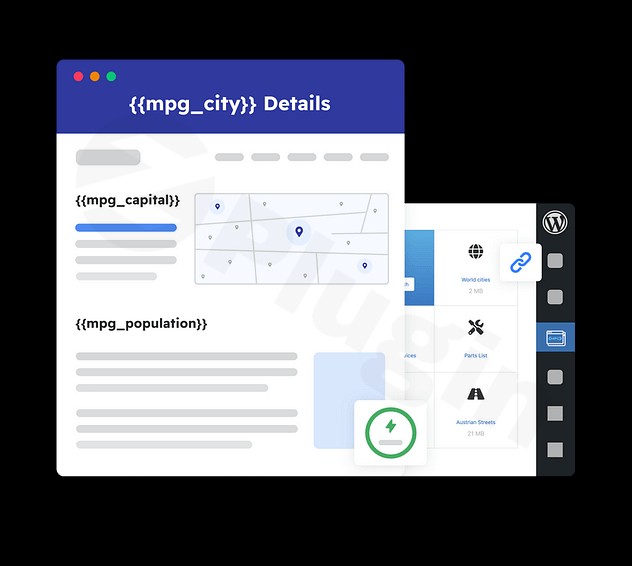
Manually creating hundreds—or thousands—of pages for a website is an impossible task for a growing business. Whether you are building a directory, a product catalog, or a local SEO empire, the Multiple Pages Generator WordPress plugin (MPG) by Themeisle provides a powerful, automated solution. By leveraging programmatic SEO, this WordPress page generator allows you to transform a single template and a data source into an entire ecosystem of high-ranking, unique landing pages.In this guide, we will explore how the Themeisle MPG plugin works, its core features, and how you can use it to dominate search results through bulk content automation.
Key Features of Multiple Pages Generator (MPG)
The Multiple Pages Generator by Themeisle is designed to eliminate the friction of manual content creation. Here is a breakdown of how it empowers site owners to scale.
1. Automated Bulk Page Creation
The core of the plugin is its ability to generate pages from external data sources. Instead of typing every page manually, you can upload a CSV, XLSX file, or link a Google Sheet. MPG then reads each row of your data and generates a corresponding page based on your design.
2. Dynamic Content Personalization
To ensure each page is unique and valuable to users, MPG uses a shortcode system (e.g., {{mpg_city}} or {{mpg_service}}). These tags act as placeholders in your template. When the page is generated, MPG pulls the specific data from your spreadsheet to populate:
- Page titles and headings
- Body text and descriptions
- Meta descriptions and SEO titles
- Image Alt text
3. SEO-Optimized URL Structures
Search engines favor clean, descriptive URLs. With MPG, you can define custom URL patterns like /services/{{mpg_service}}-in-{{mpg_city}}/. This ensures that your bulk page creation WordPress strategy results in URLs that are highly relevant to user search queries.
4. Advanced Spintax Support
To avoid “duplicate content” flags from search engines, MPG supports Spintax. This allows you to provide multiple variations of a sentence (e.g., {Best|Top-rated|Leading} plumber in {{mpg_city}}). The plugin will cycle through these variations, ensuring that while the template remains the same, the actual prose on the page feels unique.
5. Seamless Page Builder Compatibility
The plugin is built to work with the modern WordPress ecosystem. It is fully compatible with:
- Gutenberg (Block Editor)
- Elementor
- Divi
- Beaver Builder
* Popular SEO plugins like Yoast SEO, Rank Math, and All in One SEO.
How to Install and Set Up the Multiple Pages Generator Plugin
Follow these steps to start your first programmatic SEO WordPress project using MPG.
- Install the Plugin: Navigate to your WordPress Dashboard, go to Plugins > Add New, and search for “Multiple Pages Generator by Themeisle.” Click Install and then Activate.
- Create Your Template Page: Design a single page (or post) that will serve as the “blueprint” for all your generated pages. Use the Gutenberg editor or your favorite page builder. Insert MPG shortcodes (like
{{mpg_city}}) where you want the dynamic data to appear. - Upload Your Data Source: Go to the MPG menu in your sidebar and click Add New project. Upload your CSV/XLSX file or provide a Google Sheets URL. Ensure your column headers match the shortcodes used in your template.
- Configure URL Settings: In the project settings, define the “URL Template.” This determines the final web address for each generated page.
5. Generate and Verify: Once saved, MPG will virtually “generate” these pages. You can preview them to ensure the data is populating correctly before letting search engines crawl them.
Practical Usage & Best Practices
To get the most out of a WordPress page generator, you should apply it to specific, high-intent workflows.
Ideal for Local SEO
If you offer a service (like “Roofing”) across 50 different cities, you don’t need to write 50 pages. Use MPG to create 50 variations of a “Roofing in [City]” page. This is the best way to generate landing pages in WordPress for service-based businesses looking to capture local search traffic.
Product and Service Catalogs
For affiliate marketers or e-commerce owners with vast inventories, MPG can create individual detail pages for every item in a CSV list. This allows you to target long-tail keywords for specific model numbers or niche product categories without manual entry.
Directory and Profile Sites
Building a directory of local doctors, lawyers, or contractors? Link a Google Sheet containing their professional details to MPG. Any time you add a new row to your Google Sheet, the plugin can automatically sync and create a new profile page on your site.
FAQ & Troubleshooting
How does the Multiple Pages Generator plugin work?
The Multiple Pages Generator WordPress plugin works by using a “Template Page” and a “Data Source” (like a CSV). It maps the columns in your data source to shortcodes in your template, dynamically rendering unique pages for every row in your file without adding bulk to your WordPress database.
Can MPG generate unlimited pages?
The free version of MPG allows for substantial page generation, but the MPG Pro version is required for unlimited page generation, advanced conditional logic (showing/hiding content based on data), and automated scheduling for Google Sheets syncing.
Is MPG compatible with Elementor?
Yes, Themeisle MPG plugin is fully compatible with Elementor. You can design your template using Elementor’s drag-and-drop interface and simply place your MPG shortcodes within text widgets or headings.
Does MPG create a sitemap for the new pages?
Yes. MPG automatically generates an XML sitemap for your generated pages. This is crucial for ensuring that Google and other search engines can find, crawl, and index your new content quickly.
Conclusion: Is MPG Right for You?
The Multiple Pages Generator by Themeisle is a game-changer for anyone looking to implement programmatic SEO on WordPress. It offers a high ROI by saving hundreds of hours of manual labor while creating the infrastructure needed to capture massive amounts of search traffic.While alternatives like Page Generator Pro offer more granular control over metadata, MPG stands out for its user-friendly interface and reliable performance. If you need a robust, easy-to-use WordPress page generator backed by a reputable developer, MPG is the ideal choice for scaling your digital presence.Ready to automate your growth? Explore more WordPress tutorials and reviews at wppick.com.
I. Download Limits & Account Benefits
- Free Downloads: Each email address receives 3 downloads per day for free products
- Upgrade Benefits: Purchase any paid product to increase your daily download limit by 3 for each paid product
- No Account Required: You can download immediately by receiving the download link via email
- Account Recommended: Create an account for easier access to your order history and direct update downloads
II. Understanding GPL vs Official Versions
Important: The products available on WPPick are GPL-licensed versions, which differ from official developer versions. Before purchasing, please read our comprehensive guide: Understanding GPL & Official Differences at WPPick
Key Points:
- GPL versions may not include premium support from original developers
- Updates may be delayed compared to official releases
- Some premium features might have limitations
- Always consider your specific needs and support requirements
III. Support & Assistance
We’re here to help through multiple channels:
- Email Support: Direct email assistance for all inquiries
- Live Chat: Real-time support during business hours
- Comprehensive Documentation: Detailed guides and tutorials
IV. Order Tracking
Access your complete purchase history and download links anytime: Order History
V. Account Access
New to WPPick? Login or Create Account to manage your downloads and orders efficiently.
VI. Refund Protection
We stand behind our products with a clear refund policy. Review our terms: Refund Policy
VII. Privacy & Security
Your data security is our priority. Learn how we protect your information: Privacy Policy
VII. Terms of Service
Understanding our service terms ensures a smooth experience: Terms of Use
Quick Tips for Best Experience
- Verify Compatibility: Check plugin/theme compatibility with your WordPress version
- Backup First: Always backup your site before installing new plugins or themes
- Test Environment: Consider testing on a staging site first
- Stay Updated: Regularly check for updates in your account dashboard
- Read Documentation: Review any included documentation for optimal setup
Need Help?
If you have questions about downloads, licensing, or need technical assistance, don’t hesitate to contact our support team. We’re committed to ensuring you have the best possible experience with WPPick products.
Ready to get started? Your download adventure begins with just one click!
- Added safeguards to logging to prevent looping errors