

Neuroai – Ai Automation & Consulting Elementor Template Kit
/Year
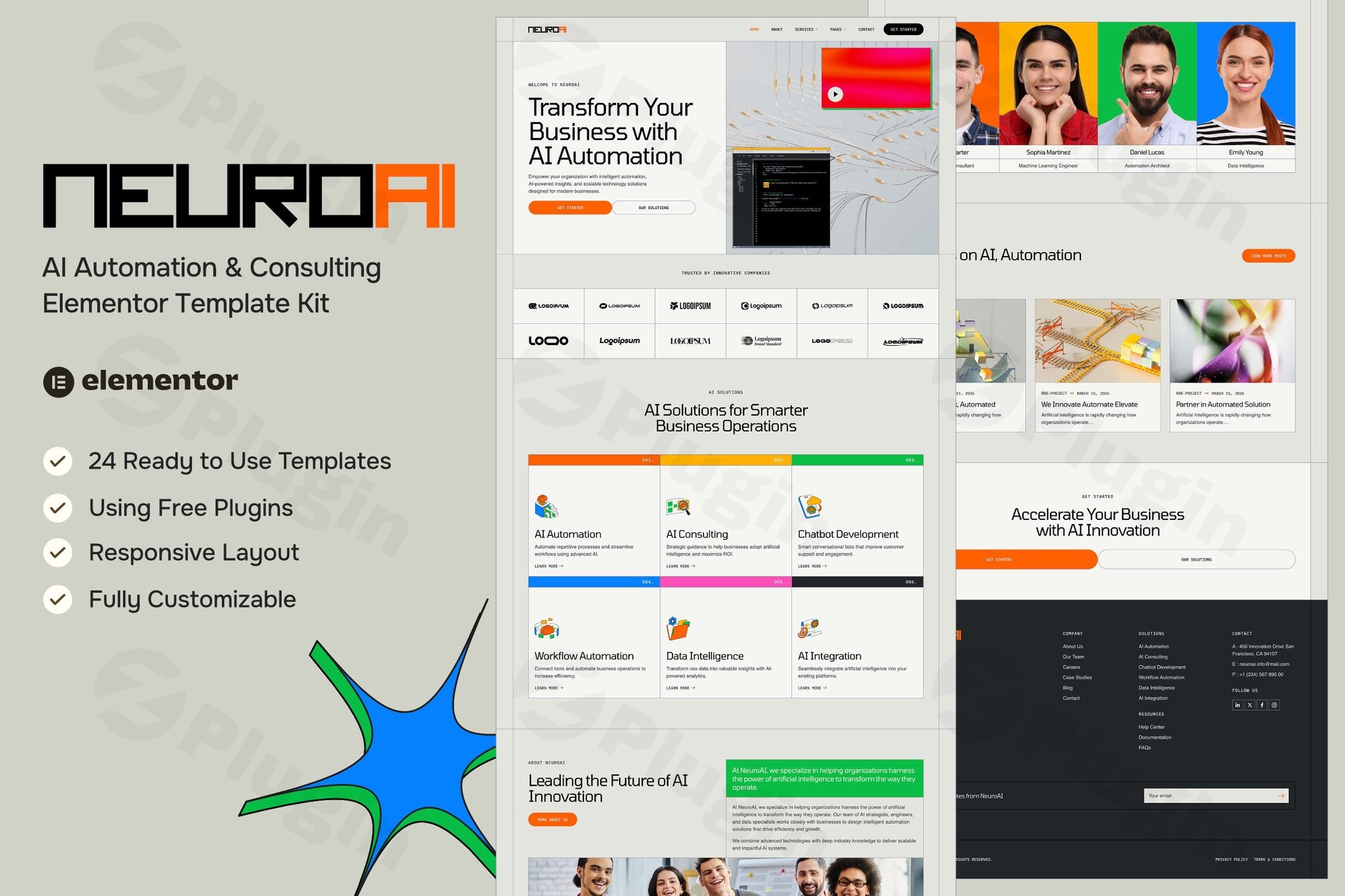
In the rapidly evolving landscape of artificial intelligence, your digital presence must reflect the innovation you provide. The Neuroai Elementor Template Kit is a purpose-built solution designed for AI startups, automation agencies, and technology consultants. This AI Automation Consulting WordPress Kit eliminates the need for expensive custom development, allowing you to launch a futuristic, high-performance website using a simple drag-and-drop interface.
Whether you are offering robotic process automation (RPA), machine learning consulting, or AI-driven SaaS solutions, Neuroai provides the professional aesthetic and technical framework required to build authority in the tech sector.
Key Features of the Neuroai AI Template
The Neuroai Elementor Template Kit is more than just a collection of layouts; it is a comprehensive design system. It includes 19 ready-to-use pages and 24 individual templates, ensuring every corner of your website is polished and functional.
1. Futuristic and Conversion-Focused Design
The design language of Neuroai is clean, modern, and “tech-forward.” It utilizes a professional color palette and layout structures specifically optimized to convert visitors into leads. This makes it an ideal Elementor template kit for AI business owners who want to showcase complex data or services in an approachable way.
2. Full Elementor Free Compatibility
One of the most significant advantages of Neuroai is its cost-effectiveness. While many premium kits require Elementor Pro, Neuroai is fully compatible with the free version of Elementor. By leveraging free extensions like ElementsKit Lite and MetForm, you get Pro-level features without the recurring subscription costs.
3. Comprehensive Page Library
The kit covers every essential business touchpoint:
- Service & Case Study Details: Dedicated layouts to showcase your AI implementation success stories.
- Consultation & Contact Forms: Pre-designed templates for MetForm to capture high-quality leads.
- Career & Team Pages: Perfect for growing AI agencies looking to attract top talent.
- Pricing & FAQ: Clear, transparent structures to help potential clients make informed decisions.
4. Fully Responsive & Performance Optimized
In the world of AI automation website design, speed is a ranking factor. Neuroai is built with a lightweight structure that ensures fast loading times across Chrome, Safari, and Firefox. Every template is 100% responsive, adapting perfectly to desktops, tablets, and smartphones.
How to Install Neuroai Elementor Template Kit
Setting up your AI Automation Consulting WordPress Kit is straightforward. Follow these steps to get your site live:
- Install Necessary Plugins:Before importing the kit, ensure you have the following free plugins installed and active from the WordPress Repository:
- Elementor
- ElementsKit Lite
- MetForm
- Upload the Template Kit:
- Go to ElementsKit > Hardware > Template Kit (or use the “Template Kit Import” plugin).
- Upload your Neuroai zip file. Do not unzip it locally; upload the entire package.
- Install Requirements:
- Upon upload, the system will prompt you to “Install Requirements.” Click this to ensure all global styles and plugin dependencies are configured.
- Import Templates:
- Navigate through the imported kit and click Import on the Global Kit Styles first.
- Then, import individual templates like the Header, Footer, and Home page.
- Create Your Pages:
- Go to Pages > Add New.
- Click “Edit with Elementor.”
- Open the Elementor Library (folder icon), go to “My Templates,” and insert the page layout you wish to use.
Practical Usage & Best Practices
To get the most out of your Neuroai AI Template, consider these real-world workflows:
For AI Consulting Agencies
Use the Case Studies template to create a “Results Gallery.” Link these studies directly from your homepage to demonstrate your expertise in automation. This builds the “Experience” and “Trustworthiness” (EEAT) that high-ticket consulting clients look for.
For SaaS & Product Startups
Utilize the Pricing and Service Details pages to create a clear hierarchy of your software tiers. Use the Coming Soon template to build an email waitlist before your AI tool officially launches.
Best Practice: Use the “Hello Elementor” Theme
For the best performance and to avoid styling conflicts, we recommend using the Hello Elementor theme. It is a minimalist “blank canvas” theme that allows the Neuroai kit to handle the design without unnecessary code bloat.
FAQ & Troubleshooting
What is the Neuroai Elementor Template Kit?
Neuroai is a collection of pre-designed website layouts for WordPress, specifically crafted for AI automation and consulting firms. It uses the Elementor page builder, allowing users to create a professional tech website by importing templates rather than coding from scratch.
Does Neuroai work with free Elementor?
Yes, the Neuroai kit is designed to function with the free version of Elementor. It utilizes complimentary add-ons like ElementsKit Lite and MetForm to provide advanced functionality (like headers, footers, and forms) without requiring an Elementor Pro subscription.
Can I customize the colors and fonts?
Absolutely. Every element within the Neuroai templates is fully customizable. You can change global colors, typography, and images via the Elementor editor to match your specific brand identity.
Why do my forms look different after import?
If your forms do not appear correctly, ensure that the MetForm plugin is active. You may need to “Edit” the form template specifically within MetForm to sync the styles with your theme’s global settings.
Final Verdict: Is Neuroai Right for You?
The Neuroai – AI Automation & Consulting Elementor Template Kit offers an exceptional ROI for any technology-focused business. It successfully bridges the gap between high-end “futuristic” design and user-friendly functionality.
If you need a fast, responsive, and professional AI Automation Consulting WordPress Kit that works without the overhead of Pro plugins, Neuroai is a top-tier choice. Its comprehensive 19-page library ensures that as your agency grows, your website has the capacity to grow with it.
Ready to transform your digital presence? You can find the Neuroai kit on major marketplaces like ThemeForest and start building your AI authority today.
I. Download Limits & Account Benefits
- Free Downloads: Each email address receives 3 downloads per day for free products
- Upgrade Benefits: Purchase any paid product to increase your daily download limit by 3 for each paid product
- No Account Required: You can download immediately by receiving the download link via email
- Account Recommended: Create an account for easier access to your order history and direct update downloads
II. Understanding GPL vs Official Versions
Important: The products available on WPPick are GPL-licensed versions, which differ from official developer versions. Before purchasing, please read our comprehensive guide: Understanding GPL & Official Differences at WPPick
Key Points:
- GPL versions may not include premium support from original developers
- Updates may be delayed compared to official releases
- Some premium features might have limitations
- Always consider your specific needs and support requirements
III. Support & Assistance
We’re here to help through multiple channels:
- Email Support: Direct email assistance for all inquiries
- Live Chat: Real-time support during business hours
- Comprehensive Documentation: Detailed guides and tutorials
IV. Order Tracking
Access your complete purchase history and download links anytime: Order History
V. Account Access
New to WPPick? Login or Create Account to manage your downloads and orders efficiently.
VI. Refund Protection
We stand behind our products with a clear refund policy. Review our terms: Refund Policy
VII. Privacy & Security
Your data security is our priority. Learn how we protect your information: Privacy Policy
VII. Terms of Service
Understanding our service terms ensures a smooth experience: Terms of Use
Quick Tips for Best Experience
- Verify Compatibility: Check plugin/theme compatibility with your WordPress version
- Backup First: Always backup your site before installing new plugins or themes
- Test Environment: Consider testing on a staging site first
- Stay Updated: Regularly check for updates in your account dashboard
- Read Documentation: Review any included documentation for optimal setup
Need Help?
If you have questions about downloads, licensing, or need technical assistance, don’t hesitate to contact our support team. We’re committed to ensuring you have the best possible experience with WPPick products.
Ready to get started? Your download adventure begins with just one click!